The Shogun TV series inches closer to its finale, with episode nine releasing soon. Based on the same-titled novel by James Clavell, the series has always been expected to run for a single season, but perhaps creative license will gift us with another.
UPDATED April 14
What Time Does Shogun Season 1 Episode 9 Come Out?
Shogun TV Season 1 Episode 9 Moeka Hoshi, Tokuma Nishioka
Shogun Season 1 Episode 9, releases on April 16. As a cable and streaming only show, the Shogun TV series releases on multiple platforms including Hulu, Disney+, fuboTV, SlingTV, YouTube TV, ABC, and FX Now. Hulu episodes release at midnight Eastern Time, while the cable telecast premieres at 10 PM ET, or 22 hours later. Here are localized streaming times for major regions:
9 PM Pacific Time (PT) April 15
10 PM Mountain Time (MT) April 15
11 PM Central Time (CT) April 15
12 AM Eastern Time (ET) April 16
4 AM Universal Coordinated Time (UTC)/Greenwich Mean Time (GMT) April 16
The title of Shogun’s season 1 episode 9 is “Crimson Sky”.
Who Are In The Cast Of Shogun Season 1 Episode 9?
The cast has remained relatively stable in the latter half of Shogun’s season, with no major character deaths thus far, but expect that to change as the shadow of war looms on the horizon.
Aside from the leads, Hiroyuki Sanada (Yoshii Toranaga), Cosmo Jarvis (John Blackthorne), and Anna Sawai (Toda Mariko) guest stars include:
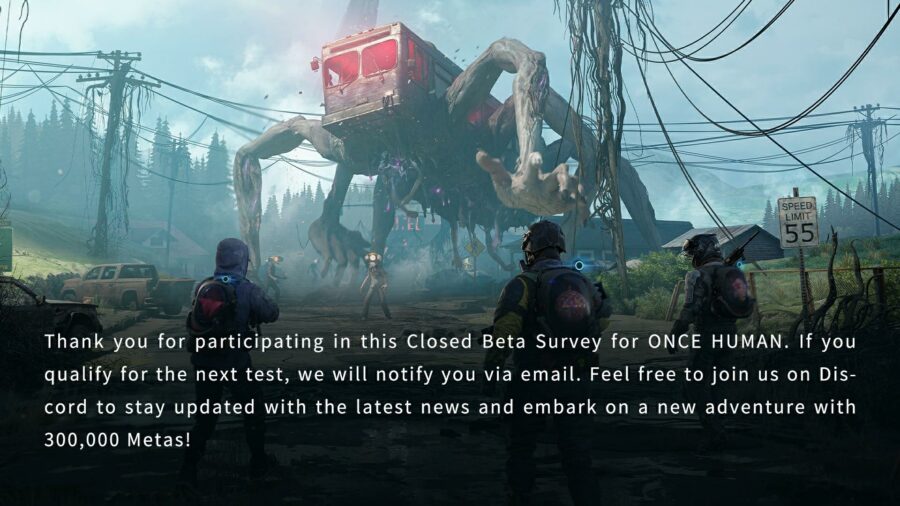
Once Human has had two successful Closed Beta tests on PC, with a third currently ongoing. However, given that the game is multi-platform with a version for smartphones, mobile players may be wondering if there’s a closed beta test coming to mobile as well. Well the answer is yes, and we’ve got the details right here.
The Once Human Mobile Closed Beta is set to start on April 11, 2024.
The announced start time for the beta servers to open is 7 PM Pacific Time. Here are localized times for major regions:
7 PM Pacific Time (PT) Apr 11
8 PM Mountain Time (MT) Apr 11
9 PM Central Time (CT) Apr 11
10 PM Eastern Time (ET) Apr 11
2 AM Universal Coordinated Time (UTC)/Greenwich Mean Time (GMT) Apr 12
3 AM British Summer Time (BST) Apr 12
4 AM Central European Summer Time (CEST) Apr 12
7:30 AM Indian Standard Time (IST) Apr 12
10 AM Singapore/Taiwan/Hong Kong Time Apr 12
11 AM South Korea Standard Time (KST) Apr 12
11 AM Japan Standard Time (JST) Apr 12
Once Human Mobile Closed Beta End Date And Time
No official announcement has been made regarding the prospective end date for the Once Human Mobile Closed Beta.
The third Once Human Closed Beta on PC which is currently ongoing, is expected to run for 42 days, or 6 weeks from its start date of April 4, 2024, 7 PM Pacific Time. That puts the potential end date for the PC closed beta on May 15, 2024, 7 PM Pacific Time.
It’s hoped that the mobile beta test will run just as long as Once Human CBT2 and CBT3 for PC.
Once Human Mobile: How To Join The Closed Beta?
Mobile players who want to participate in the Once Human Mobile Closed Beta can do so through this recruitment survey link:
Note the the mobile closed beta is separate and exclusive from the ongoing PC closed beta, and therefore must be signed-up for again. Mobile beta testers will be provided access to the PC closed beta as well.
The server population is expected to be kept very low, and only the lucky few selected will be able to participate after their applications qualify. The mobile closed beta test is also restricted to the United States, Canada, France, and Germany, with even those being whittled down to the best smartphones to handle the high system requirements of Once Human Mobile.
Check your email to see if you have qualified, including the Spam folder. Your access, once granted, will be automatically linked to your Google Play Store or Apple App Store account.
Once Human Mobile Closed Beta: Is There Crossplay?
The announcement news for the Once Human Mobile Closed Beta test stated that players “can also interact with their cross-platform friends”, but did not elaborate further about how or to what extent. Are the interactions indirect multiplayer such as sharing world information and trading items? Or actual cross-platform gameplay? The actual mechanics remain to be seen. Watch this space for more.
Once Human Mobile Closed Beta: Is There Mobile-Only Crossplay?
It is currently unknown if crossplay can be completely disabled, no matter what the actual extent of the functionality is.
Once Human Mobile Closed Beta: Is There Cross-Progression?
The same announcement for the mobile closed beta test stated that “players can continue playing the same character from PC on the mobile version”, implying that any PC beta testers lucky enough to also get mobile beta test access, and vice versa, will be able to share progression between platforms, presumable through a unified game account, the way Battle.net operates, for example.
That’s everything about the Closed Beta test for Once Human Mobile on Android and iOS.
Once Human is currently in its multi-week long Closed Beta testing, its third in fact. A vast open-world survival MMO with role-playing elements, the game promises to be everything that the critically panned The Day Before wasn’t, and ultimately didn’t deliver on in the end. The similarities really do stop at the basic genre description.
Once Human already has acclaim for its systems, and has garnered a rank of #14 on Steam’s most wishlisted charts, with 70K followers. On its own website, over 10 million pre-registrations have been recorded already, between Steam and mobile smartphones, having only been open since late December, or early January this year.
Starry Studio, the developers and publishers of Once Human, hasn’t formally announced an official date for the game’s release. The release window has been declared to be Q3 2024 on Once Human’s Steam store page, with no particular specificity on its Google Play Store page either.
Q3 2024 refers to the third quarter of a calendar year, which would be the three months of July, August, and September. That is 92 possible dates on which Once Human could potentially be released. Watch this space for more.
Once Human: Is It Free To Play?
While the Once Human Closed Betas have all been free to play, no purchase required, nothing concrete has been stated regarding the actual business model of Once Human on launch. If F2P, the game will likely be supported by micro-transactions, which will hopefully be cosmetic only, with no P2W (pay to win) elements. Watch this space for more.
Once Human: Is There PvE or PvP?
Players can opt for PvE only server play, or join in on the more chaotic PvP worlds, completely at their own discretion. However, this will be a one-time decision, as created characters are non-transferable between servers. A new character can of course be created, in order to play on another server. The previous character will be retained, and remain separate and distinct.
Servers themselves have distinct “Worlds”, wherein players can take all carried gear with them, but not buildings and the like. A function does exist to migrate player structures between Worlds, if so desired.
In PvP, certain zones on Worlds are designated “contestable” areas, and are shared across Worlds on the same server. This is to promote common objectives to strive for, and create the point of conflict for PvP itself.
Once Human: Is It In Early Access?
While Early Access has become a common launch model for developers and publishers to acquire both financial backing and feedback for their games, Starry Studios has made no statements regarding this possibility with its Steam version, or even on mobile platforms. The three closed betas are already providing plenty of player feedback as it stands. Watch this space for more.
That’s all we really know about Once Human and its potential release date and time on Steam PC, Google Play for Android smartphones, and App Store for iOS Apple iPhones and iPads.
The central premise of Content Warning has you and your buddies film yourselves with freakish monsters and escape with the footage. Unfortunately, that first bit has some players running into trouble with lost video footage. So what to do if you get the “failed to extract” bug? Well we’ve got the known solutions right here.
In order to recover lost footage from a bugged extraction, press F3 to view a directory where all session videos are stored. Since this is a temp directory, DO NOT close the game. Doing so will wipe that folder clean.
For anyone encountering the “failed to extract” bug with Content Warning you can press F3 to debug-extract the video! 🙏
This is obviously for the person holding the camera. Each file is an individual clip saved from pressing Record.
Additionally, individual frames from the recording are also saved as .png files.
When you return to safety, the final tape is generated, and that too is stored in this folder.
Should F3 fail to work, navigate to:
C:\Users\<YourUserName>\AppData\Local\Temp\rec
from where you can find the directory structure.
As for preventing the bug from happening at all: relegate a single player to act as videographer. That way all footage is being saved on a single PC, rather than being strung together from different sources. Next, avoid making dozens of distinct recordings in the same session, as that will cause problems when the time comes to splice them all together as well. Bear in mind that this is actual data being created on your actual PC, and while small overall, your own drive space may be an issue as well.
If those steps didn’t resolve the issue for you, rest assured that the developers are aware of the bug and are currently working on it:
Some of the bigger Content Warning issues we're working on:
⚠️Issues with voices (we have a lead on this one) ⚠️Connection and hosting issues ⚠️Issues with camera footage not extracting ⚠️Issues with camera footage not being visible
Wordle can be an unforgiving puzzle sometimes, and you can often come so close to ending a long winning streak. So, for your convenience, here are some hints as well as the answer for the Wordle today Apr 14.
We present Wordle clues here in a variety of ways to gently help you along, but if you just want the answer straight, spoilers be damned, then scroll all the way down to the section titled Today’s Wordle Answer.
A small nonrigid airship or dirigible, typically used for advertising or as an observation platform. It is characterized by its elongated shape and ability to float and navigate through the air.
Wordle Hint Today Fifth Letter
The fifth letter for the Wordle answer today is:
“P”
Wordle Hint Today Fourth Letter
The fourth letter for the Wordle answer today is:
“M”
Wordle Hint Today Third Letter
The third letter for the Wordle answer today is:
“I”
Wordle Hint Today Second Letter
The second letter for the Wordle answer today is:
“L”
Wordle Hint Today First Letter
The first letter for the Wordle answer today is:
“B”
Today’s Wordle Answer
And finally, here is the Wordle answer today. While this is your last chance to turn back, don’t feel bad about having to look it up.
Sometimes you have just one last chance to solve the puzzle, but three different letters that could viably fit into that last remaining square. At other times the word is so obscure, you just would not have gotten it without having in-depth knowledge about some oddly specific subject.
That’s no reason to lose a streak you have kept going for 864 days straight! So here goes nothing:
An adjective used to describe someone who complains frequently and in a high-pitched or irritating manner, often about trivial matters.
Wordle #1027 For April 11, 2024
“LOUSE“
A small, wingless insect parasitic on mammals and birds, known for infesting human hair and clothing, causing itching and irritation.
Wordle #1026 For April 10, 2024
“BROTH“
A savory liquid made by simmering meat, bones, or vegetables in water, often with herbs or spices added for flavor. It forms the base for soups, stews, and sauces.
Wordle #1025 For April 9, 2024
“MERGE“
To combine or unite two or more things into one entity. It often refers to joining together separate organizations, companies, or entities to form a single entity or to integrate different elements into a unified whole.
Wordle #1024 For April 8, 2024
“BREED“
As a verb, to mate animals with the intention of producing offspring, often to perpetuate certain desirable traits or characteristics.
As a noun, a particular type or kind of something, denoting a distinct category or class.
Wordle #1023 For April 7, 2024
“VOILA“
A French interjection used to draw attention to or emphasize something that has been done or presented. It is often translated to English as “there you go,” “here it is,” or “there it is.”
It is commonly used to indicate the completion or success of a task, or to introduce something that has been prepared or produced.
Wordle #1022 For April 6, 2024
“FINCH“
A small to medium-sized bird, characterized by a stout conical bill, a short neck, and a compact body, known for their colorful plumage and melodious songs.
Wordle #1021 For April 5, 2024
“WRIST“
The joint connecting the hand to the forearm in humans and other primates.
Wordle #1020 For April 4, 2024
“CLIMB“
To move upwards, typically using the hands and feet to ascend a steep surface such as a mountain, hill, ladder, or rock face.
Wordle #1019 For April 3, 2024
“PLAIT“
A braid or a length of hair that has been divided into three or more strands and interlaced over one another.
Wordle #1018 For April 2, 2024
“SERUM“
A liquid that contains the fluid portion of blood after it has clotted, typically containing antibodies or other substances extracted from blood for medical purposes.
Wordle #1017 For April 1, 2024
“FORCE“
The large, divided leaf of a fern or palm tree.
Wordle #1016 For March 31, 2024
“TABOO“
A social or cultural prohibition or restriction that forbids certain behaviors, actions, or practices due to social, religious, or moral beliefs.
Wordle #1015 For March 30, 2024
“FORCE“
The strength or power exerted by a person, group, or entity, often to achieve a particular outcome or effect.
Wordle #1014 For March 29, 2024
“REALM“
A domain, sphere, or territory, often conceptual or figurative, where certain activities, ideas, or entities exist or operate. It can also denote a kingdom, or sphere of influence, whether literal or metaphorical.
Wordle #1013 For March 28, 2024
“SPEAK“
To communicate verbally, to utter words or articulate sounds in order to convey meaning or express thoughts, ideas, or emotions.
Wordle #1012 For March 27, 2024
“STUNG“
The action of being bitten or pricked by an insect, typically resulting in pain, swelling, or irritation at the site of the bite; past tense and past participle form.
Wordle #1011 For March 26, 2024
“MAYOR“
The elected or appointed head of a municipal government, typically responsible for overseeing the administration and governance of a city or town.
Wordle #1010 For March 25, 2024
“SALLY“
A sudden charge out of a besieged place against the enemy; to set out from a place to engage in a venture or activity.
It can also mean a witty remark or a quick, energetic action.
A female given name.
Wordle #1009 For March 24, 2024
“TOWEL“
A piece of absorbent fabric or paper used for drying or wiping oneself or objects.
Wordle #1008 For March 23, 2024
“RISEN“
A verb that means to move from a lower position to a higher one, to ascend, or to become higher in level, position, or status; past participle form.
Wordle #1007 For March 22, 2024
“DECAY“
The gradual deterioration or decomposition of something over time.
Wordle #1006 For March 21, 2024
“SHADE“
The darkness created by an object blocking the light from the sun or a source of light.
Wordle #1005 For March 20, 2024
“LINGO“
A specialized or informal vocabulary used by a particular group, profession, or community.
Wordle #1004 For March 19, 2024
“ABIDE“
To accept or act in accordance with a rule, decision, or recommendation; to tolerate or endure something.
Wordle #1003 For March 18, 2024
“SPELT“
To recite, write, or form words with letters in the correct order; past tense and past participle of that verb.
Wordle #1002 For March 17, 2024
“SNORT“
To forcefully inhale air through the nose, often audibly, as a reflex action or to clear the nasal passages, and sometimes in the context of narcotics.
Wordle #1001 For March 16, 2024
“TOXIN“
A harmful substance produced by living organisms, such as bacteria, fungi, plants, or animals, that can cause damage to cells, tissues, or organs when ingested, inhaled, or otherwise absorbed into the body.
Wordle #1000 For March 15, 2024
“ERUPT“
To burst or break out suddenly and violently, especially in terms of a volcano releasing lava, ash, and gases.
Wordle #999 For March 14, 2024
“SINCE“
A point in time from which something has continued or developed; the starting point of a period of time.
Wordle #998 For March 13, 2024
“LOCAL“
Something that is nearby, or in the immediate vicinity, as opposed to being widespread or global. Or a person who resides in a particular area or community.
Wordle #997 For March 12, 2024
“HEAVE“
To lift, haul, or throw a heavy object with great effort. Also used to describe when a chest rises and falls rhythmically or spasmodically as if struggling to breathe.
Wordle #996 For March 11, 2024
“PESKY“
An adjective used informally to describe something or someone annoying, bothersome, or causing minor but persistent trouble or irritation.
Wordle #995 For March 10, 2024
“GRASP“
As a noun: a firm hold or grip.
As a verb: to understand or to comprehend something.
Wordle #994 For March 9, 2024
“CHEER“
As a verb, to express happiness or encouragement, oftentimes with a loud shout, slogan, or acclamation.
Wordle #993 For March 8, 2024
“EARLY“
An adjective that refers to something occurring or done before the expected, usual, or appointed time.
Wordle #992 For March 7, 2024
“CLONE“
Produce genetically identical copies of an organism, typically through asexual reproduction or by using biotechnological methods.
Wordle #991 For March 6, 2024
“TEARY“
An adjective that describes someone who is shedding a bodily fluid from their eyes, often as a result of sadness, emotion, or sensitivity.
Wordle #990 For March 5, 2024
“HUNCH“
A noun that refers to a feeling, intuition, or instinctive guess about something, often without any logical explanation or evidence.
A verb that means to bend or stoop forward, typically due to discomfort, fatigue, or cold.
Wordle #989 For March 4, 2024
“FLAME“
The highly visible, brightly glowing, and often flickering component of a fire.
Wordle #988 For March 3, 2024
“STATE“
As a noun: a political entity with defined geographical boundaries, a permanent population, and a government.
Wordle #987 For March 2, 2024
“URBAN“
The social, cultural, and economic aspects of city life, as opposed to rural living.
Wordle #986 For March 1, 2024
“FORTY“
A numeric value that can be arrived at by multiplying four by ten.
Like Lethal Company before it, Content Warning is rife with creeps, freaks, and monsters of all stripes.
Including Spiders. Yes, that most feared of all creatures. Arachnophobia is nothing to be ashamed about, and if you have issues with the multi-legged crawlies, that’s a-okay.
Fortunately for you, there’s already a Content Warning Arachnophobia mod available to make the game better. Let’s get modding!
Before you grab that though, you’ll need the supporting software. Follow these instructions to ensure the process is as smooth as can be.
Step 1: Install A Mod Manager
Select between either of these two mod managers, it doesn’t matter which. Try both, and drop one later.
Thunderstore Mod Manager
Thunderstore is a database as well as an API for mods, and this is its in-house mod manager that simplifies the installation and management of mods. Think of it as Steam, but for game mods.
Another mod manager just like the Thunderstore Overwolf App. Which one you end up using is entirely your preference, based on user interface and simplicity.
Keep in mind that these mod managers aren’t just for Content Warning, but support a variety of other games.
Once you have made a selection with regards to mod manager, you can use them to search for mods by keyword, or browse the entirety of a specific game’s mod catalog manually.
Step 2: Install NoMoreSpooders
Now use the mod manager link on this page to grab the arachnophobia mod.
That’s all there is to it. Remember to leave feedback on the mod page, so that the mod author and future visitors can know if it’s still functional or broken.
Four-player co-op is all the rage right now, from Helldivers 2 to the game that serves as inspiration for Content Warning–Lethal Company. But what do you do when you have a fifth friend that wants to join in on the fun? Or a sixth? Or seventh? Or maybe you just want to have half your class in the game, goofing around and taking selfies with freaks and monsters. That’s where multiplayer mods for Content Warning come in to save the day.
Mere hours after going viral, there were already mods for Content Warning, including the most wanted of them all: bigger lobby mods. Your best bet is always going to be the most popular one:
Before you grab that though, you’ll need the supporting software. Follow these instructions to ensure the process is as smooth as can be.
Step 1: Install A Mod Manager
Select between either of these two mod managers, it doesn’t matter which. Try both, and drop one later.
Thunderstore Mod Manager
Thunderstore is a database as well as an API for mods, and this is its in-house mod manager that simplifies the installation and management of mods. Think of it as Steam, but for game mods.
Another mod manager just like the Thunderstore Overwolf App. Which one you end up using is entirely your preference, based on user interface and simplicity.
Keep in mind that these mod managers aren’t just for Content Warning, but support a variety of other games.
Once you have made a selection with regards to mod manager, you can use them to search for mods by keyword, or browse the entirety of a specific game’s mod catalog manually.
Step 2: Install BepInExPack
This is a critical general purpose framework for Unity modding, and the mod won’t run without it. You can use the mod manager link on this page to get it done smoothly.
Extends the max number of players that can play in a lobby, adds late joining, and proper Steam rich presence!
Features
Bigger lobby sizes (configurable limit)
Late joining (configurable on/off)
Right click Steam join (configurable on/off)
Notes
Required by all players to work properly!
Supports all vanilla player features (i.e. showing up in video comments, hospital bills, etc...)
Only 4 players need to sleep to progress the day
And now you’re set. As mentioned, ALL players need to have the mod installed, so randoms might not be able to join your super-sized lobby. Joining late can be toggled on or off as a difficulty tuner.
Trying to figure out what item does exactly what in Content Warning? Here’s a complete list of everything you can buy with your hard-earned SpöökTube revenue in the game.
That’s all of the items so far in Content Warning as of right now. Let’s hope that future updates and community mods increase that to a lot more cool gadgets and doodads.
Content Warning is a viral indie sensation right now with hordes of players striving to achieve their own virality on SpookTube in-game. However, getting injured or even killed in the pursuit of monster footage, can put a damper on those plans. So how does one heal in Content Warning?
Content Warning: How To Heal Players?
The only method to heal players currently is the Hugger Medical item. It can be purchased for a $100 in-game, making it a day 2 item at best. In order to use it, simply step up to the injured team mate and hold the left mouse button down until health is fully restored. Done! The Hugger’s power does not run out, so don’t hesitate to make use of it often.
Content Warning is a somewhat satirical take on the mad chase for views that some real-life content creators will engage in. In the game however, you and your buddies will be sharing footage of terrifying close encounters with freaks and monsters, all in the hope of maximizing your view count at the end of the run. But how does that system work exactly? Let’s find out.
The viewer engagement system in Content Warning isn’t transparent at all (just like YouTube), so it can be difficult to determine exactly what goes wrong when it does, and what went right when the video goes viral. Some of the things you can try:
Think about what makes great real-life YouTube videos. A nice intro and outro, a selfie shot, and content in the middle of it all.
Capture footage with both players and monsters in the same shot. For example, a monster in the background as one of you emotes in the foreground, is the perfect crowd-pleaser. And the more the merrier.
Don’t shy away from gore. If a buddy gets taken down, get that footage too! You can’t bring them back right now, but don’t let their loss be in vain.
And it’s not just monster interactions that result in death which can generate views. Since the game simulates physics, any other sources of player damage like falling from a height or a friendly thwack from another buddy can provide entertainment to the masses.
Film their corpses as well, as that really gets the audience going. Maybe even get a still living buddy in the frame, to emote and voice chat while doing so.
Resurrecting your dead buddies in the field with the Defibrillator? Film that! It might even be worth it to be intentionally taken down, and brought back, for content.
Broadly speaking, you should film almost every unique object you come across. Skulls? Bones? Diving Bells? Get it all, at least once, if not every time.
There is a plethora of creatures in the game, and not only should you film every single one, you should try and capture footage of them in motion, doing their unique move for example.
Once you unlock an item that allows for fending off creatures, such as the Goo Ball or the Shock Stick, that initial use will give you a good chunk of views as well. If you happen to come across something you can pick up and thwack monsters with, that will suffice as well.
Goofing off on camera is also a source of views. Voice chatting and emoting on film adds a touch of the ordinary to your footage, before things take a turn, so to speak.
Invest your initial income in better equipment. Prioritize a better light, so you can actually see what you’re doing. Next is the Boom Mic, and the Clapper, in that order.
Content Warning: What Are Views For?
Just like in real life, more views = more revenue. The hint is right there in the title: Content. Content is king, and views are gold. The income generated will come in handy for acquiring new items, which in turn open up new avenues for generating more income. Keep that cycle going for as long as possible.









 Thunderstore is a database as well as an API for mods, and this is its in-house mod manager that simplifies the installation and management of mods. Think of it as Steam, but for game mods.