Helldivers 2 Farm Medals

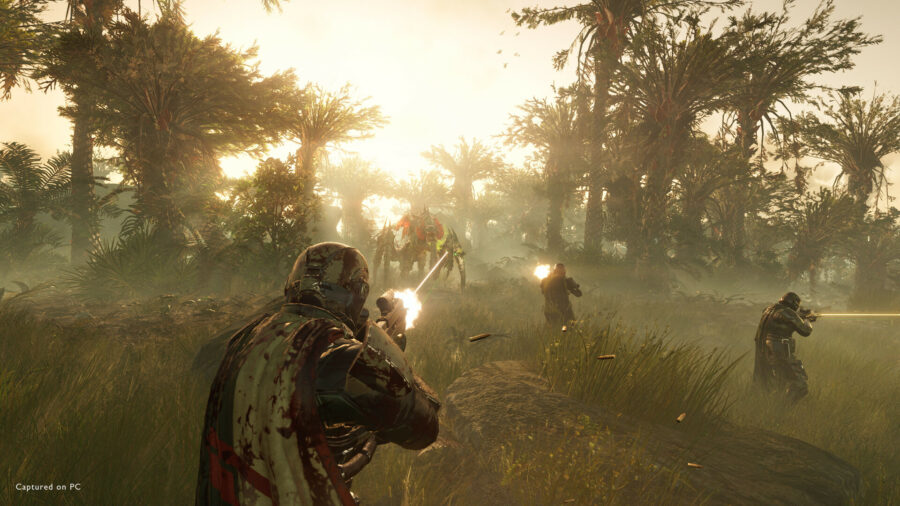
Helldivers 2 has three currencies and three resources for players to juggle, all of which have utility in the game one way or another. One of those currencies are Warbond Medals, which are critical for unlocking the various standard Warbonds. Medals are fairly difficult to come by, especially considering how many of them it takes to actually unlock a given Warbond. This Helldivers 2 guide is intending for farming Medals as quickly as possible without being too much of a grind.

UPDATED April 16


Helldivers 2 Update Patch Notes 01.000.203 Apr 16


Helldivers 2 Medal Farming

Aside from completing your Personal Order of the day and claiming its rewards, several mission types are especially suited for farming Medals. While the post-extraction mission reward of Medals are great to have as a bonus, you’ll want to set the mission difficulty as low as you can manage easily, even Trivial if need be. Yes, the lower the better. This is because all six pickups share the same loot table, and you will want to maximize your potential for farming Medals from Places of Interest in the mission area itself. You will find between one and four per location, and as many as a dozen per mission, over and above whatever Medals you will accrue from mission completion.


MORE IN HELLDIVERS 2:


As for the type of missions, Destroy and Eradicate types are ideal as you can just quickly cut a swathe through enemies while focusing on exploration and pickup discovery. You can ignore most of the side objectives, but if you get the radar tower, finding and completing it will mark all the Places of Interest on your map with a diamond symbol indicating pickups at those locations. As you cycle through those points and clear them all, a new symbol will appear for the next set of pickups.

Without the radar tower, you can also simply zoom in on your map, and try to identify geometrical shapes amidst the natural topography. These are structures and facilities, Places of Interest where you are most likely to find caches of pickups like Medals and Super Credits.

Another tip is if you just tap the silhouette of something on the map that looks like it might be a Place of Interest, you can get instant feedback because it will be highlighted automatically. You could also spam tap randomly around the map until you hit pay dirt.


Helldivers 2 Best Stratagems For Medal Farming

In terms of best Stratagems for farming Medals, you really want something to ease map traversal as much as possible, so definitely get the Lift-850 Jump Pack. It will make crossing the vast expanses of nothingness between Places of Interest a lot faster, and mitigate boredom.

As for loadout, bring impact grenades to blow open containers, and the lightest armor possible, so as not to drain your stamina. Armor with more grenade slots would also be invaluable. The Autocannon Stratagem can come in handy for blowing things open as well, if you have it unlocked.


Helldivers 2 Co-op Medal Farming

Ideally you would run these farming missions in a team to maximize your potential while not being bored out of your gourd. Breeze through the objectives, and then fan out in different directions in search of facilities to ping for the group. Every player receives Medals and Super Credits, regardless of which player actually picked it up. It is not a shared pool that is distributed evenly between squad mates, rather each and every member receives the sum total of Medal and Super Credits pickups.

The above is true even if the mission is failed, at which point the only pickups lost are Samples, which must be extracted.

Having at least one buddy along would also help with opening the double doors of bunkers, which can often be a trove of pickups.


Here’s the Review We Would Write if We Could Play Helldivers 2


That’s everything there is to know about Medal farming in Helldivers 2.

Helldivers 2 Servers At Capacity Error Fix

Helldivers 2 is a surprise smash hit out of left field, and with its unexpected popularity comes player congestion and a host of unexpected technical issues. Maintaining a connection to servers being one of the biggest issues, the particular error we’ll be dealing with in this guide is about “Servers at capacity. Please try again later” and fixes for the issue.

UPDATED April 16


Helldivers 2 Update Patch Notes 01.000.203 Apr 16


Helldivers 2 Servers At Capacity Fixes

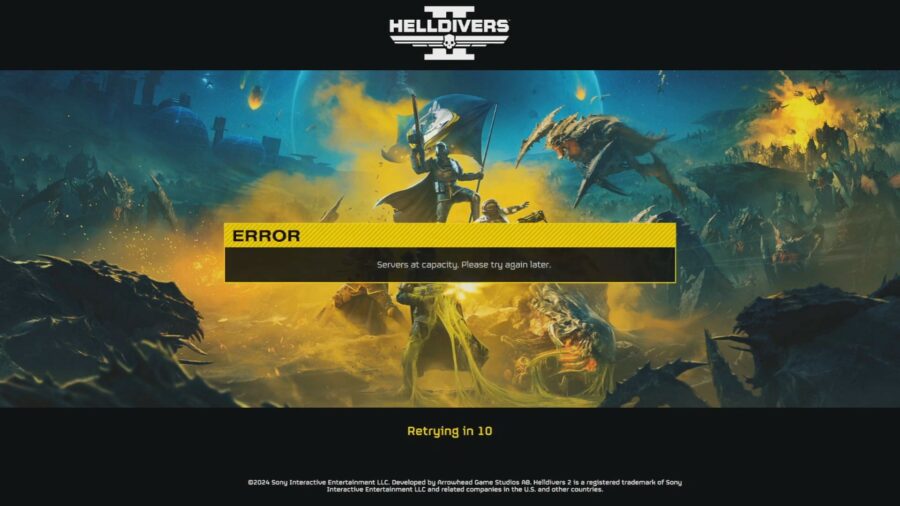
Helldivers 2 Servers at capacity. Please try again later.
Helldivers 2 “Servers at capacity. Please try again later.” error

The primary reason for the issue should be pretty obvious: there are too many active players currently logged-in to a game with a grossly underestimated player cap. Despite raising the concurrent player count twice from 250K to 360K, and then 450K, the problem persists as the game grows in popularity. There is also apparently a limit to how many players can login each minute, and that was raised from the initial 10K to the current 20K. “Servers at capacity. Please try again later” is most likely due to the former given limitation that particular choice of words. The latter usually displays the message “Login limit reached. Please wait to be let in.”


Retry Login

The simplest thing you can do is wait a minute or more in the hope that a player somewhere has finally finished their play session for the day, and then try to queue again for that vacated slot. But you’ve probably done that already, or you wouldn’t be reading this guide, so on with other actual known fixes.


MORE IN HELLDIVERS 2:


Watch The Entire Intro Cutscene

For some reason, players are reporting that watching the entirety of the intro video has consistently avoided connectivity issues. This is possibly because the game will have adequate time to establish server communications in the background.


Disable CrossPlay Functionality

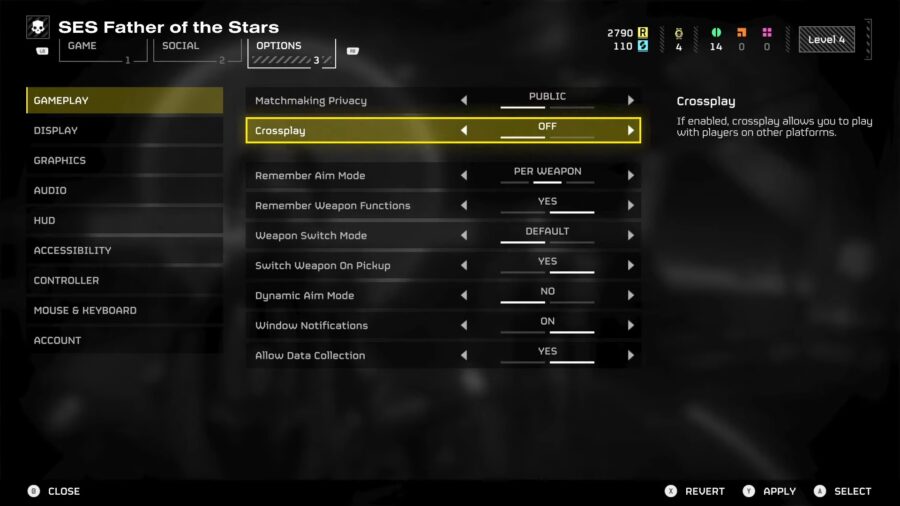
Helldivers 2 Crossplay Toggle

PlayStation 5 players have a fix all their own, by simply turning off crossplay. Ostensibly, this might be because server slots are reserved for players that want to be controller or platform purists. The setting is buried in Settings -> Options -> Gameplay -> Off. This might work for Steam players as well, assuming that slot reservation for mouse and keyboard purists has been implemented by the developers.


Join On Friends Online

This one might have to do with queue slots having social priority of some sort. Joining on an already connected Friend via the “Join Game” function seems to work more often than not, to at least get you into a session, if not necessarily with the settings that you prefer. This one will be difficult for players without active friends online, though looking-for-group (LFG) services on Reddit and Discord might help.


Comment
byu/Venomouspain- from discussion
inHelldivers


Comment
byu/chungusbuster666 from discussion
inHelldivers


Verify Game Files

A corrupted installation is said to be the cause of the issue for some players on both PlayStation 5 and Steam PC. You may want to either perform a fresh install, or simply use the “Verify integrity of game files” function by right-clicking Helldivers 2 -> Properties -> Installed Files. Here’s a detailed guide to verifying game file integrity from Steam itself.


Disable VPN

Players with VPNs may want to skip the middleman for once, as it is known to trip up server connectivity in Helldivers 2. If the VPN is vital to your online security, try switching to another city or country.


Disable IPv6

A more technical fix than most of us would like, nonetheless it has had success for many players as a last resort. According to multiple redditors, disabling IPv6, and falling back on IPv4 works 100% of the time for instances where no other solution worked. The post below has a perfect step by step guide to resolving the issue.


Comment
byu/xElectro from discussion
inHelldivers


Change DNS Server

DNS servers perform IP lookups, and your default DNS server may not be all that reliable, especially if it is offered by your internet service provider. You can try Cloudflare’s DNS services with 1.1.1.1 and 1.0.0.1

Here are several more DNS server options to choose from.


If all else fails, simply wait it out until the developers get around to fixing this issue, which they have consistently done over the past weeks.


Sony Promises Helldivers 3 Will Debut With at Least Two, Possibly Three Servers


That’s just about everything you can do to resolve “Servers at capacity. Please try again later” in Helldivers 2.

Helldivers 2 Defrosting Helldiver Error Fixes

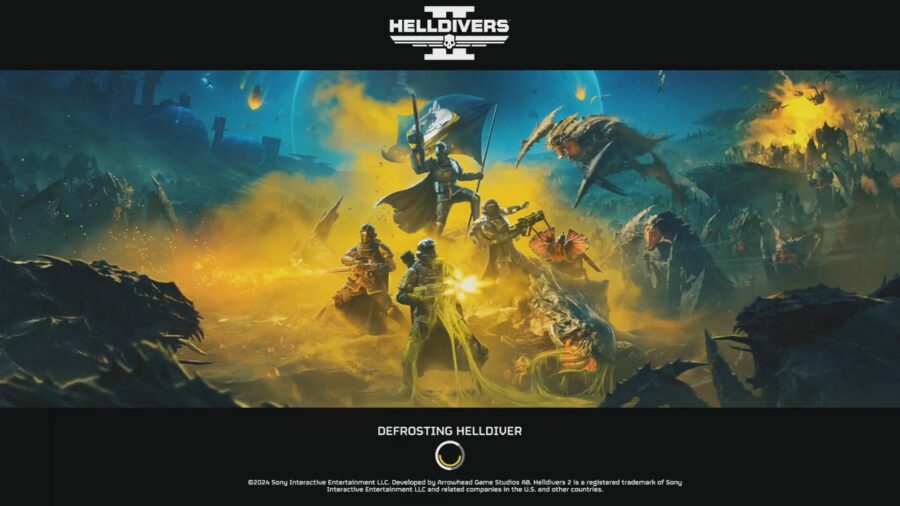
Helldivers 2 continues to suffer from all kinds of login errors preventing players from even loading into the game for the first time. This particular guide is intended for addressing the “Defrosting Helldiver” issue that persists on the loading screen on launching Helldivers 2.

UPDATED April 16


Helldivers 2 Update Patch Notes 01.000.203 Apr 16


Helldivers 2 Defrosting Helldiver Loading Screen

Helldivers 2 Defrosting Helldiver
Helldivers 2 Defrosting Helldiver error

The “Defrosting Helldiver” infinite loading screen is generally unlikely to be a server-side issue, since similar server related issues usually begin after the game has fully loaded-in locally on your machine. There are instances where the error eventually clears up but then leads to actual server errors such as “Servers at capacity. Please try again later” or “Login limit reached. Please wait to be let in”.

Instead, you will want to focus on verifying the integrity of your local game files, among other fixes.


MORE IN HELLDIVERS 2:


Reboot Your Device

Whether on PlayStation 5 or PC, try the simplest fix first: restart your machine and get a fresh start. If there are any  local network connectivity issues, this should resolve them as well. Failing that, you can proceed on to more advanced measures.


Watch The Entire Intro Cutscene

For some reason, players are reporting that watching the entirety of the intro video has consistently avoided connectivity issues. This is possibly because the game will have adequate time to establish server communications in the background.


Comment
byu/chungusbuster666 from discussion
inHelldivers


Verify Game Files

That most common fix for games that are experiencing technical issues. A corrupted installation is said to be the cause of the issue for some players on both PlayStation 5 and Steam PC. You may want to either perform a fresh install, or simply use the “Verify integrity of game files” function by right-clicking Helldivers 2 -> Properties -> Installed Files. Here’s a detailed guide to verifying game file integrity from Steam itself.

As an added aside, always make sure the game is updated. Since Helldivers 2 is an online-only, Games-as-a-Service (GaaS) title, if your game version isn’t synced with the server, you will not be able to login properly.


Join On Friends Online

This one might have to do with queue slots having social priority of some sort. Joining on an already connected Friend via the “Join Game” function seems to work more often than not, to at least get you into a session, if not necessarily with the settings that you prefer. This one will be difficult for players without active friends online, though looking-for-group (LFG) services on Reddit and Discord might help.


Comment
byu/Venomouspain- from discussion
inHelldivers


Comment
byu/chungusbuster666 from discussion
inHelldivers


Disable IPv6

A more technical fix than most of us would like, nonetheless it has had success for many players as a last resort. According to multiple redditors, disabling IPv6, and falling back on IPv4 works 100% of the time for instances where no other solution worked.


Comment
byu/DaD_main from discussion
inHelldivers


The post below has a perfect step by step guide to resolving the issue.


If all else fails, simply wait it out until the developers get around to fixing this issue, which they have consistently done over the past weeks.


Sony Promises Helldivers 3 Will Debut With at Least Two, Possibly Three Servers


That’s every known fix for the “Defrosting Helldiver” on launch error in Helldivers 2.

Helldivers 2 Can’t Log In

Having a bit of trouble logging-in to Helldivers 2 today? Yeah, so are a lot of players. Over the past four odd weeks, server connectivity issues have ebbed and flowed, but a myriad of solutions have also been found. This guide is a compilation of everything we know about fixing log-in problems in Helldivers 2.

UPDATED April 16


Helldivers 2 Update Patch Notes 01.000.203 Apr 16


Helldivers 2 Discord Announcement

Hello helldivers! We're aware of widespread login issues and are on it like Donkey Kong on barrels! Sorry for laggy response here, I was out for a while and missed it.

That was posted just after 4 AM PST/7 AM EST/11 AM GMT in the official Helldivers 2 Discord’s #announcements channel:


https://discord.com/channels/1102970375731691612/1102974265613099079


Whether that gets resolved any time soon is anyone’s guess, but there’s a couple of things you can do based on the error you get. Let’s dive into that now.


Helldivers 2 Skipping Queues

Connection issues aside, sometimes you can’t even get a foot in the door with Helldivers 2. When it’s standing room only at the party, this guide will help you squeeze through anyway.


Helldivers 2 Skip Queues


Helldivers 2 Login Limit Reached Error Fix

This is an issue with the hard limits set on how many players can log-in to the servers of Helldivers 2 within any given minute. While the developers simply upped that limit the last time, it’s possible that the excitement and enthusiasm of the playerbase to liberate Umlaut sector for this week’s Major Order has raised the stakes a bit. Bypassing the issues hasn’t changed much, so try the article linked below:


Helldivers 2 Login Limit Reached Error Fixes


Helldivers 2 Servers At Capacity Error Fix

Two distinct error messages that both have the same underlying issue: server queues are full. Even with the total player cap raised to 700K in recent weeks, some players may still encounter these errors during peak hours.

The latter guide especially applies to Helldivers 2 players on PS5, who are far more likely to see that error code.


Helldivers 2 Servers At Capacity Error Fix


Helldivers 2 10003001 Error Code Fix


Helldivers 2 Stuck On Ship Loading Screen

Helldivers 2 has two different scenarios involving being frozen on either the Ship screen, or in the Hellpod. Both of these are addressed in the same guide below.


Helldivers 2 Stuck On Ship Loading Screen


Helldivers 2 Freeze Bug Fix

An in-game freeze bug this time, that locks Helldivers into place when picking up items on the battlefield. There are a number of solutions to this one, whether it’s to unfreeze your Helldiver, or better yet, not get frozen in the first place.


Helldivers 2 Freeze Bug Fixes


Helldivers 2 Defrosting Helldiver Fix

Now this one may finally be an actual log-in type error, and we’ve got several solutions for getting past it in the guide below.

Helldivers 2 Defrosting Helldiver Error Fixes


Helldivers 2 Black Screen On Startup Fix

There’s nothing more daunting than seeing absolutely nothing on screen after booting up a game. It’s the gaming equivalent of staring into the abyss. Even still, fixes for this particular problem are in abundance in the following guide.


Helldivers 2 Black Screen On Startup Error Fix


That’s every single troubleshooting guide we’ve done for Helldivers 2 over the past few weeks. Hopefully things stabilize to the point where the issues don’t happen as often, and to so many.

Helldivers 2 Is There Offline Single Player Or Split Screen?

Helldivers 2 is shaping up to be the breakout flagship Games-as-a-Service (GaaS) title that Sony has always wanted for the PlayStation this generation, but there are plenty of players that see that as a cursed prospect. Let’s take a look at whether the online only Helldivers 2 supports offline play, single player, and split screen couch co-op in this guide.

UPDATED April 16


Helldivers 2 Update Patch Notes 01.000.203 Apr 16


Helldivers 2 Offline Mode

Unfortunately, Helldivers 2 is through and through an online game without even the potential for allied bots in a solo offline mode. There have been no announcements to make this feature available despite the persistent connectivity issues faced by players. While Helldivers 2 does support CrossPlay, there are currently some issues with it interfering with matchmaking, preventing some players from ever getting into a game.


MORE IN HELLDIVERS 2:


Helldivers 2 Single Player

Helldivers 2 Matchmaking Privacy Toggle

Sadly, Helldivers 2 does not have a single player story mode campaign, and likely never will. The game is designed to be played with online co-op in mind as you and your allies mindlessly blast away at robots and alien insects. Having said that, you can choose to solo the online mode, despite it being primarily designed for a group of four players. Some of the objectives will test your patience, besides being time-consuming, but it is certainly doable. There are no bonuses or incentives to playing Helldivers 2 solo at this time.

To play Helldivers 2 solo online, simply don’t add anyone to your party before launching the mission. The difficulty will not scale for playing alone. You may also want turn off public matchmaking in Settings -> Options -> Gameplay -> Matchmaking Privacy


Sony Promises Helldivers 3 Will Debut With at Least Two, Possibly Three Servers


Helldivers 2 Split Screen

Helldivers 2 does not support couch co-op split screen, neither on PS5 nor on PC, despite the fact that the previous game in the series did have this feature. It is unlikely that split screen will ever be implemented, at least not on PlayStation. The game is shaping up to be a lucrative GaaS title that requires every player to have their own system as well as PlayStation Plus subscription.


That’s everything there is to know about solo offline, single player, and split screen in Helldivers 2.

Helldivers 2 Get Anti Materiel Rifle

There’s no mistaking the silhouette of this iconic weapon in Helldivers 2 for anything else. The APW-1 Anti-Materiel Rifle is the go to weapon for dealing with armored and mechanized evil, and this Helldivers 2 guide is all about getting your hands wrapped around one of these bad boys in-mission, and using it right.

UPDATED April 16


Helldivers 2 Update Patch Notes 01.000.203 Apr 16


Helldivers 2 Unlock Anti-Materiel Rifle

The APW-1 Anti-Materiel Rifle is a Stratagem in the Patriotic Administration Center section of the Stratagem tab in the Ship Management menu. The weapon will need to be unlocked with 5,000 Requisition Slips once you’ve reached Level 2.

Supply Stratagem Permit
APW-1 Anti-Materiel Rifle
A high-caliber sniper rifle effective over long distances against light vehicle armor. This rifle must be aimed downscope.

Stats
Call-In Time: 3 sec
Uses: Unlimited
Cooldown Time: 480 sec
Stratagem Item Traits: 1 Support Weapon and 1 Hellpod


MORE IN HELLDIVERS 2:


Helldivers 2 Use The Anti-Materiel Rifle

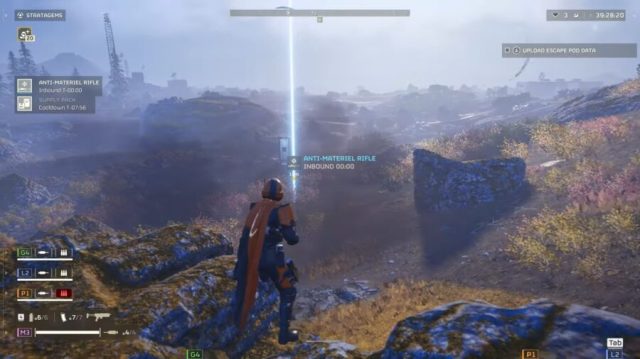
Once you own the Anti-Materiel Rifle, be sure to incorporate it into your loadout before making planetfall. On the ground, have the weapon dropped from above using the following input:

⇩⇦⇨⇧⇩(Down, Left, Right, Up, Down)

Now that you’re the designated team sniper, you’ll want to hold the back line, especially since the weapon must be aimed downscope to fire effectively. While it can be hipfired, there is no onscreen reticle to make a judgment about where to land your shots.

The Anti-Materiel Rifle has three magnification levels: 50m, 100m, and 200m, allowing you to hang pretty far back as you plink-plink the enemy. If only most planets weren’t so shrouded in fog and dust. But if you do have clear skies and a jump pack, make for the high ground and take an overwatch position.

Given the need to use it while aiming down the scope, you may want to best optimize settings associated with first-person mode switching using our guide on the subject. Additionally, the Anti-Materiel Rifle is best used either crouched or prone to counter the heavy muzzle rise and recoil. 

Ideally you will want to avoid using the weapon on unarmored, squishier enemies, although it does seem to have penetration, and may be effective at thinning out densely packed mobs. At that point, you will be contending with the Anti-Materiel Rifle’s plodding rate of fire instead.

It goes without saying that your backup weapon would ideally be the polar opposite of the Anti-Materiel Rifle as far as rate of fire is concerned.

Despite it commonly being recommended for use exclusively against the armored ranks of the Automatons, the Anti-Materiel Rifle is great for shredding the armor-like carapace of certain Terminid species as well, right before switching to a mop-up secondary weapon.


I Put $50,000 in a Shoe Box and Handed It to a Stranger Because He Said He Could Get Me Into Helldivers 2


That’s all the tips and tricks we know for the Anti-Materiel Rifle in Helldivers 2.

Helldivers 2 Black Screen On Startup Error Fix

Encountering a black screen when launching any game is even more disconcerting than when it simply crashes to the desktop, and this is something you’ve probably experienced in Helldivers 2. This guide has every known fix for the black screen on launch error with Helldivers 2.

UPDATED April 16


Helldivers 2 Update Patch Notes 01.000.203 Apr 16


Helldivers 2 Black Screen On Startup Fixes

Surprisingly, there are multiple reasons for the black screen of death on launching Helldivers 2, and not all of them are related to GPU issues. Whether the black screen simply freezes, or sends you crashing back to the desktop, here are a couple of things to try.


MORE IN HELLDIVERS 2:


Disconnect PlayStation Controller

For some odd reason, having a PlayStation controller plugged-in appears to cause the issue for some people on Steam PC. Even connecting the controller mid-game can cause the issue to occur. The post below has a perfect step by step guide to resolving the issue.


Comment
byu/Aureum_Castrum from discussion
inHelldivers


Reset Config File

You can force the game to reset its settings to default. Navigate to C:\Users\[your PC name]\AppData\Roaming\Arrowhead\Helldivers2 and rename user_settings.config to user_settings.config.old or anything of your choice. This will create the config file anew, and should resolve the black screen glitch.


Potential Black Screen fix
byu/Aureum_Castrum inHelldivers


While users on the SteamCommunity that have had success with this method generally recommend deleting the file, you’re better off renaming it just to be safe.


Windowed Or Fullscreen Mode

Alternatively, you can try modifying that config file yourself, switching the fullscreen setting to ‘false’. This can mitigate the black screen issue by launching the game in a borderless window.


Sony Promises Helldivers 3 Will Debut With at Least Two, Possibly Three Servers


Verify Game Files

That most common fix for Steam games that are experiencing technical issues. A corrupted installation is said to be the cause of the problem for some players on Steam PC. You may want to either perform a fresh install, or simply use the “Verify integrity of game files” function by right-clicking Helldivers 2 -> Properties -> Installed Files. Here’s a detailed guide to verifying game file integrity from Steam itself.

As an added aside, always make sure the game is updated. Since Helldivers 2 is an online-only, Games-as-a-Service (GaaS) title, if your game version isn’t synced with the server, you will not be able to login properly.


Helldivers 2 Black Screen AMD GPU Specific Fix

AMD 7000 series GPU owners have a particular issue with Helldivers 2, and this Steam Community user details a step by step tutorial to fix both black screen on launch as well as persistent crashes.


That’s every known fix for the black screen on launch error in Helldivers 2.

Ultrakill Update Patch Notes 15 Apr 15


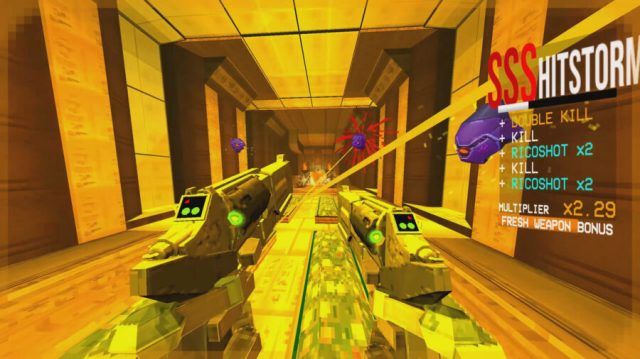
Patch 15: The FULL ARSENAL Update

Additions:
  • Added 7-S
  • Added Alternate Weapon in 7-2 secret
  • Added "Firestarter" red Rocket Launcher variation
  • Added "JumpStart" red Nailgun variation
  • Added "Sawed-on" red Shotgun variation
  • Added Brutal difficulty
  • Conductor aftershocks now spread damage to nearby enemies and other conducting objects
  • Underwater electric attacks now cause conduction in all underwater enemies (and the player)
  • Added Sound Effects Volume option
  • Added Muffle Music While Underwater option
  • Added "Puppeted" alter arm option for enemies
  • Added console commands "forcepuppet", "forcesand" and "forcebossbar"
  • Earthmover Rocket Launcher, Mortar and Tower are now spawnable with the Spawner Arm
  • Added "Previous Variation" bind, Q by default (Last Used Weapon is now unbound by default)


General Changes:
  • Bloodsplatter collision system has been rewritten to greatly improve the accuracy of environmental collisions
  • Updated and reorganized the options menu
  • Replaced "Checkpoint" pause menu button in intermissions with a "Skip" button
  • Hitting a coin in a split state with an Alternate Revolver will now reset the draw state of all equipped Alternate Revolvers, as well as play a shorter recovery animation
  • Coins now increase the damage of the explosions of explosive hitscans
  • Player healing block from getting hit by an explosion now only applies to bloodsplatters caused by explosions
  • Shockwaves now fade out instead of disappearing instantly
  • Increased style points for explosions that don't kill
  • Added new style bonuses for the S.R.S. Cannon
  • Screwdriver railcannon now has style bonuses
  • Reduced style points gained from a successful projectile boost from 150 to 90
  • Auto-aim will now also target hookpoints
  • Nailgun magnets can now be fired immediately after changing to the weapon and will no longer interrupt standard firing
  • Added a sound effect to firing a Nailgun magnet
  • The hologram display of the Rocket Launcher will move to a more visible position when using the middle weapon position option
  • Player rockets are no longer attracted to magnets that are connected to an enemy if the enemy is dead
  • Trams will now instantly kill any enemies they hit
  • Added arrows to UI scrollbars to make it clearer they can be scrolled
  • Level stats HUD element and cheats overlay positions mirror when Weapon Position is set to Left in order to reduce overlay with other HUD elements
  • Capped SSJ speed to 100u/s
  • Ground slam no longer causes projectile interruptions
  • Added a "Cyber Grind Only" option to the Mission Restart/Quit Warning setting
  • No Weapon Cooldowns cheat now also stops magnet timers


Enemy Changes:
  • Minotaur now has an attack for hitting a target that's on its back
  • Reduced Cerberus orb damage from 35 to 20
  • Idols now give style points when destroyed
  • Enemy projectiles will now get destroyed between Cyber Grind waves
  • Increased Knuckleblaster damage to Drones so a single punch can still kill a radiant Drone
  • Added a secondary bar to the Earthmover brain that shows the time until the next Idols spawn
  • Earthmover Brain now takes increased damage from parried projectiles
  • Added vertical line to Ferryman lightning windup to more clearly show where the lightning can be chargebacked
  • Dying Hideous Masses can now be whiplashed to
  • Punching a dying Mindflayer into a Gutterman now breaks its shield
  • Mannequins in the Cyber Grind now spawn on melee tiles instead of projectile tiles
  • Improved textures for Insurrectionists Angry and Rude
  • Enemy hitscans no longer cause hitstop when hitting an enemy rocket unless the player is riding on it
  • Reduced Guttertank Cyber Grind spawn cost and spawn cost increase from 55 to 40
  • Ferryman parries can now also cause the Conductor bonus


Level Changes:
  • Added a new checkpoint near the start of 7-4 to reduce restart time
  • Added a new checkpoint after the fall of the clocktower in 7-2
  • Added terminals near Alternate weapon pick up spots for easier arsenal control
  • Added an error message to the 7-2 payload panel when trying to lower payload without tram
  • Tweaked 2-1 dash jump tutorial text for clarity
  • Hard Damage related tutorials no longer show up on difficulties that have no hard damage
  • Red Soul Orb tutorial message no longer shows up on Harmless difficulty where maximum health is already 200
  • Using the Disable Enemy Spawns cheat now also disables background enemies from 2-1, 2-2, 2-3 and 4-1
  • 5-2 cabin door will no longer open exclusively outwards


Fixes:
  • Fixed magneted nails getting pushed by explosions again
  • Fixed the exit/restart warning messages in appearing behind the pause menu the Intermissions, making them unclickable
  • Slightly lowered the trigger for the Tutorial end pit so players can no longer accidentally slip out of it
  • Fixed 6-2 Gabe only using one combo attack before the first taunt on Harmless and Lenient
  • Fixed Sharpshooter not being able to destroy homing mortars
  • Fixed the breaking of the first 5-2 Idol before the Filth has spawned causing the Filth to stay blessed
  • Fixed game freezing when throwing a soap at an idoled Drone
  • Fixed some cheats-only console commands not requiring cheats to be turned on
  • Fixed Cyber Grind song names popping up even if the song is looping
  • Fixed being able to punch while paused
  • Level names now appear at a speed independent from framerate
  • Fixed a small gap in the geometry next to the entrance door in 7-4
  • Fixed a small gap in the floor of the 7-4 secret path that could cause players to fall through
  • Fixed blurriness in the text in the main menu
  • Fixed the 5-S leaderboard's title being blurry
  • Fixed the 5-S leaderboard sometimes overflowing
  • Removed an invisible collider in the Credits Museum
  • Fixed the 7-4 sand warping too much with texture warping
  • Improved camera angle check for posing mannequins
  • Swordsmachine AI no longer breaks after throwing a sword at a flying enemy
  • Modified hookpoint values now get properly saved in sandbox saves
  • Fixed the player unstucker trigger under the 7-2 bomb being visible
  • Fixed 2-2's first checkpoint not disabling the black cube blocking off the previous area if the player has gone far enough to activate it
  • Fixed a small gap in the ceiling of 2-2's generator room
  • Fixed an untagged wall in 1-2
  • Fixed the 1-2 blue skull room door not closing if the player checkpoints after picking up the skull
  • Fixed Swordsmachines getting launched up unpredictably when attacking up a ramp
  • Fixed the Swordsmachine spiral sword throw having an incorrect speed at lower difficulties
  • Fixed the style meter text sometimes appearing behind weapons
  • Fixed the Hideous Mass, Flesh Prison and Flesh Panopticon death animations not healing the player if blood is turned off
  • Fixed 0-4 challenge counting total slide time and not uninterrupted slide time
  • Fixed 4-1 final arena sometimes having a delay before ending
  • Fixed issues with loading Violence layer music in the Cyber Grind
  • Streetcleaner canister no longer gets teleported to world origin if its spawn room reaches the maximum gib count after a canister instakill
  • Fixed Filth limbs sometimes getting teleported to world origin
  • Fixed a bug that caused Size 2 fish to be uncatchable


Those are the extensive patch notes on April 15 in the Full Arsenal update for Ultrakill on Steam PC.

Overwatch 2 Season 10 Update Patch Notes Apr 16


Overwatch 2 Retail Patch Notes – April 16, 2024


Limited-Time Mode: Clash Trial

Clash is an upcoming core game mode in Overwatch 2. Teams must battle back and forth over 5 capture points, with each captured objective adding a point to the prevailing team’s score. Teams can win in two ways: either by having control of all five objectives at once, or by scoring five points total before the other team. Clash will be available as a limited-time trial through April 29.


How Clash is played

  • Five total objectives placed in a linear pattern on a mirrored map.
  • Only one objective is active at a time.
  • Matches start with the center objective active.
  • Players capture an objective by standing on it and filling in a progress bar. Capture progress cannot be made if enemy players are contesting the objective.
  • When a team captures the current objective, they are awarded one point to their total score and a new objective moving forward from the scoring team’s side is activated.
  • Objectives can be secured multiple times. If a team is pushed off an objective and the other team successfully captures it, the next active point will be in the opposite direction.


Win Conditions

Complete one of these conditions to win the match:
  • A team has successfully captured five objectives throughout the match to reach a total score of five.
  • Regardless of score, a team manages to take the final objective (A or E) on the opponents’ side.


Hanaoka – New Map
Explore never-before-seen corners of Hanamura in the new map Hanaoka, inspired by the visual themes of the beloved Assault map. Explore the shops and restaurants around town or follow the scent of Sakura trees into the once-proud Shimada castle.


Mythic Hero Skin Updates

Mythic Hero Skins
  • Mythic Hero Skins are now unlocked in the new Mythic Shop in exchange for Mythic Prisms.
  • Mythic Hero Skins are unlocked for 50 Mythic Prisms with a starting set of customizations and then can be leveled up with 10 Mythic Prisms per level. You can unlock the skin and all available customizations for a Mythic Hero Skin for 80 Prisms.


Introducing Mythic Prisms
  • Mythic Prisms can be earned in the Premium Battle Pass and used in the Mythic Shop to purchase the current featured Mythic Hero Skin for the season and select previous Mythic hero skins. You can earn a total of 80 Mythic Prisms when you complete Premium Battle Pass.
  • Earning Mythic Prisms in the Premium Battle Pass is the easiest way to unlock a Mythic Hero Skin and all customizations each season. You can also purchase additional Mythic Prisms in game or in your platform’s store marketplace.


General Updates


Challenges

  • Completing Weekly Challenge milestones will now reward additional Battle Pass XP.
  • Overwatch Coins that were earned in the Weekly Challenges can now be earned in the Battle Pass for all players.
  • Reduced the number of Weekly Challenges.
Developer Comments: The number of Weekly Challenges has grown over time, and we are simplifying what players can aim to accomplish, while also making earning Battle Pass XP more straightforward.


Endorsement Changes

Players who are actioned for disruptive behavior and reduced to Endorsement Level 0 cannot use text or voice chat features until they return to Endorsement Level 1.
Developer Comments: Since we added the Endorsement system to Overwatch, players who have been actioned because of social reports (Inappropriate Communication, Gameplay Sabotage, etc) have had their Endorsement Level reduced to Level 0. That part of the system isn’t changing, but going forward, Level 0 players will no longer be able to speak in voice channels or type in text chat in most modes.


Hide My Name

  • Updated option in Streamer Protect, found in your Social Options.
  • You are now able to hide your BattleTag from other players in your group and from your friends in the match as well.
  • When enabled, anywhere your BattleTag is displayed to players during a match now displays a random anonymized BattleTag, instead of only to the player with the “Hide My Name” setting visibly enabled.
Developer Comments: “The “Hide My Name” setting in the Social Options now displays a random anonymized Battle Tag to all players in a match, instead of only to the player with the “Hide My Name” setting enabled. New settings have been added to “Hide My Name From Friends” and “Hide My Name From Group.” Of these two settings, “Hide My Name From Friends” takes priority when group members are also friends. A large list of hand-crafted BattleTags have been created to support this feature. Could it contain easter eggs or silly references?”


Progression

  • Added progression badges/sub-badges and rewards for Venture. Rewards can be found in Hero Challenges.


Leaver Penalties

Two new thresholds for Unranked Leave Penalties have been added:
  • Leaving two out of 20 games will result in a 5-minute suspension from queuing for most modes.
  • 10 or more out of 20 games will result in a 48-hour suspension from queuing for most modes.
  • All other threshold tiers are unchanged.
Developer Comments: Overwatch 2 is a competitive game even for Unranked game modes, and the match experience for all remaining players is negatively affected when a player leaves before it is completed. Remember a penalty only applies when you leave games and not when you complete games.
By introducing a lighter 5-minute penalty, we aim to discourage players from deliberately leaving games they don’t want to play, while not impacting those who may have a technical issue or an urgent need to step away from the game which they can resolve by the time the queue suspension is finished. The larger 48-hour suspension aims to target a very small portion of players who are aggressively leaving games.
Leaving 10 games in Competitive Play will now result in a season ban regardless of the number of games completed.
  • Players can still get banned from Competitive Play in as few as 5 games if they leave very consistently and don’t complete enough games to get back into good standing.
Games completed in Competitive Play now count toward the 20-game window of the Unranked Leaver Penalty.
Developer Comments: We already suspend players who leave a Competitive and increase penalties up to a season ban for leaving games frequently, but players can work their way back into good standing if they complete several matches. However, this new rule will stop players from gaming the system over time.


Competitive Updates


Competitive Role-Specific Titles

  • End-of-season titles for Competitive Role Queue now include the role the rank was achieved in.
  • Examples include Champion Tank, Champion Support, Champion Damage, and Open Queue Champion.


Competitive Progress

  • Each Role Rank Card now displays the associated Competitive Role-Specific title.
  • Role Rank Cards can now be selected to open the Match History for the selected role.
  • Match history will display the following: Map / Game Mode, Heroes / Role, Date, Score, Results of the match
  • Match History can now be selected to open the Game Report for a match.


Grouping Restrictions

  • All previous Competitive Grouping Restrictions have been removed.
  • All groups in Competitive Play are now classified as Narrow or Wide.
  • Players between Bronze and Diamond must be within five divisions of each other player in their group to be in a Narrow Group.
  • Players at Master must be within three divisions of each other player in their group to be in a Narrow Group.
  • Players at Grandmaster and Champion cannot be in Narrow groups, regardless of how close their ranks are. This restriction ensures that our highest-ranked players have the highest quality Narrow matches.
  • Narrow Groups will always be matched against other Narrow Groups or solo players. If a group has both Wide and Narrow configurations of players, the Narrow configuration will always be prioritized.
  • Any group that does not meet the criteria is considered a Wide Group.
  • Wide Groups of four players may not queue. This restriction exists so that solo players are never required to make a Wide match.
  • Wide Groups have increased queue times and reduced match quality because it’s more difficult to find another group of players with the same ranks in the same roles to match against.
  • The amount a player’s Rank Progress changes after each match is modified by the group’s width.
  • The wider the group is, the less their ranks will change when winning or losing.
  • The higher the rank of the highest-ranked player in a Wide Group, the less the ranks of all players in the group will change when winning or losing.
  • Players will now be informed if the configuration of roles they have selected would result in a Wide Group.
  • The Tier Legend has been updated, and a new banner has been added to explain the rules described above.


Rank Information

  • New Modifier: “Wide”—this modifier reduces changes in Rank Progress when winning or losing matches. The wider your group, the less your Rank Progress will change with each win or loss.
  • The modifier “Volatile” has been renamed to “Demotion.”
  • Arrows displayed under the modifiers have been changed to point from left to right instead of right to left.
  • New Modifier: Demotion Protection
  • This modifier appears on the Rank Progress bar to denote when you did not go down in Skill Division because of a loss. If you lose the next match after, then you are dropped down to the previous Skill Division.
  • Victory and Defeat have been added below the Rank Progress bar where modifiers are displayed.


Golden Weapons

  • Golden weapons can now be purchased with either Legacy Competitive Points or 2024 Competitive Points. You cannot purchase weapons with a combination of both currencies.


Hero Updates


New Hero: Venture

  • Venture has been added to the line-up.
  • Venture is immediately available to play in Competitive Play.
Developer Comments: This is a pretty major change from past heroes, but we’ve always wanted to allow new heroes into Competitive when a new season for Overwatch 2 launches. In the past, we wanted to make sure new heroes were free of any bugs or outstanding balance issues, as well as giving players enough time to unlock a hero from the Battle Pass. Because of the recent hero trial, we’re confident Venture is ready to jump into the action right away…


Tanks

Doomfist
  • Rocket Punch
    • The empowered punch is no longer consumed when the windup is canceled by using Seismic Slam or Power Block.
Developer Comments: This quality-of-life improvement streamlines the transition between charging up an empowered Rocket Punch and another ability by removing the requirement of pressing the cancel input first.


Junker Queen
  • Carnage
    • Impact damage increased from 90 to 105.


Reinhardt
  • Earthshatter
    • Knockdown duration increased from 2.75 to 3 seconds.
    • Shockwave range increased from 20 to 25 meters.


Sigma
  • Experimental Barrier
    • Movement speed increased from 16.5 to 20 meters per second.
Developer Comments: This change will improve Sigma’s ability to protect allies that are further away from him.


Wrecking Ball
  • Grappling Claw
    • Hold the jump input while the Grappling Claw is attached to terrain to retract it, pulling yourself towards the anchor point. This action can be rebound in his hero settings.
    • Now has a one second cooldown if Wrecking Ball never reaches ramming speed before canceling the ability. Interrupting him with Hack, Hinder, and stuns will still trigger the full cooldown.
    • The maximum duration timer no longer triggers unless he reaches ramming speed.
  • Adaptive Shield
    • Can now be reactivated to redistribute up to 300 overhealth to nearby allies, capping at 75 per person.
    • Enemy and ally detection radius increased from 10 to 13 meters.
  • Minefield
    • Health increased from 50 to 60.
Developer Comments: The general goals here are to add a direct way for Wrecking Ball to support his allies aside from purely enemy team disruption, make the hero more approachable while also adding more avenues for skill expression, and improve quality of life around the grapple.


Damage

Sombra
  • Virus
    • Total damage over time decreased from 100 to 90.


Tracer
  • Recall
    • Cooldown increased from 12 to 13 seconds.
  • Pulse Bomb
    • Base projectile size decreased from 0.2 to 0.1 meters. The total projectile size is now 0.25 meters.
Developer Comments: There is now more downtime before Tracer can safely reengage after driving her away and Pulse Bomb will require more precision.


Venture
  • Drill Dash
    • Impact damage decreased from 60 to 40.
    • Damage over time increased from 40 to 60.
  • Clobber
    • Impact damage decreased from 40 to 30.
    • Damage over time increased from 30 to 40.
  • Tectonic Shock
    • Vertical knockback decreased by 30%.
Developer Comments: We are redistributing the damage on some of their abilities so that positioning relative to the enemy and tracking a target are more important for dealing maximum damage.


Support

Illari
  • Solar Rifle
    • Primary fire recovery increased from 0.2 to 0.25 seconds.
    • Secondary fire heal-per-second increased from 105 to 115.


Lúcio
  • Sonic Amplifier
    • Damage per projectile decreased from 20 to 18.
  • Soundwave
    • Damage increased from 35 to 45.


Lifeweaver
  • Rejuvenating Dash
    • Heal increased from 50 to 60.
  • Tree of Life
    • Pulse healing increased from 75 to 90.


Moira
  • Biotic Grasp
    • Damage per second decreased from 65 to 60.
  • Coalescence
    • Self-heal per second increased from 50 to 55.


Bug Fixes


General

  • Hero Mastery Gauntlet - fixed a bug that could cause more AI teammates than intended.
  • Fixed a bug with Wall Climb that could allow Heroes with the passive to climb infinitely.
  • Fixed a bug with Diamond, Masters, and Grandmaster not playing any effects when entering the Top 500.
  • Fixed a bug with duplicate entries on the Leaderboard.
  • Fixed the missing flash notification on taskbar when joining a game as a backfill.


Maps

  • Fixed in a previous update - resolved an issue where jump pads could become deactivated.


Circuit Royal
  • Fixed an issue with the payload tires launching players unexpectedly.


Paraíso
  • Fixed an area near the second point where the payload dock could negatively impact Earth Shatter and Tectonic Shock’s ability to hit larger heroes.


Heroes

Echo
  • Fixed an issue with Duplicate that could prevent a death being counted if it was used as Echo falls off the map.


Doomfist
  • Fixed an interaction with Mei’s Ice Wall that could allow you to get under the map.
    
    Fixed a bug with Power Block sounds triggering even if it was not blocking damage.


Illari
  • Fixed an issue with Captive Sun affecting targets through floors and ceilings.


Junkrat
  • Fixed a bug with Riptire receiving the self-healing passive.


Lifeweaver
  • Fixed a bug where some un-targetable heroes could be healed by Tree of Life.


Mauga
  • Fixed an interaction with Overrun and Brigitte’s Shield Bash that resulted in Mauga being knocked down with Overrun active.


Mercy
  • Fixed a bug with the Caduceus Staff not opening up with the Parasol emote and Pose.


Venture
  • Fixed a bug that would prevent Drill Dash from activating while underground if the input was pressed while falling through the air and Burrow was active.
  • Fixed a bug where Drill Dash could deal damage multiple times with the initial impact and instantly kill targets or knock them back exceedingly far.
  • Fixed a bug where certain heroes were still being pushed back even if they escaped from Drill Dash.
  • Fixed a bug where Venture would sometimes launch very far if using Drill Dash off a ledge while Burrowed.
  • Fixed a bug where attempting to emerge during Burrow near ledges would sometimes end the ability prematurely.
  • Fixed a bug where the third-person camera would snap back to first-person instantly if you were in the air when burrow ended.
  • Fixed a bug where UI prompts for emerging and Drill Dash were not visible during Burrow.
  • Fixed a bug that could allow players to prevent footfall audio from playing.


Those are the patch notes on April 16 for Season 10 of Overwatch 2 across platforms.

Helldivers 2 Get EAT-17 Expendable Anti-Tank

Now that patch 1.000.102 has dropped for Helldivers 2, there are some interesting notes to take from the update. Specifically the revelation that the EAT-17 has had increased armor penetration even when the shot is badly placed, something which went undocumented and unnoticed in the previous patch 1.000.100. This guide is all about unlocking and then using the EAT-17 Expendable Anti-Tank Stratagem to its fullest utility.

UPDATED April 16


Helldivers 2 Update Patch Notes 01.000.203 Apr 16


Helldivers 2 Unlock EAT-17 Expendable Anti-Tank

The EAT-17 Expendable Anti-Tank is a Stratagem in the Patriotic Administration Center section of the Stratagem tab in the Ship Management menu. The weapon will need to be unlocked with 3,000 Requisition Slips once you’ve reached Level 3.

Supply Stratagem Permit
EAT-17 Expendable Anti-Tank
A single-use weapon specialized for damaging vehicle armor. Discarded after every use.

Stats
Call-In Time: 2 sec
Uses: Unlimited
Cooldown Time: 70 sec
Stratagem Item Traits: Explosive; 1 Support Weapon and 1 Hellpod


MORE IN HELLDIVERS 2:


Helldivers 2 Major Order Activate Terminid Control System Mar 12


Helldivers 2 Use The EAT-17 Expendable Anti-Tank

Once you own the EAT-17 Expendable Anti-Tank, be sure to incorporate it into your loadout before making planetfall. On the ground, have the weapon dropped from above using the following input:

⇩⇦⇨⇧⇩(Down, Left, Right, Up, Down)

Now that is widely known that the EAT-17 has enhanced armor penetration even when not a perfect shot, make this your go-to weapon for Chargers. Additionally, this week’s patch has lowered the Charger’s head hitpoints as well, so if you can land good direct hit on its noggin, they’re a goner in one.


MORE IN HELLDIVERS 2 BUG FIXES AND SETTINGS:


Devastators and Bile Titans are also prime targets for a Helldiver rocketeer equipped with the EAT-17. Aim for the weak spot to the best of your ability, but know that even you flub the shot, you’ll have peeled away a bit of their armor.


Helldivers 2 Unlock Mech Exo-45 Patriot Exosuit


That’s all the tips and tricks we know for the EAT-17 Expendable Anti-Tank in Helldivers 2.

Stay Updated on The Latest Punk News

Get the latest punk news delivered straight to your inbox

We'll store and process this information to provide you our products and services. You may opt out of this at any time.