Goose Goose Duck Beginners Guide: How to Play, Roles, & More

Goose Goose Duck has been blowing up online in recent days among fans of the social deduction and proximity chat game genre, as developers Gaggle Studios saw a massive 250,000 increase in players on January 2. The vast increase in player base even caused a brief server outage, but didn’t stop them beating Among Us in a count of all-time concurrent players. 

But what is Goose Goose Duck? Is it just Among Us? To answer those questions, we’ve prepared a full beginner’s guide on how to play Goose Goose Duck.

What Is Goose Goose Duck?

Goose Goose Duck (GGD) is a light-hearted server and lobby-based multiplayer game where the aim is to deduce who the fake one (the Duck) is among the Goose players before it’s too late. Lobbies can hold up to 16 players and make use of a proximity chat feature with which players can have fun working out the mystery of the fake players while Geese try to complete tasks and avoid being killed. Proximity chat was a key feature of GGD upon its launch, even pre-dating Among Us’ addition of the same feature.

Is Goose Goose Duck Free? Download Size, Where to Download
Where to download Goose Goose Duck.

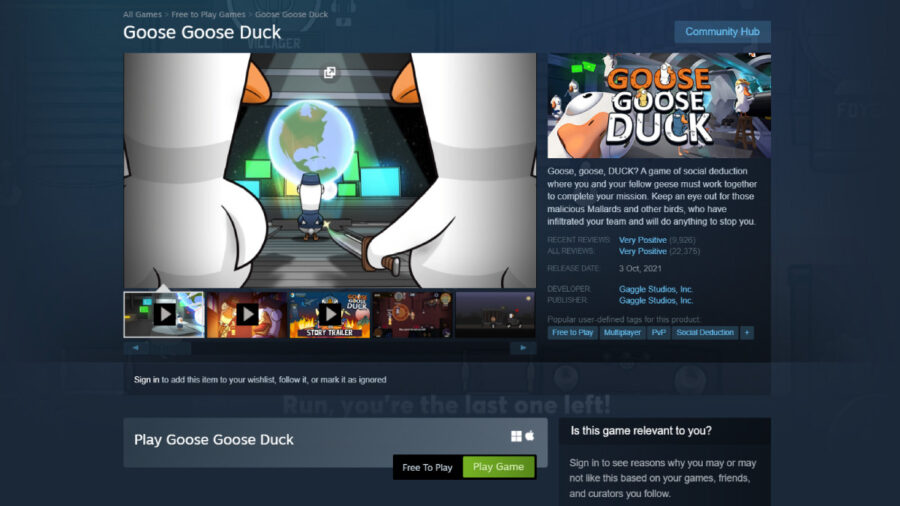
Goose Goose Duck is available free-to-play on Steam for Windows and Mac, and available on mobile devices via the Apple Store for iOS and Google Play and Galaxy Stores for Android. While playing is free, early access to new maps, cosmetics, and other content are all locked behind microtransactions using an in-game currency system.

Is Goose Goose Duck Just Among Us?
They suspect me, is it because I’m the Duck or because I paused too long to take a screenshot and forgot to keep playing?

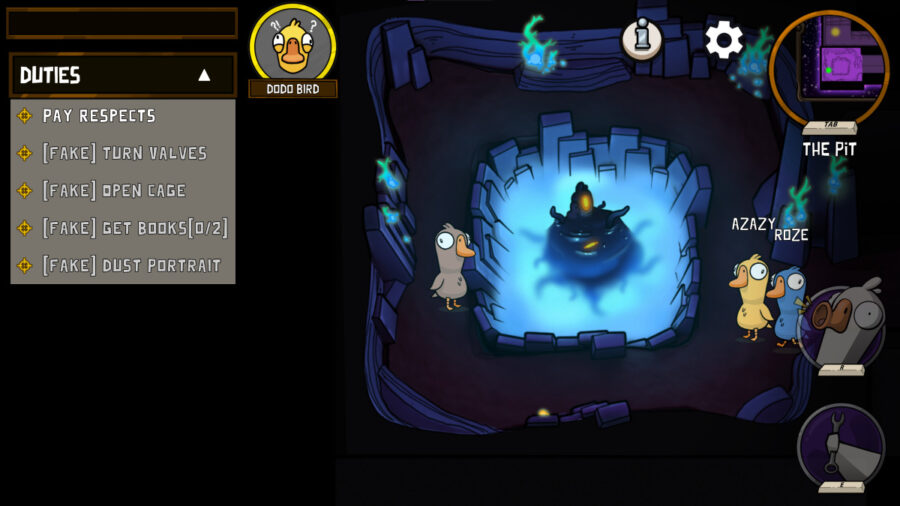
The short answer is yes, they’re very similar, in classic GGD, the fake Ducks attempt to murder all the Geese while they complete their tasks, the Geese can report death and a meeting will begin. Sounds familiar, right? 
The map in Goose Goose Duck.
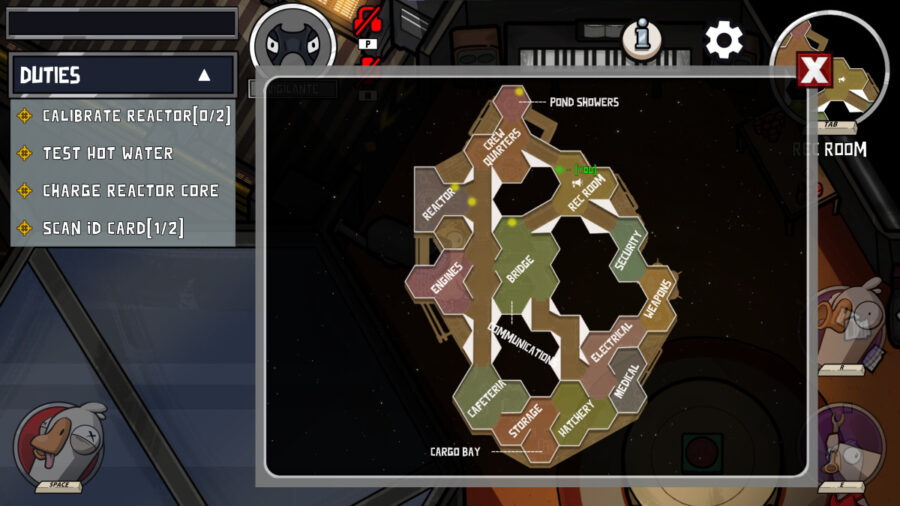
Big ‘ol maps are available too!

The slightly longer answer is that GGD offers much more than Among Us in the sheer number of gameplay options, and offers multiple modes and consistent updates over the past few months where its competitor has lagged behind. There are over seven maps, six modes, and 45+ optional sub-roles that players can be assigned, which affect their actions in-game and spice up the overall experience. But with all these options and proximity chat on top, things are bound to feel a little hectic at times, so it’s best to make sure you’ve got a handle on the multiplayer settings too.

Goose Goose Duck Proximity Chat: How to Mute Players

How to mute players in Goose Goose Duck.
Nobody would blame you for muting the shouting tweens.

Probably the most important feature that many players will have their experiences affected by in GGD will be Proximity Chat. In lobbies where proximity chat is enabled, bad actors or just some really, really loud kids can get annoying so the ability to mute others is a must. 

The steps to mute a player in Goose Goose Duck are as follows:

  • While in a game, tap or click the Settings cogwheel on the top-right of the screen.
  • Navigate to the Players tab, where you’ll see a list of every player in the lobby.
  • You can hit the red Mute button on the far right of their name, or adjust their volume. 

How to Host a Game in Goose Goose Duck

How to host a game in Goose Goose Duck.
Hosting a game is very simple, it’s just as easy as jumping into one using the Find Game option.

If you’re looking to curate your experience more or just to organize a game with friends only, GGD allows a quick and simple hosting option.

To host a Goose Goose Duck game, do the following: 

  • From the Main Menu, click Play
  • On the far left, click on Host Game
  • Choose one of the 6 modes available
  • Ensure that the lobby is either Public or Private
    • Your lobby code for sharing is just on the bottom left.
  • When ready to open the lobby, hit Play on the bottom right.

All Goose Goose Duck Modes Explained

Some of the various Goose Goose Duck roles.
The Vigilante: an example of one of the many roles available

As we’ve mentioned, Goose Goose Duck has six modes to choose from, where players will have different optional duties, tasks, or methods to sabotage others. The six available modes are as follows:

  • Classic – Complete your duties before the duck(s) sabotage or kill enough geese to end the mission. Figure out the identities of the ducks and vote to remove them.
  • Draft – A variation of Classic where you are assigned a hidden player number. On your turn, choose between one of three roles at the start of the game.
  • Goosehunt – One killer duck is on the loose trying to kill everyone else before time runs out.
  • Dine and Dash – The red team of morphing ducks is trying to kill the blue team before the timer runs out. The blue team can lower the timer by eating corpses.
  • Trick or Treat – Villagers complete tasks to call meetings, and vote out a monster among them. The monster can convert villagers to thralls, changing their team. The thralls win when the monster does.
  • Hanging Out – Make friends, chat and play mini-games.
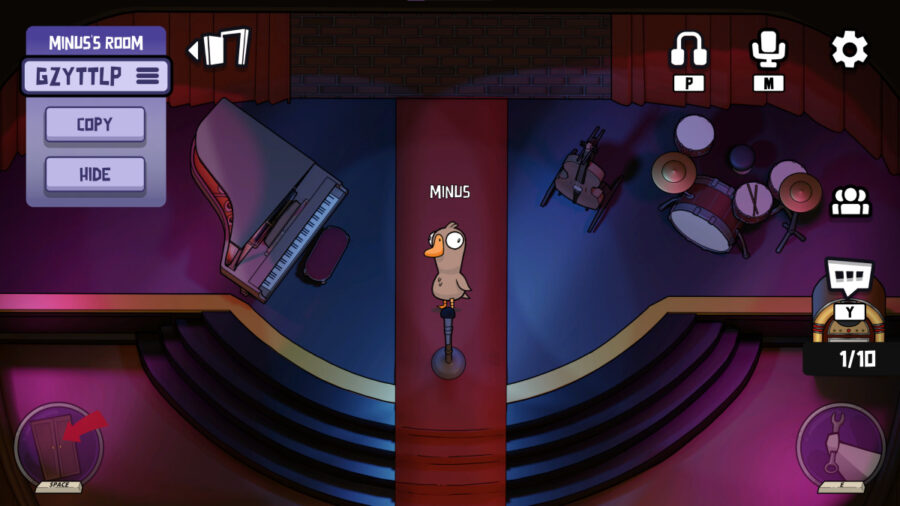
Me: ready to scream Linkin Park’s Crawling at Proximity Chat Open Mic Night

Probably most worthy of note is the last of the six, ‘Hanging Out’, a chill mode where players can load into The Lounge map and play frequently-updated minigames with each other, with no pressure or looming murder! 

That’s all for Goose Goose Duck! For more gaming guides, check out GTA Online’s weekly January 5 update for discounts, and find out how to finally host private matches in Apex Legends.

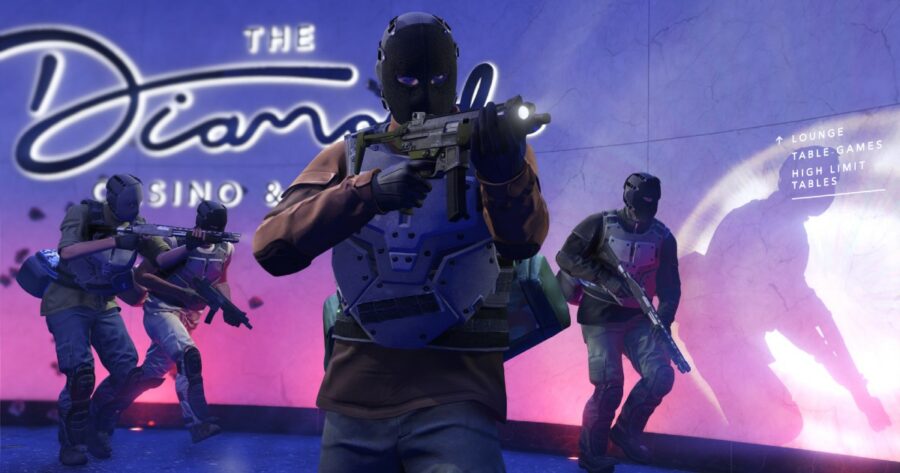
GTA Online Guide: How to Make Money Fast in GTA Online in 2023

Becoming a wealthy individual is the primary objective of every GTA Online player. When you first step into Grand Theft Auto Online, you may have a hard time earning cash as the game generally requires you to invest first. So if you’re looking for ways to earn cash quickly and become a rich person in GTA Online, then you’re in luck. Here are some tried and proven strategies for accumulating wealth and becoming rich in GTA Online.

Complete Missions and Heists to Get Rich in GTA Online

Completing missions and heists is a great way to earn money in GTA Online, especially when you’re starting from scratch. Heists are a type of cooperative mission in GTA Online that require the participation of multiple players. These activities often pay out a large sum of cash upon completion and can also boost your reputation.

GTA Online offers a total of eight heists to date, including one two-player tutorial. However, unlike GTA V, heists should be set up by one of the players taking part. The leader has to pay a certain amount to arrange all the required items and finance the mission. Upon completion of the heist, you will receive a share of the loot based on your contribution to the mission. The amount of loot you receive will depend on the heist you are participating in and your role in the team.

Invest in the Stock Market

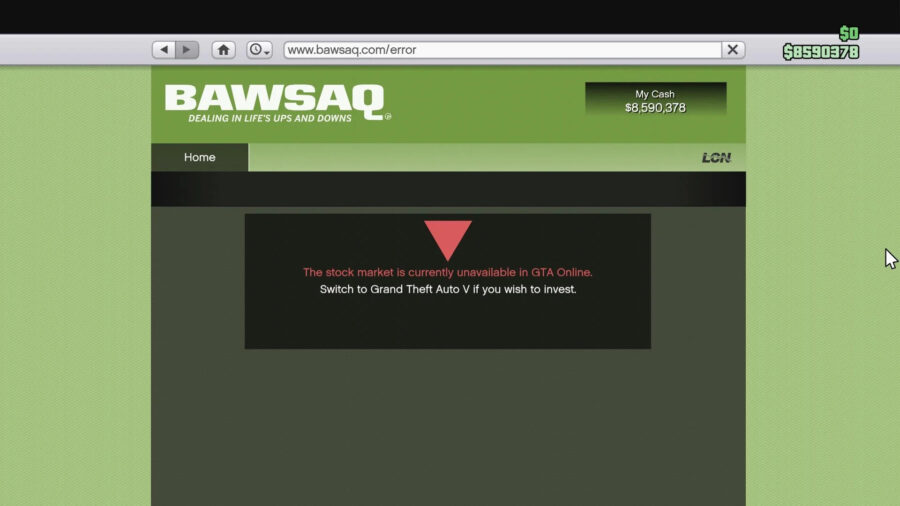
Investing in the GTA Online stock market can be a great way to earn money and become wealthy in the game. The stock market in GTA Online works just like the real-life stock market, with prices fluctuating based on the performance of various in-game businesses. Keep an eye on the market and invest in businesses that are performing well. As their stock price rises, you can sell for a profit.

To access the stock market in GTA Online, go to the game’s main menu and select “Securities Exchange.” This will bring up a list of available businesses that you can invest in. Before investing in a business, it’s essential to do some research to determine which companies are performing well and which ones are not. Look for businesses that are experiencing growth and have a good track record of success.

As the value of the business increases, so will the value of your shares. When you think the value of your shares has peaked, consider selling them for a profit.

Buy and Sell Properties to Make Money Fast in GTA Online

Buying and selling properties is a lucrative way to get rich in GTA Online. To start buying and selling properties, you will need to have a lot of money in your in-game bank account. 

The primary way to buy a property in GTA Online is to head to the browser on your phone, go to the “Money and Services” section of the interaction menu, and then select “Property.”  This will bring up a list of available properties that you can purchase. 

You can also upgrade your properties by purchasing renovations and upgrades from the property’s interaction menu. These upgrades can increase the value of your property and make it more attractive to potential buyers. Additionally, you can use your properties to generate passive income by purchasing businesses and setting them up to operate automatically.

How to Get Rich in GTA Online: Rob NPCs

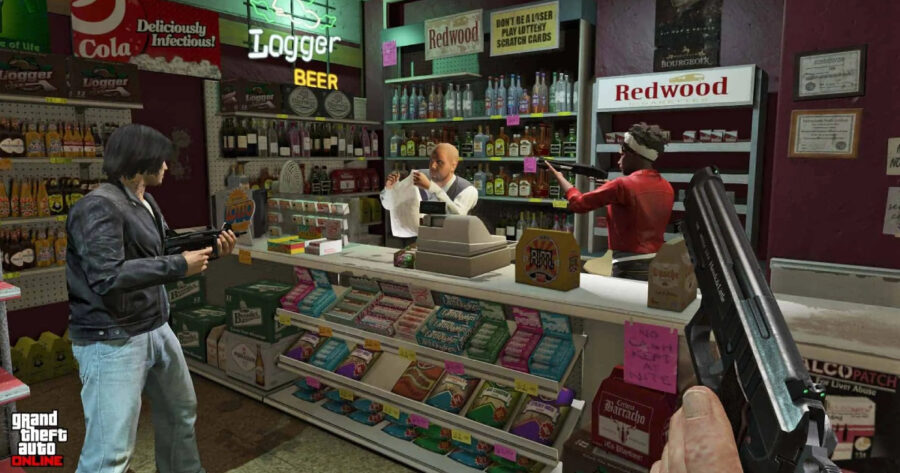
Looting cash from NPCs (non-player characters) in GTA Online is not a legitimate way to earn money and is typically not recommended. However, if you still want to try looting cash from NPCs, then keep an eye on non-playable characters that randomly spawn with cash.

We highly advise camping outside an ATM and intimidating the NPCs by drawing a weapon to get plenty of cash. However, doing so can lead to negative consequences, such as attracting the attention of the police or causing other players to become hostile toward you.

Daily Objectives

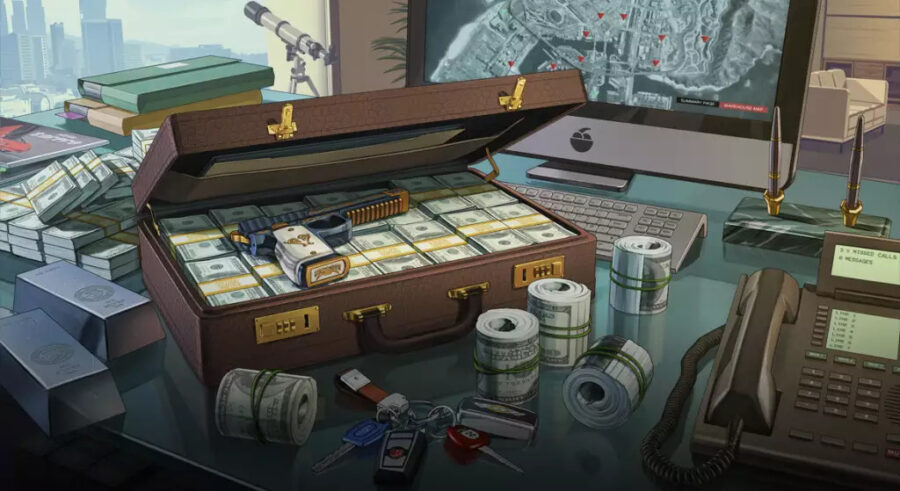
Complete Daily Objectives to get rich in GTA Online.

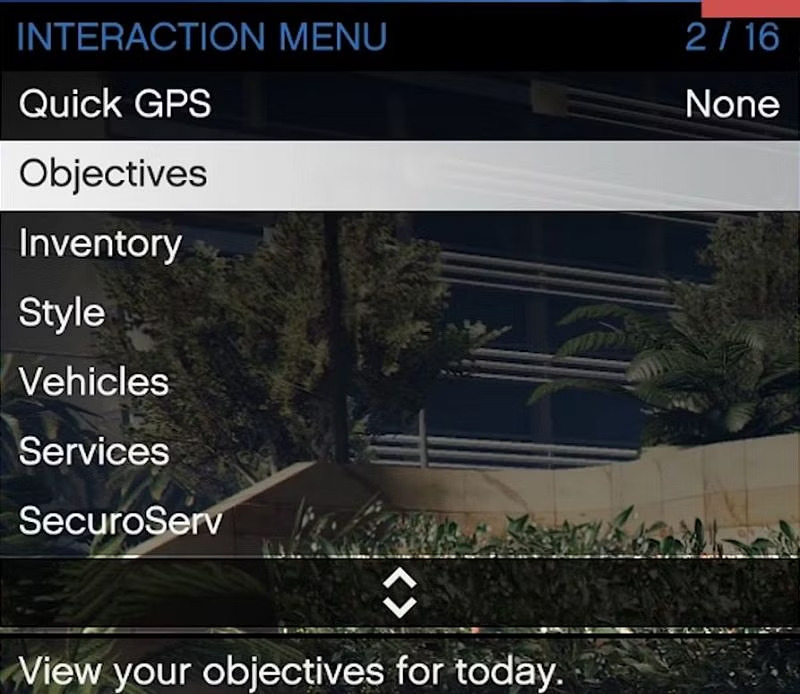
Our final recommendation is to earn money by completing the Daily Objectives. As the name suggests, GTA Online provides you with a list of tasks to complete each day in order to earn rewards. These objectives can range from completing missions and heists to participating in races and other activities. By completing these objectives on a regular basis, you can earn a handful of cash and make progress toward your long-term goals in the game.

To view your daily objectives, go to the game’s main menu and select “Daily Objectives.” This will bring up a list of tasks that you need to complete in order to earn rewards. Once you have completed all of your daily objectives, you will be able to claim your rewards. These rewards can include cash, experience points, and other bonuses.

By following these tips, you should be able to make money quickly in GTA Online. Just remember to always stay on the lookout for new opportunities and be willing to take risks in order to succeed.

Call of Duty Warzone 2 Jailbreak Guide: When Is Jailbreak?

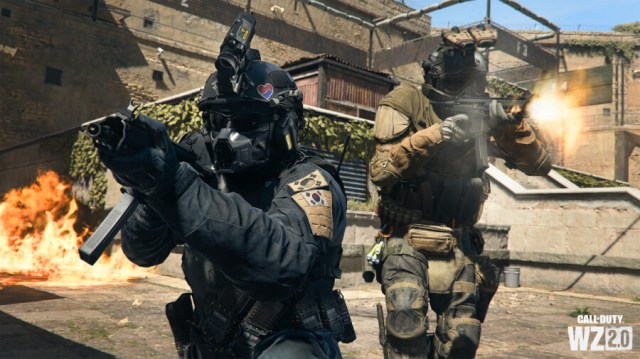
In Call of Duty Warzone 2, death is sometimes not the end. With luck, it’s possible that for you and your defeated teammates, there will be another chance to win through Jailbreak. In this scenario, the jailbreak event can allow all downed operators in the game to be back. If you can get in on jailbreak, then there is an opportunity to re-enter the fight with your squad and get back into the game and win.

Warzone 2 has seen many changes compared to the ones that came before it, but a few things remain the same. In the game, Jailbreak is still possible to happen while fighting in the new 2v2 Gulag or when you and your squadmates are fighting to survive.

Many battle royale games have been adding variations of player return mechanics that allows people to return to the game. It can be disheartening for many players to die, especially in the first minute of the match, and never return. With the Gulag already in the game, Warzone 2.0 added the Jailbreak as another return feature.

When Does Jailbreak Happen in Warzone 2?

Jailbreak can sometimes seem like it happens out of nowhere. There is no specific time it always happens, and it’s not an event that can be triggered by players. 

Jailbreak doesn’t happen every match, but when it does, it’s typically when the third or fourth circle appears. And players are only brought back into the game when they have just died recently based on timing or actively spectating. As a player, you shouldn’t quit the match after you have been downed, but rather spectate to wait for the third or fourth circle to see if a jailbreak will occur.

How to Tell If Jailbreak Will Happen

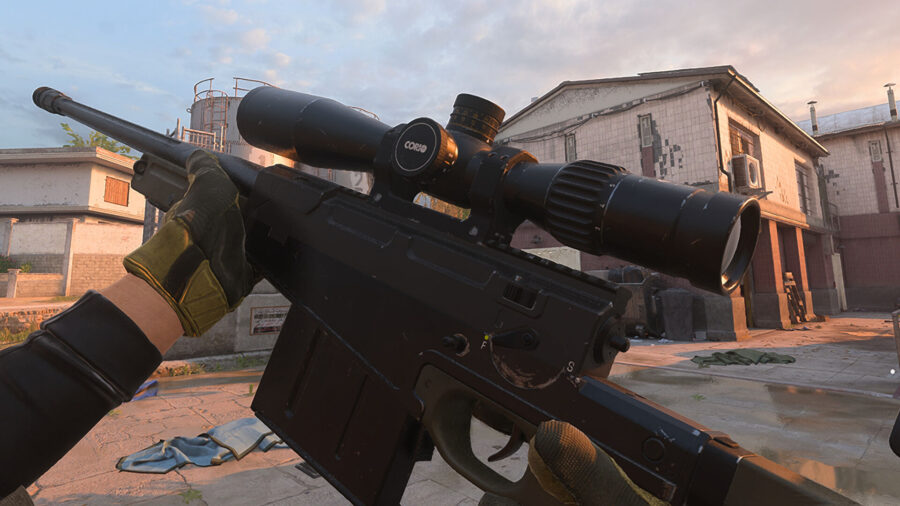
What are the best snipers in Call of Duty Warzone 2?

Unfortunately, there is no way to tell before you begin a game or while you are in the game if Jailbreak will happen. But if you are alive while Jailbreak happens, text will appear on the screen which shows, ‘Jailbreak Imminent. All Operators will redeploy.’ After this is done, a yellow countdown clock appears, located at the top of your screen. There, you can see how much time is left before Jailbreak.

There will always be a visible one-minute warning before Jailbreak to get you on your feet.  But, stumbling across an enemy that has escaped through Jailbreak is usually an easy kill, assuming they haven’t been reequipped with the help of their squadmates.

GTA Online Weekly Update (January 5): Discounts & More

Even after ten years of release, millions of players play the multiplayer component of GTA 5, thanks to regular weekly updates that add new content and features to the game. These updates are released on Thursday and often include new vehicles, weapons, clothing, and other items to purchase, as well as special events and discounts. Here is a detailed overview of the content debuted in the GTA Online January 5 weekly update.

Are There New Vehicles in the GTA Online Weekly Update?

Unfortunately, no new vehicle has been released, along with GTA Online January 5 weekly update.

Bonus GTA$ and RP Rewards (January 5 GTA Online Weekly Update)

3x RP and GTA$ can be gained from the following missions:

  • Freemode Events

2x RP and GTA$ can be gained from the following missions:

  • Security Contracts
  • First Dose Missions
  • Issi Classic Races

On top of that, the new weekly update features a 25% Speed Boost on sourcing special cargo by Lupe’s Warehouse Staff.

Simeon’s Showroom Cars

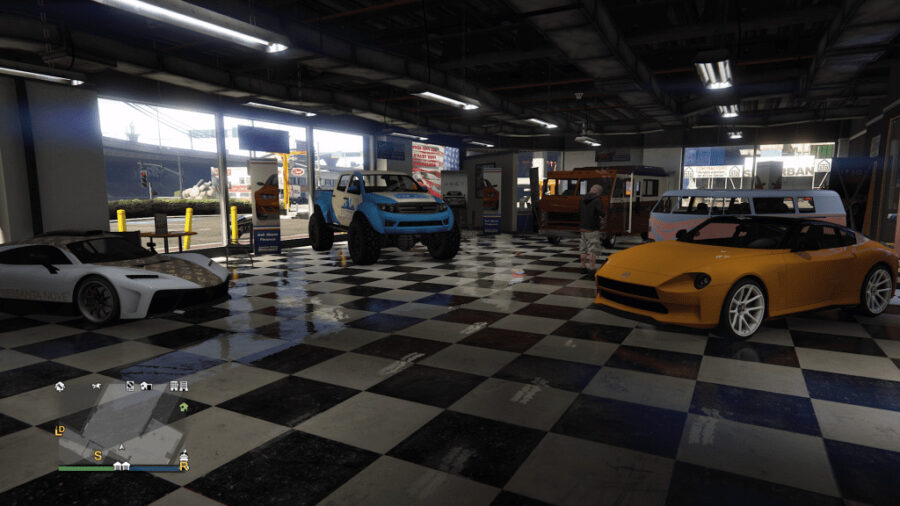
The new cars in Simeon's Showroom in the January 5  GTA Online Weekly Update.

This week’s Simeon’s Showroom cars are:

  • Nightsharkc
  • Patriot Mil-Spec
  • Greenwood
  • Granger 3600LX
  • Omnis e-GT

Luxury Autos cars

This week’s luxury auto cars vehicles are:

  • Deity
  • Jubilee

LS Car Meet Prize & Podium Car

This week, players can win the Growler as a part of the Car Meet Prize Ride. All you need to do is secure the first position in Street Races for four days in a row. On the other hand, HVY Insurgent has been featured as the Diamond Casino Podium Car. The car typically costs around $900,000 and can be bought from Warstock Cache & Carry

Weekly Discounts

Players can get 35% off on the following items:

  • All apartments and garages

Players can get 25% off on the following items:

  • Buffalo STX ($1,612,500)
  • Deity ($1,383,750
  • Hydra ($2,992,500)
  • Nightshark ($933,750)
  • Patriot Mil-Spec ($1,282,500)

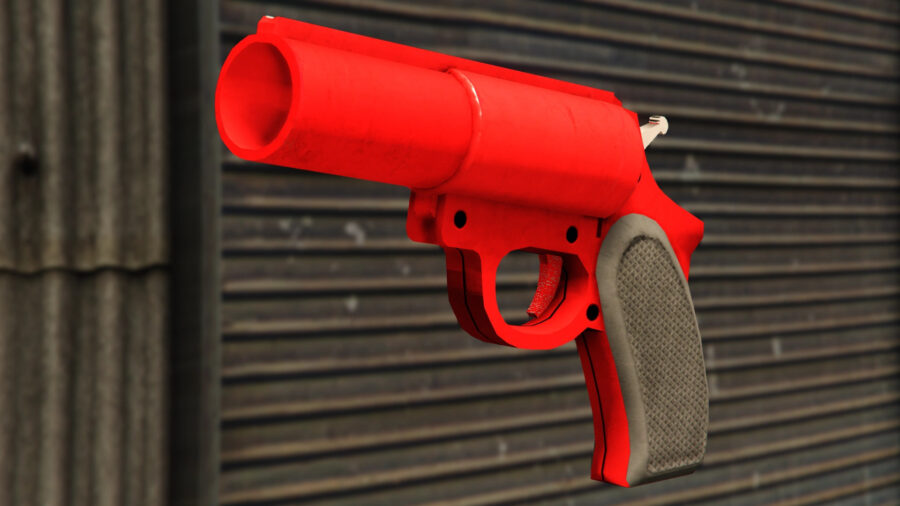
GTA Online Weekly Update: Free Flare Gun

Following the release of the GTA Online Jan. 5 weekly update, players can claim the Flare Gun for free until January 11.

Prime Gaming Rewards

The new Prime Gaming rewards in the January 5 GTA Online Weekly Update.

GTA Online players who have connected their Rockstar Game Social Club and Amazon Prime Gaming can instantly claim the Sprunk Sweatshirt and earn up to GTA$ 500,000 of in-game cash this month.

So that’s it, all you need to know about GTA Online January 5 Weekly update. Overall, GTA Online weekly updates provide a steady stream of new content and activities for players to enjoy, keeping the game fresh and exciting. Whether you’re a seasoned veteran or a newcomer to GTA Online, there’s always something new to discover with each update.

In case, you haven’t completed winter challenges and activities like Weazel Plaza Shootout, and destroy 25 snowmen, then it’s your last chance to snag plenty of cash and a pretty goofy-looking snowman costume until January 11.

4 Times Video Games Perfectly Predicted the Future

Move over The Simpsons, it seems like every time I dust off a classic video game lately I find another eerie warning that has become shockingly accurate. Don’t believe me? Let’s check out some examples! 


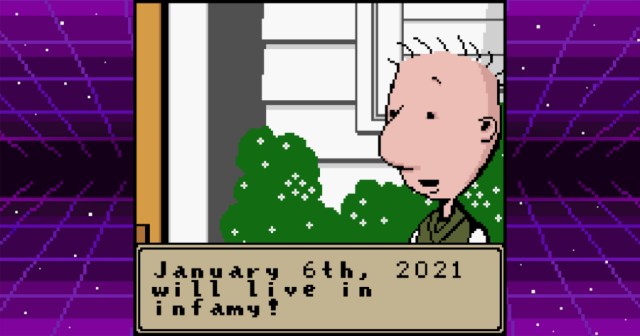
Doug’s Big Game – Game Boy Color (2001)

Most of us remember the cartoon character Doug as a charming teenager that dealt with common adolescent predicaments and confided them in his journal. This nifty little Game Boy Color game let Doug go on a few rants about what he believed, and let’s just say it’s a little wild to go back and see this prediction. Coincidence or strange premonition? You decide! 


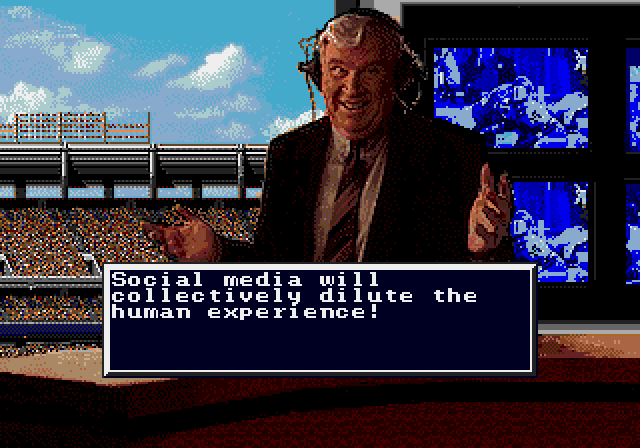
Madden NFL ‘95 – Multiple Platforms (1994)

Many have dismissed John Madden’s video game status as the godfather of football as nothing more than a well-timed promotional contract being signed, but nuggets like this prescient thought from the 1995 edition of the game shows that John Madden’s mind was truly one for the ages. 


Wario’s Woods – NES (1994)

Wario’s Woods was the last North American NES game released, coming well into the reign of the more powerful Super Nintendo Entertainment System. Sadly, that meant that this entertaining puzzler remains unsung in the grand scheme of things. Perhaps if more people had played it they’d be less surprised as more states vote to adopt recreational marijuana.


The Flintstones: Burgertime in Bedrock – Game Boy Color (2000)

Not many people played this BurgerTime knock off, and it’s not hard to understand why. However, those of us that owned this mostly unremarkable game back in the day always knew the withdrawal of American troops after nearly 20 years would be handled regrettably. 

Apex Legends Custom Games: How to Start Private Matches

Respawn has just unveiled Apex Legends Season 15’s Spellbound Collection Event, and with it comes the advent of a feature many players have been begging for: custom games! Amidst the event comes an update adding private matches, QOL changes, the balancing of weapons, new cosmetics, and bug fixes. Also accompanying the addition of the private match feature will be the return of the Control mode for a limited time, along with the release of Seer’s Showstoppers Heirloom.

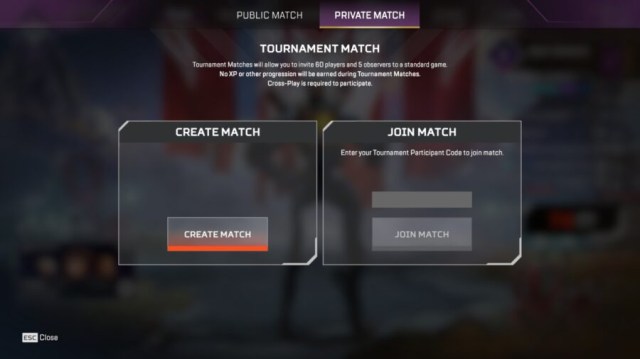
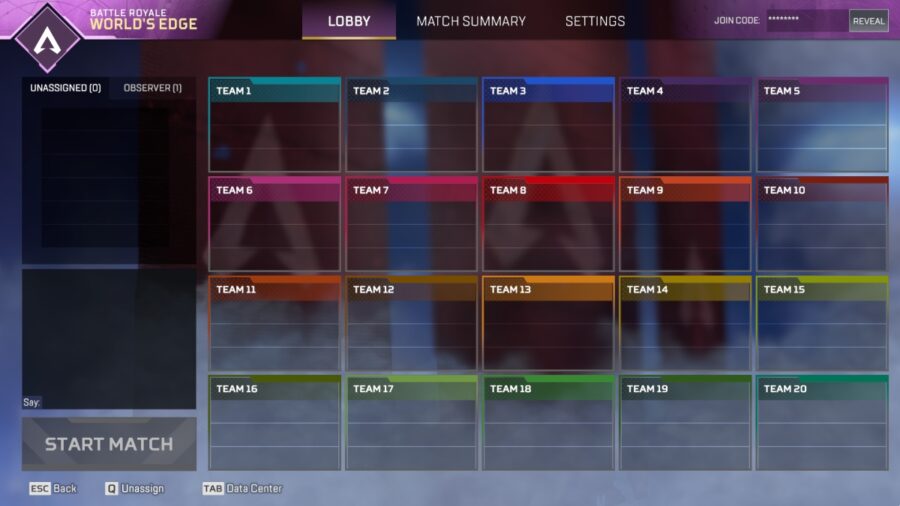
Apex players are sure to see the new custom match feature as a huge gift, as many have hoped to host their own tournaments with friends and their own community members for a long time. That time is here, and we’re now free to lobby with up to 60 players and five observers.

How to Create & Join Apex Legends Custom Games

How to create Custom Games in Apex Legends' new Spellbound Collection event.

Players will need to wait until January 10 when the full Spellbound Collection Event update drops. Once the update is downloaded, to host a private match in Apex Legends, follow these steps:

  1. Click on the Game Mode selection button.
  2. Head to the Private Match tab – (Press R1 on PlayStation, RB on Xbox)
  3. Select Create Match.
  4. Create a tournament code, share it with friends, and wait for them to join.

Once the match is created and some players have joined, you can reassign players and change the settings as needed. To join a match, simply enter a shared tournament code into the ‘Join Match’ box, found under the Private Match tab. Respawn has confirmed that players cannot earn XP through tournaments, and will be providing more information on private match features with an FAQ once the next patch rolls around. Use this new feature to find out who the best of your friend group really is, or even host a tournament of your own!

Overwatch 2 Battle for Olympus LTM: Start Time & New Skins

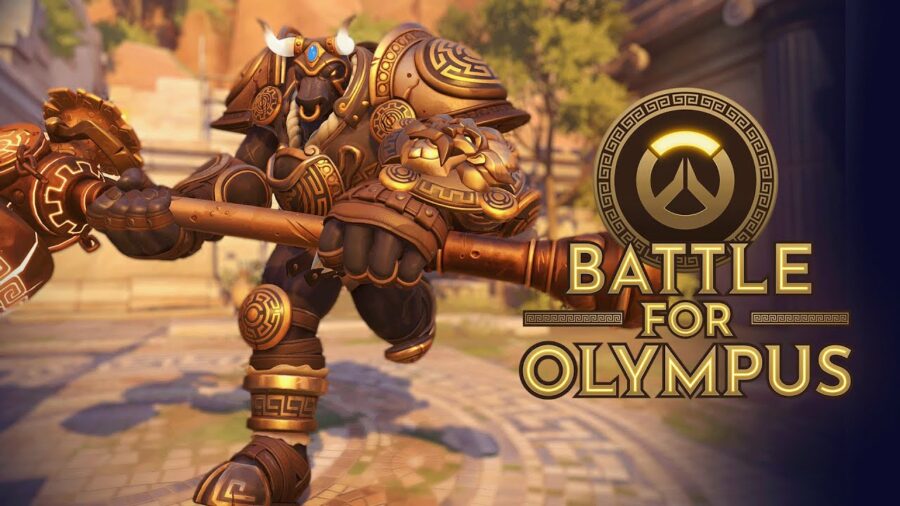
Overwatch 2 will host a battle of the gods (and monsters) in its newest seasonal in-game event: Battle for Olympus, which sees the addition of a brand-new gameplay mode of the same name, new skins, battle pass updates, and more, all surrounding a Greek Mythology theme. The event will only run for two weeks as part of Season 2, akin to the Winter Wonderland 2022 event just gone by. Battle Pass owners will have to work fast to unlock a Mythic Junker Queen Zeus and other god-themed skins and those taking part in the new Limited-Time Mode will have more than their fair share of fun competing to be the top god.

Overwatch 2 Battle for Olympus New Game Mode Start Time and Date

The new Battle for Olympus game mode in Overwatch 2 is coming January 5.

This seasonal event will release on January 5, 2023, at 2 PM EST. The limited-time mode will then see its end only 14 days later on January 19, 2023.

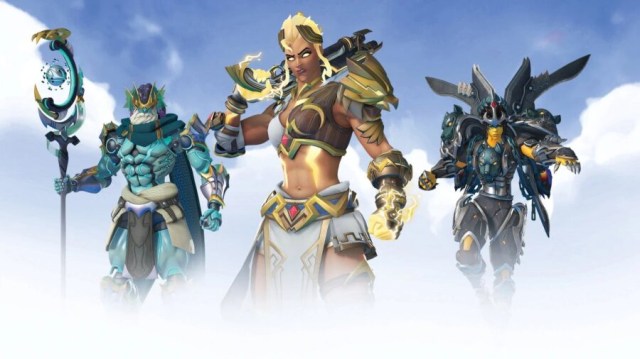
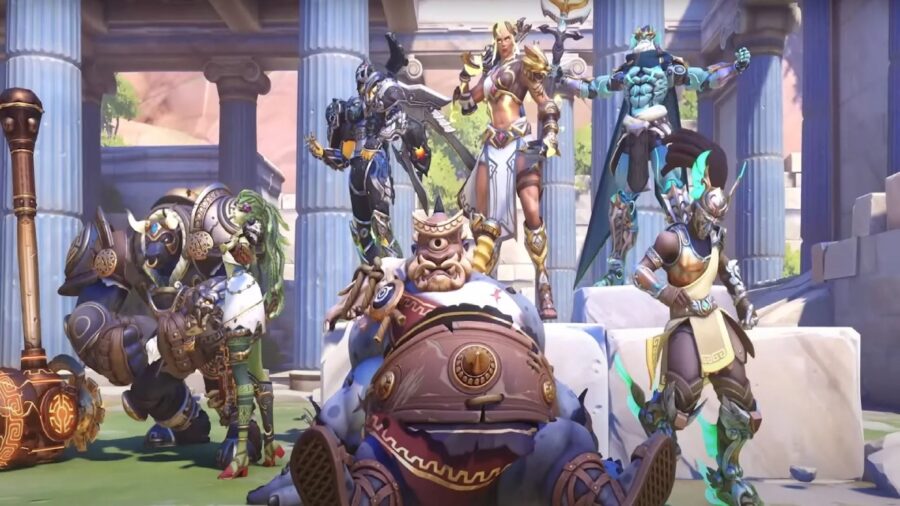
The Battle for Olympus LTM will see seven Heroes clash in a free-for-all style match, where each Hero has received a significant reworking of their abilities to match the god or monster that their new style is inspired by. A count will also be tallied of how many eliminations players earn with each of the seven gods, and by the end of the event, the Hero with the most eliminations will have a statue erected in Ilios, the Greece-based map, as a show of victory.

The seven Heroes who will clash in this mode are: 

  • Junker Queen – Zeus
  • Pharah – Hades
  • Ramattra – Poseidon
  • Lucio – Hermes
  • Roadhog – Cyclops
  • Widowmaker – Medusa
  • Reinhardt – Minotaur

How to Get All Greek Season 2 Skins in Overwatch 2

As with every seasonal event in Overwatch 2, there are only two methods that players can use to earn new skins – by either grinding their Battle Pass challenges or spending Overwatch coins in the Battle.net store. 

Three of the Greek skins are unlockable at the following tiers of the Battle Pass: 

  • Legendary Poseidon Ramattra unlocks at Tier 20
  • Legendary Hades Pharah unlocks at Tier 60
  • Mythic Zeus Junker Queen unlocks at Tier 80.

The remaining four skins can only be purchased in the store as follows: 

  • Medusa Widowmaker – 2200 OW Coins
  • Hermes Lucio – 2000 OW Coins
  • Minotaur Reinhardt – 1900 OW Coins
  • Cyclops Roadhog – 2200 OW Coins

Entire Digimon Universe Disappears After Lapsed Domain Payment

SILICON VALLEY, Cali. — The Digital World and its lovable, all-powerful inhabitants ceased to exist early this morning due to an ISP’s bounced automatic bank withdrawal, according to those familiar with the situation.

“I just wanted to get away for a weekend,” tamer Taichi Kamiya explained. “Go for a hike, swim at the beach… you wouldn’t believe the screen time a DigiDestined teenager racks up. Coming back to that blank-white 404 page, though… Jesus. I’m freaking out. My friend Agumon literally evaporated from existence. We met entire nations of creatures, with personalities, and hopes, and dreams. We fought wars together. Wars. Plural. The fate of the universe hung in the balance. Oh god, I’ve let so many creatures die!”

The horror is attributed to the draconian business model of BargainIP.biz, a cheap provider all Digimon have lived on since 1999. BargainIP’s complaints hotline initially offered DigiDestined an automatic amends of two free months hosting and maintenance before quickly realizing that their accounting practices were “technically responsible” for genocide.

“Many are understandably upset,” a customer service representative admitted. “We appreciate your patience while we attempt to reverse the erasure of an entire civilization. It’s an inexact science. Trees currently load upside-down, water catches fire and several testers have spontaneously glitched into the ground in a never-ending plummet. The sky bleeds oil and there’s one T-posing Angemon that slowly glides towards us, screaming. Regardless, we’ve been working around the clock to resolve the issue. Hopefully, we can restore everyone’s digital friends with the same personalities and memories as before. Otherwise, they are all dead for nothing.”

Repairing the damage has been slow. While some Digimon have been restored by backup zip-disks found in programmers’ garages, others may be lost forever.

Don’t look at me,” human protector Gennai exclaimed. “I helped build the Digital World, for God’s sake! Everything ran perfectly pre-Y2K — that’s solid, incorruptible HTML 2 for you. Still, I’ll get blamed. The internet’s too complex these days. You don’t need fancy ‘cloud-based’ crap to fix backup issues — just a solid dial-up connection and 15 minutes on the right IRC server. Digivolve into someone who takes initiative. Ask Jeeves and sort it out!”

At press time, officials reminded users of the importance of occasionally printing out a photo of your Digimon so that you can appreciate it in the physical world.

Destiny 2 Operation: Seraph’s Shield: Resonance Amp Locations

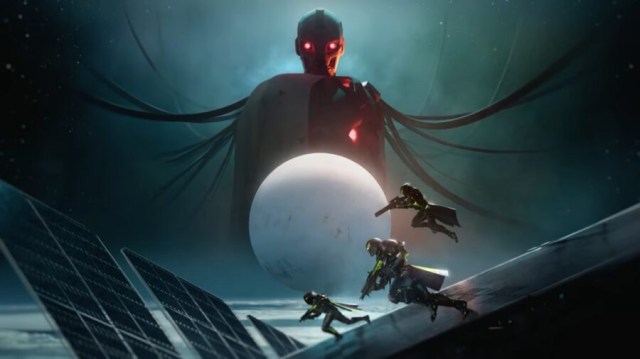
Destiny 2’s Season of the Seraph features plenty of activities for players to grind and collectibles to find. One of those collectible types are Warmind Nodes. These collectibles require some extra steps to be completed before players can even interact with them. So here are all of the Operation: Seraph’s Shield Resonance Amp locations in Destiny 2’s Season of the Seraph.

Looking for the other Resonance Amps? Check out our guides on the Europa Resonance Amp locations (which also includes a section on unlocking Resonate Stems) & Moon Resonance Amp locations.

Destiny 2 Operation: Seraph’s Shield Resonance Amp Locations

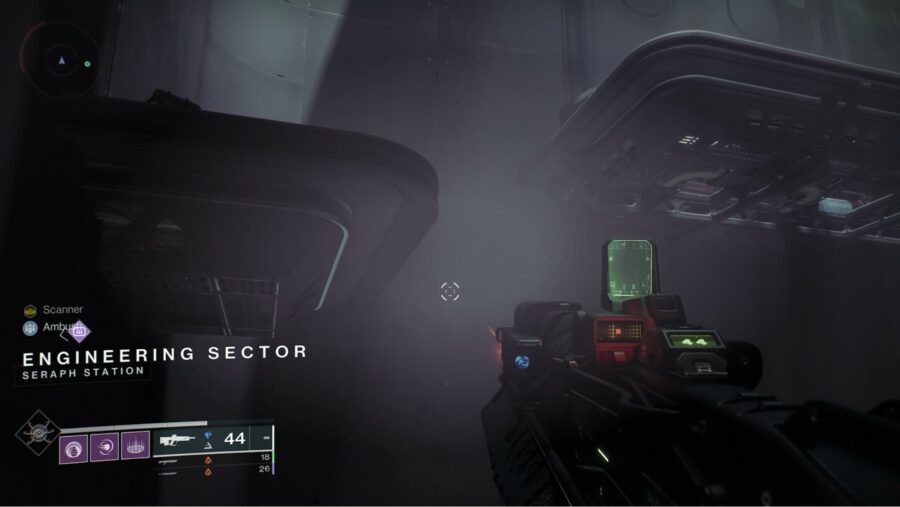
Orbital.Engineering.Shaft.Platform – Seraph’s Shield Resonance Amp Locations

Where to find the Orbital.Engineering.Shaft.Platform Resonance Amp Location.

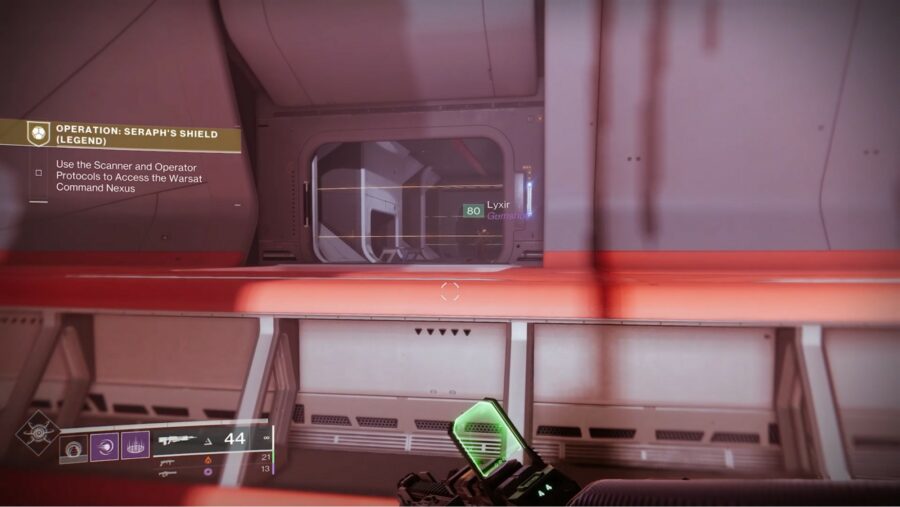
This Warmind Node is found as soon as you enter the Engineering Sector of Seraph Station. Look up in this shaft to find a bunch of platforms. Jump to the very top to find this node.

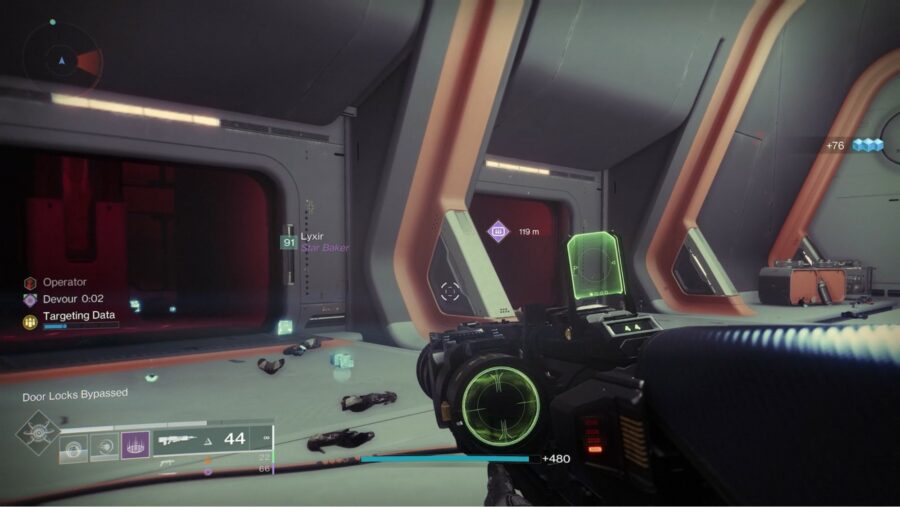
Orbital.Engineering.Servers.Column

Where Orbital.Engineering.Servers.Column Resonance Amp Location is in Operation: Seraph's Shield.

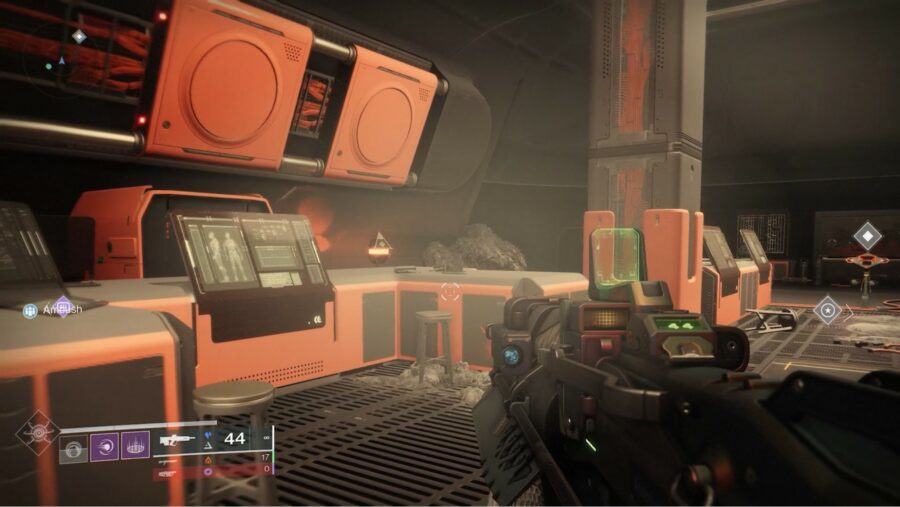
This Warmind Node is found immediately after grabbing the Operator Augment for the first time in the Engineering Sector of Seraph Station. There are two openings to the left in the next room. Walk through the second opening to find this node between two pillars.

Seraph’s Shield Resonance Amp Locations: Orbital.Logistics.Foyer.Hall

The Orbital.Logistics.Foyer.Hall Seraph's Shield Resonance Amp location.

This Warmind Node is found after defeating the first boss on Seraph Station. From the entrance, look to the right to find a short hall with some laser traps. Wait for the lasers to deactivate and run to the end of the hall to find this node.

Orbital.Control.Nexus.Upload

This Warmind Node is found in the chest room at the end of the Operation: Seraph’s Shield mission. Just to the left of where you upload the virus, this node can be found along the wall.

CoD MW2 & Warzone 2 Season 2: Release Date & Leaks

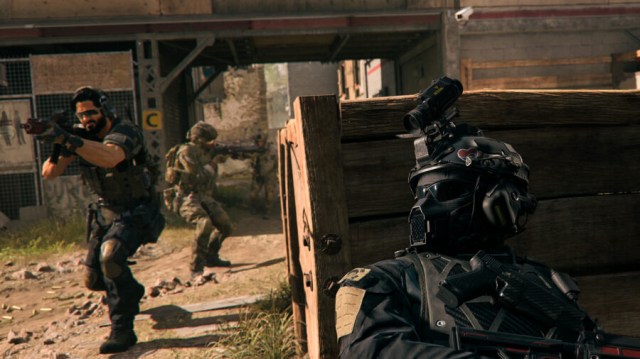
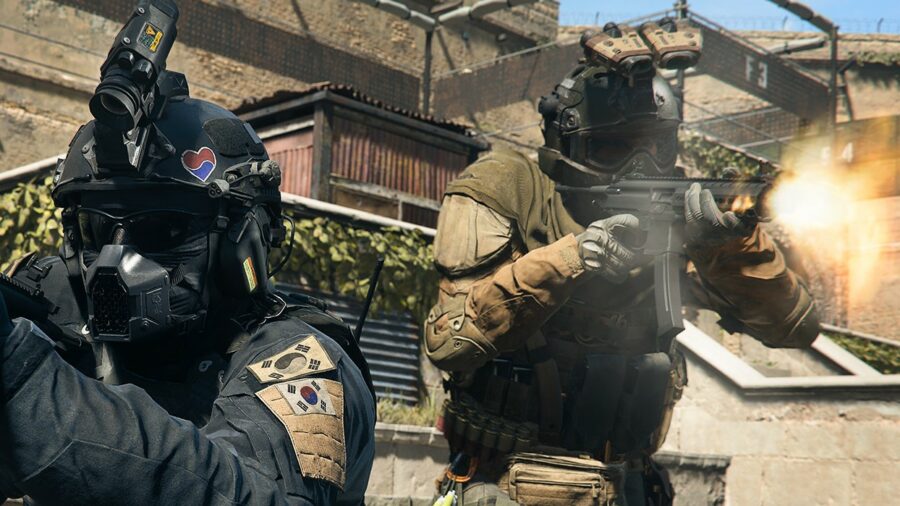
After an exciting Season 1 update, players are eagerly waiting for Call of Duty: Modern Warfare 2 & Warzone 2 Season 2 to drop. It will be the first patch of 2023 and is expected to bring back a popular CoD map along with new weapons, operators, and more. In addition to this, we can also get an announcement regarding the Ranked mode in the game, which was confirmed earlier by Activision. 

Apart from this, a brand new battle pass will also be available that will let you earn a variety of rewards, including weapon blueprints, perks, and more. CoD: Modern Warfare 2 Season 2 will be a significant update, and here is everything you need to know about it, including its release date and time, along with the details of what content it will bring.

CoD MW2 & Warzone 2 Season 2 Release Date and Time

While Activision is yet to reveal the launch date of CoD Modern Warfare 2 Season 2, it is expected to release on February 1 at 10 AM PT. This date comes from the countdown mentioned in the battle pass section of the game, and the update will be available to download soon after the Season 1 battle pass ends.

Just like the past updates, there will be no server maintenance, so you will not have to stop grinding. While there is no information about the Season 2 download size, it is expected to range from 10 to 15 GB for all platforms.

Modern Warfare 2 Season 2 Roadmap and Leaks

While the Season 2 update is still a few weeks away, we have already started getting leaks of the content coming to the game. 

Castle Map and Ronin Operator

A few days ago, the key art for Modern Warfare 2 Season 2 was leaked, and it featured the Ronin operator and, in the background, a Japanese-themed map which apparently is the multiplayer map, Castle. 


Castle was first released in Call of Duty: World at War, and its revamped version was later available in Call of Duty: Vanguard. On the other hand, Ronin, aka Daniel Shinoda, was available in Modern Warfare and is a part of the Coalition faction. 

CoD MW2 Season 2 New Weapons: Crossbow and Vepr-12

Every new season brings new weapons in Modern Warfare 2, and Season 2 is no different. Two new weapons, Crossbow and Vepr-12, have been leaked by the dataminer, CODSploitz, that will be making their way into the game. The crossbow’s leaked image was, however, taken down by Activision later on.


As we move closer to the release date of Call of Duty: Modern Warfare 2, we will receive more leaks and announcements regarding the Season 2 update, and we will update this page as we get our hands on them.

Stay Updated on The Latest Punk News

Get the latest punk news delivered straight to your inbox

We'll store and process this information to provide you our products and services. You may opt out of this at any time.