
It May Have Cost Us All Our Friends, But We’ve Ranked the Mario Party Games

One part Monopoly, one part Squid Games, Mario Party is the undisputed king of party games. When it was released in 1998 slumber party violence reached an all-time high and it has continued to turn friends against each other ever since. With eleven mainline entries spanning five console generations, Mario Party is clearly here to stay. 

But if we’ve learned anything from Mario Party, it’s that there can only be one superstar. I’ve got my court-ordered protective glove strapped on and I’m ready to count the bonus stars. Lets-a -go!

#11 — Mario Party 9

Imagine the most boring road trip you’ve ever been on. Now, imagine Wario is there making you play rock-paper-scissors or some shit. That’s Mario Party 9, baby. 

#10 — Mario Party 10 

Oh hey, it’s the Wii-U Mario Party! Remember the Wii-U? You do? Nintendo’s memory wipe department will be seeing you momentarily. Anyway, this game is basically just Mario Party 9 again, but with a surprisingly fun four vs one mode. 

#9 — Mario Party

This is where it all started. Unfortunately, this is a game made for truly masochistic sickos. No items. No duels. No Gimmicks. OG Mario Party is just Bowser ripping your asshole open and having bloody palms from that tug-o-war game. Fun for the whole family!

#8 — Super Mario Party

The custom dice blocks mean we finally got character tier lists in Mario Party! Oh, you’re playing Yoshi because you LIKE him? You’re here to have FUN? Enjoy getting lapped by my S-Tier Donkey Kong scrub. 

#7 — Mario Party 2

The characters get cute little outfits to go with every map in this one. Cowboy Luigi looks so adorable when he’s shooting his own brother down in the street like a dog. And who could stay mad at little astronaut Yoshi after he atomizes Peach with a space laser? It might still be a little rough around the edges, but Mario Party 2 makes up for it with a lot of heart. 

#6 — Mario Party 4 

There are a lot of cool ideas that aren’t quite implemented in intuitive ways in Mario Party 4. Get ready for your piss-ant little brother to ask if he can buy stars while he’s big every single game. No one remembers, Robby! Just use the item and see what happens. 

#5 — Mario Party 8

This game has great maps and back-to-basic mechanics that are simple and fun. Some people complain that most of the mini-games are just jerking off with a Wiimote. Those people aren’t wrong, I just don’t understand why that’s a problem. As a lonely high schooler when Mario Party 8 came out, I was basically unbeatable. 

#4 — Mario Party 7 

The guy at EB Games made fun of me for buying the GameCube microphone. Well, who’s laughing now, buddy? Probably still him — the mic minigames are awful and there are way too many of them. But hey, I’ll always have Odama.

#3 — Mario Party 5 

This is the punk rock Mario Party because it encourages you to litter. Instead of using items, you throw capsules that sit there like land mines until someone lands on them. By the end of the game, the map is basically a landfill. This game did irreparable damage to the Mushroom Kingdom’s ecosystem, but I think it was worth it.

#2 — Mario Party 3 

It only took three entries for Mario Party to add Waluigi as a playable character. They even gave him his own island to make up for leaving him out of the first two. Take notes, Sakurai, this is how you run a big-boy franchise. And it’s still the second best in the series to this day.

#1 — Mario Party 6 

The weird sun and moon guys who host Mario Party 6 have haunted my dreams since 2004. They control the movement of the heavens. They are the dichotomy of day and night, light and dark, good and evil. All hail the day-night gimmick and all hail Mario Party 6! 
Hello Fresh Announces Zelda Meal Kit That’s Just Four Apples and a Gigantic Slab of Raw Meat

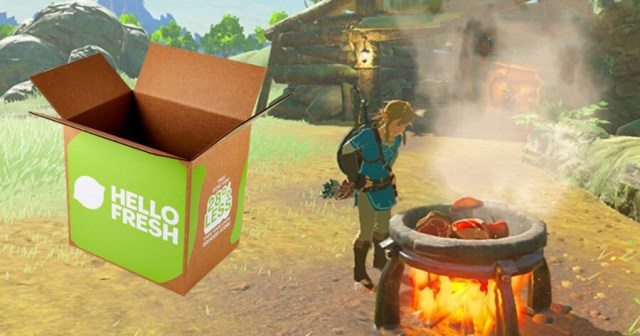
SEATTLE — Meal kit delivery service Hello Fresh revealed a new Legend of Zelda-themed box today containing a bunch of loose apples and a hunk of raw meat. 

“With the launch of The Legend of Zelda: Tears of the Kingdom, we know gamers everywhere need a nutritious diet to get the energy for those late-night dungeon crawls,” said Hello Fresh Head of Marketing Douglas Roberts. “Our Hyrule Adventurers box will make you really feel like you’re out adventuring with Link as you throw a bunch of fruit and meat into a pot and then eat whatever comes out.” 

Each Hello Fresh box comes with pre-portioned ingredients and step-by-step instructions, making it easy to know when to hold all the ingredients in your hands and when to throw them all into a burning hot wok before standing around and watching them cook. 

“It’s been so exciting seeing players engage with the cooking mechanics in Tears of the Kingdom and we’re excited for players to utilize their new skills in their real lives,” said Legend of Zelda producer Eiji Aonuma. “I’ve been so impressed with Hello Fresh’s dedication to the source material, and I love giving a little ‘yipee!’ when I’m finished cooking the recipes that arrive at my door. Though, to be honest, I substitute the raw meat with a single bass that still has all the scales and head and bones and stuff on it.”

Hello Fresh also announced a line of additional Zelda-themed snacks that can be added on to any order, including Baked Apples, Roasted Tree Nuts, and several loose lizards with a couple of toenails thrown in. 

“Our meal delivery kits help our customers realize that cooking isn’t as complicated or time-consuming as they think,” said Roberts. “Most people don’t even know that you don’t have to clean out your one big pot between meals! And if you want to add some extra spice to your meal, we always suggest throwing in some rock salt or acorns, to taste. Some stuff makes you glow in the dark!” 

At press time, several reviews of the Zelda Hello Fresh box reported that cooking the ingredients provided only resulted in Dubious Food.

What You Should Buy Instead of Apple Vision Pro

Apple’s WWDC 2023 event kicked off on Monday, June 5, and with it revealed a long rumored product: a mixed reality headset, titled Apple Vision Pro. It looks neat! You can navigate the whole thing with your hands, eyes, and voice, and use Apple apps like FaceTime, with a collaboration being teased with Disney as well. They also revealed the price, and uh…

An image of the Apple Vision Pro, with text stating "Apple Vision Pro starts at $3499."
What are the upgrades to take the price higher???

Yep! Apple’s new XR headset starts at $3499. I’m eager to see what “upgrades” they decide on to increase the price even further, somehow. I’m not writing this to just complain about the price, though. I’m here to help you, the consumer, decide where to put your money instead. With a budget of $3499, here’s what you should buy instead of the Apple Vision Pro.

Quest 2 ($299)

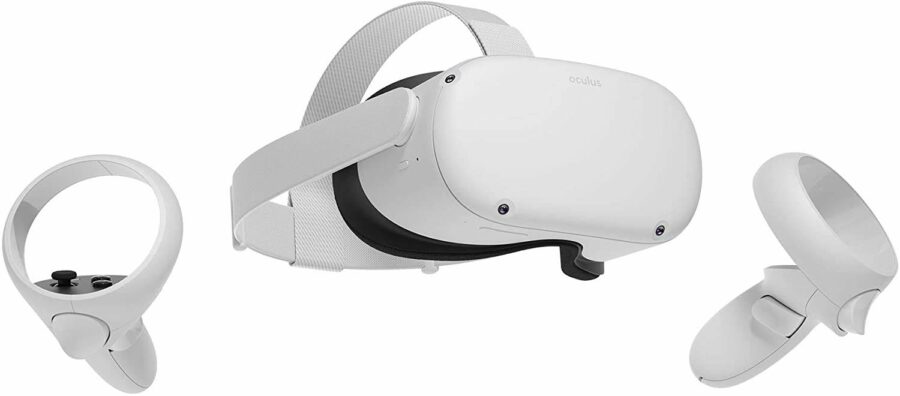
Look, the Quest 2 isn’t as impressive as the Vision Pro. Apple’s headset has a bunch of augmented reality content that is frankly just better than any other headset can currently accomplish. However, you’ll probably get a similar result. You open the headset, play Beat SaberResident Evil 4 VR, and maybe some other stuff for a few hours in the first month you get it. Then, you put it in a case or on a stand forever, doomed to pull it out only when you have company over. And now that they dropped the price again after raising it, for some reason, it’s only $300! Save about $3200 and buy a Quest 2 instead of Apple Vision Pro.

PlayStation 5 & A Couple of Games (~$637)

For some gaming that you’ll actually do regularly, you can buy yourself a PlayStation 5. It may look ugly as sin on your entertainment center, but it still won’t be nearly as ugly as that $3500+ charge would look on your credit card statement. Plus, it matches with your new Quest, so you’ll have some color coordination while that thing collects dust. Win win!

You can even use some money on new games for your new PlayStation. There might not be that many PS5 exclusives to choose from, but you could pick up Returnal and God of War Ragnarok and have a pretty good time.

A New UPLIFT Standing Desk ($599)


It’s about time you got something for your health on here. Sitting at a chair all day isn’t doing anyone any favors, and it’s about time that you got that UPLIFT standing desk that Keith won’t shut up about in the Slack chat. $599 is a pretty pricy investment, but when you look at it as “17% of the price of an Apple Vision Pro,” the steep price tag looks a bit more digestible.

In-State Tuition at City College of San Francisco ($1290)

Thought you were done after the desk? You still have around $1965 to spend! To keep up investing in yourself, if you live in California, you can afford tuition at the City College of San Francisco, according to communitycollegereview.com. You can get your associates’ and enter the workforce, or even transfer to a four-year university. You could even just stay there for 6 years while you try and figure some shit out, like the cast of Community. The possibilities are endless!

Just Put It In a Savings Account (the rest)


After all of these purchases, you still have about $675 to put in a savings account. This can come in handy as emergency rent money, a kickstart towards a vacation, or the next semester of tuition. Even if it just sits there, you’re still getting more value out of this money than you ever would out of the Apple Vision Pro!

Every Videogame Pride Month Event This Year

With June officially kicking off, many games and gaming companies are doing there part to create visibility for LGBTQ+ gamers everywhere. Here are all the amazing videogame Pride Month events to be on the lookout for!

Chess.com

Knight pieces will be replaced by a small effigy of Sir Ian McKellen

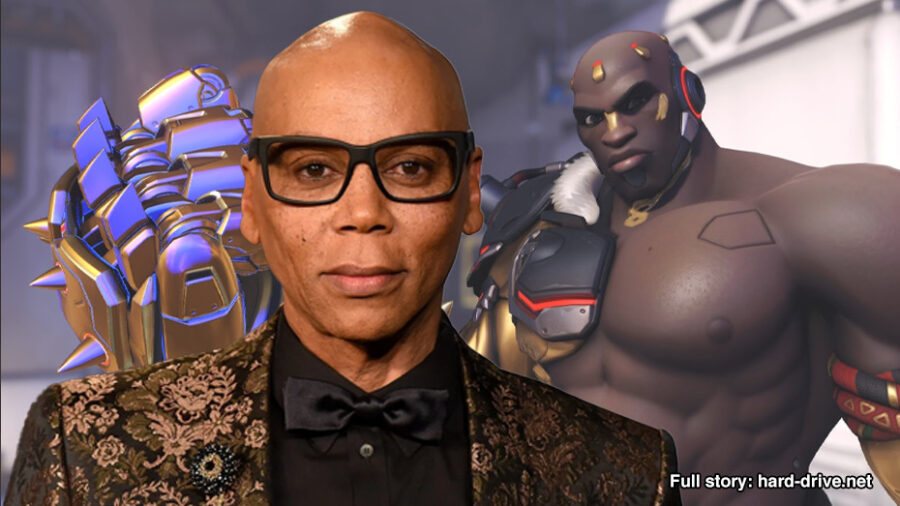
Overwatch 2

Commemorative RuPaul skin for Doomfist

Fortnite

Lifting their inexplicable ban, gay people will be finally allowed to play the free battle royale game for the month of June

Indie games

What’s that?

Call of Duty  

“GAY” will be written on the wall in bullets by sixth grader Connor Murphy

RIOT Games

Riot plans to pay tribute to any gay employees by outing them to their friends and families unprompted

GameStop

In a clever name change, GameStop will be rebranding as LQBTQ+Stop

Tears of the Kingdom 

Shigeru Miyamoto will tweet a crude doodle he drew of Link and Ganondorf spooning each other

Diablo 4 Upgrades Guide: When Should I Upgrade Gear?

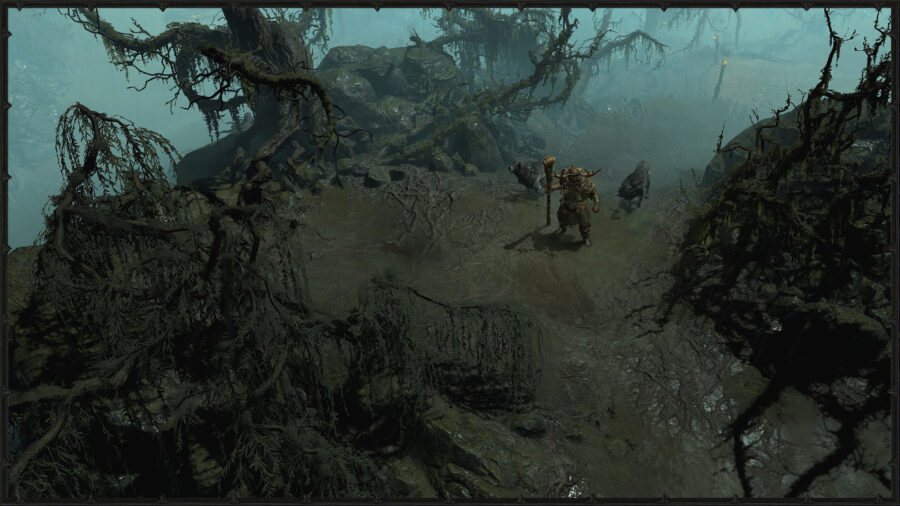
In Diablo 4, the early game can seem like an uphill battle with you having to battle strong enemies, likely without upgrades on your gear. The temptation will be strong to simply upgrade your best current equipment, so as to ease things up a bit, especially since the Blacksmith’s services are among the earliest to be made available to you. This guide examines whether it makes sense to upgrade items of all rarities, whether at the Blacksmith, the Jeweler, or the Occultist.

When Should I Upgrade Weapons & Armor in Diablo 4?

When to upgrade gear in Diablo 4.

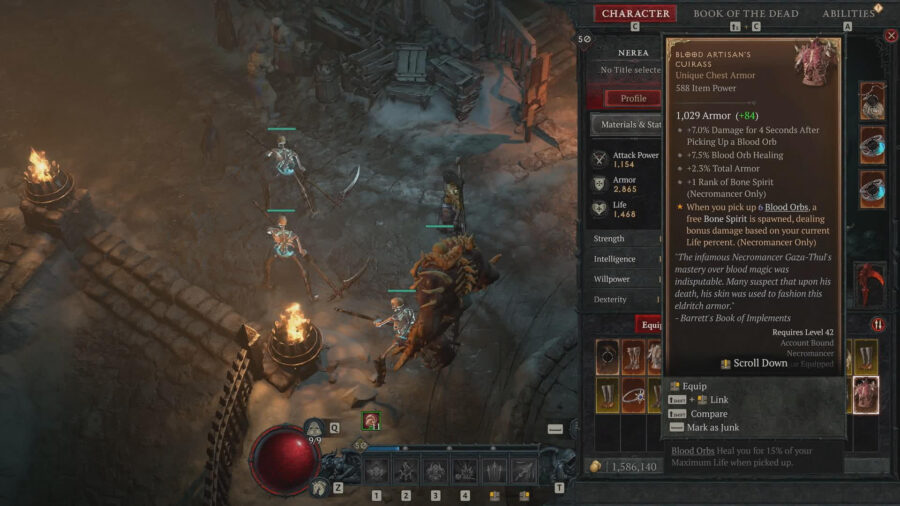
As soon as you’ve completed the Prologue and reached Kyovashad, you will have access to the services of a Blacksmith, the first of several. In addition to repairing and breaking down gear, the Blacksmith can also upgrade weapons and armor (but not rings and amulets). While the Blacksmith has no objection to upgrading items of any rarity, it would make very little sense in the short term. Even at a measured pace, you will be leveling up fairly quickly in the early hours, and will be stumbling across scores of drops, each better than the last. Items will be dropping that are appropriate to your current level, and you will be swapping out what seemed cool ten minutes ago, for something even cooler.

The gold outlay, let alone the materials, on Magic rarity upgrades makes it a bad proposition. As a matter of fact, you shouldn’t even be spending gold on repairing lower-tier gear in the early game, opting to salvage or sell gear instead, and maintaining a rotating backup set of gear in your inventory or stash for emergencies.

Rare and Legendary gear upgrades are good value for gold and materials, though you shouldn’t get too attached to most Rare equipment either. There are plenty of opportunities to farm Legendaries, and it won’t be long before you have a complete set of them and some to spare.

Diablo 4 Upgrades: Rings and Amulets

The Jeweler and their upgrades are a different proposition from the Blacksmith altogether. Because they are unavailable in the early game, unlike the Blacksmith, the opportunity to fiddle with ring and amulet upgrades just doesn’t present itself. By level 20, when the Jeweler finally unlocks, you will likely have swapped through several rings and amulets. However, because these two gear categories have a lower drop rate overall, compared to weapons and armor, it might make sense to upgrade even Rare items, if you’ve found a particularly good drop.

The Jeweler also performs socketing services which will allow you to add a gem socket to gear. A great deal of thought should be put into this before committing. Not only is the gold outlay fairly expensive, the material required, known as Scattered Prisms, are a rare drop from an even rarer activity–World Boss Events, that will require a World Boss to be defeated within a specified time frame.

Gems should be hoarded and upgraded or crafted to their highest possible tier before the finality of socketing them in equipment, in order to avoid squandering the gold it would take to unsocket a low-tier gem from an item, as well as the gem itself.

Occultist Legendary Aspect Imprinting

The Occultist is another Diablo 4 upgrades vendor with a complex decision-making process. While locked until you reach level 25, it is possible to unlock the Occultist earlier simply by acquiring a Legendary Aspect reward from clearing a Dungeon for the first time.

The Legendary Aspect Imprinting services offered by the Occultist are an upgrade of sorts, raising the rarity of Rare equipment to Legendary, and completely changing the starred attribute of Legendaries, for a cost in gold and Veiled Crystals. This should be considered carefully. If the Legendary Aspect being imprinted was extracted from a Legendary, keep in mind that it is single-use only–unlike the infinite-use Aspects indexed in the Codex of Power, and once imprinted it cannot be extracted again either. Codex of Power Aspect imprints have their own drawback–they will always roll for the lowest possible stats. Not only is the Imprint cost in gold fairly high, the Veiled Crystals required are only gotten from salvaging Rare items. Rare items are upgraded to Legendary and become unsalvageable plus account-bound, thus untradeable.

Enchantment is also an upgrade, completely replacing an item’s affix and offering you a randomized choice between two new affixes, as well as the choice to not change anything, in the event that you don’t like the options on offer. While this may seem relatively straightforward, hesitation sets in because materials are deducted regardless–even if you opt to reject the enchantment. If you do swap an affix, future attempts at enchantment will only let you change that particular affix, and not any of the other affixes that may be present on the item. Besides the gold cost for enchantment, Rare items require Veiled Crystals, and Legendary require both that and Fiend Roses, which are only reliably found in Helltide Event zones.

Both Imprinting and Enchanting should be reserved for Rare and Legendary gear of long-term value to you, especially items with class synergy. Of particular value are the Rares dropped by the unique named enemies in the open world. Imprinting and Enchanting these can lead to some exceptional gear.

That’s everything you need to know about gear upgrades in Diablo 4. Check out our guide on how to summon a Golem in D4 while you’re here!

$3,000 Apple VR Headset to Launch With Cool App That Makes It Look Like You’re Drinking a Beer

CUPERTINO, Calif. — Apple announced a highly anticipated new virtual reality headset during today’s Worldwide Developers Conference, as well as showcasing the product’s killer app; a program that makes it look exactly like you’re drinking a glass of beer. 

“Whoa, look at that shit!” gasped one fan in attendance, after witnessing Apple CEO Tim Cook don the new headset and display its digital ale consuming capabilities. “Both people have to be wearing these three thousand dollar headsets, but if you are, it looks exactly like one of you picks up a full beer and gulps it right down. Incredible! At first I wasn’t sure why anyone would need or want one of these, but this changes everything. Who do I give my three grand to?”

The app, VRBeer, mirrors a popular first wave iPhone app, iBeer, that also mimicked the action of drinking a beer, albeit in a primitive, two dimensional manner. 

“This pretending to drink a beer app blows that old one out of the water,” said Cook, addressing the large crowd. “I can’t believe we used to laugh our tits off at that iPhone one. It’s like looking at black and white television now. But as always, Apple is innovating and leading the charge towards the future. We think Apple’s new headset will be the most superior one on the market, by far. Try drinking a big ass beer inside Zuckerberg’s Metaverse, see what happens.”

As of press time, Apple also announced that video games would soon be coming to Mac computers. 

Devastated Hayao Miyazaki Decides Not to Publish Any Trailers for New Film After Realizing It’s Identical to Morbius

TOKYO — Beloved anime filmmaker Hayao Miyazaki is reportedly devastated after watching the 2022 film Morbius and realizing that it is identical to his upcoming film How Do You Live?

“I don’t understand. Why did no one tell me about this?! I’ve been working on my swan song for years, telling everyone in the studio that How Do You Live? is about Megumi, the Living Vampire!” Miyazaki was heard yelling at a producer at Studio Ghibli after watching Morbius for the first time. “It’s called How Do You Live? because it’s about a guy who has to learn how to live with a rare blood illness that forces him to consider drinking human blood once the artificial blue blood he creates stops being good enough. I mean it’s the same fucking movie. Don’t release a fucking image of this shit until we fix this. Say it’s artistic integrity or whatever, I don’t care, but we need to figure out how to salvage this. How much would it fuck us if we cut the whole ‘it’s Megumin’ time’ scene?!”

According to those who worked on How Do You Live? and compared it to Morbius, the movies are virtually identical.

“We thought we were going to blow people’s minds when we came out with the first ever live action Studio Ghibli movie. We got this really pale guy with long black hair and piercing blue eyes and… yeah he looks exactly like Jared Leto but Japanese,” Studio Ghibli co-founder Toshio Suzuki said to the company’s board. “The echolocation flying, the gloomy atmospheres, the best friend dancing in the mirror while putting on a suit. It’s all there. Hell, we even cast Tyrese Gibson as the one American in the movie to play our PSIA agent and I guess it just didn’t occur to him that it was the same character as the FBI agent he played in Morbius! Frankly, as a studio, we are absolutely fucked.”

Fans of the filmmaker praised the decision on social media, not knowing the true reason behind the move.

“Whoa. King shit. Miyazaki is so goated,” said one user on Twitter about the director of the upcoming anime Morbius film. “I’m expecting this to be the most original piece of art I’ve ever seen in my life. And as a culture, we really need it. There’s everything just superhero nonsense now. When Morbius came out last year, I really thought we hit the bottom of the barrel for society, so I’m excited, one year later, to sit down in a movie theater and watch whatever’s the opposite of that.”

At press time, Studio Ghibli executives were reportedly looking into using the crisis solution they always use when Hayao Miyazaki makes a massive mistake: just pretend it was his non-filmmaking son Goro who did it.

Diablo 4 Sell or Salvage: What Should You Do With Gear?

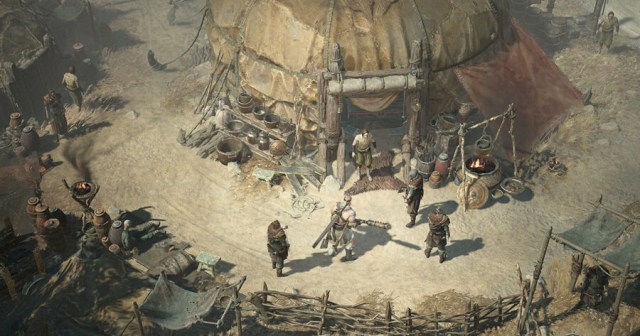
Diablo 4 has a fairly generous drop rate for items, leading players to a big question: should you sell or salvage excess gear? It’s quite easy to run out of both inventory and stash space if you’re a hoarder. At that point, it becomes necessary to choose between selling your excess wares for gold or salvaging them for other uses. In order to make an informed decision, it helps to know what exactly gold and salvage can be used for.

Diablo 4: Should You Sell or Salvage Gear?

On one hand, selling in Diablo 4 is key, as almost every vendor transaction in Sanctuary is going to involve some amount of gold over and above any other currencies or materials. The Alchemist needs gold to brew potions and craft elixirs. The Blacksmith needs gold to repair and upgrade your items. The Jeweler needs gold for gem crafting. Even your personal Stash needs gold to expand its maximum capacity. And you will need gold yourself if you decide to respec your build at some point.

Salvage, on the other hand, offers up a variety of materials for crafting, upgrades, and imprints, depending on the item and its rarity. Additionally, it is the only way to unlock the corresponding Transmog of the item.

Early Game

Should you sell or salvage gear in Diablo 4 early on?

At the very beginning of a run, you should opt to only sell items of significant value for a quick cash infusion, while salvaging the lower-valued junk items instead, for their crafting materials. This will help build out your resource pool early on, for upgrading the items you will be picking up in the mid game. If aesthetics are important to you, consider salvaging the higher-valued items at your discretion, for their Transmogs.

Mid to Late Game

By this point, you will actually begin requiring the crafting materials from higher rarity items, so salvage these, and mass sell the Common and Magic items instead. While salvaging Rare gear is a no-brainer, when deciding whether to sell or salvage Legendary items in Diablo 4, you should go through a three-stage decision making process:

  • Do you need the Legendary Aspect extracted?
  • Do you need the crafting materials salvaged?
  • Do you need the Transmog unlocked?

If the answer is no to all of those questions, then and only then, should you sell a Legendary item for its gold value.

That’s all you need to know about the sell or salvage process in Diablo 4! While you’re here, check out our guide for the best way to level up faster.

Street Fighter 6 Guide: How to Change Your Avatar’s Appearance

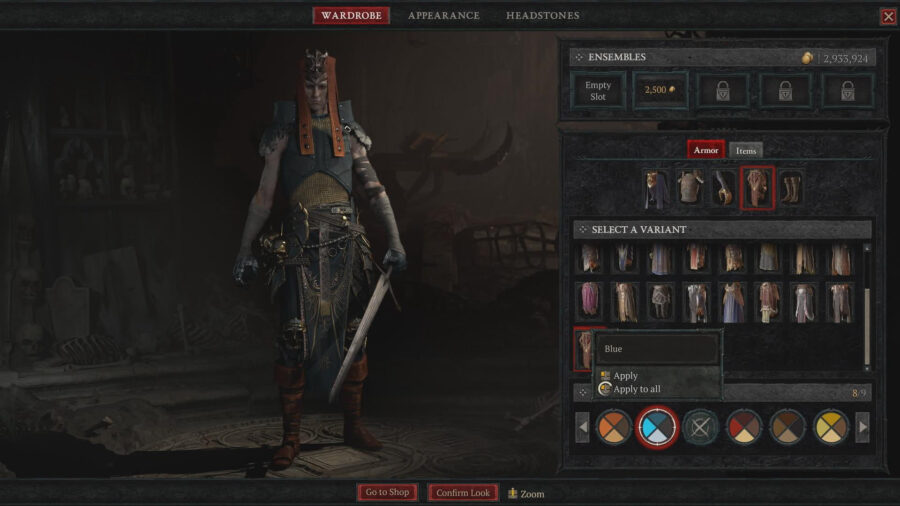
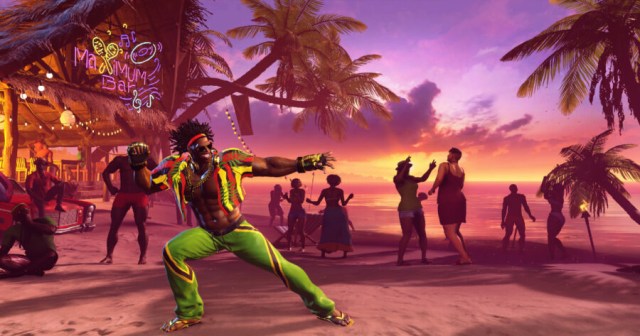
Street Fighter 6 offers a wide range of customization options to change your avatar’s appearance.. A series first, this avatar feature allows you to create your own personal character to play as in the game. If you’re looking to become the top of Metro City, you’re going to want to update your avatar’s appearance as you unlock more items.

While this is something you can do, there are plenty of players who aren’t exactly sure how you can change your avatar’s appearance and looks. Here is everything you need to know about changing your avatar’s appearance in Street Fighter 6.

How to Change Your Avatar’s Appearance in Street Fighter 6

How to customize your avatar in Street Fighter 6.

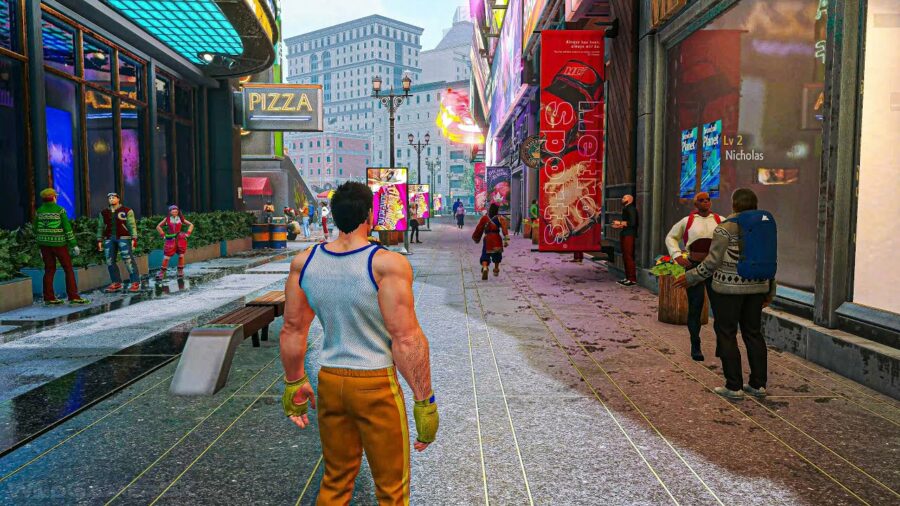
Your avatar is your character used to explore in two modes: World Tour and Battle Hub. Naturally, this means there are multiple ways to update the appearance of your character.

For Battle Hub, you’ll want to head to the desk that is located in the far-right section of the arena towards the back. Here, you can talk to a clerk that will allow you to change your appearance. Any change will cost you 50 Drive Tickets, which can be obtained through various challenges and other means in Battle Hub.

In the Street Fighter 6 World Tour, there are two different areas that you can change your avatar’s appearance in. The first is Style Lab Beauty Salon. This is located on Beat Street in Metro City, which is just across from the clothing store. The second option is Doctor L’s Beauty Salon, which is placed in the Central Bazaar of Old Nayshall. This is only unlocked once you have reached Chapter 10 of your World Tour playthrough. To use either of these shops, you’ll have to pay 1000 Zenny.

It’s really that easy to change your appearance in either World Tour or Battle Hub in Street Fighter 6! While you’re at it, learn how to change classic controls in World Tour!

Street Fighter 6 World Tour Classic Controls Guide: How to Use

If you’re playing through the World Tour mode of Street Fighter 6, you might be curious as to how you can switch between either Modern or Classic controls. SF6 offers both options depending on how you’d like to approach the game.

While Classic controls might be more challenging to input, they are much more rewarding with the precision and accuracy they bring. Modern controls, however, include a great ease of use, which is a draw for newer fighting game fans. Here is everything you need to know about how to change controls in World Tour.

Can You Change to Classic Controls in Story Mode?

How to use classic controls in Street Fighter 6 World Tour.

Yes, you are able to change to Classic controls in Street Fighter 6. The game presents the two options upon starting it for the first time, however, this is a setting that is able to be changed.

Additionally, it is not locked behind any mode, so you are able to change it in World Tour.

How to Change to Classic Controls in World Tour (Street Fighter 6)

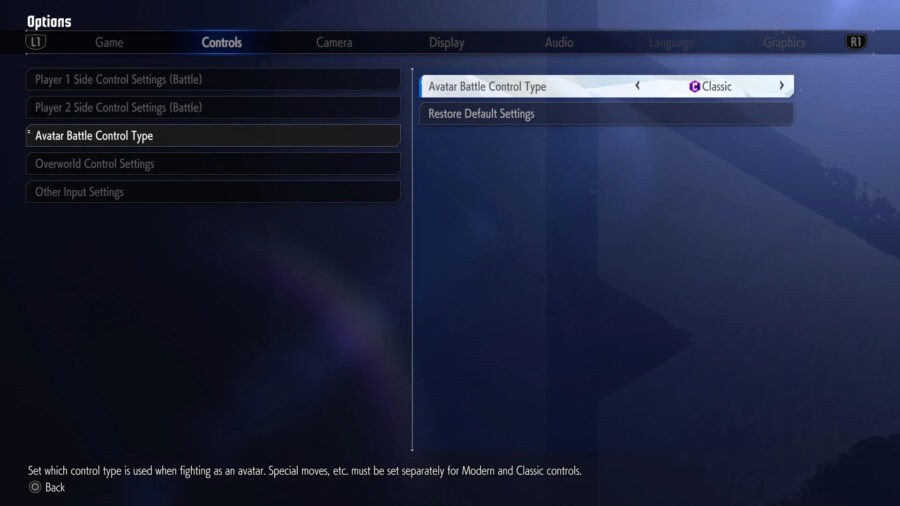
Upon entering World Tour mode, you’ll want to navigate to the menu. This can be done by pressing Pause. Once you’re in, head to the Options tab, which is second to last on the second row of icons. Then, tab over once to the Controls menu, where you’ll head down to the Avatar Battle Control Type. Here, switch the Avatar Battle Control Type setting to the type of controls you’d like to use! So, to recap:

  1. Pause the game.
  2. Head to the Options tab and enter that menu.
  3. Tab over to the Controls tab in the Options menu.
  4. Head down to the Avatar Battle Control Type setting.
  5. Change the Avatar Battle Control Type setting to either Classic or Modern controls.

Once you’ve followed these steps, you’re all done! Enjoy World Tour in Street Fighter 6 with your new controls! While you’re at it, learn how to enjoy Street Fighter 6 with crossplay!

Stay Updated on The Latest Punk News

Get the latest punk news delivered straight to your inbox

We'll store and process this information to provide you our products and services. You may opt out of this at any time.