Diablo 4 Offline Mode Guide: Can You Play Diablo IV Offline?

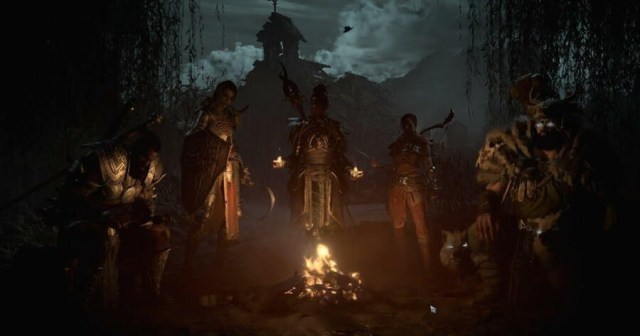
One of the biggest questions for one of the biggest games of 2023 has been players asking for a Diablo 4 offline mode. Increasingly more in recent years, video games have begun requiring an always online requirement, even for games that have single player modes. Blizzard has done this in the past with many multiplayer games as well.

It seems like this trend is continuing for Diablo IV as well. Read on for the bad news about the ability to play Diablo 4 offline.

Does Diablo 4 Have an Offline Mode?

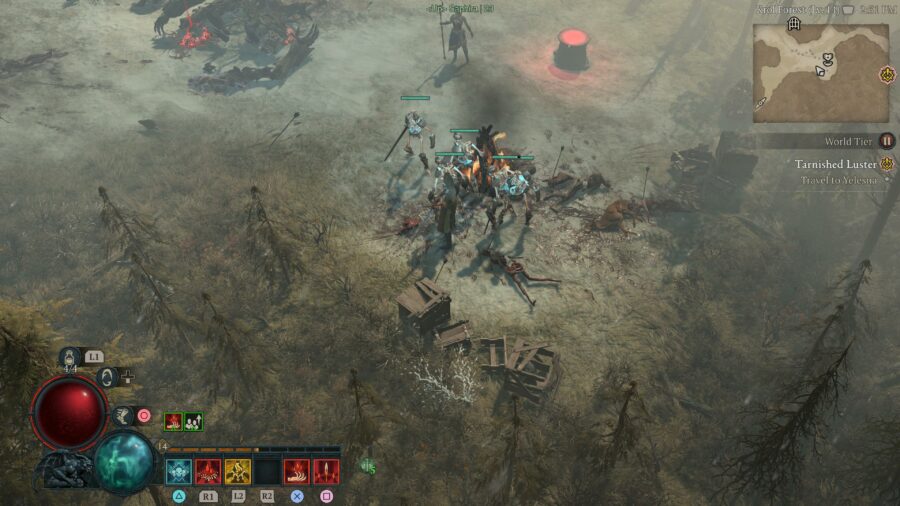
Unfortunately, as of the time of writing, there is no offline play available in Diablo 4. Despite being able to play the game alone, players still have to connect to Battle.net to play the game. For players who want to go through Diablo 4 solo, this is a bit of unfortunate news.

In the past, Diablo releases were able to be played offline. A few years after launch, Diablo 3 even came to Nintendo Switch, giving gamers the ability to play the game anywhere. In its current state, it doesn’t seem like playing portably will ever be an option for Diablo 4.

Even without others in your party, there are times where you may come across other players in the world, which is now unavoidable with the lack of offline play. It also means that Error Codes can stop you from playing the game altogether, rather than just stopping you from playing with others. It’s a pretty big inconvenience that has become unfortunately common in the landscape of the current gaming industry.

That’s the rather sad answer to the question of Diablo 4 offline mode. Be sure to check out some of our other guides if you’re playing the game, like how to claim your pre-order bonus if you haven’t already!

We Must End the Scourge of Meta Movies

Heads up: this is a review of Spider-Man: Across the Spider-Verse and, as a result, will be filled with big spoilers for the movie. If you don’t want to be spoiled, don’t read this article. Just close your eyes and try to click as many ads as possible so we get money for it like you did read it. That’s the only moral thing to do, here, really. 

Spider-Man: Across the Spider-Verse is a beautiful movie. The visuals are out of control, surpassing those of the first film, and it does things with animation I have never seen done before at this level. If the first movie in the series had a long-lasting effect on the animation world, this one’s legacy will be even greater. Gwen’s painted world is especially gorgeous, but the various different animation styles thrown together seamlessly really create an awesome effect — and I mean that like the actual definition of the word awesome, like it inspires awe, rather than like, it’s freaking epic, man.

If you haven’t seen the movie, I absolutely recommend going to check it out on that level alone.

One last look at how dope this movie is before I start getting mean. Fuckin sick, dude.

That being said, holy shit, we gotta stop the meta commentaries in these movies. The crux of the story in Spider-Man: Across the Spider-Verse is that Miles goes to the dimension where all the Spider-People hang out and learns that he has to let his dad die because, unfortunately, it will create a universe-ending rift if he doesn’t let this “canon” event occur.

First of all, this doesn’t even make sense within the rules explained by the characters. The movie goes on to explain that Miles himself is an anomaly to the canon due to the fact that he was bit by a spider from a foreign dimension — so considering his universe didn’t implode, there’s really no evidence pointing to the fact that another anomaly would do the same.

Second of all, this sucks as a story device. I don’t hate the idea of a multiverse (I really love the first Spider-Verse movie!), but Spider-Man movies are supposed to be about a character learning what it means to be Spider-Man (or Spider-Woman or Spider-Car or whatever). With great power comes great responsibility, sometimes you can’t save everybody, learning how to handle personal problems with the problems that affect the greater good, etc. These are all great Spider-Man themes. If you, for some reason, feel the need to release a new Spider-Man movie every other year, there’s a lot there to draw from!

Spider-Man: Across the Spider-Verse, however, is not about being Spider-Man. It’s about being a character in a Spider-Man movie. 

The main driving force of the story in the second half is the revelation that all Spider-People have a police captain in their lives who, at some point, needs to die. Not someone who is similar to a police captain — it has to be a literal police captain — Miles’ dad is only in trouble once he gets his big promotion. This is bizarre! It’s not a personal issue Miles has to overcome, it is him grappling with his place in the type of Spider-Man story we know in our world, rather than in his. 

And the movie is very explicit about this; they literally show scenes from other Spider-Man movies in this movie for the other characters to see. Miles watches a video clip of Andrew Garfield as Spider-Man. It’s not an animated recreation, it is a straight up clip from the movie you might find on YouTube. We see live action Donald Glover as The Prowler, green-screened into an animated movie. Someone mentions Dr. Strange in No Way Home, another meta multiverse Spider-Man movie. When Miles says he doesn’t want his dad to die, the other characters say, “sorry, but that’s not how Spider-Man movies go!”

The upside is that it is technically possible for Miles to read this review.

I don’t want to see that shit. I don’t want to be reminded of studio negotiations and casting news and Twitter discourse while watching a movie. Honestly, I don’t know if I ever want to hear the word “canon” in a movie at all! It isn’t enough to wink at that by having Glover lend his voice to an animated character? We have to literally have him in the movie? And by the way, Miles’ friend is playing the PS5 Spider-Man game in one scene and then Miles meets that PS5-generated Spider-Man in real life, so I dunno what the fuck is going on there.

Meta shit was pretty cool for a while, I guess. If you go through IMDb, you won’t be surprised to discover that Dan Harmon seems to have mentored half of everyone working on a superhero movie right now. And I’ve listened to an embarrassing amount of the man’s voice on podcasts, so I know he loves a good meta joke. But at some point, and I think he would agree, just knowing about tropes and saying them outloud isn’t the same as telling a story. I’m not against the idea of the Hero’s Journey or lampshading tropes, but I am against the idea of every character being 85% on their way to being Deadpool. 

Not to mention, if you start having characters know about the tropes, it begins to create some weird fatalistic themes for the movie. If we look closer at things like there being a universe where every single thing about Spider-Man is exactly the same except he lives in India (down to having an Aunt Maya), why aren’t the characters wondering about some sort of intelligent design? Do Stan Lee and Steve Ditko live in this universe as gods, deciding what happens to every single character until Miles decides to defy them?

Harmon actually already did this whole thing back in 2010. And this scene was in the background of the first Spider-Verse movie in 2018. But let’s all ooh and ahh at the fact that Donald spent 15 minutes to show up in the new one too.

I guess at the end of the day, what I’m trying to say is this: cut it the fuck out. The first movie was cool. Everything was self-contained and the multiverse aspects existed to drive the plot forward, as well as Miles’ emotional arc. It didn’t ask us to start thinking about the ramifications of what it meant if there was a universe where Peter Parker is a cartoon pig.

I hope this doesn’t come across as an overly negative review; the movie is definitely very worth seeing, based on visuals and great voice acting alone (even if most of that voice acting is done through teary monologues). I’m excited to see the conclusion to the story in Part 3 and I gave it a 4/5 on Letterboxd, so everyone just CALM DOWN. I just think we can eventually get over our meta movie fever and finally just tell some stories that exist within the movie we’re actually watching — even if they have to be set across infinite parallel universes (as, for some reason, all movies have to be now).

Diablo 4 XP Gain Guide: How to Level Faster in Diablo IV

Knowing how to level up faster in Diablo 4 is an invaluable skill. The game has a level cap of 100 and can take as much as 150+ hours for the average player to reach. This Diablo 4 guide will help you elevate yourself above that average, so that you can get there just a little bit quicker.

Raise The World Tier to Level Up Faster in Diablo 4

The very first thing you can do to gain an XP boost is to switch to World Tier 2 (Veteran). If you’ve progressed beyond a certain point in the game, then remaining on World Tier 1 (Adventurer) is actually slowing down your progression by a lot, 20% to be exact. While you could switch to Veteran right at the beginning, the early game can be quite difficult on Veteran difficulty with no Skills unlocked and terrible gear.

As your character grows, you should be able to handle the increase in challenge. Exactly when that turning point is, is for you to determine, based on class and skills selected, and your own skill. Since Diablo 4 is so flexible about switching between World Tiers both in-game and in the main menu, you can try experimenting in-session itself, to see whether you can cut it.

How To Change World Tier

On the character select screen, you can switch between World Tiers 1 and 2, both while initially creating the character, and also subsequently when loading into the game. In-game, you can also switch difficulty by visiting a World Tier Statue located in several Settlements with Waypoints. The one in Kyovashad is located within the city limits northeast of the Kyovashad Waypoint. In addition to the 20% bonus to XP, you will also gain a 15% bonus to Gold.

Party Up to Level Up Faster

Even if you went into Diablo 4 wanting to fly solo, being social is important to level up faster. The XP bonus is 5% from random players in your vicinity but these interactions can only occur in the open world during Events and the like. For closed-instance activities, you will need to party up properly, with a 10% bonus to XP being your incentive.

If none of your friends are available, or if you just don’t have any, try making some new ones via the Social tab in the Menu. The middle tab is for listing Local Players in your vicinity, whom you can invite to your party.

How to Level Up Faster in Diablo 4: XP Bonus Elixirs

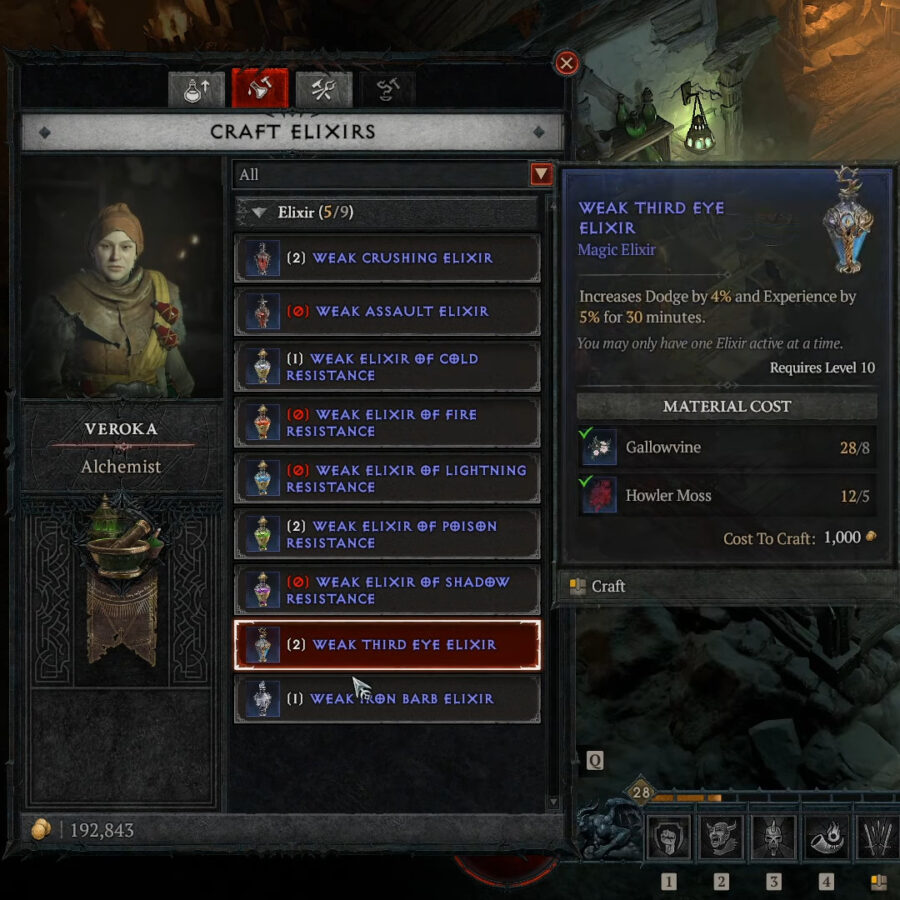
Once you reach Level 5, you can access the Alchemist in order to craft the first of two different Elixirs that offer timed Experience bonuses. The other unlocks at Level 10.

  • Weak Iron Barb Elixir (Level 5)
    • Increases Armor by 50, Thorns by 25, and Experience by 5% for 30 minutes.
    • 5x Gallowvine
    • 5x Biteberry
    • 1,000 Gold

To level up faster in Diablo 4, consider using elixirs like the Third Eye Elixir.

  • Weak Third Eye Elixir (Level 10)

    • Increases Dodge by 4% and Experience by 5% for 30 minutes.
    • 8x Gallowvine
    • 5x Howler Moss
    • 1,000 Gold

There is no fundamental difference between the two as far as the XP bonus is concerned, and even the resources required to concoct the potions are readily available across Sanctuary. Therefore, you should base your choice around the other bonuses that may come in handy to your chosen class during combat.

Farming XP

While XP farming locations are being patched left and right, there are some basic strategies that will likely always work.

Run a Dungeon with a party, killing any and all elites, but avoiding completion. Have only the party leader leave the group, forcing them to exit the Dungeon. Once outside, they can enter again, and the Dungeon should be a new shard/instance and fully repopulated. The rest of the party can now be invited back in as well. The same thing can be done solo, but requires up to two and a half minutes to force a shard refresh, after exiting the dungeon and remaining outside.

Dungeons with large numbers of enemies that can be kited and corralled into a small area before being slaughtered with area of effect attacks are the most ideal locations for fast XP boosting. The most current XP farm is the Stronghold of Kor Dragan, located north of Kyovashad and northeast of the nearest Waygate at Menestad. This location is packed with Vampire Bats, Ghouls, and Revenants.

Simply corral as many of them as you can, deploy your AoE skills, and watch your XP bar fill up. Once the crowd has been majorly thinned out but not completely annihilated, open the menu and Leave Game. Back at the main menu, Start Game again, and you should spawn right outside the now fully repopulated Stronghold for another round. Always leave some stragglers alive, specifically the Revenants.

That’s your most current guide to level up faster in Diablo 4! Check out the best early skills in Diablo 4 for the best skills to use your newfound XP gains on.

Diablo 4 Whispering Key Guide: What It Is & How to Get It

As you explore Sanctuary in Diablo 4, you will stumble upon a shopkeeper selling the Whispering Key. These keys can open certain chests that you find throughout your exploration. This guide will walk you through the process of acquiring these keys, and the unique currency with which to purchase them.

What is a Whispering Key in Diablo 4?

In short, Whispering Keys are keys that can open Silent Chests, chests that are bound shut by chains of gold and a large lock. To be prepared for any chests that you come across, it’s best to keep a few keys in your inventory when possible.

The Purveyor of Curiosities will sell you a Whispering Key for 20 Murmuring Obols. This vendor is found in settlements and is indicated on the map with the icon of a bag and question mark. The item is at the very bottom of the list of goods sold by the Purveyor, so scroll all the way down. Once purchased they will appear in the Consumables section of your inventory. Whispering Keys are used automatically when you attempt to open a Silent Chest.

How to Farm Murmuring Obols to Get Whispering Key

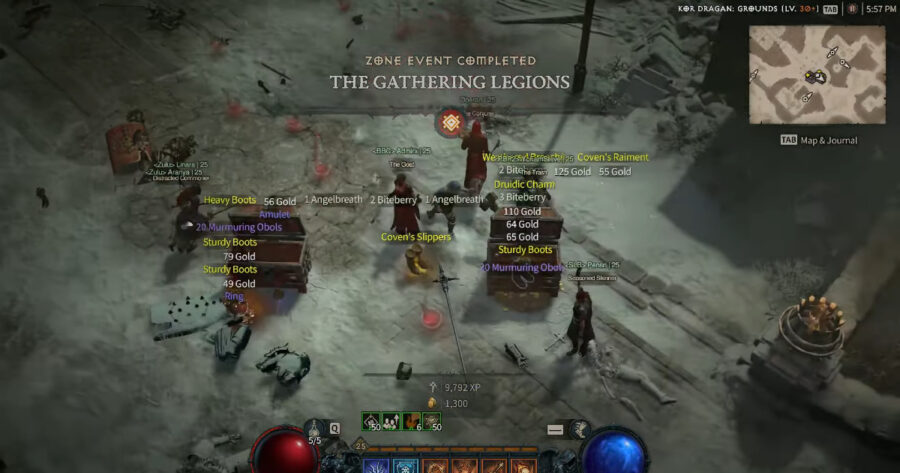
Zone Events, one of the best ways to get Murmuring Obols to get a Whispering Key in Diablo 4.

Murmuring Obols are earned from certain quests, as well as a number of random open world activities including World Events, Zone Events, and cleansing the rare Cursed Chest or Shrine. Being a currency, your current Obol count is located to the farthest right of the Gold counter in the inventory. Note that there is, at least initially, a cap of 500 Obols in your inventory, so be sure to spend them when possible. In order of reliability as a source for Obols:

Complete World Events

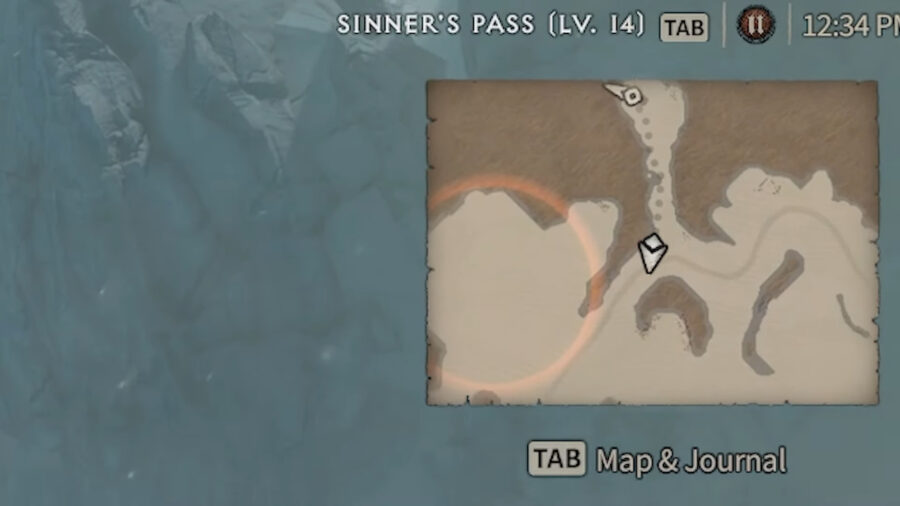
Easily spotted on the minimap by the orange halo encircling an area, these open world quests are usually multi-part and end with a combat stage against an onslaught of enemies. Radiance Field Cemetery, south of Kyovashad, appears to have World Events with some regularity. You can farm this by participating in an event, finishing it, town-portalling, and then returning, which should put you into a new shard or instance where the event may be ongoing or even starting up again. If you’re in a party, everyone must leave the Event location, or split that party apart, in order to avoid being anchored to that shard where the Event was just completed.

As a matter of fact, a full party can coordinate Event farming best by splitting up into different shards when searching for Event opportunities, and when someone finds one, they invite everyone back into a new party.

Complete Zone Events

Zone Events occur randomly at fixed locations around the map, just like World Boss Events. However, there will be no global announcement, so you will have to manually check the map every now and then, in order to spot a fluorescent orange icon indicating an impending Zone Event. It is entirely possible to join an ongoing Zone Event midway, but you should avoid town-portalling during the quest or you may not be able to rejoin it. This is also a multi-stage task, and ends with a boss fight with distinct drops from both it and the Reward Chest. It is the latter that gives you Murmuring Obols.

The Event search method mentioned above for World Events should work here as well.

Quests: How to Get Obols to Buy a Whispering Key

While Murmuring Obols are a guaranteed drop from the Murmuring Caches that are these quests’ reward, they can only be done once obviously, and so are not really a farming method. Even so, there are three side quests that will give you some Murmuring Obols:

  • “The Cleansing Flame”
    • Zone: Fractured Peaks
    • Quest Location: Margrave
    • Quest Giver and Location: Priest Matvey, in Menestad’s town center
  • “Cries of Innocence”
    • Zone: Fractured Peaks
    • Quest Location: Black Asylum dungeon
    • Quest Giver and Location: Vendral Trost, north of Kyovashad’s East Gate
  • “The Woodsman of Nevesk”
    • Zone: Fractured Peaks
    • Quest Location: Nevesk
    • Quest Giver and Location: Magdalena, near the chapel in Nevesk

Cursed Chests and Cursed Shrines

Of all the Chests and Shrines to be found in Sanctuary, you will occasionally come across some that are cursed. The enemy hordes that spawn will have to be defeated for the Shrine to be cleansed, with a Radiant Chest as a reward, containing Murmuring Obols.

That was everything to know about Silent Chests, the Whispering Key, and Murmuring Obols in Diablo 4.

Diablo 4 Best Early Skills: Which Skills Should You Get First?

The skill trees in Diablo 4 give players a lot of options, and it can be tough to choose the best early skills. With five classes to choose from, and dozens of skills and subskills in each skill tree, the prospect of selecting the right mix can be confusing and downright daunting. This Diablo 4 guide will attempt to assist you in getting over your initial decision paralysis.

Barbarian
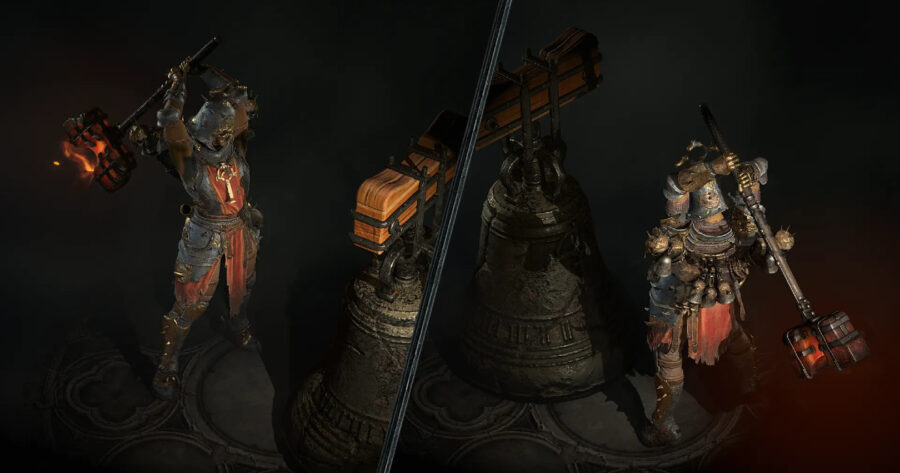
The best early skills for each class in Diablo 4.

Bash

Among Basic skills, Bash generates the highest amount of Fury, with the added bonus of Stun on the fifth strike. Since Stun is a Crowd Control status effect, this can be an effective skill for Barbarians to deploy on bosses which can be Staggered, making Bash effective even in the late game. After upgrading to Enhanced Bash, opt for Battle Bash over Combat Bash, for the Fury bonus.

Whirlwind

For Core skills, Whirlwind remains a classic, with damage being dealt to multiple enemies and affording Barbarians a great deal of offensive mobility when surrounded. Enhanced Whirlwind should be advanced to Furious Whirlwind for its Bleeding status effect.

Rallying Cry

Rallying Cry from the Defensive skill group, is an excellent choice for both personal and party support, boosting movement speed by 30% and resource generation by a base 40%. Enhanced Rallying Cry grants Unstoppable which removes Crowd Control debuffs and provides short-term immunity to any more of them being cast. It should then be upgraded to Strategic Rallying Cry for 10% Base Life and a further 2% from both dealing and taking damage, via the Fortified effect..

Diablo 4: Best Early Skills (Druid)

Maul

The Druid’s shapeshifting forms are both front-loaded at the start of their skill tree. The Werebear’s Maul can be Enhanced for additional Base Life via the Fortified effect. Wild Maul at the next level provides the Druid with the Crowd Control status effect of Knock Down, useful on bosses that can be Staggered, but with only a 20% chance of it being triggered.

Claw

The Werewolf’s Claw provides a speedy attack with a 50% chance for a Lucky Hit, that can be sped up some more with Enhanced Claw and then have Poison damage added on through Fierce Claw.

Storm Strike

Storm Strike is classic chain lightning 2.0, hopping to three other enemies besides your target, and providing short-term damage reduction to you, in the aftermath. Enhanced Storm Strike provides the Crowd Control status effect Immobilize, and should be upgraded to Wild Storm Strike for the additional two chain targets, bringing the total to five enemy bystanders.

Best Early Skills for the Necromancer
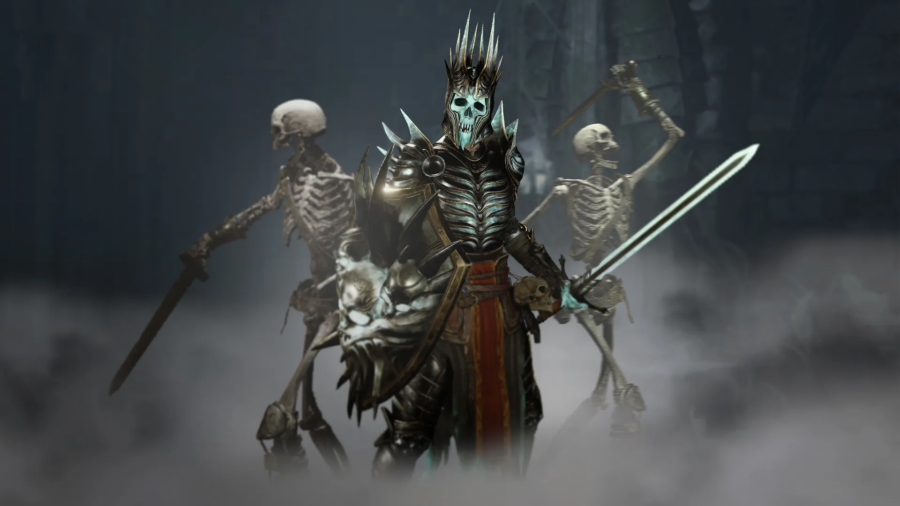
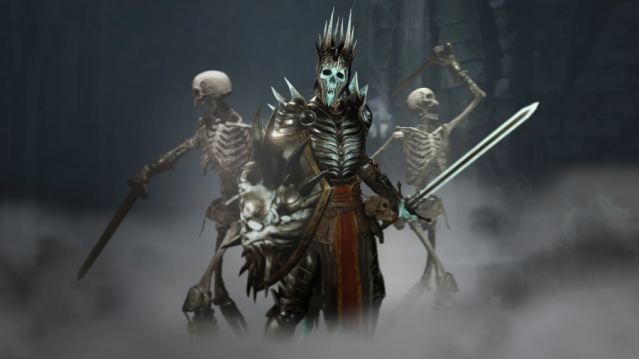
The best Diablo 4 early skills for the Necromancer.

Reap

In addition to its rather wide area of effect attack, Reap provides some damage reduction as well. After it has been Enhanced for a 30% Attack Speed bonus, Reap should be progressed to Acolyte’s Reap for the bonus corpse formed under the first enemy hit. This makes it an essential building block towards a Corpse Explosion Necromancer build.

Bone Spear

Among Core Skills, Bone Spear excels at dealing with mobs (especially in a single player Diablo 4 run), piercing through multiple targets. When Enhanced, it will split into three shards upon destruction for additional victims. Supernatural Bone Spear applies the Vulnerable debuff on the first target, turning its HP bar purple and causing it to take more damage.

Corpse Explosion

The skill you’ve been building up towards, Corpse Explosion makes every fallen body a bomb that can be detonated at will. After upgrading the blast radius with Enhanced Corpse Explosion, select Plagued Corpse Explosion for some synergy with all the Vulnerable targets you’ve been debuffing with Bone Spear.

Best Rogue Early Skills in Diablo 4

Blade Shift

A high mobility skill, the Rogue will always be on their toes by using Blade Shift to stab and then move through enemies for 3 seconds, becoming harder to pin down and surround. Beyond the movement speed bonus from Enhanced Blade Shift, Fundamental Blade Shift will let you stay on the move by doing just that–moving through enemies. Not only will you refresh the duration as you do so, but if done five times, a subsequent Blade Shift will apply the Daze status effect.

Barrage

Barrage fires off five arrows, and each has a 20% chance to Ricochet once more. Once Enhanced, that Ricochet chance becomes 100% for enemies that take a Critical Strike or are Vulnerable. That vulnerability will be provided by Improved Barrage which makes enemies Vulnerable every third Barrage volley.

Rapid Fire

Another five shot skill, Rapid Fire can be further Enhanced for increased Critical Strike Chance up to 40%. Opt for Improved Rapid Fire to regain energy from Vulnerable targets.

Diablo 4 – Best Early Sorcerer Skills

Arc Lash

With all three elemental attacks available at the top of the skill tree, the Sorcerer should opt for Arc Lash first, for an effective area of effect attack that also Stuns every tenth swipe. After it has been Enhanced for an additional swipe after a Critical Strike, opt for Glinting Arc Lash for some synergy from hitting Stunned victims, granting you cooldown reduction.

Fireball

A cliche, but an effective one, not only does the Fireball explode, but the Enchantment can cause the target to explode on death as well. Enhanced Fireball increases the blast radius by up to 50% depending on how far the Fireball had to travel to the target, making it a rather odd skill for sniping long range with. Destructive Fireball builds on that, by adding Critical Strike Damage in 5% increments up to 25% based on how many enemies are caught in its blast radius.

Frost Nova

The most effective of the Frost skills, Frost Nova is another great area of effect attack, Freezing anyone caught in its wake. Enhanced Frost Nova offers a cooldown reduction based on killing enemies Frozen by deploying the skill. Beyond that, Shimmering Frost Nova provides Mana from each enemy hit by the storm.

Selecting skills in an action RPG like Diablo 4, even in the early game, is a highly subjective matter, and every player has their own idea of an ideal build. The above selection simply offers a reliable mix of skills, spread across damage types, and some measure of synergy, but is by no means perfect. Remember that you can always respec later for a nominal cost in the early game.


Diablo 4: How to Summon a Golem as the Necromancer

The necromancer in Diablo 4 has many summons, but most players are left curious about one in particular: how to summon a golem. At the beginning of the game, Necromancer players will have the ability to summon skeleton warriors to support you in battle. Eventually, you can add skeleton mages to this lineup as well.

This culminates in the ability to summon a golem, an incredibly powerful ally. With this addition, the Necromancer’s arsenal becomes even more formidable. Here’s everything you need to know to summon a golem in Diablo 4.

Diablo 4: How to Summon a Golem

Complete the quest "Call of the Underworld" to gain the ability to summon a golem in Diablo 4.

The first thing you need to do is reach level 25. Once you accomplish this, a new quest will be unlocked. Go to your menu and navigate to the Book of the Dead, where you can track this quest from. This quest will lead you to a shrine. Pray at this shrine, and you’ll be greeted by an ancient Necromancer to teach you the ways of what they call the “final secret” of the priesthood.

After this conversation, skeletons will spawn in an area marked on your mini-map. Stay in this area and continue slaying skeletons, being sure to collect bones as they drop. Once you collect 12, you’ll be able to finish this part of the quest.

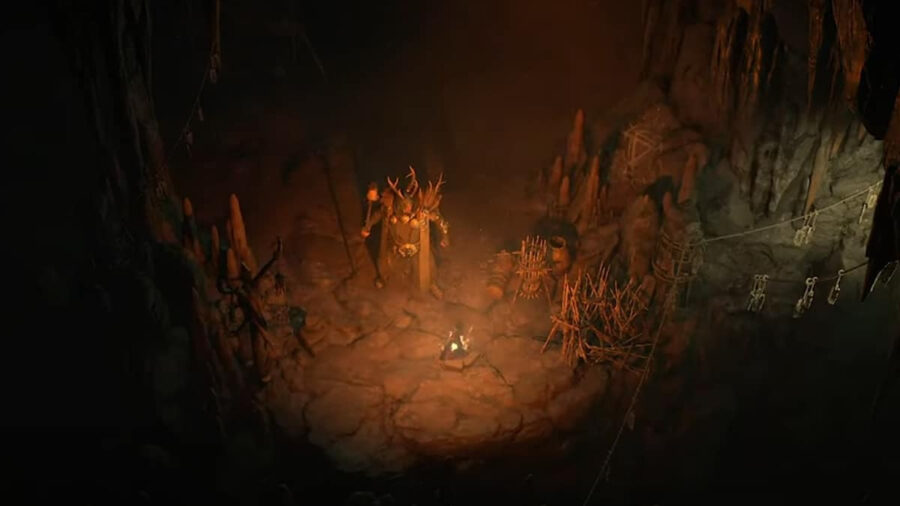
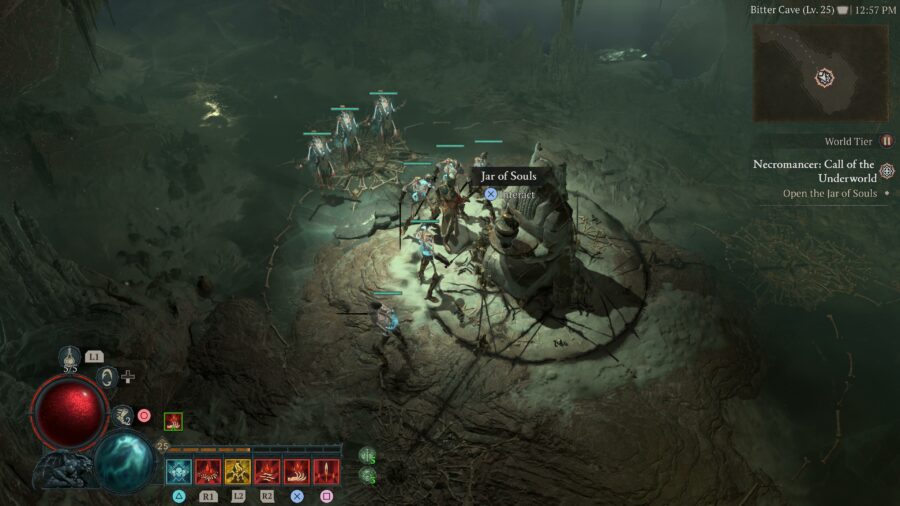
Next, you’ll be led to the Bitter Cave to find the Jar of Souls. This dungeon is pretty straightforward: descend the stairs, interact with the object, and fight of waves of phantoms. After one more conversation with the ancient Necromancer, the ability to summon a Golem is yours! Adding this strong ally to your army is a big part of what makes the Necromancer the best solo class in Diablo 4.

How to summon a golem in Diablo 4.

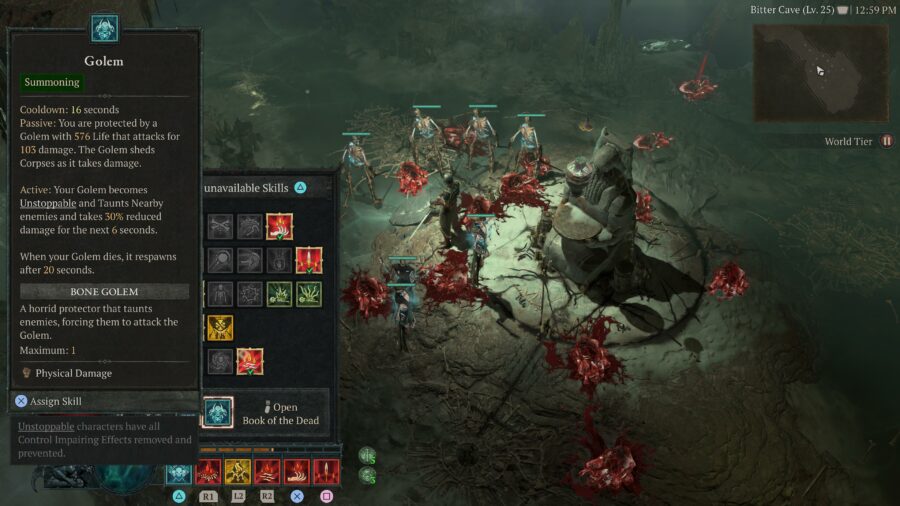
The only step left is to assign the golem to a skill slot. Go to your skill tree menu and press the given button at the bottom of your screen to enter the skill assignment menu. You can have it take the place of your skeleton summon slot, or put it in a different spot to keep both a skeleton army and Golem in your forces.

That’s all you need to know on how to summon a Golem in Diablo 4. Make sure you’re getting the best performance possible by checking out our guide on how to show FPS in Diablo IV.

Diablo 4 Best Solo Class Guide: Best Single Player Character

Players who want to play Diablo 4 alone may get stuck at the selection screen, looking for the best solo class to use. Luckily, we’ve got you covered!

While there’s no real wrong pick for the class to use, there’s one that stands above the rest with superior survivability and crowd control. When playing solo, survival skills should be your number one priority. With that being said, here is the best solo class to pick in Diablo IV!

What is the Best Solo Class in Diablo 4?

A look at the Necromancer, the best solo class.

In our opinion, the surefire pick for solo players is the Necromancer. The survivability of the class itself can be enhanced dramatically with blood magic skills providing a bit of overshield and helping heal later on in the skill tree. The basic blood magic attack lets Necromancers keep their distance, another key component if you want to survive Sanctuary alone.

In addition to blood magic, there’s also the Necromancer’s skeleton army, the second key to making it Diablo 4‘s best solo class. Necromancers can raise skeletons from enemy corpses. The best way to deal with enemies when you’re playing alone? Use your enemies to no longer be alone!

These minions have quite a bit of their own autonomy, and can handle themselves quite well. In addition, as you progress and level up, your army capacity will expand, giving you quite a few forces to protect yourself with. Your army can be enhanced in other ways too, with both skill tree nodes and equipment to increase your minions’ maximum health and damage.

That’s all you need to know about the best solo class in Diablo 4! Get ready to raise your army of the dead and take on any opposition Lilith throws at you. Check out our guide on the Diablo 4 KFC cosmetic rewards to get some great costumes to outfit your new Necromancer with!

Ranking All the Sonic Games Where You Run Really Fast

“Finally, a list for true gamers,” you’re saying right now. “One that eliminates all the posers who thought Sonic was a slow loser like Mario.” Well, think again, because if you thought Sonic was always fast, you’re wrong and a poser too. This list is for the real gamers who know Sonic the Hedgehog is only fast sometimes — when head of Sonic Team Takashi Iizuka feels like it.

So this is a list ranking all the games where Sonic actually lives up to his name. None of that Sonic Lost World stuff where Sonic limps around like he’s in Mario Galaxy. That’s why you can expect a lot of “boost” Sonic games on this list — titles where Sonic Team had the bright idea to include a dedicated button that makes you run at a thousand miles an hour until you crash into a wall. Sonic Team knows momentum platforming is for cowards; cool kids do speed. Raw, uncut speed.

Honorable Mention — Sonic Forces 

Sonic has a boost button in this game that makes him go fast, but some of the levels are piss-easy enough that you can play them with one hand and two buttons. And in that sense, are you really the essence of speed if the game’s doing most of the work for you? No, the blast processing is the speed. You’re just the dork holding a piece of plastic at that point.

On the flipside, Forces is the game where you can make your own Sonic character. So, in conclusion: this is a fine title for younger players as well as seasoned gamers™ who want a little adrenaline and a LOT of banger music to jam out to while writing their weekly grocery shopping list with the hand not playing the game.

#6 — Sonic Colors

This one sort-of kind-of gets a spot on the list. Sonic has his trusty boost button and goes fast enough to shoot rainbows out of his feet, but he’s still not quite as fast as in other Sonic games wherein the boost button delivers way more juice. Still, seeing the blue fella dart around a zany amusement park in space at a couple hundred miles per hour is fun, and there’s a cyan powerup that turns Sonic into a literal laser that moves super fast, even though you can’t control its motion.

BUT. But. There’s a(n actually pretty cool) water level. So… Sonic Colors is a solid seven out of 10 on the speedometer, maybe with one point deducted for too much water.

#5 — Sonic the Hedgehog 3

Though the classics may not be as blisteringly fast as the late 2000s Sonic Team games when outrunning the franchise’s reputation was all that mattered, Sonic 3 was still fast enough for Sega to include a line in the instruction manual explaining that Sonic could (in rare instances) go fast enough to break the game. Sonic Mania designer Christian Whitehead even referenced this anomaly during an interview, noting Sonic could clip through geometry due to his speed.

#4 — Sonic Frontiers

Though Frontiers isn’t a terribly fast game thanks to 15 years of old, crotchety game journalists complaining that the blue rat gave them vertigo, Sonic Team still snuck in a fun lil’ feature where, when you max out your ring counter, Sonic will drink a can of Rockstar and zoop around very, very fast. Couple that with the game’s dedicated boost button, and you can get some sick speed while traveling across Breath of the Wild-esque environments. This game really makes you feel like Sonic, man.

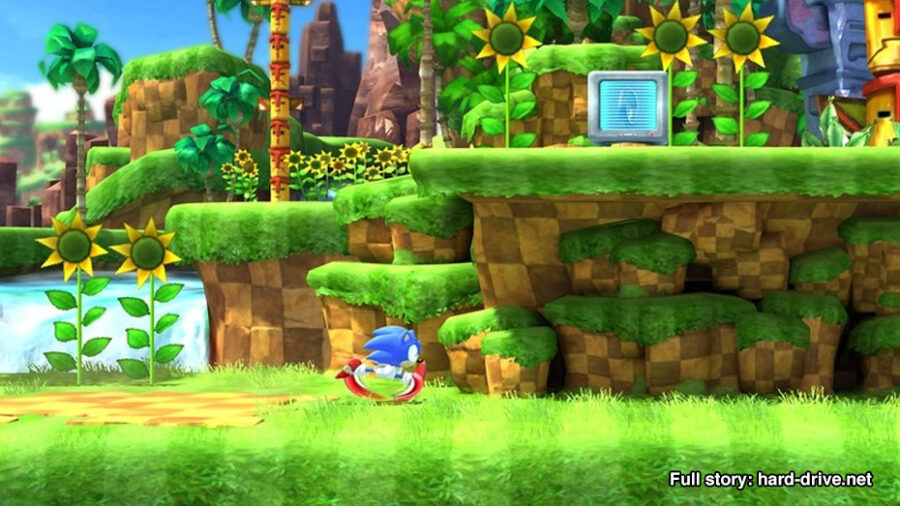
#3 — Sonic Generations 

Generations is split between two Sonics: 2D “Classic” Sonic and 3D-but-75%-of-the-time-also-2D “Modern” Sonic. Classic Sonic moves with the speed of Sonic 3 Sonic, equalling roughly twice the speed of Sonic 2 Sonic and exponentially more speed than Sonic 1 Sonic, though Sonic 1 Sonic is still faster than Sonic 3D Blast Sonic, which one shouldn’t confuse with 3D Sonic.

The point is, 2D Sonic goes fast in Generations, and 3D Sonic goes faster on account of — say it with me — the boost button. Mind you, he doesn’t go quite as fast as the fastest boost games, on account of said button granting different speed in each title. Still, he’s zippy enough, and Generations has adrenaline-filled thrills for old fans, new fans. You could say it has a little something for everyone (if you were an unoriginal hack fraud with nothing valuable to say).

#2 — Sonic Unleashed 

Before Sonic Unleashed, everyone agreed that Sonic was leashed. This is the one where Sonic Team manned the fuck up and stopped holding gamers’ hands. “What’s the worst that could happen? IGN gives the game a 4.5/10 and posts footage of the reviewer falling into a heroin-induced stupor?” Sonic Team said, naivety and hubris on full display.

Despite the game’s inherently challenging nature, players who learned how to control Sonic at max speed (boost button!) got to enjoy what may be the fastest (and best) 3D platformer ever made. This is the game that lets you run on a whale’s back in Antarctica, blaze across the Great Wall of China, leave shoe scuffs on the top of Manhattan’s Chrysler building, and fight Satan inside the earth’s molten core. If doing all of that at super speed doesn’t get you off, then you probably have to do some pretty nasty, illegal shit to get your kicks, and I don’t wanna hear about that funny business.

#1 — Sonic and the Secret Rings 

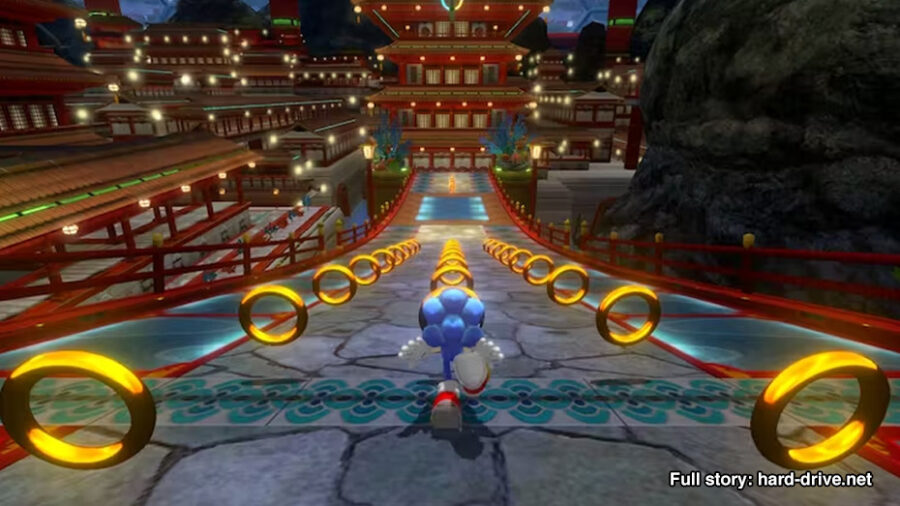
If you max out Sonic’s skills in this game, his base speed is preposterously fast. And though few people talk about it, Sonic and the Secret Rings does have a boost button — one that makes you go so damn fast you don’t get to control Sonic much at all. The screen turns into a blur of neon-orange streaks and Sonic basically pulls a Flash, attempting to teleport through time via raw acceleration. In the game, the boost is called “speed break” because Sonic very much breaks speed itself. It’s badass.

What makes it more badass is the game’s supposedly Arabian Nights-inspired zone aesthetics (spoiler, they have virtually nothing to do with the Arabian Nights). Sonic easily shatters the sound barrier in radiant fashion while running alongside stampeding dinosaurs, across light roads made of the beams TRON bikes emit, atop a version of the Hagia Sophia that’s floating in the sky. The visuals in this game are unreal and seeing them at the speed of light is surreal. If you haven’t played Secret Rings, you owe it to yourself to try it out on the Wii or via Dolphin emulator on PC too bad since Hard Drive cannot endorse emulation, I don’t think. I don’t know.

Little Brother Exploits Major Design Flaw in LEGO Death Star By Dropping It on the Fucking Ground

ROCHESTER, N.Y. — Little brothers continued to be totally fucking annoying this week after Trey’s brother Austin managed to exploit a major design flaw in the LEGO Death Star by shattering it all over the goddamn ground. 

“My brother couldn’t stand the sight of my glorious LEGO battlestation,” Trey said, still picking up pieces from underneath his bed. “He stole the instruction book last week, so I knew he was planning something. I was ready for all kinds of attacks — nerf darts, a football, even a large-scale assault with some of his friends. But to just walk in and drop it on the ground? Even though I’m so mad I could shove a Lego down his throat, I’m actually kinda impressed. Still, I’m thinking about telling him he’s adopted.”

Austin was happy to provide a briefing on how the little shit carried out the attack. 

“The approach wasn’t easy,” Austin explained, drawing a diagram of his brother’s room with crayons. “I had to maneuver straight down our upstairs hallway, then penetrate the outer defense, which has a ‘KEEP OUT’ sign taped to the door. Analyzing the plans I stole, I discovered a weakness in the battlestation, in that if you drop it on the ground, it’ll completely fucking shatter. The height I needed to drop was about 2 meters, not much bigger than a womp rat. A precise hit on the ground started a chain reaction that destroyed the station, and made my brother totally lose his goddamn mind.”

Trey and Austin’s dad, Jeff, blames himself for the fuckery going on in his house.

“I think I got him too into Star Wars,” Jeff admitted, googling summer camps to enroll his kids in. “I just wanted to be the cool dad, now I’m pretty sure there’s LEGOs in the goddamn air ducts. I’d put Austin in timeout, but that would just give him time to think of more ways to piss off his brother.”

Jeff’s inclinations were correct, as at time of reporting, Austin revealed his plans to wrap a tow cable around the legs of the family cat.

Photo via Scarlet Sappho.

Unhinged Shigeryu Miyamoto Announces Several More Pikmin Games

KYOTO, Japan — Legendary Nintendo designer Shigeru Miyamoto alarmed fans and coworkers alike earlier today with his unprompted announcement of several new Pikmin sequels to be released over the next few years. 

“I’m go glad you’ve all been enjoying The Legend of Zelda: Tears of the Kingdom,” said Miyamoto, in a surprise Nintendo Direct video that was uploaded this morning, reportedly without the knowledge of internal Nintendo employees. “But who cares? Let’s talk about the really exciting things in our company’s future; namely Pikmin 4, 5, and 6! That’s right, beginning right now, the majority of our focus will be on developing and releasing a new trilogy of Pikmin games. The rumors are true.” 

The announcement was met with a excitement at a public watch party. 

“Oh my fucking god!” exclaimed one fan that watched at a public viewing held at Nintendo New York, the popular Manhattan gaming store. “They’re really doing it. I can’t believe it. For years they said Miyamoto’s vision for Pikmin was too big, but here we are! Let’s fucking goooo!” 

However, not everyone at the event shared their excitement. 

“Wait, they’re really making more Pikmin games?” asked another fan in attendance. “Not a word of Metroid Prime 4 or Nintendo’s next console, but they’re pedal to the medal on Pikmin? You really have to admire Nintendo’s commitment to doing whatever exact weird shit they’ve set their mind too, huh? Oh, and if they read these, please don’t sue me. Thanks, Nintendo!” 

As of press time, a cackling Miyamoto closed the Nintendo Direct with an announcement that a remastered version of the original Pikmin trilogy would be coming to the Switch sometime soon, as well as showing teasers for several new games, including Pikmin: Tactics, Pikmin: Origins, and Pikmin + Rabbids in the Vietnam War.

Stay Updated on The Latest Punk News

Get the latest punk news delivered straight to your inbox

We'll store and process this information to provide you our products and services. You may opt out of this at any time.