When a player is stuck in the arena, restarting the game will now restore the player to the correct state
Asset files were unintentionally split, so they have been reverted back to v0.2
===
Thank you for your continued support of Palworld.
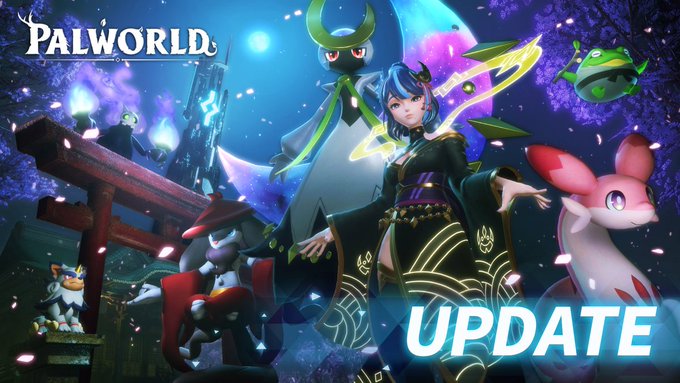
Major update! Sakurajima v0.3.1.: New area, Pals, buildings and more! June 27
⚡Sakurajima Update Notice⚡
Palworld's first major update🔥
New area, Pals, buildings and more!
Xbox version v0.3.1 is available now!
===
▼New Content
・New Island - Sakurajima
⤷ A new island has appeared! Sakurajima!
⤷ Take control of the tower protected by a new faction "The Moonflowers", and free this beautiful island from their control!
⤷ Sakurajima is home to many new Pals! Explore and find new species!
・Arena
⤷ An arena has appeared in the Desiccated Desert! Battle against other players to assert your dominance!
(Multiplayer exclusive content)
・Stronghold - Oil Rig
⤷ An oil rig controlled by the Rayne Syndicate has appeared in the ocean! Work together with your friends to defeat powerful enemies and claim valuable resources such as crude oil!
・Player level cap raised to 55!
⤷ Players can now adventure to level 55!
⤷ New technologies available
⤷ Upper limit for Pal's capture bonus has been increased from 10 to 12
・New Resource - Crude Oil
⤷ You can extract crude oil by unlocking and placing a new building, the crude oil extractor, in certain spots around the world
⤷ New high-tier equipment and spheres can be crafted using the new material Plasteel which can be made from crude oil
・New Raid - Blazamut Ryu has arrived! The strongest Dragon Pal in the game!
・Meteorite Event
⤷ Meteorites or supplies will fall from space sometimes! There may even be an unknown Pal from outer space too...!?
・Tower Boss Hard Mode
⤷ Each tower boss now has a hard mode, allowing you to face them in their ultimate form!
・New Merchant - Medal Merchant
⤷ A merchant who will exchange a new item Dog Coin for rare items!
・New Items
⤷ Mysterious Accessory Box - Permanently increases the number of accessory slots by 1
⤷ Concentrated All-Purpose Pal Extract - Increases the rank of a Pal by 1 when used
⤷ Ring of Freight - Increases your carrying weight when equipped
⤷ Vital Remedy, Stamina Remedy, Might Remedy, Speed Remedy, Burden Remedy - These new remedies permanently strengthen the player's base stats. Until now, players could only increase their stats when levelling up, but now you can reach MAX stats!
・New Weapons
⤷ Laser Rifle
⤷ Flamethrower
⤷ Gatling Gun
⤷ Grenade launcher
⤷ Guided Missile Launcher
⤷ Multi Guided Missile Launcher
⤷ Meteor Launcher
・New NPC cosmetic hats! Dress up like your favourite bosses!
⤷ Zoe Hat
⤷ Axel Hat
⤷ Lily Hat
⤷ Victor Hat
⤷ Marcus Hat
⤷ Saya Hat
・New Pal cosmetic hats! Dress up like your favourite Pals!
⤷ Lyleen Floral Cap
⤷ Sibelyx Hat
⤷ Leezpunk Hood
⤷ Killamari Cap
⤷ Cawgnito Hat
⤷ Ribbuny Headband
⤷ Lamball Helm
⤷ Dumud Helm
⤷ Swee Cap
⤷ Dazzi Hat
⤷ Cattiva Hat
・New Buildings
⤷ Cold Food Box - Feed your Pals while keeping your food nice and cool
⤷ Sulfur Mine and Coal Mine - Gather valuable resources at your base
⤷ Pal Disassembly Conveyor - Get rid of unwanted Pals automatically! Your heart will hurt less this way...
⤷ Wall-Mounted Sign - Make notes without taking up too much space
⤷ Refrigerated Crusher - An upgraded Crusher that can break down various items into different items
・New Feature - Lockpicking
⤷ You can now attempt to open locked treasure chests with the new lockpicking mini-game. Requires a Lockpicking Tool!
・New Feature - Pal Skins! (Cosmetics for Pals)
⤷ You can now change Pal's skin at the new Pal Dressing Facility!
⤷ The "Sunglasses Cattiva" skin is now available for everyone! More skins will be added in future updates
▼Player
・Pal Box capacity increased from 480 Pals to 960 Pals
・Increased the maximum amount of power that can be enhanced by Lifmunk Effigies from 10 to 12
・Added a setting that prevents items from being automatically picked up if it will overencumber the player
▼Base Related
・The building system has been reworked and improved! Basic construction is now much more intuitive and smooth!
・Pillars have been added. The days of accidentally demolishing a supporting wall and the entire 2nd flood collapsing are over!
・Axis alignment function added
・Defensive walls can now be connected
・It is now possible to connect from the roof, walls, stairs, and pillars to the foundation (previously, connections could only be started from the foundation)
・New building material "Glass" has been added. Keep an eye on your cute Pals from inside with glass walls!
・The maximum base level has been increased to 25, and the number of bases allowed has been increased from 3 to 4 at level 25
・You can now change the maximum amount of guild bases from the game options
※Note: Too many bases may lead to performance issues
・You can now change the maximum amount of base Pals from the game options
※Note: Too many Pals at one base may lead to performance issues
・Implemented a private lock function for chests. Your friends won't be able to steal your metal anymore!
・It is now possible to permanently assign a Pal to a specific facility from the Monitoring Stand
・Cakes will now be transported to chests as a priority
・Readjusted the work priority order for Pals
・Changes to defense facility specifications. Work pals will use them automatically even if they are not assigned to a specific facility
・Measures and mitigation for base pals getting stuck when a route cannot be taken
▼UI
・Added a lock function in the Pal Box menu
・Player crosshair colour can now be adjusted and fixed an issue where the crosshair would get stuck behind the player
・You can now craft items in units of 100x
・Added more types of custom map markers, and increased the placement limit to 300
・Statue of Power UI has been improved
・Improved sorting function of Pal Box, making it easier to find the Pal you want
▼World
・Junkyards have been added around the world! You might find some valuable items there...
・A new random event has been added. Find and steal eggs from "Monster Nests" hidden around the islands!
▼Pals
・New Pal Skills!
・Unique Skills
⤷ Jumping Stinger (Menasting)
⤷ Rocket Slam (Chillet)
⤷ Protection of Fertility (Lyleen)
⤷ Raging Flame Wave (Faleris)
⤷ Thunderbolt Heavy Tank (Grizzbolt)
⤷ Polyceraunos (Orserk)
⤷ Divine Disaster II (Shadowbeak)
・Neutral Skills
⤷ Air Blade
⤷ Holy Burst
⤷ Star Mine
・Fire Skills
⤷ Flame Wall
⤷ Volcanic Rain
⤷ Flame Funnel
・Water Skills
⤷ Splash
⤷ Wall Splash
・Grass Skills
⤷ Circle Vine
・Electric Skills
⤷ Thunder Rain
⤷ TriSpark
⤷ Thunderstorm
・Ice Skills
⤷ Icicle Line
・Ground Skills
⤷ Rockburst
⤷ Sand Twister
・Dragon Skills
⤷ Beam Slicer
⤷ Comet
・New Passive Skills
⤷ Philanthropist - Greatly reduces the time required to produce eggs
⤷ Impatient - Reduced cooldown on active skills
⤷ Infinite Stamina - Increased stamina (Only on mountable Pals)
⤷ Noble - Pals with this passive will give you an advantage when trading with merchants
⤷ Nocturnal - Pals with this passive become nocturnal and will work throughout the night
▼Multiplayer
・Added a new setting that always rejects guild invites
▼Balance Adjustment
・Due to the increase in accessory slots, accessories with the same name have been changed so they cannot be equipped more than once
・Defensive accessories have been balanced due to the increase in accessory slots.
・Due to the addition of many new Pals, some Pal breeding combinations have been changed
・Adjusted the selling price of all Pals. The selling price of Alpha Pals is now about twice that of the original species
▼Bug Fixes
・Mitigations have been added for an issue that caused PCs to freeze when closing the game
・Changed the grappling gun behaviour to make it less likely to get stuck
・Many many many other minor bug fixes
▼Other
・A warning will now be displayed if the GPU driver is too out-of-date
▼Soundtrack
・6 new songs have been added to soundtrack. If you have already purchased the game, please update the soundtrack.
*Please note that the soundtrack update may be delayed by about a day.
===Thank you for your continued support of Palworld.
[Xbox Patch Notice] May 31
Xbox version v0.2.4.2 has been released.
DLSS is now supported on the Windows (Microsoft Store) version.
Thank you for your continued support of Palworld.
[Xbox Patch Notice] May 22
Xbox version v0.2.4.1 has been released.
▼Optimizations and Fixes
We have taken measures to alleviate the problem where players would fall through the terrain due to the world not loading in time in the desert city
Thank you for your continued support of Palworld.
Patch v0.2.4.0: Alpha Pal breeding and more! May 14
Steam version v0.2.4.0 has been released.Xbox version v0.2.4.0 is available now!
▼Balance Adjustment
Increased the HP of all Alpha Pals (larger than normal Pals), including Lucky Pals, by 1.2
Breeding eggs now have a slight chance to produce an Alpha Pal
Reduced the damage reduction rate of enemy bosses by 18%. (The HP adjustment above has been adjusted so that battles don't become too difficult.)
Items and Pals dropped on death can now be picked up by anyone 24 hours after they are dropped
Items and Pals dropped on death will now disappear 48 hours after they are dropped
▼UI
Fixed a bug that notified all players on the server when someone finished or failed a raid
▼Bug Fixes
Fixed a bug that caused synchronization issues when gates were opened
Many other minor bug fixes
Thank you for your continued support of Palworld.
Patch v0.2.3.0: Electric Egg Incubator speed buffed to 1.5, and more April 22
Steam version v0.2.3.0 has been released.Xbox version v0.2.3.0 is available now!
▼Balance Adjustment
The electric egg incubator now has increased hatching speed. Hatches at 1.5 times the normal rate
▼Optimization
Optimized the processing load on dedicated servers
▼Bug Fixes
You can now pet some pals that could not be pet due to a bug that prevented the "pet" option from working correctly
Fixed an issue where base pals would sometimes collide with each other on dedicated servers
[Xbox version only] Fixed an issue where the "Option to show/hide Journey" and "Option to change the scale of damage text numbers" were not working
Patch notes for the The Fog From Flathill update to Abiotic Factor as well as its subsequent hotfixes, in descending order, from latestto oldest.
UPDATED June 28
Hotfix 0.8.2.10478 June 28
A Few Foggy Fixes
Salutations, colleagues!
We have released a hotfix to resolve a few issues and tweak some balance in the latest update; The Fog From Flathill!
Please update your game and servers when you get a moment away from scientific study.
Hotfix 0.8.2.10478 Changes
GATE staff have made several improvements to the filters used in the Facility, which may affect the appearance of the Fog phenomenon. The Fog is still an impenetrable and disturbing substance, and we would like to remind all scientists that the Fog is indeed, foggy. Stay vigilant.
Fog density during Fog Weather is now slightly reduced, darkened, and there is now slightly increased visibility in the first meter (give or take.)
A side affect of the filtration process has caused the Fog Weather to increase its density of particulates in the air. Some tests have noted this may help with potential motion sickness some scientists experience. The team reminds you to turn down your camera shake settings in the Accessibility Options menu if you struggle with motion sickness.
Weather can now occur more frequently than once per week.
Weather is now about 10% more likely than before.
NOTE: There are plans to make weather frequency a tweakable Sandbox Setting and we are aware weather can be quite long for those with very long days. We will address these in a future update.
IS-0407 has changed a bit. Spoiler for those who have not yet encountered this entity.
While other enemies will flee when IS-0407 comes out during the fog, your pets will no longer do this. However, if you want to keep Mr. Picklebun alive, I would recommend keeping him caged up during the Fog.
Slightly increased damage dealt by IS-0407.
New roll hit sound for IS-0407.
Various other changes and fixes have been made in response to feedback and our own personal whims, and boy, do we have some whimsy.
Fixed VOIP microphone device dropdown not having any options. This should be the cause of several VOIP issues that have been reported.
Ornate Key drop rate slightly increased.
The new Sigil of the Hearth Trinket now has a proper icon, description, and its status effect should be obviously stated.
Porcelain Key drop rate slightly increased.
Fixed a bug that was allowing guns to be repaired with measly Duct Tape.
The Water Filter no longer requires researching/inventing once unlocked.
Abe & Janet will now give their character compendium unlocks when speaking to them later on, in case an adventurous scientist had missed them.
Scientists who are max level in a given skill will now properly receive any new recipes for that skill when their save is loaded, whereas previously this only triggered on a new level up. You can now have your cake and eat it too.
Updated icon for Peccary Sow Skull.
Added missing default controller keybind for Continence Minigame.
Added missing default controller keybind for UI Take All action.
Fixed Dr. Stewart's wayward wardrobe.
Fixed an issue where the held item would appear when using sit emote and switching items.
Item Stand items should no longer receive the painted texture when the itemn stand is painted.
Removed durability from several new items that weren't supposed to have durability.
A Small Note
We'd like to wish our lead programmer, Jacob, a very happy birthday (and thanks for helping us get this out on your birthday!)
We'd also like to wish a wonderful Matariki to all, from Deep Field Games here in New Zealand. We're going to take a nice holiday (or as most normal people call it - the weekend) and continue our push towards the major summer update - Crush Depth.
Do stay safe out there in the Fog.
- The Deep Field Team
Hotfix 0.8.1.10202 June 5
Salutations, colleagues!
We have released a hotfix to solve two issues with saving on Dedicated Servers.
Please update your game and servers when you get a moment away from scientific study.
v0.8.1.10202 Hotfix Patch Notes
Fixed an issue with autosave timer taking longer than intended when rehosting the game, which sometimes resulted in autosaves not occurring for a very long time.
Fixed dedicated server saves becoming corrupt if the server is saved and restarted without any players joining.
Sorry about that. This is Criss by the way, and since you came all this way, I smuggled out this teaser of the next update for you guys. Don't tell Zag.
Hotfix 0.8.1.10032 May 22
You'll know you're on the most up to date build if the version number below matches the one at the bottom of your screen while in the main menu and in-game. If your game hasn’t automatically queued an update, verify your game files!
v0.8.1.10032 Hotfix Patch Notes
Fixed a bug where cheese (and some other items) could continue multiplying when reloading the world, like some kind of anomalous dairy demon.
Dr. Thule noticed some scientists are reporting seeing (many) multiples of IS-0091. He assures us he has fixed this by adjusting the XR tracker to stabilize this event. He also mentioned there is only ONE IS-0091. Well, if you don't count the other two, but even Dr. Manse doesn't know where those are, so please try not to think about them too hard.
Removed some lip smacks from four lines of player dialog between both voices.
Personal Teleporters should not function properly on older saves without having to package and re-deploy the Crafting Bench.
[v0.8.1] – Community Update #1 May 22
You'll know you're on the most up to date build if the version number below (see the hotfix in reply) matches the one at the bottom of your screen while in the main menu and in-game. If your game hasn’t automatically queued an update, verify your game files!
v0.8.1.10012 Change Notes
Dynamic Difficulty Changes
In order to alleviate some challenges faced typically by solo players, we have made many adjustments to the game when only one player is present in the Facility. These are Facility-wide, so two or more players splitting up will face the same challenges as before. As always, we recommend scientists work together to succeed!
Enemies are now slightly more forgiving when fighting only one player. This is a fairly subtle change but creates larger space for a solo player to deal with multiple enemies, as well as stand a better chance going toe to toe.
This will also affect players in co-operative games when fighting enemies one-on-one.
Many enemy spawn locations are no longer used if there is only one scientist in the Facility. This is typically done on extraneous spawns, and not critical spawns or spawns that were previously very lucrative for farming a specific type of resource, however, as always your mileage may vary.
Some spawn points are also no longer used if there are only two scientists in the Facility, in places where we identified excessive challenge for duos, but these are done so sparingly.
Peccaries are generally less likely to spawn in places where a Peccary or Pest can spawn. (This affects all games, not just solo players.)
Cart Recovery
Warren has installed a button for recovering Platform Carts. This will package all of the carts items, as well as the cart itself, and deliver it to a location near the button. Use wisely!
This should save a lot of carts (and their supplies) sitting at the bottom of pits, for example.
More long-term fixes are being investigated.
Save Backup System
A save backup system has been added, creating rolling world save backups, up to 5 backups, every 30 minutes.
Detection is now in place for corrupt saves, or saves that have been accidentally replaced by the player when prompted to load data from Steam Cloud.
More specifics on what this is and what you can do to prevent world save loss can be found in the main Steam post.
Repairing & Salvaging Improvements
Repair Benches now gain the Item Transportation abilities of nearby Crafting Benches with an Item Transporter equipped.
This effect works around the Repair Bench, not the Crafting Bench, but the Crafting Bench must be close by.
Repairing and Salvaging can now be done in succession, meaning click once on the button, then click on all the items you want to affect. RMB will cancel the action, as will clicking on the Repair or Salvage buttons. This will make it slightly easier to accidentally salvage items, so be careful!
Updated icons for Repair and Salvage and added some sound effects.
There are still some bugs here, but mostly working in your favor, so we'll just ignore them for the time being. Enjoy the smoother repair/salvage experience! We have more on the way.
Gameplay Changes
Fixed an issue where tamed pets wouldn't deal full damage to enemies.
Armor Stands can now be damaged by hostile entities.
New Recipe: Bionic Legs
Item Stands are no longer placeable on any orientation of surface, as this was not intended. (We have a wall-mounted stuff coming a bit later and it will display things in a different orientation.)
Crafting Benches can now be given a custom name.
Personal Teleporters now show the synced Crafting Bench name, if it has one.
Makeshift Storage Crates are now paintable.
Bagwalls are now paintable.
Tri-Lamps, like their wall counterparts, can now be colored with paint.
Brown is now a properly supported paint color on more deployables than it previously was.
Thanks to the genius of modern science, water can now be poured directly into cooking pots on the stove.
Platform Carts now function with Distribution Pads, so just drive on over it to deliver your goods into nearby crates!
Various improvements to signage around the entrance to Anteverse 23.
Crafting Bench waypoints can now be seen from much further away.
Enemies of different factions now deal slightly higher damage to each other, so you shouldn't see infighting last quite as long as it had before.
Tripwire Mines are no longer stackable. Any existing stacks will remain, but new stacks will not be created.
Optimized Fire Spear particles.
Balanced some audio of certain NPCs that were a touch too loud, or a touch too quiet.
Splints and Bandages will now attempt to heal the most critical issue first, but can still fail under very specific conditions.
Updated appearance of Fertilizer tiers.
Added "Pick up to gain new ideas!" text to most applicable world resources as well.
Various localization strings have been updated.
Do try and stay away from the fog.
Facility Changes
Improved several indications of where to go once reaching the Control Center. IS-1057 strikes again!
There are some reports that the Gravity Dampener has a tendency to reappear at its original location after awhile. Perhaps this anomaly can be used to the benefit of several scientists.
Installed a power socket in the Manufacturing West Garage Tram Station.
Fixed a misaligned ventilation duct.
Warren reminds you to not try and steal his canned peas. He's got a gun, you know.
Swapped the position of two Manse holograms in Containment Wing.
Portal World Changes
The Rise Bio-Laboratory now has a handful of power sockets, for those who enjoy life at the top.
Something arcane appears to be protecting the creatures beyond the Red Chair. They will no longer flinch when struck. Best to just give up and not look for an escape.
Updated some signage in Flathill that was not up to our standards.
Optimized the clamoring citizens of Anteverse 23.
Entity Changes
Fixed various issues with certain entities being erroneously attracted (or not attracted) to the Crafting Bench when they should not (or should.)
To better aid with tracking and trapping of IS-0091, Dr. Thule has installed an X-Resonator. What's that? Don't worry about it, but the end result should be that IS-0091 is much more reliable in its appearance-rate and should drastically increase a bold scientist's ability to attract it when such an outcome is... desired.
Improved Pest Ragdolls because those little guys deserve to wiggle.
Some entities may now make a reactive noise when hit by a net.
The citizens of Anteverse 23 now have a more accurate timing on their melee attack.
Item Changes
New Shield: Kite Shield
The Desk Leg has had its durability and damage increased, but as it is flimsy, it is still rather likely to take durability damage when hitting targets.
The Pipe Club is now sturdier and has a lower chance to take durability damage when striking targets.
Tripwire Mines should now properly use and store their ammunition, and save with world saves.
Updated light-up effects on the handheld X-Ray Lamp.
Some additional critical items will no longer despawn even if left unattended on the ground.
Gun Balancing Changes
There's a whole thing in the Steam post about why we're making these changes and our philosophy behind it all, so be sure to read it!
Increased SMG durability from 25 to 35
Increased SMG damage from 25 to 30
Reduced SMG max bullet spread from 3 to 2.8
Reduced SMG recoil from 3 to 2.8
Increased SMG magazine size from 15 to 18
Decreased Security Pistol (and Flashlight variant) damage from 28 to 26
Decreased Pipe Pistol fire shot delay from 0.5 to 0.3 seconds
Weapons and ammo should drop just a bit more frequently from Order troops.
We asked the Order Sniper rather politely if he could give you his rifle, and he has thus far refused. He must be holding onto it for something important.
Achievement Changes
Added new achievement: Engineering Success: Collect all of the Manufacturing Uniform
If you already have the customization, this can be gained by going to the same place you found it previously, and there's more customization to unlock when you do!
Dedicated Servers
Dedicated Servers now load into an initial Server Loading Level before spinning up the main Facility load. You may see this in the logs, but it's largely not going to change your experience as a server owner in any significant way.
Text chat messages are now shown in the server log.
Dedicated Servers can now set a custom AsyncTimeout value so particularly slow servers can still launch the world before timing out. More information on this can be found on the Dedicated Server Wiki.[github.com].
Dedicated servers now validate and restore their world save before loading into the Facility.
Crash Fixes
All crash fixes are "potential" until proven resolved, especially since many crashes are quite hard to reproduce without very specific setups or configurations. We hope you find things a bit less crashy now, if you were one of the unfortunate scientists experience a crash. If you do experience a crash, please send us your crash report![forms.gle]
Put in a fix one of the more common crashes experienced during gameplay.
Put in a fix for a major crash on startup (SECURE CRT crash).
Put in a fix for a crash that could occur when dismantling objects.
Bug Fixes
Fixed some water volumes that didn't properly have underwater visual effects applied.
Fixed a bug where time could get stuck paused if player count was read unreliably.
Fixed an anomaly where Power Sockets in Portal Worlds would disconnect from the devices plugged into them.
Fixed various subtitle typos.
Fixed various items with variations (e.g. paintings) not displaying their correct name.
Fixed a bug where the Dioxohealer would count dead plants as alive, or vice versa.
Fixed a bug where Tarasque Ichor could drop inside a wall when the body was cut up by scientists. It will now try and not do that so often.
Fixed a bug where Thorns damage from Carapace armor set could kill the user or feedback off of other Carapace-enjoyers. It was a whole thing and should no longer be a whole thing.
Fixed a typo on a sign about traffic height.
Fixed an issue where some NPCs could receive debuffs and never lose them.
Fixed some orientation issues with items on Item Stands.
Fixed an issue where particles on held items would duplicate every time they were brought out.
Fixed an issue where containers were generating less loot than intended.
Fixed missing paint color when holding a paint brush.
Those are the patch notes on June 28 for Abiotic Factor.
The ver. 1.3.2 update applies various changes listed below. Players who have purchased the disc version are strongly encouraged to download and install this latest update.
Changes from ver. 1.3.1:
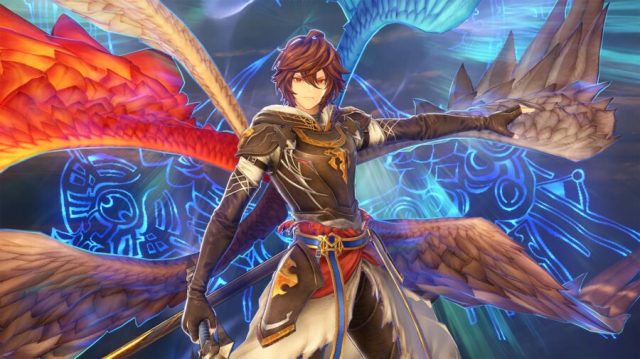
[Battles] Increased the damage cap for Sandalphon's Skybound Art, Paradise Lost.
[Battles] Updated the skill description text for Sandalphon's Talviyö.
[Quests] Lowered the health and attack power of bosses that appear in "Pageant of Might and Magic" and "Zathba's 'Volunteers'."
[Quests] Changed the time limit of "Pageant of Might and Magic" and "Zathba's 'Volunteers'" to 20 minutes.
[Quests] Changed the time limit of "Dark Swordsman's Nightmare" to 30 minutes.
[Quests] Fixed a bug that caused the screen to not display properly after skipping a cutscene during "The Final Vision."
[Photo Mode] Fixed a bug where, under certain conditions, character facial expressions wouldn't display properly.
[Photo Mode] Fixed a bug that caused certain parts of Lucilius's character model to become visually distorted.
[Misc.] Various bug fixes.
We sincerely apologize for any inconvenience these issues may have caused.Thank you for playing Granblue Fantasy: Relink!
Ver. 1.3.1 Update Information May 31
The following updates apply the various changes listed below. Players who have purchased the disc version are strongly encouraged to download and install this latest update.
Changes from Ver. 1.2.1:
New Content
Added four new quests: "Pageant of Might and Magic," "Zathba's 'Volunteers,'" "Dark Swordsman's Nightmare," and "Zero."
Clear the quest "The Final Vision" to unlock the aforementioned new quests.
Added a new playable character: Sandalphon. This character requires a special crewmate card, which can be traded for at the Knickknack Shack. Treasure required for the card is obtained from the quests "The Final Vision" or "Zero."
*A Character Expansion Set is also available for purchase. This set contains the necessary treasure for unlocking Sandalphon.
Added sigils with new traits. They will appear in the Knickknack Shack after unlocking Extreme-difficulty quests.
Added new trophies.
Added new side quests: "How Does Siero Do It?," "Astral Research Notes," and "Be Legendary." They will appear in Folca after clearing Chapter Ø Skybound Heart.
Added the Sigil Synthesis feature to the Knickknack Shack. Legendary (+) mark sigils can now be combined to create a sigil with inherited traits. Sigil Synthesis becomes available after unlocking Proud-difficulty quests.
Added Photo Mode. This feature becomes available after reaching Folca during Chapter 1 of the main story.
Added a map overlay. This feature becomes available upon reaching Sundappled Grove during the Prologue of the main story.
Added a new category to Game Options: Control Scheme. This setting adds 3 types of button configurations for town and battle controls.
Added an option on the Title Screen to rewatch the end credits. This option becomes available after clearing the Final Chapter.
Added the ability to lock acquired sigils and wrightstones directly from town services and results screens.
Added the ability to directly check trait details from the details screen of weapons, sigils, and wrightstones.
Added the ability to claim all unlocked trophy rewards at once from the Trophies screen in Lyria's Journal.
Battle
General
If multiple Skybound Arts are activated simultaneously during an online session, and a player's SBA gauge is consumed without their Skybound Art activating, the consumed portion of that player's SBA gauge will now be restored.
Fixed an online multiplayer issue where the player's camera would sometimes move on its own when another player was playing as Tweyen.
The Captain (Gran/Djeeta)
Fixed a bug that caused Reginleiv's damage cap to not work properly.
Increased Reginleiv's damage cap.
Charlotta
Combo skip effects gained right after link attacks and damage skills should now be retained after dodging.
Narmaya
Modified the way Narmaya's current butterfly count is displayed on screen.
Combo skip effects gained right after link attacks and damage skills should now be retained after dodging.
Lancelot
Adjusted the playback conditions for some of Lancelot's action voice lines.
Fixed a bug that caused Lawinensturm's damage cap to not work properly.
Increased Lawinensturm's damage cap.
Vane
Fixed a bug that caused Energy Destruction's damage cap to not work properly.
Increased Energy Destruction's damage cap.
Percival
Fixed an intermittent bug that unintentionally granted the Lord's Warpath sigil effect based on conditions different from the sigil's description.
Siegfried
Implemented measures to mitigate Siegfried's Skybound Arts from missing due to certain conditions.
Cagliostro
Fixed a bug that caused the Founder's Warpath sigil effect to not apply correctly to Alexandria and Pain Train.
Fixed a bug that caused Alexandria's damage cap to not work properly.
Increased Alexandria's damage cap.
Fixed a bug that caused Pain Train's damage cap to not work properly.
Increased Pain Train's damage cap.
Fixed an intermittent bug that caused Disruption's "Removes 1 buff from foes" effect to not work properly.
Yodarha
Combo skip effects gained right after link attacks and damage skills should now be retained after dodging.
Fixed an intermittent bug that unintentionally granted the Swordmaster's Warpath sigil effect based on conditions different from the sigil's description.
Zeta
Fixed a bug that caused Infinite Wonders's damage cap to not work properly.
Increased Infinite Wonders's damage cap.
Fixed an intermittent bug that reduced the number of consecutive dodges Zeta could normally perform when dodging from a high jump.
Fixed an intermittent bug that caused Thousand Flames's "Removes 1 buff from foes" effect to not work properly.
Vaseraga
Fixed an intermittent bug where, under certain conditions, link attacks filled the Grynoth gauge more than intended.
Seofon
Fixed collision behavior when bumping into foes and objects while sliding down sand dunes in Dahli Relicbelt.
Fixed an intermittent bug that caused the Spirit Edge's Warpath sigil effect to not apply correctly to a portion of Seofon's attacks.
Tweyen
Fixed collision behavior when bumping into foes and objects while sliding down sand dunes in Dahli Relicbelt.
Fixed a rare bug where, under certain conditions, power finishers couldn't be performed.
Fixed a rare bug where, under certain conditions, Ultrasight level would not increase.
Id
Combo skip effects gained right after link attacks should now be retained after dodging now.
Fixed a rare bug where, under certain conditions, landing combo finishers in Dragonform filled the Versalis gauge more than intended.
Other Items
The selection cursor will now remain on the previously undertaken quest the next time it's accessed from the quest counter.
Some cinematics of "The Final Vision" quest can now be skipped.
Improved the visibility of Masteries nodes that can be unlocked with the player's current MSP.
Added a feature that scatters wee pincers throughout Folca so that they can be collected again. Speak to Lil Pince after clearing the "Save the Crustaceans Finale" side quest.
Can't see rank/Don't have rank: new players had a problem displaying their rank.
V-Sync save: the V-Sync parameter is now saved through game sessions.
Guns volume save: the sound of weapons is now correctly adjusted and saved.
Kick: you can't spam a vote kick anymore.
Hospital Map: collision and visual errors were fixed.
Music volume bug: one song wasn't properly managed by the volume settings.
Lean bug: you can't see through walls anymore.
CHANGES
Gun aim speed: some weapons now have their aim speed increased.
Leaderboard: by default the leaderboard shows your profile first.
ADDED
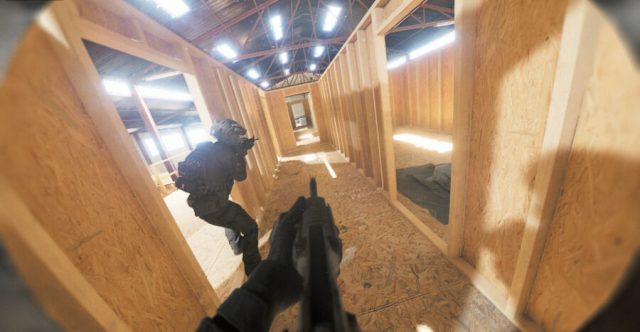
New gun - MP5: the MP5 is a submachine gun with a 30-round capacity, less powerful than the UMP45 but with a faster fire rate. It is effective in close-quarter combats.
Guns lasers: we have activated a laser on the weapons (default key : L) in addition to the flashlight which can help you to target enemies without needing to aim. Be careful, the laser is visible to everyone. Depending on your feedback we will modify the use of the laser, for example if you prefer it to not be on your weapon every round.
Laser key remap: with the addition of the laser, you can change the key (default key is L).
Equip/take key: it's now possible to remap the key to take an item/bomb (default key is E).
In-game friend list for the host: the host of the game can now invite his friends during the game. To do so, press escape and the list of your friends will appear on the left.
Death POV: if all member of your team are dead you will see the other team's POV.
BANS
Bodycam now supports Steam game bans.
.-- .... --- .. ... .... . .-. . ..--..
UPDATE NEW MAP ABANDONED HOSPITAL – 18/06/2024
New map, Performance optimisation, Kick system, Bug fixes...
FIXES
Foliage Settings: Disabled the ability to hide foliage in low mode.
Quickplay: The quickplay option won't send players to the training range map anymore.
Rank Reset: Fixed rank reset bug.
Performance Improvement: Might not work for everyone, but for the majority of players. It depends on your PC specs. Make sure to set your Direct X version to 12 if you previously downgraded to 11 so the changes can apply.
CHANGES
Grain Correction: Settings > Graphic Settings > Grain > You can now turn off the grain if you are experiencing bugs with it.
White Line Artifact Correction: Remove some white artifacting happening on some people's devices.
Server List: Addition of a new section with games that have just started and that we recommend joining.
Bomb Theft Bug: Fixed the bug where stealing the bomb from an ally's hand would create issues.
MAPS
New Map: Abandoned Hospital! An abandoned hospital with a long corridor empty of life. Be careful, you may not be alone. (Please note: You may experience FPS drops upon startup as the game loads for the first time.)
Map Fix: Correction of shadows on Tumblewood.
BANS
Reported cheaters have been banned, if you encounter any other ones in your games, make sure to report them in #🔒┆cheater-report (with proof and a Steam profile, otherwise we can't do anything about it).
Leaderboards have been cleaned, people abusing points have been removed.
IMPORTANT NEW FEATURES
Steam Profile View: You are now able to check every player's Steam account during a game. Just press escape, go to the "Lobby" menu and you'll have a "profile" button.
Kick system: We re-implemented a new version of the kick system, a 10 seconds vote will now be started to gather the player's choice on whether to kick a player or not. To start a vote, press escape, go to the "Lobby" menu and you'll have a "kick" button.
If kicked, that player will __not__ be able to rejoin the server before the current ongoing game is finished.
PLEASE IF YOU WANT TO SUPPORT US > MAKE REVIEW ON STEAM ❤️
compilation of the 3 patch notes posted during the release to improve the game thanks to your feedback !
PATCH 12/06/2024
Deathmatch Spawn time reduced
TumbleWood :The map has been reduced by 50% to increase performance. We have also added some small points of interest from the airsoft map.
ADDED
Grain correction: Settings > Graphic Settings > Grain > You can now turn off the grain for some of you having bug with it
Server list : addition of a new section with the games which have just started and which we advise you to join
PATCH 10/06/2024
Spawn in deathmatch has been modified to avoid spawn kills as much as possible.
Quickplay will not join Training Range lobbies Anymore.
Private Server bugs are fixed sometimes players managed to join private lobbies
Lobby Accessibility is now saved and can be change ingame : Pause > Lobby > Settings > Lobby Access > Public or Friends Only
Possibility of buying item without having the amout of R. : We saw you take advantage of it but we're not going to say anything this time🫣 ...µ
Same ingame name for teammates
ADDED
NEW GUN : FN FAL mix between a sniper and an AR with a lot of damage but a slower rate
Game Build - Now you can only join people who have the same game update as you. This avoids certain connection problems : Game build are showcase in the server list, if you have a lower version than other players you need to update the game to join them !
Rpoints used for obtain skins are now drop at every kills : To prevent lost from leaving and gaining nothing
Sharpness Option > if you find that the game is too blurry: settings > graphics > scroll until you see Sharpness
Host player information : More UI information in menus to help new players!
Kick option : we are reworking the voting system which will be less punitive for the players
MAPS
worn house : the spawn has been reversed to avoid the advantage of the bomber in the basement The basement is undergoing renovations after multiple bombs have destroyed it
We will introduce soon as voted the map called Abandonned Hospital first, we will keep you informed when it is updated
ERROR
We are aware that lots of people are getting a DXGI_ERROR_SERVICE_REMOVED error.
Make sure to check the following tips to (hopefully) fix the problem.
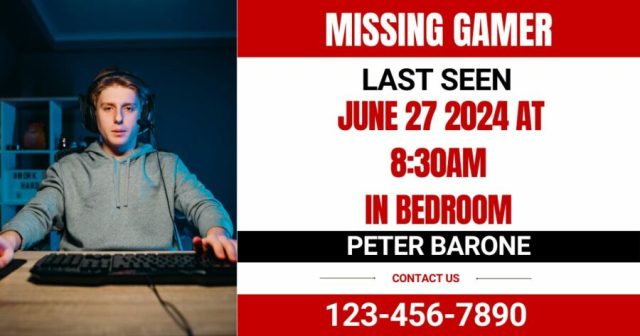
LONG ISLAND, N.Y. — Peter Barone, the local gamer who went missing earlier today was finally found safe after his parent’s house guests finally left.
Police Chief Tony Bauer announced the good news at a press conference held outside Barone’s parents’ house where the 32-year-old gamer resides.
“Mr. Barone was found safe this afternoon when he emerged from his bedroom almost immediately after the guests his parents had over had left. Paramedics checked him and while they found him to have severely bloodshot eyes and traces of Baja Blast in his bloodstream he is going to make a full recovery as soon as his mother makes him lunch.”
Peter recounted his harrowing experience.
“I was in my room getting some early morning Destiny reps in. Then all of a sudden I hear the front door open and I hear my parents talking to some people. Then it dawned on me that some people had come over. I just froze. I didn’t know what to do. I knew I couldn’t just go down and talk to them. Then I’d get stuck in an adult conversation where they’d ask how my life is going. I kept waiting for them to leave but it just never happened. I was stranded in my room. I was so hungry but all I had was some flat Baja Blast from the night before. I’m lucky to be alive.”
Barone’s parents Brad and Patricia are glad their ordeal is over and happy to have their son back.
“It was the most stressful few hours of my life,” said Patricia. “No parent should have to go through what we did. I went into Peter’s room around 8:30 to tell him that I made him some eggs for breakfast. He said he’d be down as soon as he was finished with his game. Then our friends Lee and Stan dropped by and I noticed Peter never came down for his food which isn’t like him so I knew something was wrong. We had a nice time with Lee and Stan and they probably didn’t notice anything wrong but deep on the inside I was panicking.”
“I was kinda hoping he had gone out for once, maybe to find a girlfriend or something. It was a little disappointing to hear he was just in his room the whole time,” explained Brad.
At press time, Peter is currently safe playing video games in his room, although there was a brief scare when Brad started speaking to a salesman at the door.
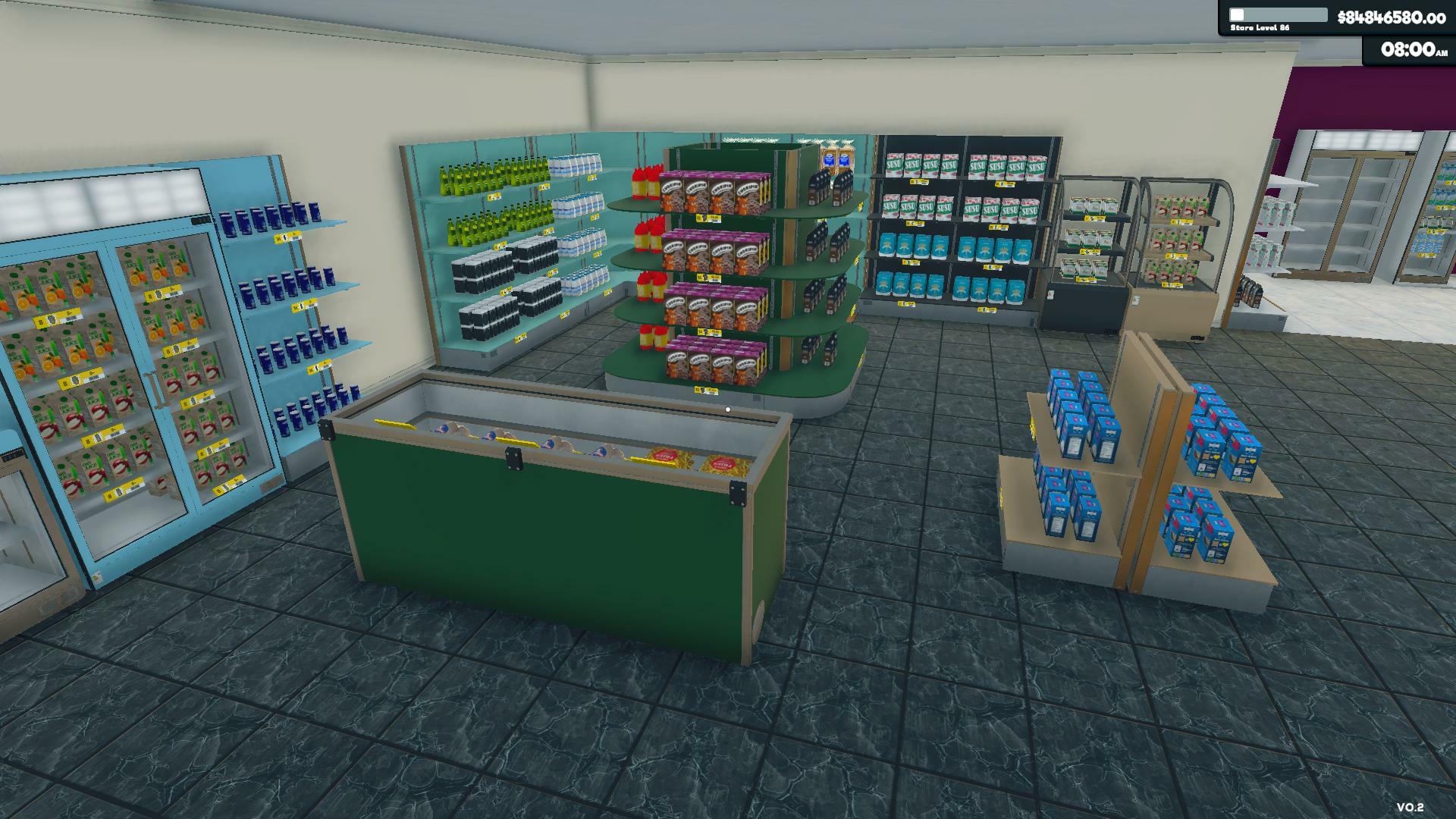
As I've said before, I took some time to build a team and now we're back in the game.Thank you all for your patience and support. I hope you enjoy the update.
What’s new:
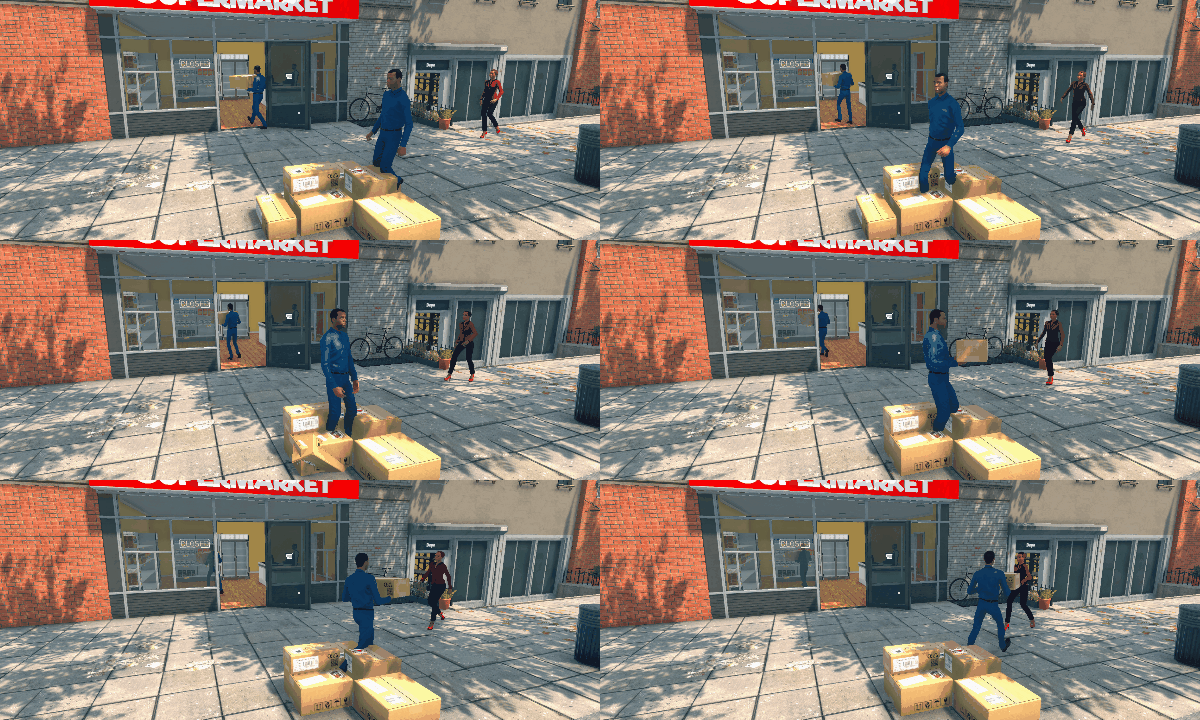
Modified restockers to take boxes from the ground too
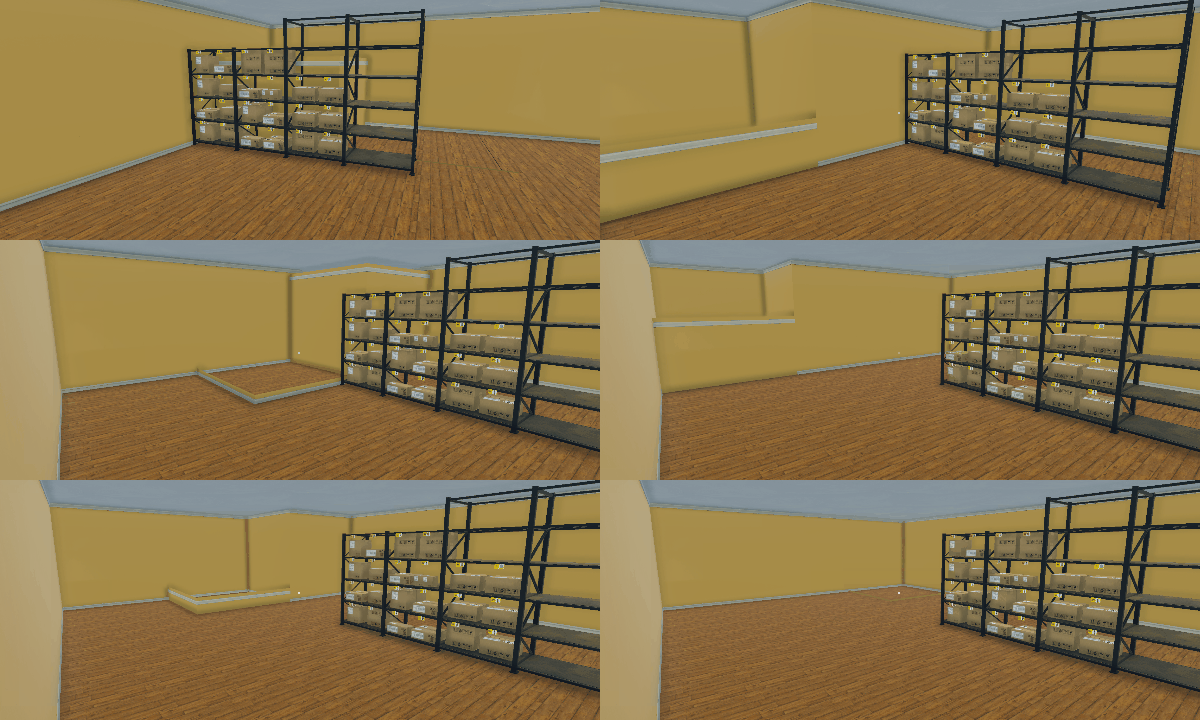
Added more sections for the storage area
Customization!
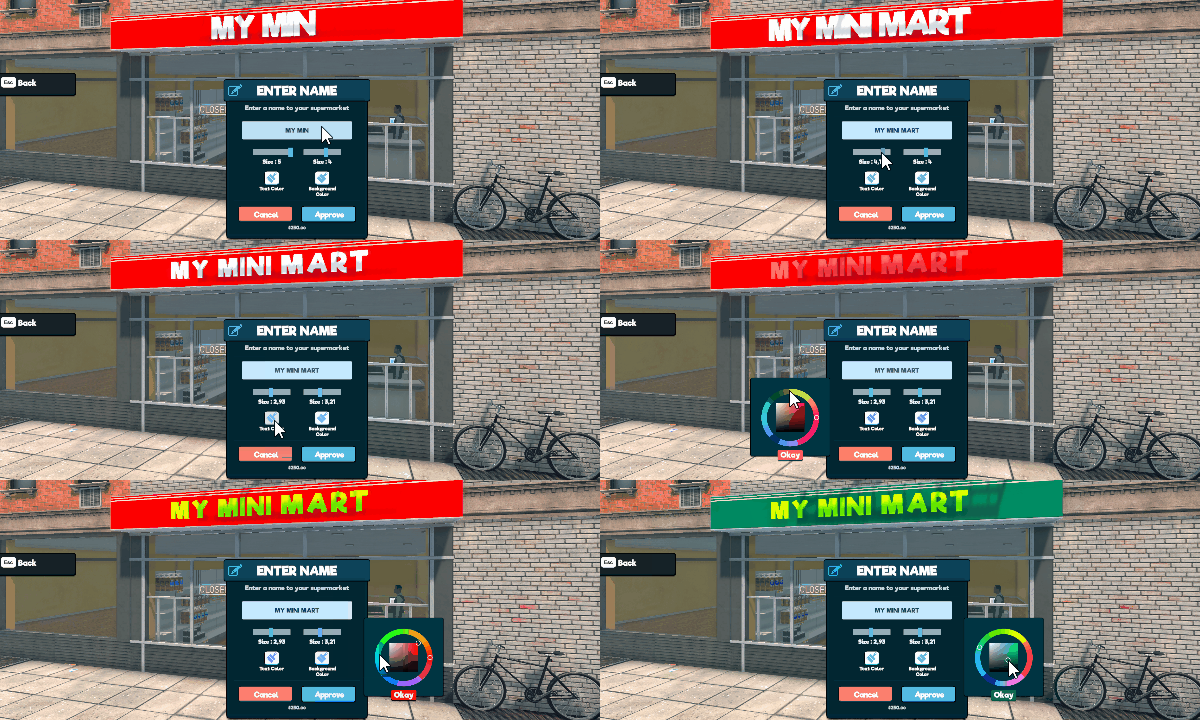
Added renaming the supermarket
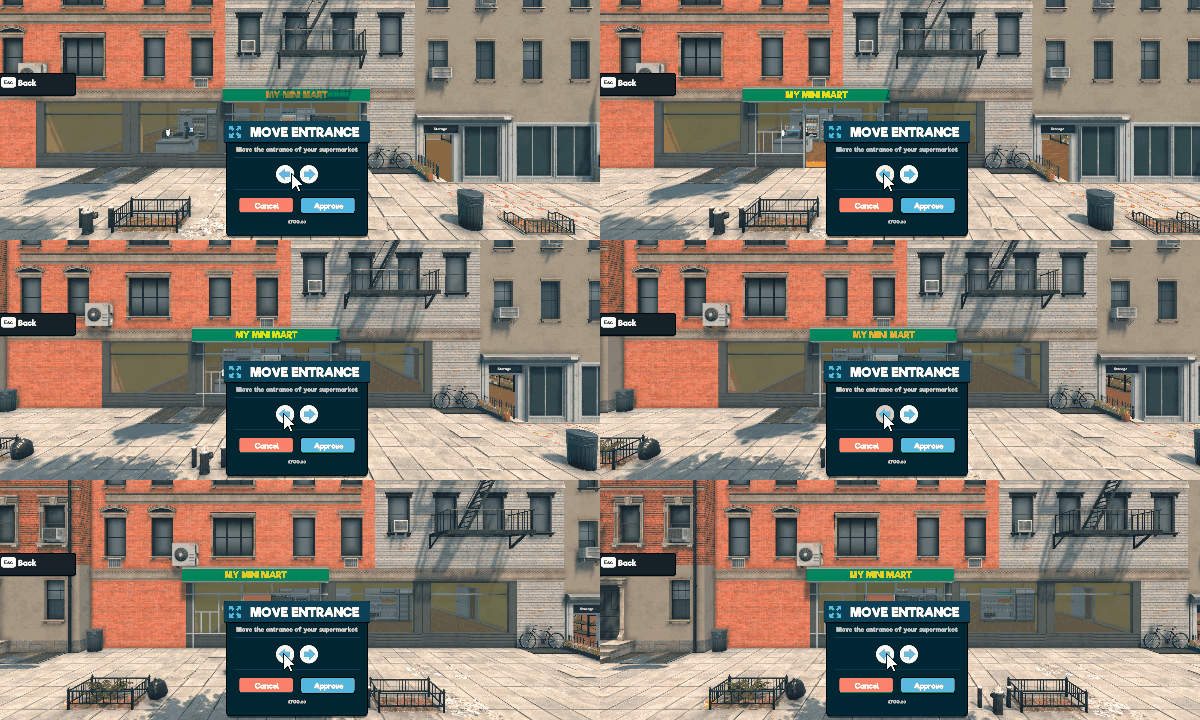
Added changing the position of the entrance
Painting the walls…
…and the floor
New shelves-fridges-freezers & color variations
There’s more!
Optimization
Added a large rack
Changed the small rack model
Separated the storage's light control
Edited product placement in boxes to see the last product in the box easily
Visual bug fixes
Added placement zone to spotlights
Fixed customers paying less than they should
Fixed NPCs getting stuck on navigation
Fixed loan payments are sent even after paid off early or completed
Supermarket Simulator on Steam is the only game we're developing. Please don't mind other games/studios using supermarket naming to clone our game.
Thank you and have fun!
Patch v0.1.2.4 April 1
Hello everyone!Thank you for playing Supermarket Simulator.
Here's the patch notes for v0.1.2.4:
Added mouse invert and FOV settings
Fixed not being able to take items into the empty boxes once closed and opened that started to happen after the last update
Fixed not being able to place boxes once placed into racks AKA boxes staying red
Fixed restockers mixing products and misplacing them
Fixed NPC pathfinding bug that causes characters to get stuck or move weirdly
Fixed product icons on boxes are clipping with the cardboard box
Fixed closed checkouts are re-opening on a new day by itself
Fixed the count of Zap Soda on purchase
Fixed racks keeping the label when placing an empty box onto them
Fixed cashiers not starting to work when spawned or moved
Optimized the way restockers work for better FPS
Please let us know when you encounter any issue on our Discord or Steam community so that we can fix it asap.
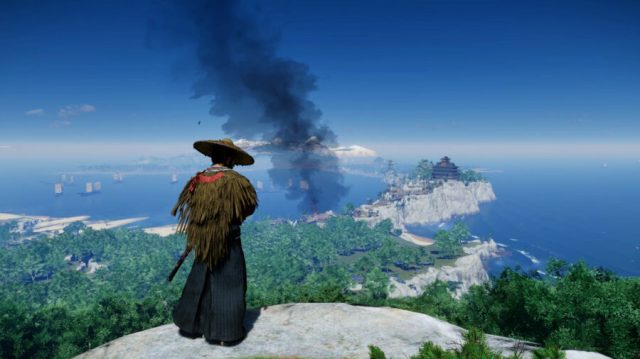
AMD FSR 3.1 is now available in Ghost of Tsushima Director’s Cut June 27
Hey everyone
We're excited to announce the availability of AMD FSR 3.1 in Ghost of Tsushima Director's Cut. We have been working closely with AMD to incorporate this performance-enhancing technology, which can be used with recent graphics cards from AMD, Intel and NVIDIA.
AMD FSR 3.1 offers improved FSR upscaling quality, with less flickering and better preservation of detail, compared to previous versions. Like our existing implementation of FSR 3.0 in the game, it is possible to use AMD FSR frame generation in combination with any upscaling technology available in the game for your graphics card.
This update also resolves an issue with the HDR Max Luminance slider so that it is not capped to 1000 nits anymore. We have also made several changes to improve Legends co-op multiplayer matchmaking.
Thanks to everyone for playing Ghost of Tsushima Director's Cut on PC and for sharing your feedback with us!
Release notes v1053.5.0625.1621
Updated AMD FSR to version 3.1 with improved upscaling quality.
Fixed an issue with the HDR Max Luminance slider that caused it to cap at 1000 nits.
Improvements to Legends co-op multiplayer matchmaking.
If you encounter any issues, please contact support and supply the requested files, to help us gather more data and insights.
Ghost of Tsushima Director’s Cut Patch 4 Release Notes June 13
Hey everyone,
Today's patch for Ghost of Tsushima Director's Cut on PC contains various bug fixes and stability improvements based on feedback from players and data from our crash reporting system. This update also includes an updated version of the PlayStation PC SDK, with support for processors that lack AVX2 instructions. Check out all the details in the release notes below.
Thank you all for playing Ghost of Tsushima Director's Cut on PC, and for providing constructive feedback to help us continue to further improve the game.
Release notes v1053.3.0612.1334
Updated PlayStation PC SDK to version 2.5 with support for processors that lack AVX2 instructions.
Fixed an issue that could cause facial textures to be displayed incorrectly when running out of video memory.
Fixed an issue that could cause shadows to appear smeared for a few frames.
The gyro functionality of controllers can now also be used when Steam Input is enabled.
Stability improvements to AMD FSR Frame Generation.
Various stability improvements.
Various user interface bug fixes.
If you encounter any issues, please contact support and supply the requested files, to help us gather more data and insights.
Ghost of Tsushima Director’s Cut – Legends Hotfix June 6
Hey everyone,
Today we are releasing a Legends hotfix for Ghost of Tsushima Director's Cut. This update contains improvements for Legends co-op multiplayer matchmaking. Thanks again for playing and for sharing your feedback with us!
Release notes v1053.3.0605.1431
Improvements to Legends co-op multiplayer matchmaking
If you encounter any issues, please contact support and supply the requested files, to help us gather more data and insights.
Ghost of Tsushima Director’s Cut Patch 3 Release Notes June 4
Hey everyone,
Patch 3 is available now for Ghost of Tsushima Director's Cut on PC. This update fixes several issues that have been reported by the community and includes stability improvements based on data from our crash reporting system and user feedback.
We've made changes to address audio cut-off in certain situations and improved game stability for players using AMD RX 7000 series GPUs. See the release notes below for more details on changes in this update.
We are grateful that so many players on PC are discovering the beautiful island of Tsushima and we really appreciate all the feedback that has helped us to further improve the game so far. The teams at Nixxes and Sucker Punch continue to monitor feedback and work on updates.
Release Notes v1053.3.0604.1051
Improvements to address audio cutting out in certain situations.
Various stability improvements.
Updated the PlayStation PC SDK to version 2.16 with improved compatibility for Windows 11 Insider Preview versions.
Fixed an issue that could cause the game to start with a black screen when HDR is enabled on Windows 10.
Fixed issues that could occur when combining HDR with Exclusive Fullscreen on Windows 10.
The Sword Glint effect now works correctly in Photo Mode.
Opening Photo Mode with an Xbox or Steam Deck controller no longer also takes a screenshot.
The ‘A moment in Time’ achievement now unlocks correctly when using the mouse.
Mouse and keyboard prompts for Heavenly Strike are now displayed correctly in Legends mode.
Various visual bug fixes.
Various user interface bug fixes.
If you encounter any issues, please contact support and supply the requested files, to help us gather more data and insights.
Ghost of Tsushima Director’s Cut – Standoff Hotfix May 29
Hey everyone,
Today we are releasing a hotfix to address player reports about the standoff functionality not working properly when playing at high frame rates.
There are no other changes in this hotfix. Please note that we have a larger update with more improvements and bug fixes in the works, which we will release soon.
Thanks again for playing Ghost of Tsushima Director's Cut on PC and for providing input helping us to further improve the game.
Release notes v1053.2.0528.1709
Improvements to standoff functionality
If you encounter any issues, please contact support and supply the requested files, to help us gather more data and insights.
Ghost of Tsushima Director’s Cut Patch 2 Release Notes May 28
Hey everyone,
Today's update for Ghost of Tsushima Director's Cut on PC improves stability on AMD Radeon GPUs and contains various improvements to Legends co-op multiplayer stability and matchmaking.
The teams at Nixxes and Sucker Punch are working hard on more updates, to address other issues that have been raised by the community. Meanwhile, we continue to actively monitor player feedback and crash reports.
Thanks to everyone for playing Ghost of Tsushima Director's Cut on PC and for providing input helping us to further improve the game.
Release Notes v1053.2.0524.1422
Stability improvements for AMD Radeon GPUs.
Various improvements to Legends co-op multiplayer stability and matchmaking.
If you encounter any issues, please contact support and supply the requested files, to help us gather more data and insights.
Ghost of Tsushima Director’s Cut Patch 1 Release Notes May 23
Hey everyone,
Thank you for playing Ghost of Tsushima Director's Cut on PC. We've been thrilled to see so many of you dive into the tale of Jin Sakai and really appreciate the outpouring of both positive and constructive feedback that we have received so far!
This first update contains various changes to improve stability and fixes a couple of visual bugs related to DLSS 3 Frame Generation and AMD FSR 3 upscaling.
The teams at Nixxes and Sucker Punch are working hard on more updates, to address other issues that have been raised by the community, and further improve stability on specific hardware configurations and in Legends multiplayer mode. Meanwhile, we continue to actively monitor player feedback and crash reports.
Release Notes v1053.0.0522.1042
Stability improvements.
Fixed visual bugs that could show while transitioning from cut-scenes to gameplay with NVIDIA DLSS 3 Frame Generation Enabled.
Fixed visual that could show when combining AMD FSR 3 upscaling with Dynamic Resolution Scaling.
If you encounter any issues, please contact support and supply the requested files, to help us gather more data and insights.
Those are the patch notes on June 27 for Ghost of Tsushima Director’s Cut.
A compilation of recent patch notes for Horizon Forbidden West Complete Edition, in descending order, from latestto oldest:
UPDATED June 27
AMD FSR 3.1 is now available in Horizon Forbidden West Complete Edition June 27
Hey everyone,
Patch 1.5 is out now for Horizon Forbidden West Complete Edition on PC. This update adds AMD FSR 3.1 including frame generation, contains various performance optimizations and introduces new options in the settings menu.
We have been working closely with AMD to incorporate FSR 3.1 in Horizon Forbidden West Complete Edition. This performance-enhancing technology can be used with recent graphics cards from AMD, Intel and NVIDIA.
AMD FSR 3.1 includes frame generation and offers improved FSR upscaling quality. It also allows you to use AMD FSR frame generation in combination with any upscaling technology available in the game for your graphics card.
AMD FSR 3.1 also includes a Native AA option that applies high quality anti-aliasing without upscaling, for improved image quality. To enable this option, set Upscaling Method to Off and select AMD FSR 3 Native AA from the anti-aliasing options. This setting can be used in combination with or without frame generation.
We have also made changes under the hood to improve performance and added new options to the Settings menu. The Graphics menu now has a Cinematic Face Detail option with Performance and Quality options. Under Mouse & Keyboard, you can now enable Stylized Mouse Cursor, which may improve the visibility of the cursor on high resolution displays.
This update also improves audio for users of Logitech G HUB Surround Sound software and includes an option in the audio menu to change the output mode, with the choice of Default, Mono, Stereo or Spatial Audio.
We've also resolved various bugs and made user interface improvements based on player feedback. Check out the patch notes below for all the details.
On behalf of the teams at Nixxes and Guerrilla, thanks to everyone for playing Horizon Forbidden West Complete Edition on PC and for providing input helping us to improve the game!
Release Notes
Added AMD FSR 3.1 with frame generation and Native AA options.
Added a Cinematic Face Detail option in the Graphics menu.
Added a Stylized Mouse Cursor option in the Mouse & Keyboard menu.
Added an Output Mode option in the Audio menu.
Various optimizations and performance improvements.
Improved audio for Logitech G HUB Surround Sound users.
Ammo Crafting is now remappable on Mouse & Keyboard.
When using a Nintendo Switch Pro controller, buttons are now working and show as intended.
Buttons are now working as intended when using Nintendo Button layout on Steam Deck.
The Toggle Vista Prompt now works correctly when using Mouse & Keyboard controls.
Various user interface fixes.
If you encounter any issues, please contact support and supply the requested files, to help us gather more data and insights.
Horizon Forbidden West Complete Edition 1.4.59.0 Release Notes May 2
Hey everyone,
Patch 1.4 for Horizon Forbidden West Complete Edition is available now. This update contains various visual upgrades, bugfixes and improvements to the user interface, based on community feedback. Check out the details in the release notes below.
On behalf of the teams at Nixxes and Guerrilla, thanks to everyone for playing Horizon Forbidden West Complete Edition on PC and for providing input helping us to improve the game!
Release Notes
Fixed an issue where the power cell in the No Man's Land Relic Ruin would lose its charge without touching the water.
Improved the texture quality of Aloy in Photo Mode when using Very High textures.
Improved the visual quality of snow to match the improvements made to dust visuals.
Focus Highlight Track is no longer hardcoded to the F key when using mouse and keyboard. You can reassign the function by remapping the Weapon Wheel key binding.
Fixed a bug that caused the subtitle size setting to reset to default when changing peripheral devices or updating the interface text size.
Fixed an issue with various item lists where items would be displayed off-screen after scrolling through another list.
Fixed an issue that prevented players from taking all chest items if they opened it using a controller and would then swap to mouse and keyboard controls.
Various UI bug fixes.
If you encounter any issues, please contact support and supply the requested files, to help us gather more data and insights.
Horizon Forbidden West Complete Edition Hotfix 1.3.57.0 April 25
Hey everyone,
This hotfix addresses a crash that could occur for some players in the Burning Shores expansion after installing the update we released earlier this week. We've also fixed a bug that prevented users of AMD Radeon GPUs and older NVIDIA GeForce GPUs from enabling Intel XeSS Native AA. Thanks again for sharing your feedback!
Release Notes
Stability improvements.
Intel XeSS Native AA is now also available on AMD Radeon GPUs and older NVIDIA GeForce GPUs.
If you encounter any issues, please contact support and supply the requested files, to help us gather more data and insights.
Those are the recent patch notes up through June 27 for Horizon Forbidden West Complete Edition.
For three weeks only, storm the Tower and claim the spoils!
We are unlocking the doors of the Tower as Tower Raid debuts with Update 1.17! Are you ready to venture into its abandoned floors to find long-forgotten riches? But that’s not all, you can also expect some changes to Jai and the in-game economy. So without further ado, let’s see what we’ve cooked up for you!
Tower Raid Open Beta
Tower Raid is a new type of activity, inspired by the VNC Tower mission in Dying Light 2 Stay Human. The goal is simple: reach the top and grab the special loot waiting for you there. Each time though, you’ll have to traverse different floor combinations with different obstacles and goals. To additionally spice things up, you’ll have different modifiers for each run. It will affect (positively or negatively) the Player, the enemies… or both!
Tower Raid can be started via Jai’s Board, which can be unlocked through the side quest “Lost Armory” (available automatically once you reach the Central Loop). When the Tower Raid is started, you (and your friends if you’re playing in co-op, which we highly recommend) are spawned inside the lobby of the Tower. Your adventure will take you from the ground floor all the way to the roof (if you make it that far)! It’s up to you how you deal with various encounters and if you search each floor for loot. The ultimate goal is to find your way to the roof, and what’s there? We won’t spoil the fun, you’ll have to find out for yourselves.
For completing the Tower Raid, you’ll be rewarded with Jai’s Reputation Points and Tokens, which can be used to buy new stuff from him (including the Tower Raid chest). Moreover, on top of the Tower, you’ll find an Airdrop that contains a large amount of loot and an Exotic Weapon. Additionally, when you complete the raid for the first time each week, you’ll get bonus Reputation Points and Tokens.
Important: This feature is still in development. We are releasing it for the next three weeks (June 27 - July 18), so you can try it out and give us feedback on how to make it the best experience possible! Each week, we’ll be adding some new things for you to try:
Phase 1: June 27
12 floors
20 modifiers
5 more levels at Jai’s to progress through and 5 new rewards to get
Phase 2: July 4
3 new floors (15 in total now)
10 new modifiers (30 in total now)
4 new rewards (up to a total of 9)
New "Elite Mode" difficulty - complete 4 (up from 3) floors against harder enemies and with tactical stamina on, but for better rewards
Alongside the Tower Raid Open Beta, we are rebalancing the economy a bit. From now on, you’ll be able to earn more scraps and trophies from almost all sources. We want to make crafting more accessible and reduce the amount of time you'll spend rummaging for crafting parts. However, you’ll find more scraps on human enemies. We've also tidied up the blueprints to make them clearer in terms of resource variety!
Jai’s rework and new items
With this update, we’ve also reworked Jai’s Reputation and fixed the issue with progress going back to 1 in NG+. All sources of Jai’s Reputation Points now give more than before, and leveling is now more dynamic and streamlined. Moreover, we’ve also added 5 new levels, thus expanding his rewards. Now, you’ll be able to get some of your favorite weapons from him, like the Scorpio and the Tribal Machete!
Co-op Improvements
In this round of Co-op Improvements, we focused on 3 features and enhancements for the co-op experience:
Joining Players from the Main Menu: To join from the Main Menu, you need to have unlocked co-op on your last save and can only join people that are currently in-game.
Quickly rejoining a lost session: Whenever a Player loses connection to a session, we have two ways to help them reconnect quickly. Remember this is only possible when the reason Players got disconnected is not directly caused by the host’s session dismissal. You can either reconnect directly through the “Lost Session” pop-up or “Join Last Player” option in the Online Menu.
Improving UX and UI of co-op sessions: When joining a game for the first time, you will receive an explanation on what to expect in terms of story progress saving and character progression saves. We have also added an on-screen notification informing when Players join or leave the session, and updated the visual representation of each Player (now in color). Moreover, you can now join sessions with your friends without them being on your favorites list.
New Level 5 Chase Music
The Nightmare Mode update introduced us to Level 5 chases, which are pretty hardcore by themselves! To make them stand out a little more, we decided to give them their own musical theme. So every time you hear this new tune, you'll know it's a little late for caution - time to run for your life!
Free Content
With this update, you must go and check out Pilgrim Outpost (https://pilgrimoutpost.techlandgg.com/) as we have some awesome stuff for you there! First up - Vola-Toy! Yes, the charm you voted for during our Second Anniversary is finally here! Attach it to your weapon to decrease stamina consumption on attacks and have a handy counter for how many Volatiles you’ve killed with that weapon. It’ll look particularly charming on the other free item - the Pilgrim’s Weed Whacker available from July 2. Don’t wait around though, as the Pilgrim’s Weed Whacker will be free only until July 11. After that date, it will be sent to the Armory where it will be obtainable for Pilgrim Tokens. Last but not least, we’ve prepared a Peacekeeper’s Hammerbasher as a Twitch drop. Watch any Dying Light stream for at least 120 minutes by July 4 to get this new weapon!
Game Updates
Aside from all the big news from Update 1.17 above, we’ve also introduced the following fixes and improvements to the game:
Co-op
Fixed multiple issues with AI not working properly in co-op sessions - eg. doubling, idling, disappearing
Fixed the issue with Moe’s model still being present and improperly displayed in the Dark Zone after progressing the “True Friends” quest
Fixed the zipline audio loop sometimes not stopping in co-op
Fixed the issue when tapes only play under specific conditions in co-op
Fixed the issue where Players downed by 0 immunity are revived with 0 HP
Fixed the issue where the Water Tower unlock cinematic sometimes became blurry in co-op
Fixed the issue when Players can sometimes lock each other in unescapable locations
Fixed the issue with Dude still visible after the cutscene in the “Double Time” quest
Gameplay
Fixed the issue where ammo was sometimes blocking the inventory. Player can now drop ammo, bolts and arrows from their inventory
Fixed the issue with Hakon being idle if the Player dies and respawns during the chase in the “Getting Stronger” quest
Fixed the disappearing objective marker for “Track Down Renegade Officer” in the “Spy Game” quest, when the Player is more than 120m away from the church
Fixed the doors sometimes not opening after defeating Damien in the “Missing Persons” quest
Fixed the issue where the next group of board quests would not unlock after finishing the first four all at once
Fixed the issue with the objective location marker sometimes disappearing from the radar and map when approaching it from specific places when being asked to "Report to the PKs' HQ"
Fixed the issue with quest objective marker disappearing when the Player is less than 100m form the container during the “Den For Brigitte” quest
Fixed the issue where the objective location marker is missing from the radar and the map after talking to Horace for the first time during the “Perfume” quest
Fixed the challenge pop-up sometimes remaining displayed if the Player is killed and respawns while being AFK after completing the challenge
Fixed the issue sometimes showing multiple loading screens during all Water Tower activation cutscenes
Fixed the Infected disappearing when the Player turns around during the “The Only Way Out” quest
Fixed the exploit allowing the Player to take the weapons out from the Firearms challenges
Fixed the Poison Alice resistances for melee weapons not working in the “Toxic Work Environment” Survivor Mission
Fixed the issue with AI not reacting when the Player shoots next to them
Fixed missing blueprints for the Nutcracker, Chicken, and Brecken Bundles, and the Dead of Winter bow and Deep Freeze arrows
Fixed the crossbow firing rate sometimes lagging
Fixed the issue with two Sophie models sometimes appearing in the Bazaar during the “Veronica” quest
Fixed the issue where too many Volatiles are spawned in the 2nd Dark Zone in the “Twin Brothers” quest
Fixed the issue where Volatiles sometimes are sliding on the ground instead of walking/creeping
Fixed the issue where Volatiles in Dark Hollows are still present during the night in the “True Friends” quest
Fixed the issue with blocked or disappearing exits in GRE Quarantines after looting all inhibitors
Fixed the issue which blocked access and prevented fast travel to the Quarry End Metro Station
Fixed the issue where the Player is unable to pick up loot from the water in the “Prince of Thieves” quest by allowing reset of all heavy objects
Fixed the issue with improperly placed bars on the military barricade near the Fish Eye, making it impossible for the Player to use it
Fixed the issue with the disappearing book during the “Book Club X” quest
Fixed the hit reaction and knock down possibility on Renegades with two-handed weapons
Technical
Fixed the improper rendering sometimes encountered for a few seconds during the “Priceless” Elite mission
Fixed the missing texture of bars visible in Online menu
Fixed the issue with the Sturdy SMG icon sometimes not showing properly
Fixed the pistol reload animation sometimes not working
Fixed the misplaced occluder which sometimes can be observed from a building in a Central Loop
Fixed the crash that sometimes happened during a GRE Aberration encounter
Fixed some performance issues sometimes happening in Old Villedor when Ray Tracing is on
Fixed the issue allowing the Player to get inside a specific building near the VNC Tower Metro Station
Fixed the missing texture of stairs on the other side of the lake during the Prologue
Fixed the issue with losing remaining ammo when the Player fills the entire ammo stack by moving the ammo from their stash to their inventory
Fixed the flashing lights sometimes present in the destroyed Bazaar
Fixed the incorrect lighting in parts of Colonel's Fortress during the “Assasination - Epilogue” quest
Fixed the high GPU render sometimes occurring when fighting a group of enemies under a status effect
Fixed the stage in the Fish Eye sometimes disappearing in free-roaming mode
Fixed the missing LOD on the Office Tower
Fixed the display of the Power Shot’s tooltip
Fixed the missing SFX of turning on or off flashlight during cutscenes and dialogues
Fixed the issue with lightning sometimes being tinted gray in various places
Fixed the issue with “The Librarian III” quest not being marked as a night quest
Fixed the issue with certain swing plate overlapping building in Central Loop
Fixed the improper rendering of Lower Dam Ayre
Fixed the issue with Sophie sometimes clipping through the table in “The Raid” quest
UI
Fixed the issue with the UI information about the bonus experience during the night sometimes does not change when affected by the Hypermode Alteration
Fixed the issue with the lack of information about consequences of switching difficulty mode from Nightmare to a lower level
Fixed the issue with Bounties sometimes not being displayed on the HUD when tracked
DevTools
Added Developer Menu for modders in DevTools
Added visual mods for Custom Maps
Minor fixes for the Community Maps menu
Added more prefabs to DevTools
Added Olympic Stadium meshes to DevTools - now you can create your own Stadium!
The Nightmare Mode Update Is Live! April 18
Nightmare Mode Update (1.16)
Welcome to your Nightmare, Pilgrims! Update 1.16 adds the highest difficulty level to the game, as well as a massive influx of DevTools functionalities, adjusted the nights with Infected tweaks, and some smaller, yet significant, changes. So without further ado — let’s see what we’ve cooked up for you!
Nightmare Mode
If you like challenges, we’ve got what you need. Nightmare Mode is our new highest difficulty for those wanting to truly experience the nightmarish reality of the Dying Light universe. Enemies are most cunning and brutal. They will put up even more of a fight now, which is important, as you’ll now realize everything you’ve relied on in previous playthroughs aren’t so reliable! And survival becomes essential with limited information and UI elements. To sum up the Nightmare Mode experience:
Level 5 Chase with Tyrants
Being in a menu no longer stops the game — Watch out as you are crafting stuff in real-time! Luckily for you, the Pause menu works as normal though
Flashlight now dims and flickers when in constant use, and can even cut out
Lower immunity from each inhibitor
Higher chance of looting rare quality items
Survivor Sense shows only weapons and quest items
Tactical Stamina — Regeneration takes longer to kick in, and when exhausted, you’ll only be able to shove until your stamina is full once again
Player armor and resistance reduction
Higher stamina drain when paragliding at night
Volatiles have shorter sight, but Chases trigger faster
Stamina regenerates at a slower rate
Health does not regenerate automatically
A larger amount of Legend Points is awarded
Players lose all Legend Level XP towards the next level up on death at Level 50 and above
Efficiency of Boosters has been reduced
Moreover, if you manage to finish the game (or NG+) on this difficulty, you’ll unlock the exclusive Waltz Outfit. Please note: This reward requires you to complete the entirety of the main story on Nightmare difficulty! Are you brave enough to enter the Nightmare?
Night Changes
The Nightmare Mode Update will also incorporate various changes to the night itself. We grouped these changes into two sections: all difficulties and Easy/Normal.
Changes made in all difficulties:
Lowering the number of Volatiles, mostly on the rooftops
Volatiles are also receiving these nerfs:
Vision arc decreased to from 100 °to 90°
Recognition time changed for 1-6s (min-max)
Lowering the number of Spitters in the night population on Difficulty Ranks 1-6
Reduced range of hearing player's footsteps for Biters
Reduced visibility of flashlight for Biters by 50%
Reduced vision range of Spitters and Suiciders
Changes made only for Easy and Normal:
Increasing the recognition time for Volatiles:
2 secs, if player is very close to a Volatile; up to 7 secs if player is 20 meters from Volatile
Removal of Volatiles from Chase Level 1:
No additional Volatiles spawn during Chase Level 1
Co-op for Community Maps
Grab your friends and wreak havoc together on maps created by you, our community, because co-op is here! Try to prove yourself as the best Pilgrim amongst your pals or just enjoy the crazy scenarios designed by our players as a group!
But what’s co-op on Community Maps without the Community Maps? That’s why we’re adding a whole bunch of new DevTools functionalities, so our creators can come up with even more creative, challenging and diverse maps. Your toolbox has been expanded with:
Pixelated visual filter
Additional prefabs in the Editor
More gameplay scripts to be overridden
Colorful rubber skins for meshes
Bloody Ties assets!
And yes, we heard you! We’re also adding a low gravity functionality! We can’t wait to see what you come up with!
Gear Loadout System
In response to your requests, we are introducing the Gear Loadout System to Dying Light 2! In the Inventory menu, you can now switch between 4 customisable loadouts to quickly equip the gear, weapons, consumables and accessories that suit your current needs and playstyle.
Cutscene Improvements
With the Nightmare Mode Update, we’ve updated over 70 scenes and dialogues to improve the overall quality of the cinematics. There’s a lot of changes in terms of improved lighting, smoother (or more advanced) animation, special effects, and many other qualitative changes that should be visually noticeable to the player!
What’s changed?
Character animation improvements
Refinement of camera animations
Improved dialogue lighting
FX upgrade
Improved transition from dialogue to combat
Numerous qualitative improvements to dialogue
Interaction with some NPCs will be more immersive
Power Shot Skill Rework
We reworked the Power Shot skill to give players more agency. Now, when you charge a power shot, your reticle will begin to shrink. Release it at the right moment to fire a perfect shot for extra damage!
Tactical Stamina Management Mode
We’ve added a new stamina management mode - Tactical Stamina! An intrinsic part of Nightmare mode, with this turned on, stamina regeneration takes longer to kick in, and when exhausted, you’ll only be able to shove until the bar is full again. This preset can be selected via the Game Options panel. And no, you can’t switch it off on Nightmare difficulty!
Main Menu Redesign
The latest update will refresh the design of the Main Menu by enriching its visual layer. Now, the character outfit will be better presented here. Additionally, we want to make the Events & Alterations, Special Offers, and Community Maps more visible by introducing a new information panel on the right side of the screen.
Scalable Player FOV Correction
After the Firearms update, many of you started asking about more FOV (field of view) flexibility and we’ve delivered. With the Nightmare Mode Update, we are adding a slider allowing you to reverse the distortion of the player character when changing the FOV. When set to the default (100%), the player character appears the same regardless of the FOV value and when set to zero, the player character scales accordingly to the FOV.
Grappling Hook Customization
The update also introduces a new skin type, a bespoke one made for one of the most important tools in a Nightrunner’s arsenal: their Grappling Hook! Be sure to visit the Pilgrim Outpost to grab the First Pilgrim Grappling Hook skin for free and swing through the Villedor in style!
Game Updates
Apart from all the big news from the Nightmare Mode Update above, we’ve also introduced the following fixes and improvements to the game:
CO-OP
Fixed the issue disabling joining multiplayer via Quick Join
Fixed the issue in the “Ferry Tale Endings” quest causing the generator to turn off and on when attacked by multiple Biters, resulting in failing the mission
Fixed the issue where blunt attacks to the head counted towards the “Off With Their Heads!” Survivor Mission Bounty
Improved accuracy of online status information in the Friends section of the Online menu
Player icons on HUD are now differentiated with different colors
Player icons on HUD are now properly hidden if the Immersive HUD option selected
Player icons on HUD are now visible while using the extended HUD option
Fixed and tweaked several TPP animations
Fixed the issue with the “Boss Raid” bounty only progressing for the player who last hit the boss when in a full party in any Elite Survivor Mission
Fixed the animation for Wall Run Kick in TPP
Fixed the animation of swinging the weapon while the camera is pointed towards ground
Fixed the missing swing animation upon attacking with the Grubby Bat
Gameplay
Fixed Virals being able to successfully perform jump attacks by turning in mid-air towards players, even if they dodged. Additionally, the frequency of Viral jump attacks has been lowered
Increased Firearms damage values:
+25% of base damage on all Firearms
Sniper Skill (Legend Levels) will now give +2% damage per each point, instead of +1%
Addressed the issue with the Bounties tracker being stuck on 3/6 or 6/6 Bounties
Fixed the Renegades not spawning properly during the “A Place to Call Home” main quest, blocking further progress
Fixed the blocked by a car transition to the Central Loop
Fixed the camera while unlocking a windmill cutscene
Fixed the game still running underneath the credits after the alternate ending from the new story path
Fixed the Adaptive Triggers sometimes not working unless a weapon with Adaptive Triggers was held just before
Fixed the issue causing kills with explosive knives counting towards the Improvised Weapons Bounty progression
Fixed the Alpha Demolisher not having damage resistance to headshots
Fixed the issue with the “Drive By” Bounty completing by hitting Infected instead of killing them
Added Combat and Parkour XP to the Firearms quest rewards
Fixed the issue sometimes blocking the player from climbing the lamp poles
Fixed the missing VFX fire for Molotovs when thrown from higher places in a certain location
Fixed the prolonged black screen sometimes happening at the end of the "Now or Never" quest
Fixed an issue where animations sometimes did not blend correctly after performing a vault jump with crossbow equipped
Fixed the issue with Lawan sometimes changing her position right after the dialogue in the “A Place to Call Home” quest
Fixed the issue where the Banshee’s jump attack cannot be dodged in the Prologue
Fixed the issue where perfect dodge sometimes didn’t work during fights with Demolishers, causing player to get stunned
Fixed the despawning NPC after finishing “The Black Widow” quest
Technical
Fixed several rendering issues present on the ground, concrete, and lights in the Prologue
Fixed the error that sometimes failed to load the audio voice-over metadata file after launching the game in the Bazaar
Fixed the bug causing internal memory running out after a few minutes of gameplay
Fixed the improper rendering encountered during 'Priceless' Elite Survivor Mission
Fixed the graphical corruption occurring when several HUD icons aligned
Fixed the graphical glitches that sometimes showed after changing video quality and the upscaler
Fixed the textures that sometimes improperly rendered in a specific room of Central Loop
Fixed the mural collectable clipping through the roof of a kiosk in Central Loop
Fixed the projectiles' trails sometimes being improperly displayed
Fixed the game sometimes crashing on the loading screen when starting NG+
Fixed an issue that sometimes did not play death screams on enemies’ deaths
Fixed the inconsistent LOD0/LOD1 materials in R02 overpass
Fixed an issue blocking the selection of any sfx in audio prefabs in the DevTools Editor
UI
Redesigned the Audio Output menu to make it more clear
Fixed the text on "Bacon's Cipher" going outside the UI frames
Added the “Buy Max” feature, allowing players to buy all the available items without choosing the amount
Corrected typo in the “Split The Marrow” Bounty description
Fixed the issue sometimes incorrectly showing negative values or previous statistics during the Survivor Missions ending screen
Fixed an issue sometimes incorrectly showing a death screen when dying by leaving the mission area and due to lack of immunity
Those are the patch notes on June 27 for Dying Light 2 Stay Human: Reloaded Edition.
And before we dive into the patch notes, we have a few words for y’all from the Big Boss Rafal:
Thank you all for the overall great reception of the game! For those, who experience issues – thank you for all your patience, even if stretched thin. The game is huge and combined with coop it was an enormous challenge for us, so we really appreciate your indulgence and understanding. I hope you are having great fun and continue to do so with the updates to come! Stay safe, have a great time and grow your cartels to wealth and glory!
All the best, Rafał Pęcherzewski – Lead developer, Byterunners CEO
And now, without further ado, here are the patch notes!
Questline fixes:
Fixed a bug preventing completion finishing the optional task to blow up a gas tank at a bandits' hideout (no tank/unable to plant a bomb);
Fixed a bug where Jean was getting stuck in the doors to Benita’s hideout in the “Clash of Titans” questline;
Fixed a bug where in some cases the crate to gather torpedo quest items was not interactable after moving away or loading the game;
Fixed dialogue issues regarding the moonshiner quest;
Fixed dialogue issues regarding Kira, preventing further game progression;
Fixed potential dialogue and quest issues regarding negative street cred (street cred should never be less than 0);
Fixed timeout issues with temporary passes to the big city (saving and loading, timeout loss when dropping or moving the item). The fix is not retroactive – it will not fix already broken pass items.
Mechanical bugfixes:
Fixed motorboat docking issues and prevented the levitating motorboat bug;
Fixed a bug where the keybind settings were not being saved properly;
Fixed issues with the restoring defaults not working in the settings, especially in the main menu;
Fixed a bug where hideout upgrades (windows and doors) were not being saved properly. The previously “lost” upgrades will not show back on the windows/doors but they will be returned to the cartel collection after the first loading of the saved game;
Fixed an issue where some players could experience a debt leak, causing extreme hideout power usage costs and increasing the debt fast (the issue was caused by a looped crafting query where power draining stations had their output space full);
Fixed issues regarding the new cartel lobby considering lobby character placement, and character selection (especially after returning to the main menu from a previous game session);
Prevented opening and jumping out of windows while viewing a hideout;
Blocked the ability to parkour through windows with bars or shutters;
Added the ability for window shutters to block militia gas grenades during raids;
Fixed multiple equipment placement issues with specific equipment or with some of the hideouts;
Improved visuals of the equipment placement gizmo and fixed a bug, where a solo player or host was not seeing the red gizmo color indicating the inability to place the equipment;
Fixed collisions for some of the map warehouses;
Fixed collisions on staircases in some enterable houses and hideouts;
Fixed recalculating hideout stats after the game was loaded.
Quality of life and content improvements:
Fixed UI issues on certain resolutions (character or crafting UI clipping, causing it to be unusable);
Added multiple missing translations and removed Polish sentences and phrases from the game;
Added a setting in the controls section to switch between Toggle or Hold mode for sprinting;
Multiple environment fixes considering paths, buildings and landscape;
Added the ability to pause the game and access the pause menu while using a vehicle;
Added a temporary “emergency teleport” option to the pause menu, which will teleport a blocked/glitched player out of geometry i an issue occurs. The option will remain available until most map/collision and parkour glitches are fixed;
Fixed casual client spawn points positions all over the map;
Fixed multiple quick travel spots (cars) positioning all over the map, and fixed some of the quick travel spots being available too early.
Intel processor crashes:
Some of the players are experiencing crashes due to a conflict with some Intel i9 processors and the Unreal Engine 5 decompression method. We are not able to deliver a direct fix, but there is an available workaround that will fix the issue for most cases.
Workaround:
For who?: People with 13th and 14th gen Intel processors & those who experience "LowLevelFatalError - Could not decompress shader group with Oodle" crashes
What's the problem?: Hardware issue with Intel 13900K and 14900K (and more, like 13700, 14700) processors causing game crashes due to BIOS settings and high clock rates.
How to fix (Short explanation): Players should disable overclocking in BIOS or use Intel XTU to lower the Performance Core multiplier for stability.
If you want to change keybinds and see only a black screen, no worries, we do too. But how to make things work?
Open settings
Click apply
Exit settings
Reopen settings
Do you see it? You can now happily change the settings.
What’s next – a word from the developer:
For the next updates, we will be investigating more issues including additional crashes and fatal errors some of you are experiencing. We will be also fixing more major and minor issues, as well as doing some more improvements on the quality of life and performance side.
Unfortunately, not all fixes made it to this update, but we needed to prioritise fixing the most pressing issues ASAP and update before the weekend. We are aiming to deliver the next fix/improvement update in around a week from now. We desire to deliver possibly frequent updates improving the game in the first weeks to maximise your experience.
Considering the overall launch success, after we deal with the most important fixes and improvements we are planning to work on:
Multiple QoL and balance improvements and changes based on the community feedback;
Melee combat, raid and opponent AI improvements as well as new employee classes;
Additional features and ideas that did not originally make it to the 1.0 release but we would really love to add (no spoilers for now);
Additional content including more vehicles, items, quests, equipment, clothing and decorations;
Adding the active cartel search and the ability to create and join sessions not only with Steam friends;
Additional game activities and sidequests;
More performance improvements;
Adding a few more drugs to the game;
Across the board world, graphical, environmental and sound effect improvements.
Thanks!
And here is a quick reminder of what’s been addressed already in patch #1:
Added launch option (DirectX 11) that should help people with problems with too bright screen;
Fixed an issue where FOV can be saved and set up on the 0;
Fixed an issue where hiding a table might not have been possible;
Fixed an issue with not being able to pick up the weapon of a defeated opponent;
Fixed an issue where temporary passes to Bahia de Oro could be used even though they had expired;
Lowered the volume of the motorboat in the intro;
Added information about the number of unread hints in the journal;
Adjustment of prices of some products in stores;
Added additional decorative furniture to stores;
Added a medical post in Bahia de Oro;
Fixed some of the problems with translations;
Added credits in the main menu;
Other minor fixes.
That’s it from us for today, folks! Have fun in-game!
Btw. There is that game made by our friends at DRAGO ent, and we’re sure a lot of ya have already heard about it: Gas Station Simulator. So here’s a rec from us: we have a bundle now with GSS and it’s a great price, and the game is pretty great!
The first patch is here from the highly motivated (by your awe-inspiring support) team at Byterunners!
Thank you for all the suggestions, bug reports, and positive reviews. More improvements will come. Expect info next week.
Patch Notes
Added launch option (DirectX 11) that should help people with problem with too bright screen
Fixed an issue where FOV can be saving and set up on the 0
Fixed an issue where hiding a table might not have been possible
Fixed an issue with not being able to pick up the weapon of a defeated opponent
Fixed an issue where temporary passes to Bahia de Oro could be used even though they had expired
Lowered the volume of the motorboat in the intro
Added information about the number of unread hints in the journal
Adjustment of prices of some products in stores
Added additional decorative furniture to stores
Added a medical post in Bahia de Oro
Fixed some of the problems with translations
Added credits in the main menu
Other minor fixes
Don't forget to like and subscribe, and smash that like butt... Wait, this isn't Youtube! Don't forget to tell us what you think about the game, and if you like it and want to support us, consider leaving a Steam review.
Have a nice TRIP!
Those are the patch notes on June 27 for Drug Dealer Simulator 2.