How to Unlock the New M13B in Call of Duty MW2 & Warzone 2

With the release of Season One for Call of Duty Modern Warfare 2 and Warzone 2.0 comes a number of new weapons. None are as elusive to unlock as the M13B Assault Rifle. Here is how to unlock the M13B Assault Rifle.

How to Defeat The Chemist and Exfil With The M13B in Call of Duty Warzone 2 DMZ

How to unlock the M16B, Call of Duty's new assault rifle.

The Chemist is a Boss that can be found in every game of DMZ. He will spawn in a set location on the map, denoted by a radiation symbol surrounded by a cloud of radiation on the map. He is joined by a lot of armored NPC guards that patrol the area. He will be dressed in a bright yellow radiation suit and is very noticeable compared to all the other enemies in this area. The Chemist carries the Health Hazard blueprint of the M13B Assault Rifle. Once he is killed he will not respawn, so strategy and speed is important in taking him out.

To unlock the M13B Assault Rifle across Call of Duty Modern Warfare 2 and Warzone 2.0, players need to defeat the Chemist and exfil with his weapon. At the start of a DMZ match you’ll want to mark the nearest vehicle and make your way to the Chemist quickly. While it might be helpful to have Radiation Pills or a Gas Mask to negate the radiation damage, we won’t be needing them for this strategy. We simply want to drive into the area running over enemies and trying to find the Chemist to run him over also. As you begin to get low from radiation damage, drive out of the area to have a breather and regain your health.

Once you have killed the Chemist, jump out and grab his gun and immediately head to an exfil chopper. After calling in the chopper, you can choose to hide in a nearby building, you don’t have to wait at the exfil marker. Hop on the chopper and make your escape!

NOTE: If you are playing with teammates, only the player carrying the Health Hazard will unlock the M13B Assault Rifle.

How to Unlock Warzone 2 & MW2’s New Weapon (M13B) Easy: Trade with a Friend

Use insured loadouts to get your friends the new Call of Duty assault rifle, the M13B.

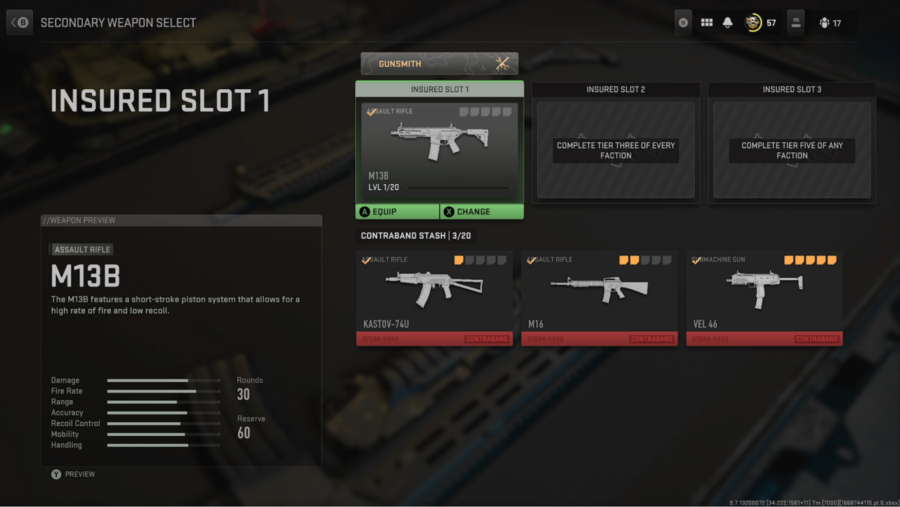
Another way to unlock the M13B Assault Rifle is to have a friend drop it for you in a DMZ match and then exfil with it. Using their Insured Weapon Slot in their DMZ Loadout, a friend who has already unlocked the M13B can equip the gun. Then, in a match of DMZ, they drop it for you and you both immediately head to an exfil chopper and escape. You can do this an unlimited amount of times for as many friends as possible, as long as you have an available Insured Weapon Slot.

Coach of Winning Esports Team Drenched With Bucket of Soap and Water

ST. LOUIS — After a heated Esports invitational tournament, athletes on the victorious Washington University Overwatch 2 team surprised their coach by dousing him with a giant celebratory bucket of soap and water.

“It was such a rush to finally take the number one slot after months of work, so we all got caught up in the moment a bit,” said support main Tyler Mailer. “We didn’t want to dump a big thing of gatorade on Coach Evans, though, because knowing him it would unfortunately stay there at least until next season. We instead wanted to do him and everyone else a favor and give him the closest thing to a shower than any Esports athlete has ever gotten.”

The coach of the team, Derrick Evans, commented on how it felt to be hosed down by his team after the big win.

“I was so excited by the victory, I barely noticed it even hit me. But afterwards, I didn’t really like it,” Evans said. “After the game, It was kind of embarrassing to be the only person at the event that looked and smelled presentable, but I am willing to make that sacrifice for the team. I was so clean afterwards, my wife didn’t even recognize me. Ha, just kidding. I don’t have a wife.”

At press time, sources close to the situation reported that the opposing team’s coach would force his players to start wearing deodorant as punishment for their devastating loss.

Review: With Pokémon Scarlet and Violet, Game Freak Finally Answers 25 Years of Fan Requests: ‘No’

Pokémon fans make a lot of requests, but one has always stood above the others: we want a truly great Pokémon game on a home console. With their latest pair of games for the Nintendo Switch, Pokémon Scarlet and Violet, Game Freak and Nintendo have finally put an end to 25 years of speculation with a sharp, definitive answer: “no.”

You already knew the answer, of course. It’s been plain to see for a long time now. Things don’t just come to this, all of a sudden. That’s not how relationships work. No, the signs were always there, if you’d wanted to see them. If Game Freak and Nintendo were going to deliver for you, if they were going to finally show up for you after all these years with a really good Pokémon roleplaying game for a home system — well, they would have done it by now.

Think back: the first Pokémon games came out in 1996. That’s the same year as the N64. “Great,” you probably thought. “Soon they will make a badass Pokémon game that I can play on my television!” Can you believe you were ever so naïve? 

Instead, here’s what you got. Seriously, here’s a complete list of Pokémon console games:

Hey You, Pikachu!
Pocket Monsters Stadium
Pokémon Puzzle League
Pokémon Snap
Pokémon Stadium
Pokémon Stadium 2
Pokémon Colosseum
Pokémon Box
Pokémon Channel
Pokémon XD: Gale of Darkness
Pokémon Arena
My Pokémon Ranch
Pokémon Battle Revolution
Pokémon Mystery Dungeon: Stormy, Blazing, and Light Adventure Squads
Pokémon Rumble Race
PokéPark 2: Wonders Beyond
PokéPark Wii: Pikachu’s Adventure
Pokémon Surf’s Up! Pikachu
Pokkén Tournament
Pokémon Shining Pearl
Pokémon Brilliant Diamond
Pokkén Tournament DX
Pokémon Let’s Go, Eeevee!
Pokémon Let’s Go, Pikachu!
Pokémon Café Remix
Pokémon Compass
Pokémon Quest
New Pokémon Snap
Pokémon Mystery Dungeon: Rescue Team DX
Pokémon Unite
Pokémon Home
Pokémon Legends: Arceus
Pokémon Sword
Pokémon Shield

Now, you may be thinking: “I like some of those games!” That’s beautiful. You’ve found sources of comfort in these decades. We don’t want to take that away from you. But be honest with yourself, kid: everything you see here is a half measure. It’s all remakes, spin-offs, empty gestures that lead to no meaningful change. Some of them barely count as Pokémon games. I even made three of them up. Did you even notice? Not that it matters.

Game Freak may not have put their feelings into words, but if Pokémon Scarlet and Violet say anything, what they say is “No,” as in the phrase, “No, we are never going to make the Pokémon game you want us to make. Never in a million years. Fuck off.” 

It’s what they had to say, because I guess their actions haven’t spoken loud enough for you. 

There have been a total of 122 Pokémon games, 25 seasons of television and 40 billion trading cards printed over the past 25 years. Pokémon has become the most valuable entertainment brand ever. And not once, in all that time, have they made a genuine, all-out effort to give you what you want. Yeah — they’ve been sending you this message for a long time.

But now, it’s official: they want out. They’re done.

It’s an opportunity, really. Game Freak is setting you free. They have finally made their intentions clear to you by producing Pokémon Scarlet and Violet, a brand-new video game experience that somehow: 1) Looks like shit, 2) Plays like shit, and 3) Literally makes your Nintendo Switch melt down. You can run Skyrim on Nintendo Switch, but a blurry Gastly in a field is too much? No. No, what happened here is no accident. It’s a line in the sand.

Game Freak didn’t deliver what we wanted, but they delivered what we needed: closure.

How to Lean in Call of Duty MW2 & Warzone 2

Call of Duty Modern Warfare 2 & Warzone 2 feature intense, fast-paced gunplay. Any advantage you can have over your enemies makes all the difference. One possible advantage is to utilize a somewhat hidden feature, Canted Laser aiming. Here is how to aim your weapon sideways and lean in COD MW2 & Warzone 2.

How to Use Canted Laser Aiming To Lean in MW2 & Warzone 2

You can use the Canted Laser attachment to lean in Call of Duty: Modern Warfare 2.

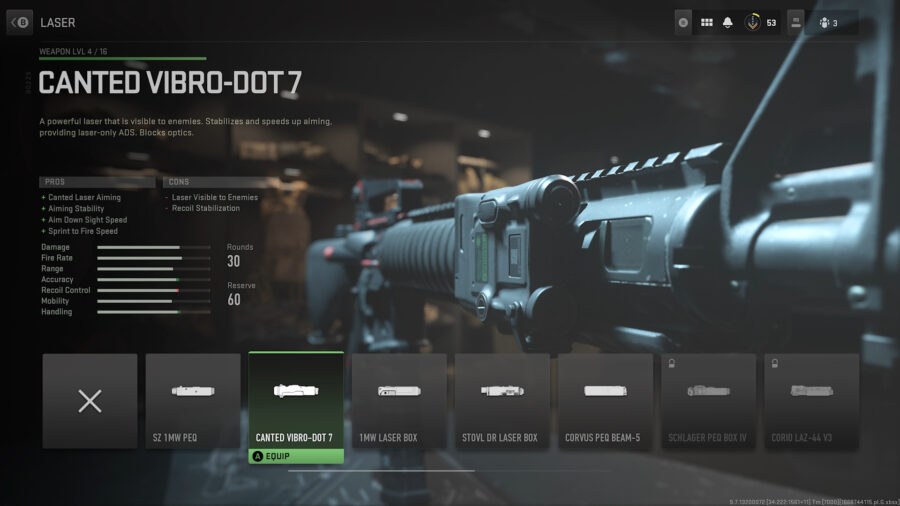
Canted Laser aiming is a new feature in Modern Warfare 2. This allows you to hold your gun sideways, creating that leaning effect that you may have seen other players utilize. This is completely different to wall mounting, as you don’t require the assistance of a wall to pull it off and can continue moving while doing it.

To access this feature, you need to unlock and attach a Canted Laser attachment to the gun of your choice. Once you have done this, you should notice under the Pros section “+ Canted Laser Aiming”. This means you will now be able to utilize Canted Laser aiming. While aiming down sight, your character will automatically tilt their weapon sideways. As for leaning, while aiming down sight, as you move your character will slightly lean in the direction you are moving. There is no input to control how far your character leans, they just do so automatically.

A few important things to note: Canted Laser attachments are available for every gun type, except melee of course. However, they have different names and unlock conditions depending on the weapon type you want to use. Additionally, like all other laser attachments, they are visible to the enemy. This can give away your location and make you an easier target in certain situations. Finally, attaching a Canted Laser fundamentally changes how your aim down sight works. Since your character will be leaning and utilizing the side of the weapon, optics don’t apply. In fact, attaching a Canted Laser will block your ability to select an Optic attachment on that weapon. Keep this in mind if you are more comfortable with using Optics, as playing without one may prove to be a learning curve.

Can You Get All 3 Starters in Pokemon Scarlet & Violet?

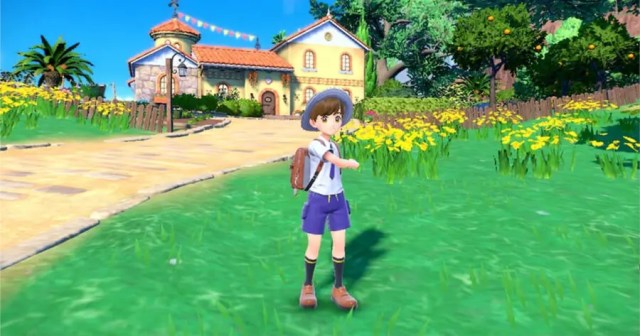
In keeping with the rest of the series, your choice of starter in Pokémon Scarlet and Violet is final – these three new darlings will not be found out in the wild once you’ve made your pick. However, there’s always a workaround, particularly so if you’ve got a pal, an hour or so to kill, and some patience. Read on for how to get your hands on all three starters in Pokemon Scarlet and Violet.

How to get all three starters in Pokemon Scarlet and Violet 

How to get Quaxly, Sprigatito, and Fuecoco in Pokemon Scarlet & Violet.

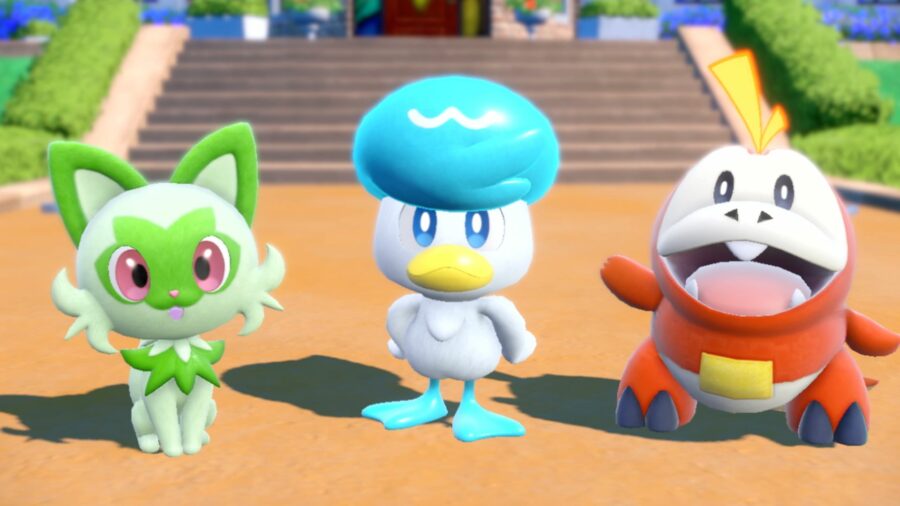
If you too couldn’t possibly decide between Quaxly with his precious hairdo, and the others, who do not have hair, then worry not. The classic method to do away with the illusion of choice and keep ‘em all as the saying goes is to trade them between two players. This is a rite of passage for players dating back to the days when you had to buy a specific cable to link up two Game Boys. 

You’ll be able to trade Pokémon once you’ve made it to the first Pokémon Center in Los Platos. You can get there in about ten minutes, give or take, if you don’t explore the opening area, and set the text speed to fast and enable cutscene skipping in the options to shave those precious seconds off. 

Once both players have arrived at the Pokémon Center, the Poké Portal option will be added to the Rotom Phone (X button) menu. From the Portal, choose Link Trade, and either stay offline for a local trade, or connect to the internet and set a Link Code to trade with someone further away. It’s also prescient to establish who’s keeping the Pokémon for now, and who’s playing patsy and starting over. Maybe play rock paper scissors for it. 

Be mindful that whichever Pokémon the keeper trades with the labourer will disappear for good in a few seconds time, so make sure that they’ve got a plentiful supply of Fletchling and Hoppip from Route 1. You monsters, you. 

Once both of the Pokémon Scarlet and Violet starters are with the same trainer, it’s time for the poor sap putting the work in to start a new game and repeat the above, until the keeper has all bar one of the desired amount of Pokémon – so if you’re doing this for both players, the keeper will have 5 in total. Then start one last new game, pick up the sixth Pokémon, and trade the others back. 

Starting a new game is an entire thing, though, as per usual for Pokémon games. We break it down for you below. 

How to start a new game in Pokémon Scarlet and Violet 

You have two choices here – either you can use alternate profiles on your Switch for different save files, or to start a new game on your main profile, you’ll have to delete your data at the system level. 

You do this by: 

  1. Going to “System Settings” on the Switch home screen.
  2. Navigating to “Data Management”.
  3. Scrolling down to “Delete Save Data” and choose Pokémon Scarlet or Violet. 
  4. Clicking the big red button once the OS allows you to do so. 

With this done, next time you boot up your choice of Gen IX Pokémon game, it’ll load straight into a new save. Now you’ve just gotta grind through that opening section ad nauseum to fill out your party with all of Pokémon Scarlet and Violet’s starters. Or just get six Quaxlys and be the envy of bald folk across Paldea. I know what I’m gonna be doing, either way. 

Can I use Pokémon Home with Scarlet and Violet? 

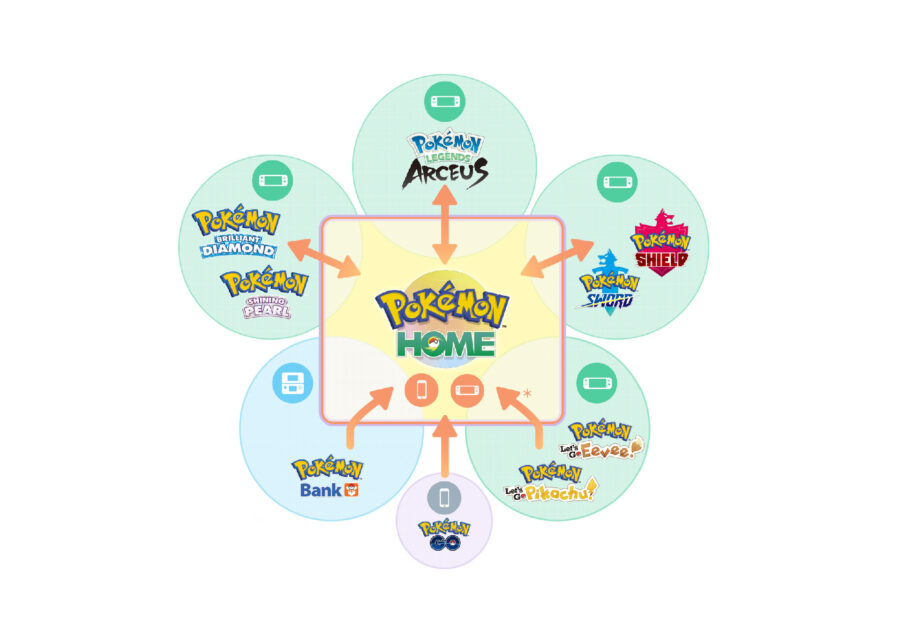
A diagram showing all of the ways to transfer Pokemon to Pokemon Home and other Pokemon games.

If you’re lacking in pals who also play Pokémon, which is probably a reasonable enough circumstance if you’re as old as I am, there’s both good and bad news here. 

Gen IX will be getting Pokémon Home support in Spring 2023 according to the official Pokémon website. So while you can’t currently use the service to upload your Pokémon to the cloud and reclaim them in a new game file, you will be able to at some point in the not-too-distant future. 

Patience will be a virtue here though, as when the functionality does go live, you could gain access to everything you’ve caught across the last four mainline games, plus Pokémon Go,  though time will tell if there are any exclusions here.

How to Auto Battle in Pokemon Scarlet & Violet

Pokémon Scarlet and Violet have finally arrived and with them come a slew of new features to make life easier for trainers. After the release of Pokémon Legends Arceus, many were left wondering how many of its quality of life improvements would make their way into traditional Pokémon releases. The short answer is: the important ones. While you won’t be throwing out Poké Balls like a gatling gun, you’ll find that Pokémon Scarlet and Violet are more efficient with your time. Text boxes don’t stop your movement – you can read them as you walk – and the tense shaking Poké Ball when attempting to catch a Pokémon takes much less time to resolve. A way to be most efficient is by learning how to Auto-Battle in Pokemon Scarlet & Violet

Pokemon Scarlet & Violet: How to Auto-Battle

How to Auto-Battle in Pokemon Scarlet & Violet.

While it won’t help you capture wild Pokémon, auto battle is good for idly gaining experience points for your team while you explore. There are a few caveats, but first let’s learn how to use Auto-Battle. While in the open world, you can explore the fields of Paldea freely, and wild Pokémon will appear for you to engage or avoid.

If you don’t feel like stopping for a battle (although even normal battles are pretty brisk now) you can simply Auto-Battle instead. To do so, simply press R to send out the first Pokémon in your team lineup. They will enter the field and head in the direction you were facing until they come across an item – which they’ll retrieve for you – or a wild Pokémon. The two Pokémon will clash briefly and your Pokémon will automatically emerge victorious or return to you in need of healing. 

There are a few things to remember though. Your Pokémon’s strength and type are both important when determining whether it wins or loses. As stated previously, your lead Pokémon will be sent out, so be sure to have the right Pokémon for the region you’re in. Additionally, your Pokémon will not attack Shiny Pokémon, so you don’t need to worry about accidentally knocking out those rare and elusive shinies. Trainer battles are also off limits for your auto-battling ally; you’ll have to talk to trainers to start a battle.

Of course, if you prefer to oversee all of your battles directly, you can stick with traditional battles. These have been streamlined from previous entries, so they don’t take as long to resolve either. No matter how you choose to battle through Paldea, the important thing is to have fun!

Call of Duty MW2 & Warzone 2: How to Earn Battle Tokens Faster

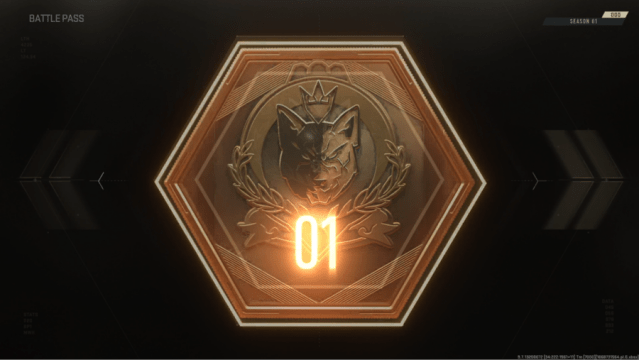
Call of Duty Modern Warfare 2 and Warzone 2.0’s Season One Battle Pass has launched with a big shake up to the formula. This Battle Pass introduces a number of new features not seen before in Call of Duty and other games featuring seasonal battle passes, including a new way to level up your Battle Pass by using Battle Tokens. Here is how to earn Battle Tokens faster to make your way through the Battle Pass quickly.

How to Unlock Battle Tokens in COD Modern Warfare 2 and Warzone 2.0
How to earn Call of Duty Modern Warfare 2 & Warzone 2.

Battle Pass progression is usually tied to gaining XP and automatically leveling up as you do; however, Season One’s Battle Pass introduces Battle Tokens. These are unlocked by gaining XP; however, Battle Token XP is gained at a fraction of Player and Weapon XP. Luckily, there are ways to increase your Battle Token XP fast!

Utilize Call of Duty’s Battle Pass XP Tokens
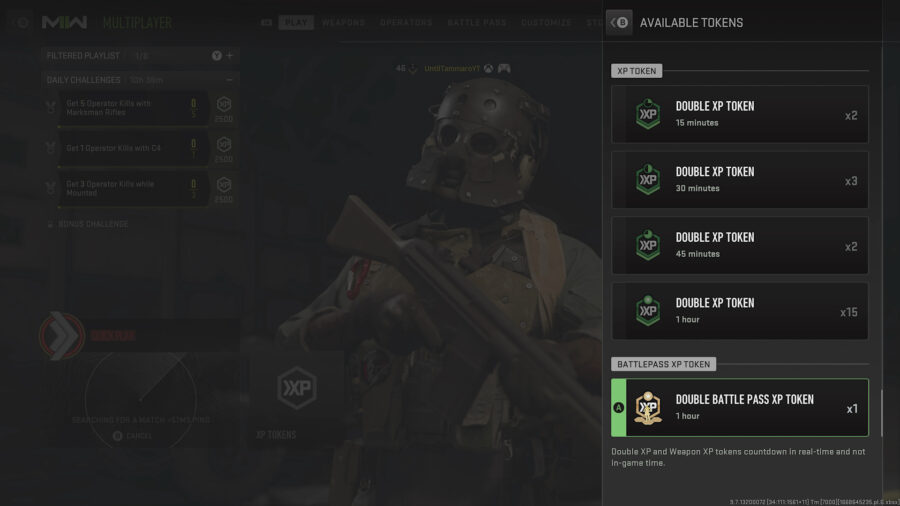
Double XP tokens in CoD Modern Warfare 2.

These XP tokens double the XP gained toward Battle Tokens while active and usually last 1 hour. It is important to note that the time winds down in real time and not just when you are in a match. So be sure to pop these at the beginning of a long gaming session, rather than at the end.

As there aren’t many to unlock at launch, chances are you probably don’t have many or even any Battle Pass XP tokens. If you previously played Warzone on your account, then you will be gifted one of these tokens for the launch of Warzone 2.0. Other than that there are currently no other ways to gain Battle Pass XP Tokens, but keep an eye out for possible future unlocks.

Finish Multiplayer Matches in Call of Duty MW2 to Earn Battle Tokens Faster

This one seems pretty obvious, but no matter what game mode you decide to play it is important that you play every match to completion. While your individual performance does matter, the game completion bonus adds so much more to your Battle Token progression. You will gain more Battle Token XP completing a match while performing poorly than you will quitting the match while topping the leaderboard.

Play Specific Call of Duty Game Modes
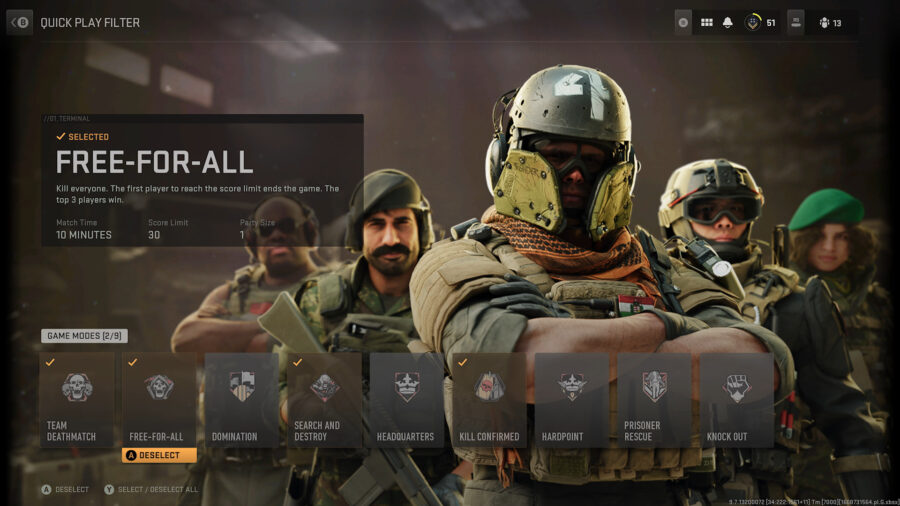
Specific modes will earn you more XP towards the Call of Duty MW2 Battle Pass.

With match completions being a top priority, players should focus on fast-paced game modes if playing multiplayer in COD Modern Warfare 2. Below is a list of the best game modes to play for Battle Token XP.

Free For All

Free For All is a deathmatch type game mode that pits 12 players in a everybody for themselves match. These matches are fast paced, so we recommend using submachine guns to rack up kills. Each match has a 10 minute time limit; however, most matches will last around half of that as the score limit is 30 kills.

Team Deathmatch

Team Deathmatch has a time limit of 12 minutes and ends once one team reaches 100 kills. Another fast-paced match type that usually lasts 6-8 minutes. As you have teammates who can pick up your slack, feel free to use whatever guns you are comfortable with or trying to level up.

Kill Confirmed

Kill Confirmed is a popular returning game mode in which dead players leave behind dog tags. These dog tags can be collected by the opposing team for additional points, or recovered by teammates to deny the additional points. This game mode has a 10 minute time limit and ends when one team collects 65 dog tags. This is probably the fastest paced objective game mode in COD and collecting dog tags counts toward some extra XP. Although it is a very miniscule amount, every bit will help. Again, since you have teammates to pick up your slack, feel free to use whatever weapons you want.

Search and Destroy

This game mode is round based and features no respawns. Now, Search and Destroy is definitely not fast paced and may seem out of place on this list; however, due to the slower and more tense nature of the no-respawn mode, XP earning events award more XP per action than most other game modes. This means you’ll gain extra Battle Token XP per completion just because of the fact that you are playing this game mode. Just keep in mind that some Search and Destroy matches can end very quickly, around 6 minutes, and others can last as long as 20+ minutes.

How to Earn Battle Tokens Faster: Play Tier 1 Game Modes

Tier 1, previously known as Hardcore mode, is a variant of the quick play playlist. In Tier 1 game modes players have limited HUD, low health, slow health regeneration, and friendly fire is enabled. Similar to Search and Destroy, Tier 1 game modes award more XP just for playing them. So it is highly recommended that players who want to max their Battle Token XP play the Tier 1 variant of the other game modes mentioned above. Keep in mind that Tier 1 is for more experienced players and the lack of HUD and Minimap can be difficult for new players who are still learning the maps.

Focus on Placing High in Warzone 2.0

While kills and completing contracts gains some XP, the real haul is based on how high you place. Winning a Warzone 2.0 match alone will basically reward you with a single Battle Token, without even factoring in what you did during the match. Now, I’m not telling you to just gear up and hide in a corner for the majority of the match; however, it is a viable strategy for gaining large amounts of Battle Token XP. Just keep in mind that a Warzone 2.0 match will typically run for around 30 minutes.

Complete Faction Missions in DMZ to Earn Battle Tokens Faster
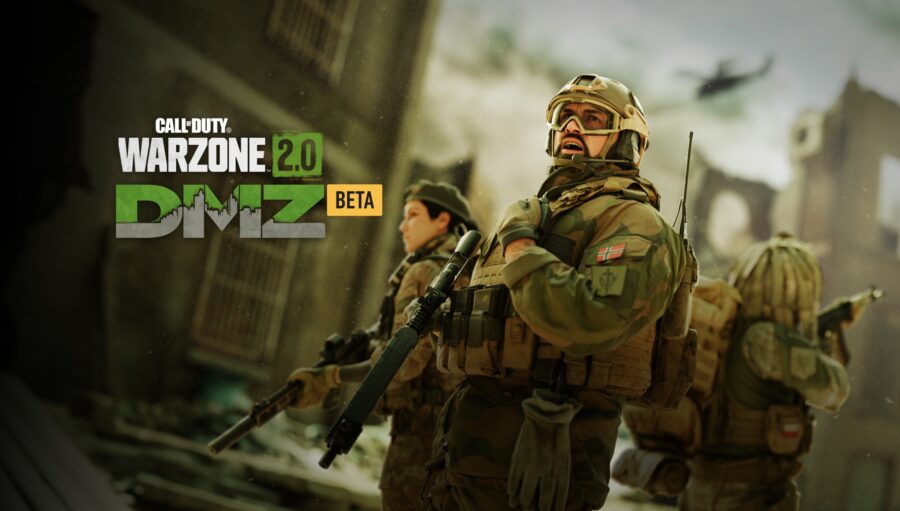
Play DMZ in Warzone 2.0 to earn Battle Tokens faster.

Unlike Weekly Challenges in Call of Duty Modern Warfare 2, Faction Missions in DMZ award XP in match when completed rather than on the post-match screen. This means that this XP is counted toward Battle Token progress. Faction Missions are offered in three tiers with the third tier missions being the hardest, but also the most rewarding. You will need to complete all the previous tier missions for a faction before unlocking these XP rich missions.

New Pokémon Game Features Mom Who Guilt Trips You Into Giving Up Dreams of Being Pokémon Master and Living Forever in Starting Town

KYOTO, Japan — Newly released games Pokémon Scarlet & Violet alter the traditional style of Pokémon game and instead feature your mother guilting you into never leaving your starting town. 

“It’s a great big rat race out there, son,” says your mother character in the new titles, right at the point where you’d normally leave town in a Pokémon game. “Do you know what the odds are of you actually making it as a Pokémon Master? You have better odds of joining the NBA, frankly. You should just stay here and inherit your dad’s steel plant when he retires. It’s honest work, and you’d get to be around people and not all those strange creatures you seem to like so much.” 

Pokémon developers Game Freak revealed that the decision to confine you to the starting town was made early on in the development process. 

“We almost did a version where you checked in with your mom every now and then and she just told you about scary newspaper articles she read about whatever city you were in at the time, but the whole project grew a little too ambitious at that point,” said Game Freak president Satoshi Tajiri. “That’s when we decided to go the other route, and have your overbearing mother decide that she’ll make the most pivotal decisions of your life, like forbidding you from leaving town. This way you can just focus on catching Pokémon!”

The announcement proved to be controversial amongst Pokémon enthusiasts. 

“On one hand, it’s kind of cool that they’re shaking up the flow of the game a little bit,” said Carter Wilson, a local Pokémon fan. “On the other hand, I can’t imagine it will be a very fulfilling experience, just sticking around in the place you started in, wondering what it would be like if you wandered out into some of the other cities. I don’t want to pay 60 dollars to wonder ‘What if?’ the whole time, you know? At the very least, my mother should let me decide if I want to move out of the starting town or not!” 

As of press time, Game Freak also revealed that Scarlet & Violet will be the first Pokémon games that let you choose a spouse, assuming you have Mother’s approval. 

Snoop Dogg’s Blunt Roller and Steve Austin’s Beer Chucker Form World’s Smallest Union

LONG BEACH, Calif. — The woman that rolls blunts for Snoop Dogg and the guy that throws beers at Steve Austin when he points to him have united to form the world’s smallest union, sources have confirmed. 

“This is a big day for workers who specialize exclusively in keeping their celebrity employer’s favorite way to catch a buzz on hand at all times,” said Wayne Jeffers, Stone Cold Steve Austin’s beer launcher and president of the newly formed CCB Local 342. “Whether it’s ensuring Snoop never inhales pure oxygen or making sure Stone Cold has a couple of Steveweisers on hand at all times, this is highly skilled labor and we demand the same protections as others in similar positions within the entertainment industry. Today is a huge win.” 

The new union will offer many long sought after perks for the atypical workers.

“It’s not that Snoop is a bad boss, not at all,” said Renegade Piranha, Snoop Dogg’s full-time blunt roller. “It’s just that there’s a lot of overtime and weekends, things like that. I fully appreciate how lucky I am to have this job, but I think it’s okay to want dental and vision, too.”

Although their newly negotiated contracts give them extensive raises and benefits, Austin felt the new union status of the two workers was a positive thing. 

“You’re damn right I support that sumbitch’s rights as an employee,” said six-time champion Stone Cold Steve Austin, right before gesturing for a couple cold ones to be hurled his way. “And I’ll be goddamned if I’m the one that keeps a dollar out of the workin’ man’s pocket, all because I outsourced the fella that heaves beers at me wherever I go. That’d be a real shithead move. Wayne’s been my chucker since I was in the Dubya Dubya Eff, and I’m glad that bastard’s gonna be able to retire one day.” 

As of press time, Snoop Dogg was spotted watching a marijuana rolling tutorial video on YouTube, after discovering that his blunt roller will now be going home for the holidays. 

Pokemon Scarlet & Violet: How to Trade Pokemon

After months of waiting, Pokemon Scarlet and Violet has finally released, and millions are hopping on ready to catch, battle and trade their way across the Paldea region. 

Trading has always been one of the main mechanics of the Pokemon franchise, and this time you have to get a little way through the beginning of the story to unlock trading and other online features.

Unlocking Trading In-Game: Pokemon Scarlet & Violet

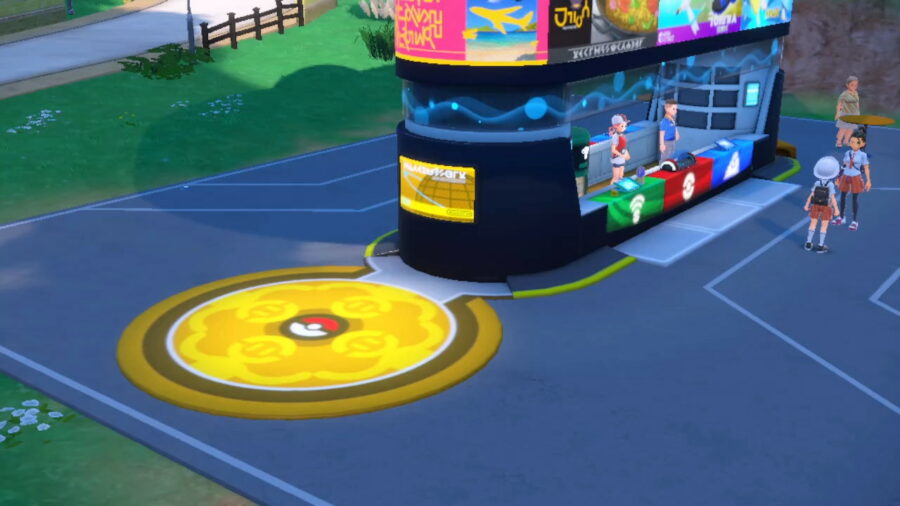
Get to the Los Platos Pokemon Center to unlock trading.Trading isn’t unlocked for trainers right out of the gate, you need to progress through the game a bit in order to gain access to it. The trading system will unlock once you reach the Los Platos Pokemon Center at the first town. This will take about 25-30 minutes of playtime (maybe about an hour if you’re taking your time exploring).

Once you reach the Pokemon Center and get through the explanation cutscene, you’ll be able to trade with other trainers. Getting to this Pokemon Center will also unlock the rest of the co-op mechanics for Scarlet and Violet.

Setting Up a Link Trade

In order to setup a link trade, you’ll need to do the following:

  1. Hit X to access the menu
  2. Select ‘Poke Portal’
  3. If you’re trading over the internet, make sure you’re connected by pressing L
  4. Select ‘Link Trade’
  5. If you know who you want to trade with, select ‘Set Link Code’. This will let you create a personal password for you and your fellow trainer to enter to make sure you match together. Make sure this code is unique, and not something other trainers will be using (for example, don’t use 12345678 or 0000).
  6. Once you and your friend have entered in the link code, select ‘Begin Searching’.

Trading with Other Trainers

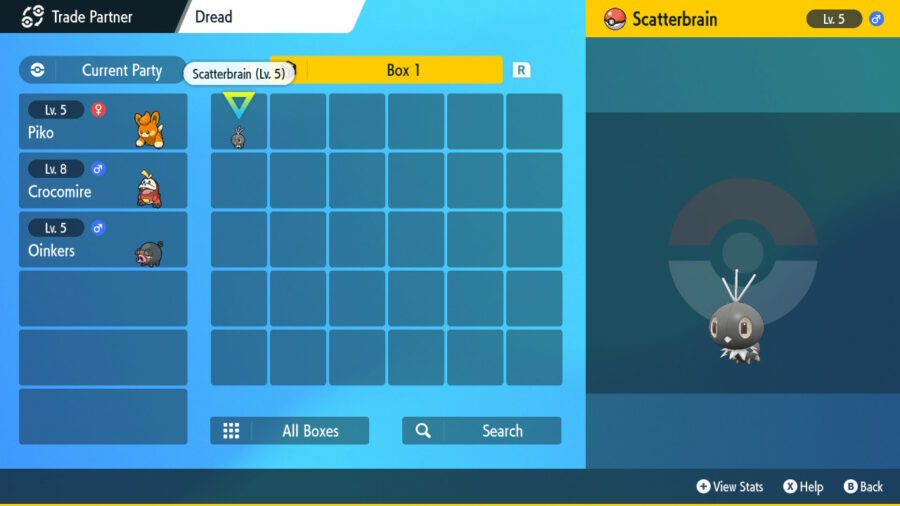
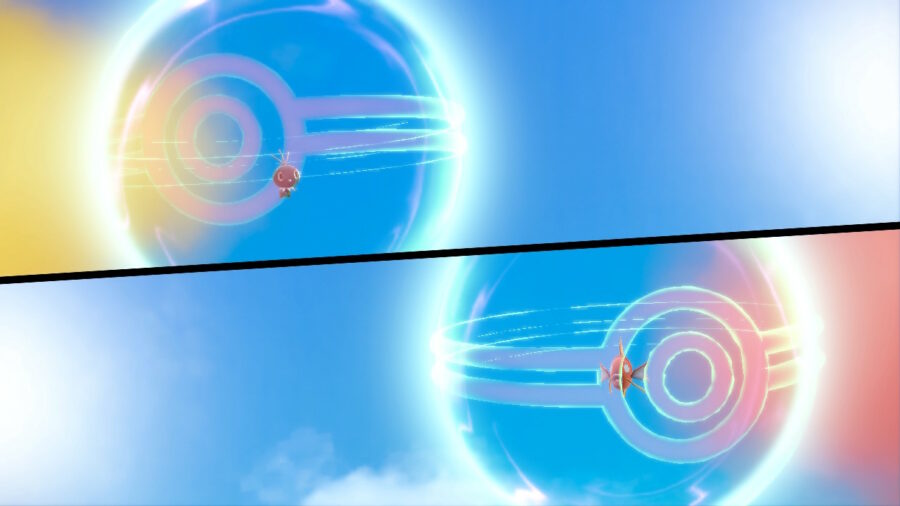
Now that you’ve connected, you’ll be brought to your PC boxes to select which Pokemon you want to trade. Once both of you select which Pokemon you want to send over, you’ll be given a prompt to confirm the trade. After the confirmation has gone through, you’ll each watch a little animation showcasing the trade itself and your new Pokemon being sent over.

The trading animation in Pokemon Scarlet & Violet

After the animation is over, the trade is complete! You can continue trading Pokemon back and forth between each other afterwards, and when you’re finished you can hit B to disconnect.