Final Fantasy XIV User Interface: How to Change the FFXIV UI

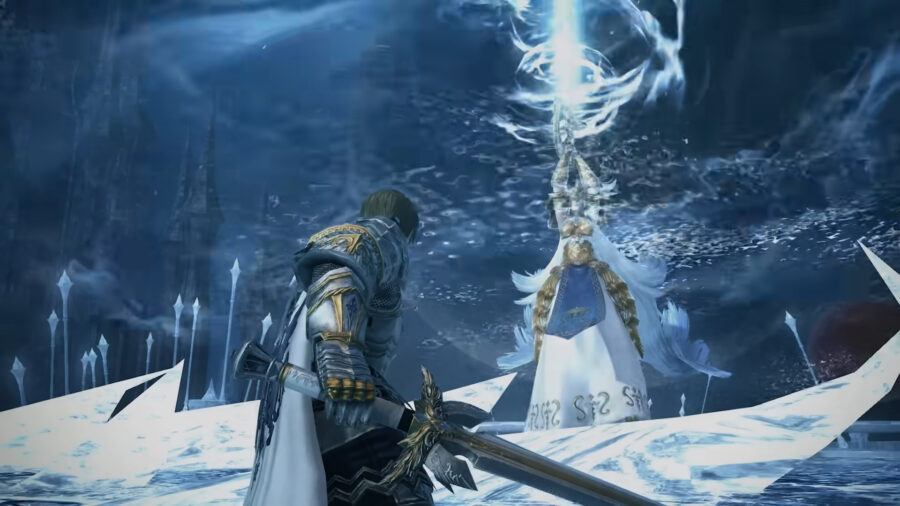
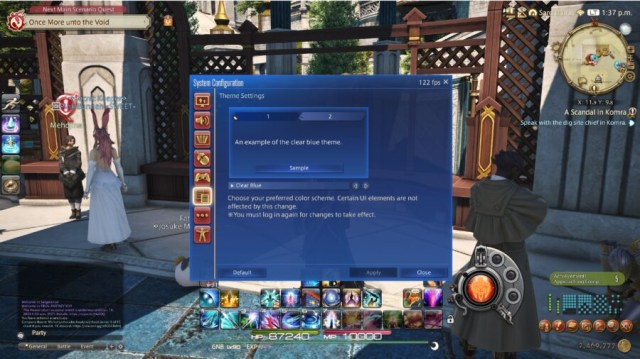
With the release of Final Fantasy XIV Patch 6.3, there has been a brand new UI theme added to the game! This UI theme is modeled after the ones found in Final Fantasy 7 Remake, Stranger of Paradise: Final Fantasy Origin, and Crisis Core: Final Fantasy 7 Reunion. Here’s how to change the Final Fantasy XIV user interface to this new theme, or any new theme.

Final Fantasy XIV: How to Change the UI in FF14
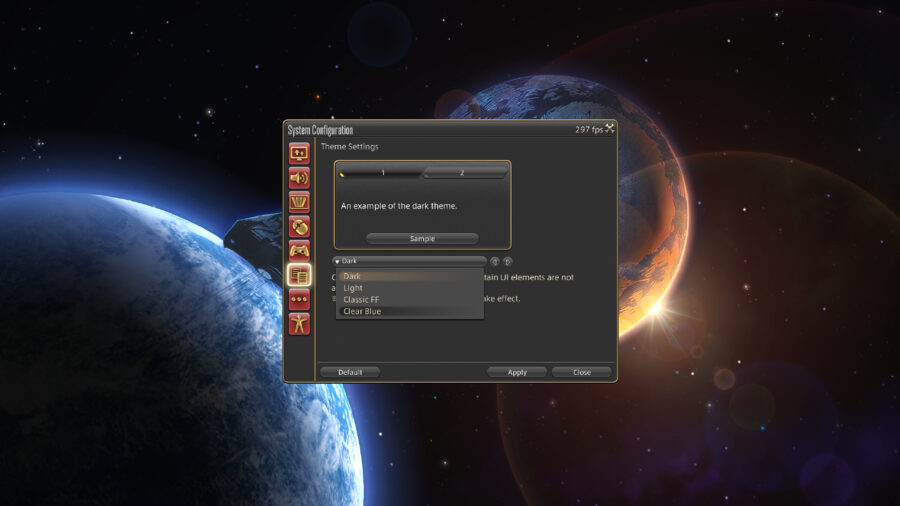
In addition to the Clear Blue theme, there are multiple other options to choose from. We’ll walk through just how exactly you can change your FFXIV UI Theme to whatever you’d like!

  • Select System.
  • In the System menu, select System Configuration. This is the sixth option in the list, right under Character Configuration.
  • In this menu, you will see a select group of icons on the left hand side. You will want to click the one that looks like two pages of text, which is third from the bottom. This button will take you to the Theme Settings.
  • At this menu, you will need to select the drop-down menu and select the UI Theme you’d like.
  • After selecting the option you’d like, you will select Apply. In order for these changes to take place, you will need to completely log out and log back in. A simple restart of the game should be effective.

As for what the Clear Blue theme changes, there are quite a bit of differences. The most obvious difference from the other themes is the blue menus reflecting the ones found in the recent Final Fantasy games. The boxes throughout the game are now rectangular without rounded corners, with standard white text replacing all text. Additionally, all command descriptions also have brand new fonts and colored backgrounds. This is a very nice theme that is something worth looking into if you’ve been rocking the Dark theme for a good long while.

If you’re not quite feeling the Clear Blue theme, there are other Final Fantasy XIV user interface options to choose from as well! First, there is a Light theme that turns all of your menus a tan color, with text turning brown. For those looking for neutral-colored menus, the Light theme will do the trick! Additionally, the Dark theme is incredibly popular for most users. Just like the Light theme, the Dark theme is a very neutral theme, while this time the primary color being a dark gray.

The last UI theme available is Classic, which looks just like the UI of the older Final Fantasy games. The icons become pixelated, which is a nice touch to customize your game to your liking. You can’t go wrong with any of these themes but do make sure to choose the one that you like the most. This change is reflected in all menus throughout the game regardless of what area you are in, so do keep that in mind!

Overwatch 2 Error: How to Fix ‘Applying Update’ Stuck Error

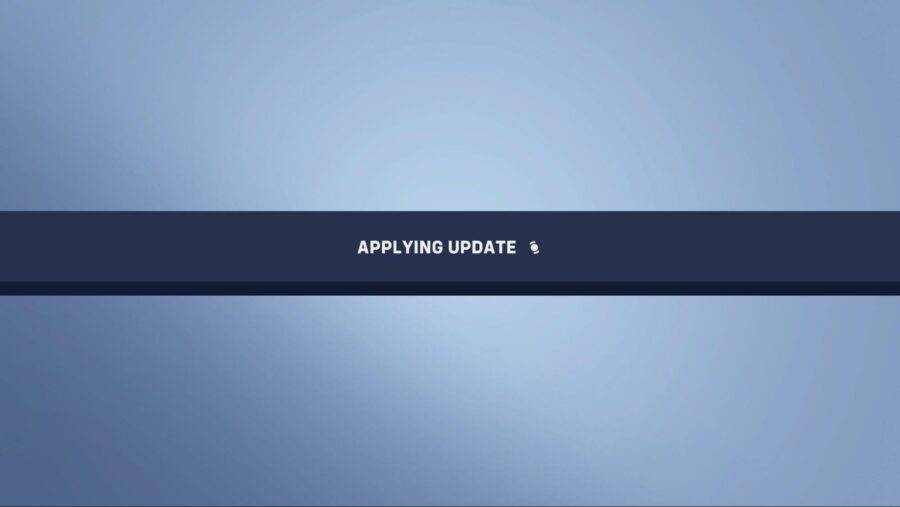
With Overwatch 2’s second season already underway along with the current Battle for Olympus event, continual content updates are always going to have major effects on a live-service game. The chances of bugs emerging from the cyber woodwork and the maintenance or downtime required to fix these bugs are often very high. Unfortunately, it seems a bug has reared its head for those looking to install the latest Overwatch 2 updates today, with players getting stuck on the ‘Applying Update’ screen while the game simply buffers for longer than it should.

Blizzard has been quiet over on its social media, leaving players in the dark and quite frustrated without an answer on what’s going on. Here’s how to fix the Applying Update error if you’re stuck experiencing the same.

Overwatch 2 Error Fix: Stuck on “Applying Update”

How to fix Overwatch 2 Applying Update error.

Here are the steps required that can help fix being stuck on the ‘Applying Update’ screen error:

  1. Restart Overwatch 2 or your console.
  2. Ensure Overwatch 2 has been updated fully. 
  3. Delete and Re-install the game.
  4. Contact Blizzard’s Support Team

It’s important to note that some players often get stuck on the Applying Update screen when Blizzard is in the middle of some maintenance or an update to the game, so it’s best to keep this in mind first before jumping into re-installing your game or speaking to Blizzard Support, patience always being a virtue. While it is frustrating to wait for Blizzard to resume service in these situations, it’s always in the interest of improving the game experience overall.

Stuck waiting for the pesky update to apply? Then why not check out Overwatch 2’s Lunar New Year Start and End Dates to get yourself ready for the upcoming event!

COD Mobile Season 1 (2023): Release Date, Time & Battle Pass

Activision is gearing up for the first Call of Duty: Mobile seasonal update of 2023, which is going to be packed with a plethora of fresh content, including new weapons, operators, maps, and of course, a brand-new battle pass. As of writing, COD Mobile developers have released a teaser for Season 1 (2023), announcing the update’s release date and new features. If you want to learn more about COD Mobile‘s “Reawakening” update, here’s everything you need to know.

When Does COD Mobile Season 1 (2023) Come Out? – Release Date & Time

COD Mobile Season 1 (2023) will officially launch on January 18 at 4 PM PT/ 7 PM ET/ 6 PM CT.

In case you’re wondering what’s the time as per your time zone, then here are the release timings for all regions:

January 18, 2023

  • 5:00 pm PDT
  • 8:00 pm EST

January 19, 2023

  • 1:00 am BST
  • 2:00 am CET
  • 4:00 am AST
  • 5:30 am IST
  • 8:00 am BJT
  • 9:00 am JST

As is tradition, the servers will not be taken offline for any maintenance. However, it’s worth noting that the COD Mobile “Reawakening” update will be deployed a few days before, so you can preload the update files and enjoy the new content right away.

COD Mobile Season 1 (2023) “Reawakening” Patch Notes

If you want to take a detailed look at everything inside the Season 1 (2023) update, then we’ve got you covered. Here’s all of the new content coming:

  • New Map: Nuketown Temple
  • New Weapon: Dingo LMG
  • New Scorestreak: Wheelson
  • New Perk: Unit Support Perk
  • New Equipment: Stim Shot
  • New Operator Skins: Cassius – Fate’s Champion, Baker – Breaker, Rampage – Venomous, Bathysphere – Hog Heaven
  • New Weapon Blueprints: MX9 – Golden Stripes, HS2126 – Pig Dynasty, LK24 – Amethyst Serpent, Type 25 – Rooster’s Dawn, Dingo – Monkey King’s Legacy

How Much Does COD Mobile Season 1 (2023) Battle Pass Cost?

The CoD Mobile Season 1 update battle pass detailed.

As is tradition, COD Mobile Season 1 (2023) battle pass will have two different variants containing a total of 50 tiers. The base version of the upcoming battle pass can be purchased for 560 CP (approx. $6), through which players can unlock all the premium rewards. On the other hand, the premium version of the battle pass will cost around 1280 CP (approx. $12).

The Reawakening update is speculated to take up around 700MB. Make sure that your smartphone has enough free storage space for a swift installation when Season 1 releases on January 18.

Logan Paul Unsure How to Pose in Photo With Alive Thing

DORADO, Puerto Rico — Struggling to figure out how to align his body, popular YouTuber Logan Paul was frustrated after reuniting with his abandoned pet pig Pearl, not knowing how to pose in a photo with an alive thing. 

“I don’t understand, what do I do?” a squirming Paul said while being photographed. “Usually it’s really easy, the body just stays still while I can make silly faces and bat the corpse around like a speed bag, but taking pictures with an alive creature is a whole different world. I’m happy to reunite with my pig…uh…I wanna say…Earl? But I’m just trying to make a video here and it’s not really being the collaborator I’m used to. I’m starting to see why I abandoned this thing to begin with. Very unprofessional!” 

The photographer Paul brought with him to capture the heartwarming reunion expressed his difficulties committing the moment to film.

“We spent about three hours out there with the pig just trying to get either it or Logan to stay still,” said photographer Bill Pope. “Everytime Logan would drop his jaw and widen his eyes in feigned surprise for the picture, the pig would wander off or get frightened. Logan suggested we just kill the animal to make for a better thumbnail, but thankfully I was able to talk him down. The process was so long and difficult that I would’ve killed myself right there in that forest if I didn’t know Logan would make a thirty minute vlog around my dead body.”

At press time, sources close to Paul reported that Logan had abandoned the animal a second time after most of the footage of their reunion turned out to be blurry and out of focus.

Voice Actor Only Does Video Game Dialogue to Afford Real Passion of Doing Anime Dialogue

LOS ANGELES — Voiceover artist Christopher Carlson, whose vocalizations can be heard in popular video games such as Wolf WhistlePuncher 3, and Tongue Simulator, recently expressed exasperation at constantly having to do voiceover work for video games when his real passion lies in anime, sources close to the actor said.

“I only do these silly little games because they pay so well, but as a voiceover actor, you really want a project you can really sink your teeth into,” Carlson said on a break from doing dialogue for the upcoming game Renegade Soldier: Kozovo. “What I really love is treading the boards of a sound booth by dubbing anime, but it doesn’t pay the bills so here I am. I really hope to get cast in one of those animes that lasts for five-hundred or so episodes like One Piece and really get lost in the character.”

Coworkers of Carlson feel that his so-called “passion” has become really pretentious and he should be lucky for the work he’s getting.

“I’ve played a busty zombie nurse in about thirteen different games and I’m thankful for that,” co-worker Joanne Morgan said. “Considering most of the voiceover work for films is taken by celebrities nowadays, we have to take what we can get. Am I upset to use my degree in voice acting from Temple University to make guttural noises of someone whose throat was just slit? Sure! Would I rather do ‘real’ acting in an anime like Chef x Samurai? Obviously. But a lady has to eat.”

Voiceover talent agent Russ Gallant explained that he sees this all the time with his clients.

“These fresh young voices come out to LA expecting to be the next Steve Blum but end up doing offensive Latino accents for Grand Theft Auto because that’s where the work is,” Gallant explained. “Unfortunately, anime doesn’t pay, so I tell my clients, pay your dues and do the voice of an anonymous football player for the next Madden and then go and do your little artsy Tale of the Three Hearted Princess or whatever the hell in your spare time.”

As of press time, Carlson turned down the role of Baron Jürgen Pflüger in the game Balloon Race 3000 in hopes of starring in and directing the English dub of the anime Feather Devil Professors.

Grubhub Introduces Ranked Competitive Mode

DOVER, Ohio — Popular food ordering and delivery app Grubhub has just received a huge update, adding many new modes and quality of life changes, most notably a new competitive ranked mode.

“Finally! My friends and I have always argued who’s the better Grubhub user, but now I can go head-to-head in real time,” said Grubhub user Simon Belleview. “With the new ranked mode, I get to absolutely gorge myself and earn bragging rights among my friends who can be the laziest and least frugal with their money. I used to just eat food for sustenance to continue living, but doing it online with people yelling racial slurs at me has provided a gaming experience I didn’t know I was missing.”

Grubhub staff gave a statement of how the competitive format works, as well as exciting promises for the future of professional food ordering.

“After completing ten placement meals, the automatic Grubhub Elo calculator assigns you a ranking from Anorexic to Joey Chestnut,” said Grubhub developer Cheryl Blumenfeld. “Now casual Grubhub users no longer have to occupy the same space as determined, hardened Grubhub veterans who want to spend more money and send the most abusive direct messages to their respective delivery drivers. We’re even looking into rolling out the Grubhub Esports league, where players from around the world can compete, adding side sauces and removing toppings on a national stage.”

The app’s new mode has already cultivated its own gaming celebrities.

“Every day I wake up and stream a few warm-up snacks before getting right into a few hours of 1v1’s,” said Grubhub Twitch Streamer Eric Wembley. “I take a brief three-hour bathroom break around noon and then get back to eating, furiously stuffing my face and ranking up to unlock new utensils and additional napkins.”

At press time, the delivery app had unfortunately reported that due to excessive queue times, many users had reportedly died of starvation.

VALORANT Episode 6 Ranked Changes: How Val Ranked Works

Valorant is an online FPS game, which, like most other games in the genre, features a ranked system. With Episode 6 Act I around the corner, Riot Games plans to implement changes to the current ranked system. Here is everything you need to know about Valorant’s ranked system and the upcoming Episode 6 changes!

What is Valorant’s Ranked System?

All of the various Valorant ranked tiers.

Valorant’s Ranked System is a way for Competitive matchmaking to create fair teams and matchups based on player’s skill levels, (or that’s the idea, at least). The Ranked System is used in conjunction with MMR. Match Making Ranking, or MMR, is a separately assigned skill-based number that analyzes the player’s stats and round differential, independent of their Rank, with the goal of not only properly placing a player at the right Rank, but also matching them with similarly skilled players if their Rank is somehow incorrect due to lucky matches or boosting, smurfing, or throwing.

Below is a list of all of the Valorant Ranks in Episode 6 Act I (from lowest to highest):

  • Iron
  • Bronze
  • Silver
  • Gold
  • Platinum
  • Diamond
  • Ascendant
  • Immortal
  • Radiant

NOTE: All of these ranks, except Radiant, feature three tiers for a player to progress through before ranking up.

How the Ranked System Will Change in Episode 6 of Valorant

The Ranked System Changes coming in Valorant Episode 6.

The community has complained that the Ranked System isn’t very rewarding and Riot Games has listened. Previously, the system would award/subtract Ranked Rating (RR) points based on the amount of rounds won/lost in a match. This led to low rewards for close wins and huge losses for stomps, without much regard for the player’s individual performance or the straight-up match outcome.

For Episode 6, Riot Games is doing away with the round differential aspect to the Ranked System. Going forward, a player’s performance, along with the match result, will be used to determine RR gains and losses. Winning will still be the fastest way to rank up, but gains should be more steady!

How Will the MMR System Change in Episode 6 of Valorant?

The MMR changes that are coming to Valorant Episode 6.

The MatchMaking Ranking system is also due for a change in Episode 6. Again, Riot Games has decided to deemphasize the round differential aspect in relation to the MMR system. Going forward, MMR will be rewarded based on individual performance and on a comparison of the player’s assigned MMR and Rank. Player’s who Rank lower than their MMR suggests will see more gains from good performances and those who Rank higher will not be punished as much for poor ones. The hope for these Valorant ranked changes is to better align MMR and Ranks so that they match and may even be another measure to help combat the game’s smurfing issues.

FFXIV Patch 6.3 Paladin Rework: All FF14 Paladin Changes

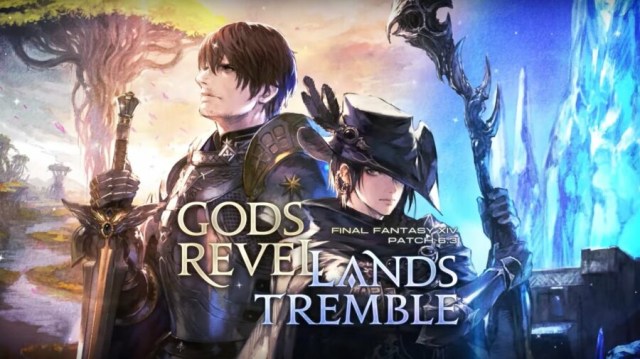
Final Fantasy XIV’s 6.3 patch ‘Gods Revel, Lands Tremble’ has just arrived, and like previous patches before, it comes with a huge slew of changes, new story and raid content, side quests, QoL changes, and Job adjustments. And speaking of Job adjustments, FF14‘s Paladin Job – the starring role in the Endwalker expansion – has received a significantly large rework after suffering for some time in some key areas that the Job was supposed to excel at. 

The changes are numerous and quite extensive, so we’ve compiled all the major changes that Paladin has received along with a full list of patch notes below. Take a look!

FFXIV Patch 6.3: FF14 Major Paladin Changes

FF14 Paladin Rework in patch 6.3.

As mentioned, patch 6.3 sees the large-scale reworking of Paladin, with many abilities and effects getting quite the overhaul. In the recent Live Letter 75, YoshiP explained concerns surrounding the class rotation and its issues with inconsistent burst and too-heavy an emphasis on damage over time (DoT) effects. Holy Sheltron sees damage now being reduced rather than outright blocking, improving protection from hostile DoT’s, and Bulwark has been reworked to block all incoming attacks for ten seconds.

Other important changes include the removal of the DoT from Goring Blade and Blade of Valor, and a new effect called Divine Might which after a physical combo, allows one free cast of an enhanced Holy Spirit. Burst damage and defensive capabilities in general look to have been targeted in these improvements.

Patch 6.3: Full Paladin Job Patch Notes List

You can find the full list of extensive changes to the Paladin Job in Final Fantasy 14 below:

  • Fight or Flight – The effect has been changed from “Increases physical damage dealt by 25%” to “Increases damage dealt by 25%.”
    • The duration has been reduced from 25 to 20 seconds.
  • Riot Blade – Potency has been reduced from 170 to 120.
    • Combo potency has been reduced from 300 to 280.
  • Iron Will – Recast time has been reduced from 3 to 2 seconds.
  • Sheltron – The effect has been changed from “Block incoming attacks” to “Reduces damage taken by 15%.”
  • Prominence – The amount of MP recovered has been increased.
    • The combo bonus “Grants Divine Might” has been added.
  • Goring Blade – The effects of this action have been revamped.
    • Goring Blade now functions as follows:
    • Delivers an attack with a potency of 700.
    • This weaponskill does not share a recast timer with any other actions.
    • Recast time has been increased from 2.5 to 60 seconds.
  • Divine Veil – The effect has been changed from “Upon HP recovery via healing magic cast by self or a party member, a protective barrier is cast on all party members within a radius of 15 yalms” to “Creates a barrier around self and all party members near you.”
  • Royal Authority – Potency has been reduced from 130 to 120.
    • Combo potency has been reduced from 420 to 380.
    • The combo bonus “grants Divine Might” has been added.
  • Holy Spirit – Potency has been increased from 300 to 350.
    • Requiescat potency has been increased from 600 to 650.
    • Potency is increased to 450 while under the effect of Divine Might.
    • The effect of Divine Might will be prioritized over Requiescat when under the effect of both.
  • Requiescat – Potency has been reduced from 400 to 300.
    • Maximum stacks of Requiescat have been reduced from 5 to 4.
    • The Requiescat effect has been changed from “Increases the potency of Holy Spirit and Holy Circle and spells will require no cast time” to “Increases the potency of Holy Spirit, Holy Circle, and all Confiteor combo actions and spells will require no cast time.”
    • The additional effect “Grants Blade of Faith Ready when the effect of Requiescat ends” has been changed to “Grants Confiteor Ready.”
  • Holy Circle – Potency has been reduced from 130 to 100.
    • Potency is increased to 200 while under the effect of Divine Might.
    • The effect of Divine Might will be prioritized over Requiescat when under the effect of both.
  • Atonement – Potency has been reduced from 420 to 380.
  • Confiteor – Potency has been reduced from 1,000 to 400.
    • Potency is increased to 900 while under the effect of Requiescat.
    • Potency will be reduced 50% for the second and all remaining enemies.
    • Effect of Requiescat no longer ends upon execution.
    • Requirement for execution has been changed from “while under the effect of Requiescat” to “while under the effect of Confiteor Ready.”
  • Holy Sheltron – The effect has been changed from “Block incoming attacks.” to “Reduces damage taken by 15%.”
  • Expiacion – Potency has been increased from 420 to 450.
    • Reduced potency for the second and all remaining enemies will be increased from 50% to 60%.
  • Blade of Faith – MP cost has been increased from 0 to 1,000.
    • Potency has been reduced from 480 to 200.
    • Potency is increased to 700 while under the effect of Requiescat.
    • The additional effect “Restores MP” has been removed.
  • Blade of Truth – MP cost has been increased from 0 to 1,000.
    • Potency has been reduced from 560 to 300.
    • Potency is increased to 800 while under the effect of Requiescat.
    • The additional effect “Restores MP” has been removed.
  • Blade of Valor – MP cost has been increased from 0 to 1,000.
    • Potency has been reduced from 620 to 400.
    • Potency is increased to 900 while under the effect of Requiescat.
    • The additional effect “Restores MP” has been removed.
    • The combo bonus “Damage over time” has been removed.
  • Divine Magic Mastery – The combo bonus “grants Divine Might” has been added.
  • Enhanced Prominence – Now acquired at level 72 (previously level 66).
    • The combo bonus “grants Divine Might” has been added.
  • Enhanced Divine Veil – The healing effect of Divine Veil now applies upon execution rather than when the barrier is applied to targets.

Need more gaming guides? Check out when the Overwatch 2 Lunar New Year event gets going, or find out the best GTA Online weapons to use in 2023.

Marvel Snap January 10 Patch: Balance Changes & Pro Bundle

Marvel Snap has still been getting a lot of attention in the new year, including a January 10 patch with new balance changes. After starting their Savage Land season at the beginning of January, players knew it was only a matter of time until a new balance patch released. Now, players have finally gotten it, with this new January 10 update.

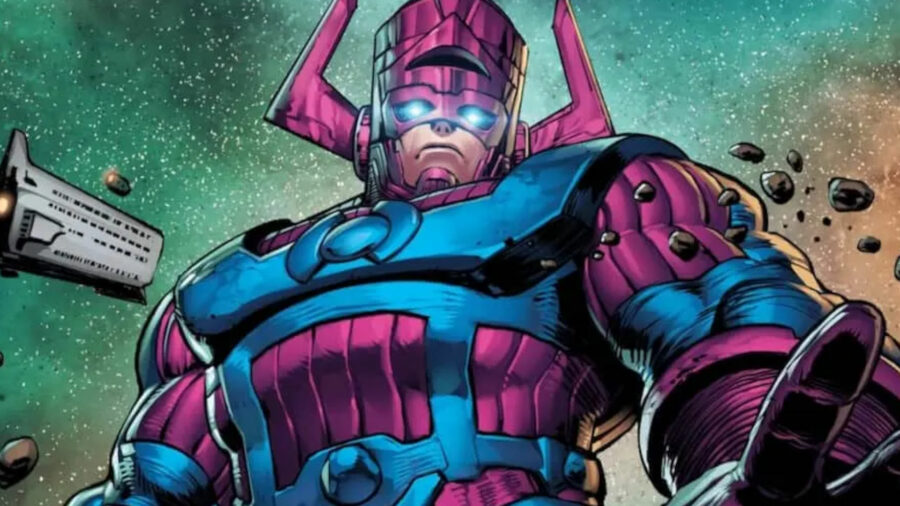
Many meta cards were expected to receive nerfs, like Leader and Galactus. These powerful 6 energy cards have been winning players games in a single move that can be hard for opponents to telegraph. In addition to these cards, other heroes and villains got their own adjustments in the new patch. Here are all of the new buffs & nerfs in Marvel Snap‘s January 10 update.

All Balance Changes in Marvel Snap January 10 Update

Galactus, one of the cards getting balance changes in Marvel Snap's new update.

Most of these new changes are simply to cards’ power levels, but a few cards also received changes to their abilities. Here are all of the buffs & nerfs in the new Snap update:

All Card Nerfs in the January 10 Update

  • Aero: Power lowered from 8 to 7
  • Galactus: Power lowered from 3 to 2
    • Second Dinner also noted that they are looking into whether they should make additional changes to the card in the future
  • Leader: Power lowered from 4 to 3
    • The same note on Galactus applies to Leader as well
  • Nova: Power lowered from 2 to 1

All Marvel Snap Card Buffs in the January 10 Patch

  • Drax: Power increased from 4 to 5
    • On Reveal: If your opponent played a card here this turn, +3 power (formerly +4)
  • Groot: Power increased from 3 to 4
    • On Reveal: If your opponent played a card here this turn, +3 power (formerly +4)
  • Hazmat: Power increased from 1 to 2
  • Black Cat: Power increased from 6 to 7
  • Nakia: Power increased from 1 to 2

Other Marvel Snap January 10 Patch Changes

Marvel Snap move deck.

In addition to the new Marvel Snap balance changes, there are a few other general quality-of-life changes in the new patch. Here are a few of the highlights:

  • Variants now credit the illustrators who created them! You can see this by tapping the variant label above the card in your collection.
  • When cards that trigger a long loop take effect, the game will now fast forward through the effects.
  • Reserves now reward different amounts of Collectors Tokens from reserves after collecting all Series 3 cards. Collectors Tokens earned now range from 200-600, instead of being set at 400.

Marvel Snap: New Pro Bundle in January 10 Update

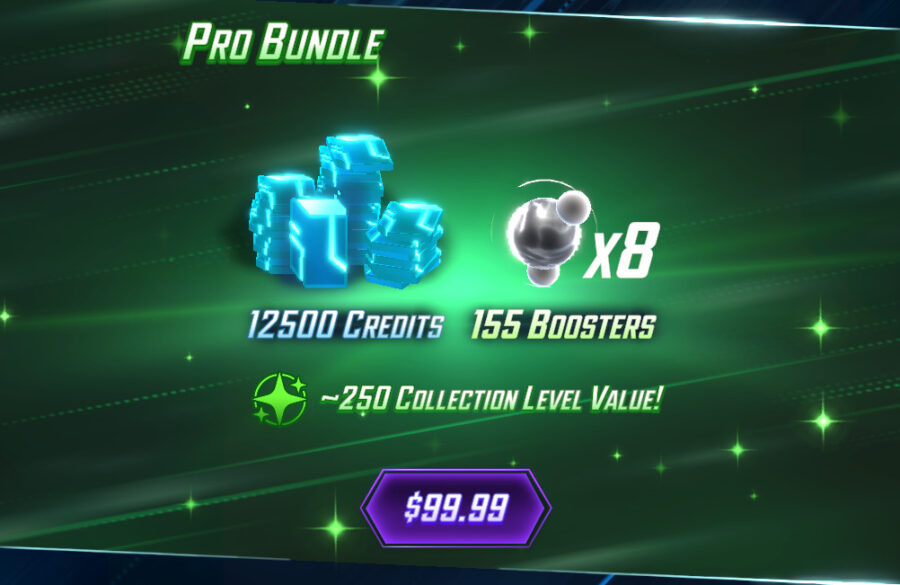
The Marvel Snap Pro Bundle.

Last but not least is the addition of a new bundle for new players to purchase: the Pro Bundle. This bundle comes with a whopping 12500 credits, enough to get any new player’s collection level boosted quickly, as well as 155 boosters. However, such a starting advantage comes with a price: $99.99, to be specific. This is a pretty hefty investment for new players, but the 250 collection level value will give players a pretty significant head start! It’s currently unclear how Snap categorizes new players (I’m collection level 1994 and had the bundle available).

In addition, there’s a “Primal Masterpiece” bundle available that costs 3000 gold. This includes:

  • Savage Land Variant: White Tiger
  • Savage Land Variant: Kraven
  • Savage Land Variant: Sabretooth
  • New Profile Icons for each variant
  • 155 boosters for each White Tiger, Kraven, & Sabretooth
  • 1500 credits

GTA Online Weapons Guide: Best GTA Online Weapons (2023)

GTA Online has dozens of weapons that you can obtain as you complete certain missions and progress through your overall rank. With so many options, it can be hard to choose which weapons are the best and most useful in the game.

There is a wide assortment of guns for every class, with plenty of assault rifles, pistols, and shotguns to choose from. Additionally, there are plenty of specialty weapons that pack an extra punch, but do those really serve you better than the traditional Assault Rifle? We’ll dive into the best weapons in GTA Online, and our picks might just surprise you.

Up-n-Atomizer

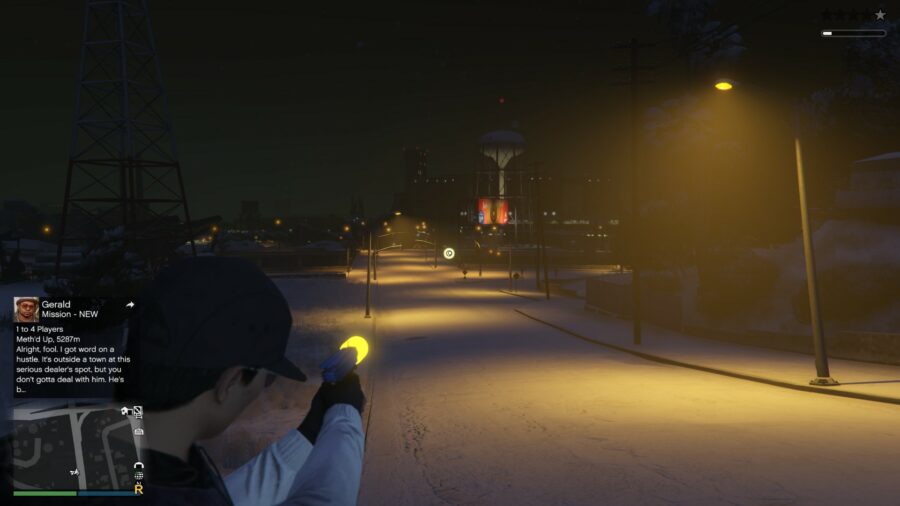
While it might be small, this gun has some of the best firepower out of all the available weapons in GTA Online. Looking like it’s out of a space movie, the Up-n-Atomizer shoots a small coil of yellow shockwave energy. Anything that happens to touch this will get sent far away and explode. This tiny little pistol can deal some of the biggest amounts of damage in the entire game.

One of the nice things about this weapon is that it has unlimited ammunition, meaning you only will need to make the initial purchase. The Up-n-Atomizer is not cheap, but it won’t cost you too much at only $399,999. You can find this gun at any weapon shop around the map, which is marked with the gun symbol.

Best GTA Online Weapons: Homing Launcher

The homing launcher, one of the best GTA Online Weapons in 2023.

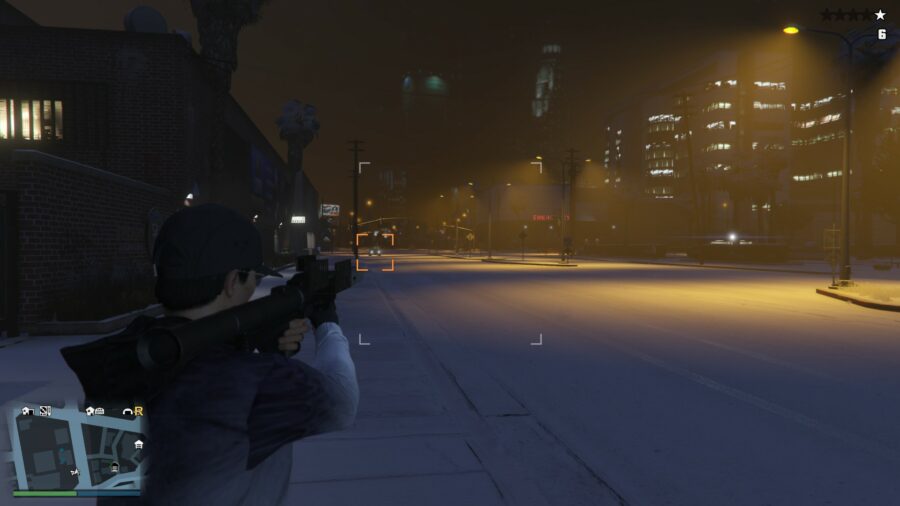
The Homing Launcher is an incredibly resourceful tool to navigate roadblocks in GTA Online. As one of the cheapest weapons on this list, you really can’t go wrong with the purchase of this one. The Homing Launcher, as the name suggests, is a standard RPG with a twist.

The rockets can lock on and track enemy vehicles, making it the perfect tool to use against other players and cops alike. Those flying Opressors in the sky know to stay away, as a simple lock-on means certain doom with a Homing Launcher. Another neat aspect of this weapon is that it will blow up multiple vehicles if they are close together, even though it only locks on to one.

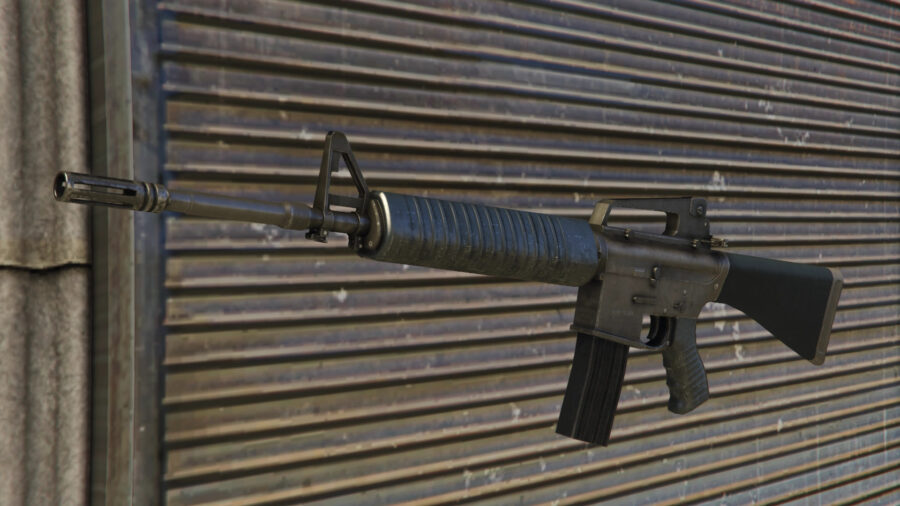
Service Carbine

Acting as the best available assault rifle in GTA Online, the Service Carbine can plow through your enemies with ferocious speed. This is a weapon that should be in your inventory, as you can get yourself out of almost any situation with it. While other assault rifles might do the job, the time to kill and recoil of the Service Carbine is unbeatable, making it a necessity for GTA Online players.

Make sure to invest wisely in some attachments for this weapon, as they drastically improve its performance. While the base model is fantastic, adding add-ons such as the extended mag or the scope will help neutralize the recoil all the way to zero. You can purchase this weapon for $370,000 at any of the Ammu-Nation stores around Los Santos.

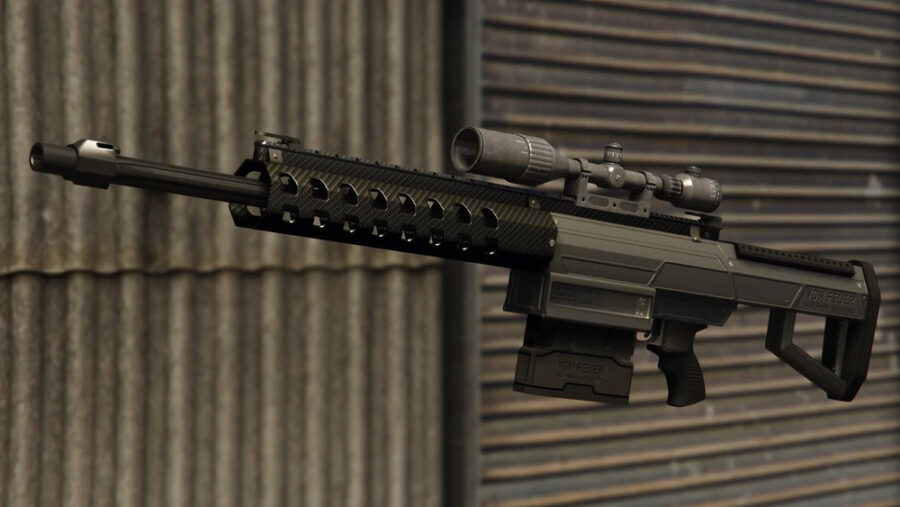
Heavy Sniper Mk II – Best GTA Online Weapons

Heavy Sniper Mk. II, one of the best weapons (and the best sniper) in GTA Online.

The Heavy Sniper (Mk I) is one of the best weapons available in GTA Online. So, what would happen if the damage was increased as well as the magazine? You’d get the Heavy Sniper Mk II, which is an exceptional weapon you should be utilizing while roaming Los Santos. There are loads of different ammo types you can utilize, with some of them allowing you to ignite enemy players upon contact.

To obtain this weapon, you must first purchase the Heavy Sniper. This can be bought for just under $40,000 at any of the Ammu-Nation stores around the map. From here, you will want to head to a Weapon Workshop, where you will get the ability to upgrade the Heavy Sniper to Heavy Sniper Mk II for $165,375. In total, this weapon will cost you right around $200,000.

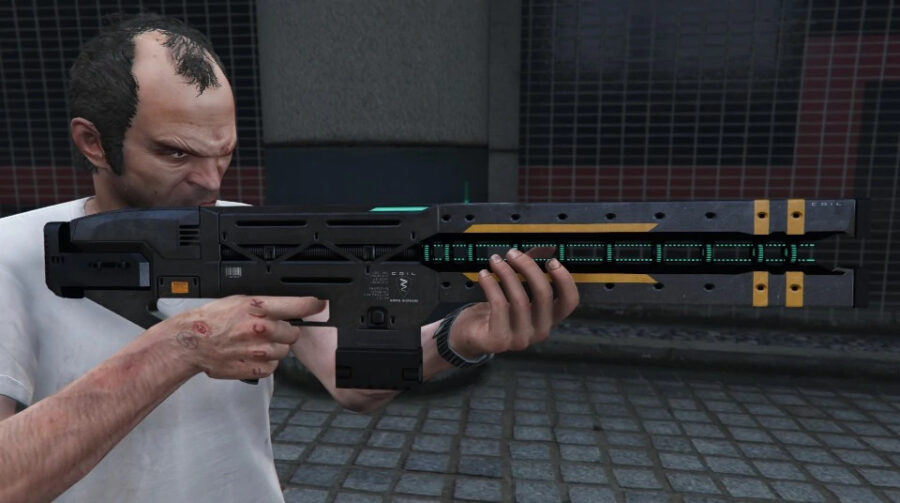
Railgun

The Railgun is one of the most interesting weapons in GTA Online. Just added as a part of the Drug Wars update, this weapon can deal an incredible amount of damage. It is best used against vehicles only, as it can be very difficult to aim at tiny players while moving.

The biggest downside with the Railgun is the incredible accuracy that is needed to properly operate it. Without perfect precision, you can easily miss your target. Additionally, its use is pretty much limited to cars and aerial vehicles, so that can be disappointing considering you have to cough up quite a lot of money to use it.

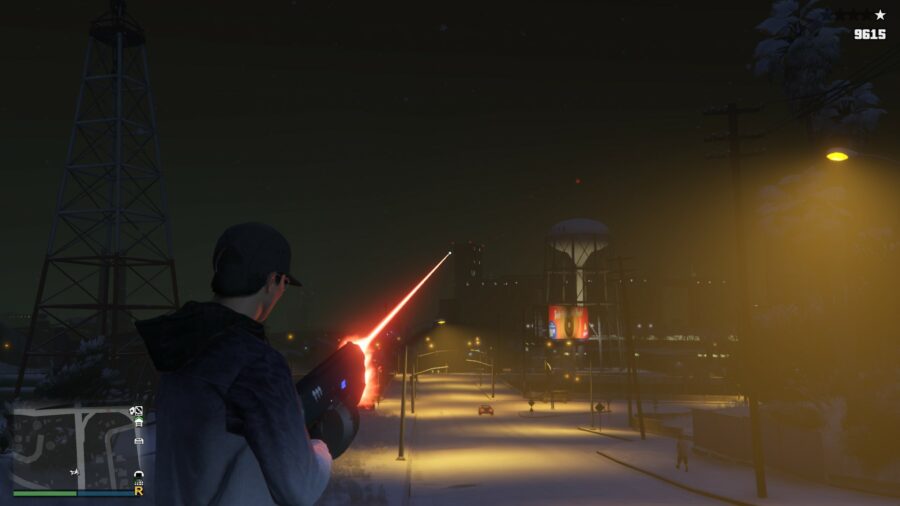
Unholy Hellbringer

Last but certainly not least, we’ve got the Unholy Hellbringer. This gun is pretty much a laser beam, with a ridiculous amount of power in your hands. At a steep $449,000, this gun is not a cheap purchase. However, it is a purchase that is well worth it in the long run.

The biggest plus the Unholy Hellbringer has against other SMG weapon types is its ability to hold up to 9,999 ammo. This means that there is no reloading, which is a setback with most of the other SMGs. It might not be the most accurate weapon, but considering its lethal ability and the ammo capacity, it will get the job done when you need it.

Stay Updated on The Latest Punk News

Get the latest punk news delivered straight to your inbox

We'll store and process this information to provide you our products and services. You may opt out of this at any time.