Dead Space Remake Trophy Guide: All Achievements & Trophies

If you’re looking to relive one of the most beloved survival horror games of all time, you’ll be delighted to finally get your hands on the Dead Space remake from Motive Studio. There’s plenty of stuff to do in this spine-chilling jaunt through a creature-infested mining rig, but if you’re hoping to fully complete everything, you’ll likely be looking to cross off every all of the Dead Space remake trophies or achievements, depending on your platform. Beware, though, that doing so won’t be an easy task.

The Dead Space remake’s trophy/achievement list is very similar to that of the 2008 original. Some familiar challenges return – such as requiring you to beat the game using only the Plasma Cutter and collecting 150 logs across the rig – alongside a new addition of an alternate ending you’ll need to unlock to complete the list. There’s a few other missable things to find and do along the way, too, so keep that in mind.

Completing the entirety of the Dead Space remake’s trophy/achievement list will require a minimum of two playthroughs – one to complete the aforementioned Plasma Cutter-only run, and another to overcome the Impossible difficulty mode. With a New Game Plus challenge tacked on, you can assumedly make that second run a bit more manageable by carrying over some of your upgrades, so it’s probably best to focus on Impossible mode during that playthrough.

All Dead Space Remake Trophies & Achievements

  • Concordance Officer (PS5 only): Collect all Trophies.
  • Welcome Aboard: Complete Chapter 1 on any difficulty setting.
  • Lab Rat: Complete Chapter 2 on any difficulty setting.
  • All Systems Go: Complete Chapter 3 on any difficulty setting.
  • Cannon Fodder: Complete Chapter 4 on any difficulty setting.
  • True Believer: Complete Chapter 5 on any difficulty setting.
  • Greenhouse Effect: Complete Chapter 6 on any difficulty setting.
  • S.O.S.: Complete Chapter 7 on any difficulty setting.
  • Strange Transmissions: Complete Chapter 8 on any difficulty setting.
  • Wreckage: Complete Chapter 9 on any difficulty setting.
  • Keeper of the Faith Complete Chapter 10 on any difficulty setting.
  • Betrayed: Complete Chapter 11 on any difficulty setting.
  • Exodus: Complete Chapter 12 on any difficulty setting.
  • Final Regeneration: Discover the Hunter’s origins.
  • Whole Again: Pursue Nicole’s investigation.
  • Set A Benchmark: Complete the game on Medium difficulty or above.
  • Untouchable: Complete the game in Impossible Mode.
  • Trusted Contractor: Complete New Game Plus on any difficulty mode.
  • Full Arsenal: Own every weapon in the game.
  • Built To Order: Install every weapon upgrade.
  • Autofire: Kill 30 enemies with the Pulse Rifle.
  • Live with the Hot Ones: Kill 30 enemies with the Flamethrower.
  • A Cut Above: Kill 30 enemies with the Ripper.
  • Pusher: Kill 30 enemies with the Force Gun.
  • Eviscerator: Kill 30 enemies with the Line Gun.
  • Full Contact: Kill 30 enemies with the Contact Beam.
  • One Gun: Beat the game using only the Plasma Cutter.
  • Pack Rat: Place 25 items in Storage.
  • Story Teller: Collect 75 Logs.
  • Legend Teller: Collect 150 Logs.
  • Merchant: Collect all Schematics.
  • Marksman: Dismember 50 Limbs.
  • Surgeon: Dismember 500 Limbs.
  • Wishbone: Rip off a dangling limb using Kinesis.
  • Raise The Stakes: Pin an enemy.
  • Freeze: Use Stasis on 50 enemies.
  • Backbreaker: Kill 10 enemies with a stomp attack.
  • Maxed Out: Fully upgrade all weapons and equipment.
  • Front Toward Enemy: Survive the Shooting Gallery.
  • Z-Baller: Complete Level 6 in Zero-G Basketball.
  • There’s Always Peng!: Find the Peng Treasure.
  • Full Clearance: Create the Master Security Override.
  • Brute Force: Kill a Brute.
  • Exterminator: Kill the Leviathan.
  • Get Off My Ship!: Kill the Leviathan Remnant.
  • Mindless Prey: Kill the Hive Mind.
  • Marked: Pick up a Marker fragment for the first time.
  • Reunion: See the alternative ending on any difficulty mode.

Fire Emblem Engage Gold Farming Guide: Earn Gold Faster

Farming gold in Fire Emblem Engage is essential for building a powerful army and purchasing valuable items. However, it can be a challenging task for new players, as the game’s economy system is complex and requires a bit of strategy to navigate. Fortunately, with the right strategies, it is possible to amass plenty of gold in a relatively short amount of time, and we are certainly aware of these methods. In this article, we will discuss some effective tips and tricks for farming gold in Fire Emblem Engage.

Fire Emblem Engage Gold Farming: Defeat Gold Corrupted in Skirmishes

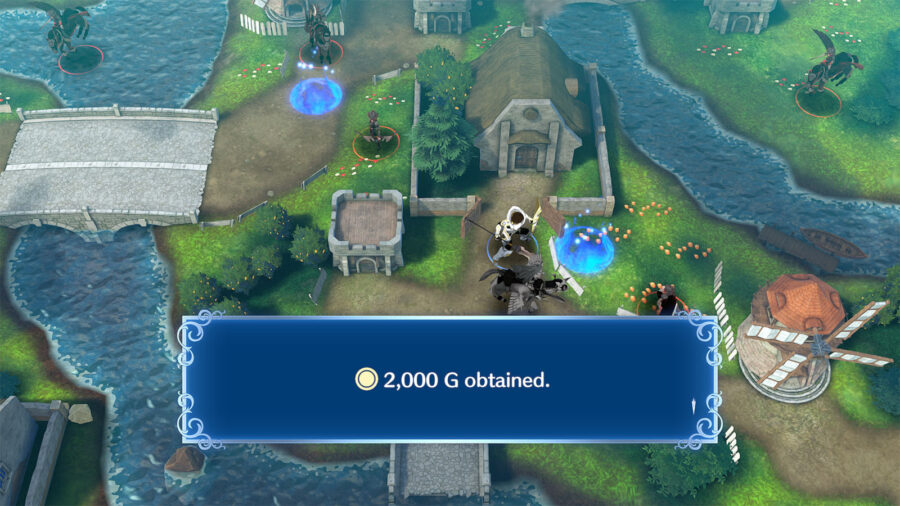
Defeating Gold and Silver Corrupted enemies in Skirmishes and Emblem Paralogues can yield a significant amount of gold. These enemies can be identified by the “Corrupted” tag, and the amount of gold they drop can be viewed in their inventory.

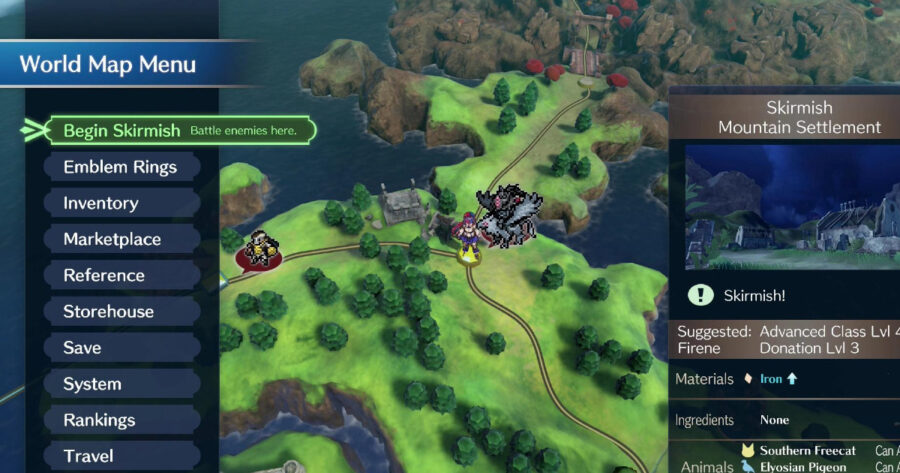
If you weren’t aware, Skirmishes are special challenges that appear on the overworld map in areas that have been previously cleared and typically involve defeating all enemies on the map. Additionally, by leveling up a kingdom through donations, players can increase the chances of encountering Silver and Gold Corrupted enemies in Skirmishes, allowing for even more opportunities to farm gold.

Complete Paralogues

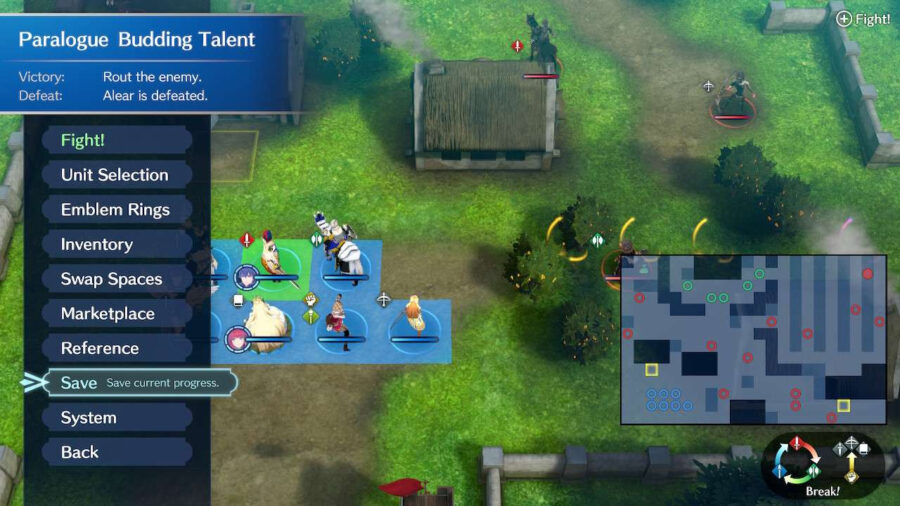
Play paralogues as a method of gold farming in Fire Emblem Engage.

Paralogues, which are the side missions in the game, are ideal for farming materials and grinding Emblem Rings. While some of the earlier Paralogues offer the chance to recruit new characters, many of them are geared towards earning Gold for your Emblems by revisiting iconic levels from previous games. These missions offer opportunities to gain valuable resources and increase the strength of your army.

Here is a list of all the Paralogues in Fire Emblem Engage:

  • Paralogue 1: Budding Talent: Unlocks after Chapter 6
  • Paralogue 2: Mysterious Merchant: Unlocks after Chapter 7
  • Paralogue 3: The Exalt: Unlocks after Chapter 11
  • Paralogue 4: The Lady of the Plains: Unlocks after Chapter 12
  • Paralogue 5: The Radiant Hero: Unlocks after Chapter 13
  • Paralogue 6: The Instructor: Unlocks after Chapter 14
  • Paralogue 7: The Crux of Fate: Unlocks after Chapter 15
  • Paralogue 8: The Azure Twin: Unlocks after Chapter 16
  • Paralogue 9: The Holy Knight: Unlocks after Chapter 18
  • Paralogue 10: The Sage Lord: Unlocks after Chapter 18
  • Paralogue 11: The Dawn Maiden: Unlocks after Chapter 20
  • Paralogue 12: The Young Lion: Unlocks after Chapter 20
  • Paralogue 13: The Caring Princess: Unlocks after Chapter 21
  • Paralogue 14: The Hero-King: Unlocks after Chapter 23
  • Paralogue 15: The Connector: Unlocks after Chapter 23

Collect Spirits of the Fallen – Fire Emblem Engage Gold Farming Guide

Collecting spirits of the fallen can be a great Fire Emblem Engage gold farming method, if you have Nintendo Switch Online.

Online features like Spirits of the Fallen are the special spots representing the place where other players and foes have fallen. As a result, they leave behind valuable resources like Gold for you to collect. However, to access Fire Emblem Engage online features like Spirits of the Fallen, you must head to the Tower of Trials in the Somniel, which is unlocked after completing Chapter 6: The Stolen Ring. On top of that, a Nintendo Switch Online subscription is required to use this feature.

Sell Weapons And Items You Don’t Need

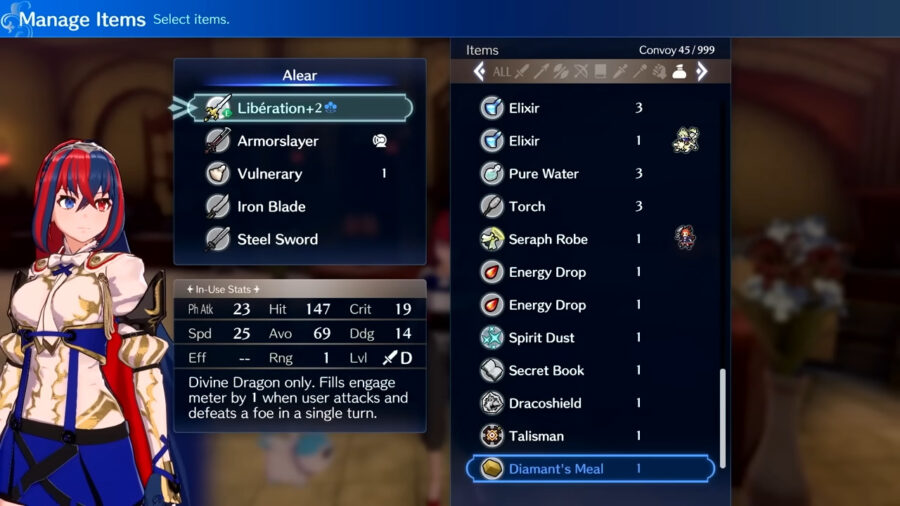
Selling items in Fire Emblem Engage is an effective way to earn extra gold and make room in your inventory. As you defeat enemies in Fire Emblem Engage, your characters will pick their items along the way. Therefore, it’s recommended to sell the items that you don’t need to earn plenty of Gold. 

As a result, you will have the option to purchase better weapons and support items and upgrade your donations at the market. It’s also important to occasionally check your characters’ inventories as they may be holding onto an item they cannot use. By doing this, you’ll not only have more gold to spend but also make sure that your characters have the best equipment for their journey.

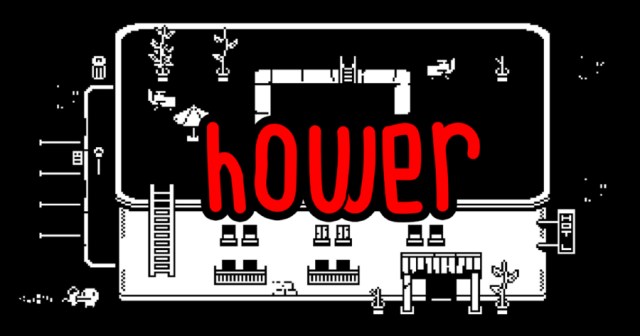
Devolver Announces ‘Minit’ Sequel Called ‘Hower’

UTRECHT, Netherlands — Developers of the hit 2018 independent video game Minit announced that they’re working on Hower, a sequel that promises to be much larger in scope.

“I think fans of Minit will be excited to see that we’ve changed every aspect of the gameplay,” said Dominik Johann, one of the game’s designers. “Instead of a looping minute-long romp through a Game Boy inspired land, we’re giving players an hour to explore a murky open world straight out of the PS3 era. Better fill in as much of your map as you can before the Hower is up!” 

“Also we’re adding the color green to the game this time. So it’s black and white and green. Just another element for fans to play around with,” he added. “Oh and it’s a first person shooter now.”

Fans of the original game were hesitant to embrace the sequel. 

“That sounds like a little much, don’t you think?” asked Sarah Martell, a gamer who enjoyed Minit upon its release. “The first one had a great premise and original style, and this new hour long one just sounds like a great big ol’ chore. This doesn’t sound nearly as charming or fun.” 

“That being said, I have something like 400 hours in Minit,” Martell continued. “So I guess I’ll probably end up with 2400 hours in Hower. God damn it.”

As of press time Devolver had also announced a prequel to Minit, tentatively titled Sekund.

Hey guess what! This article was sponsored by Devolver Digital. Hower may not be a real game (YET — USE THIS IDEA, GUYS), but you can grab Minit on Steam for 10 bucks and you absolutely should. Cool game! 

Mario Throwing Another One of His Fucked Up Parties

MUSHROOM KINGDOM — Close friends of Mario reported feelings of dread and paranoia as they received invitations to one of his notoriously fucked up parties, numerous sources have confirmed.  

“Oh Jesus Christ,” said Luigi, opening the invitation to the beach themed party his brother Mario is throwing next weekend. “I really wish Mario would learn what other people’s parties were like. I want to drink beer and laugh with my friends, not play a bunch of games and fight for my life. I told myself I wasn’t going to go to any more of these after I burned my feet on that god damned flaming jump rope last time, but what am I gonna do? He’s-a my brother.”

“I’m just so scared,” he added.  

Other recipients of the invitations began crafting their excuses not to come. 

“Oh fuck it all, not again,” said Princess Peach, shortly after receiving word that she’d been invited to Mario’s beach party. “I gotta get out of this and tell him I have a tennis match or something. It’s bad enough that he makes us play all these games and by the end everyone’s mad at each other, but do you know what he does after that? He makes us all stand around while he announces who he thinks ‘won’ the party. Have you ever heard of anything more deranged? I’ll tell you the real loser at these things. All of us. That’s who.” 

Despite the objections from his friends and family, Mario was undeterred in his plan to throw several highly involved conceptual parties every year. 

“My friends, they really look-a forward to these things,” said Mario, preparing a table of snacks and drinks at a picnic table before all of his friends arrived. “They all like to pretend like it’s a stressful environment around here, but I know they’re only-a kidding around with me. I love-a my friends so much. That’s why I put so much-a work into these parties for them.” 

“How-a come no one is here yet, though?” he added. “This-a party was supposed to start two hours ago.” 

As of press time, Mario was spotted at a nearby lake, struggling to paddle a boat clearly meant for two people.

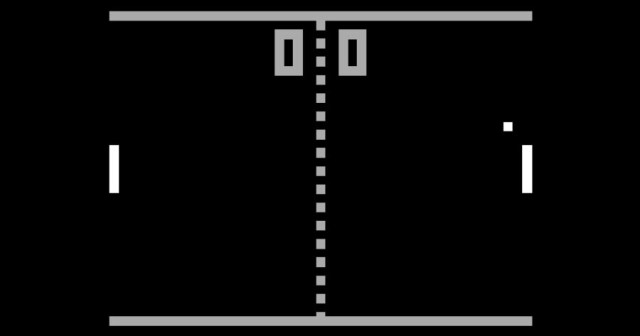
Opinion: Pong Is a Fighting Game

With gaming genres becoming more and more blurred as massive, industry-shattering games like Elden Ring and God of War effortlessly shift in tone and gameplay as you progress, some of the classics must be re-examined in a new context. Additionally, this is our website, and we can honestly have any opinion we want and you can’t do anything to stop us. Upon looking back at one of the watershed moments for video games, Pong, we realized that the player-versus-player adversarial game play is reminiscent of fighting games of today. We also realized that angry comments and quote Tweets just feed our online engagement insights. Go fuck yourself: Pong is a fighting game.

Sure, fighting games are usually two muscular men punching and kicking to fill up their various meters, and Pong is just two white bars bouncing a ball back and forth. This is an empirical fact. But fighting games have long stretched their own definition throughout the years. From classic 2D fighters like Mortal Kombat and Street Fighter, to platform fighters like Super Smash Bros or Arena fighters like Gundam, the genre clearly is a beautiful jewel with many different, unique sides. 

But can Pong be considered a fighting game? Well, not really. It’s a very simple, primitive video game that contains no fighting at all. That said, suck my dick, we’re saying it’s a fighting game anyway. Honestly, just to upset you at this point. This opinion is a way to virtually spit in the face of any and all fighting game aficionados to say ‘we get to do whatever we want.’ Pong is a fighting game, and there’s nothing you can do to stop it. 

Yes, we could spool some golden thread about how Pong is emblematic of the heart of competition in fighting games. Some genius boldfaced lie about the two infamous white Pong paddles being the first ever fighting game characters, but why even fucking bother? 

Just from reading the headline you already decided if you agreed with the opinion or not, and merely clicked to be angered by the contrasting thought or have your own incorrect opinion reaffirmed. Why should we perpetuate this meaningless song and dance any further? I think it would be best if we just go our separate ways, perhaps forever.

Also nothing matters, Fortnite is a puzzle game.

Fire Emblem Engage Chapter 11 Guide: How to Beat Retreat

As the Fire Emblem Engage story goes on, Chapter 11 marks the first true escape mission in its campaign. On top of having only a little break in between the previous chapter and this one, a small mistake can lead to casualties, especially on harder difficulties or in classic mode. Here is a rundown of Chapter 11: Retreat, what units can work best in it, and some key tips to get out of this escape alive.

While spoilers will be limited, there are some unavoidable ones below, so proceed at your own risk.

Fire Emblem Engage Chapter 11: Retreat Overview

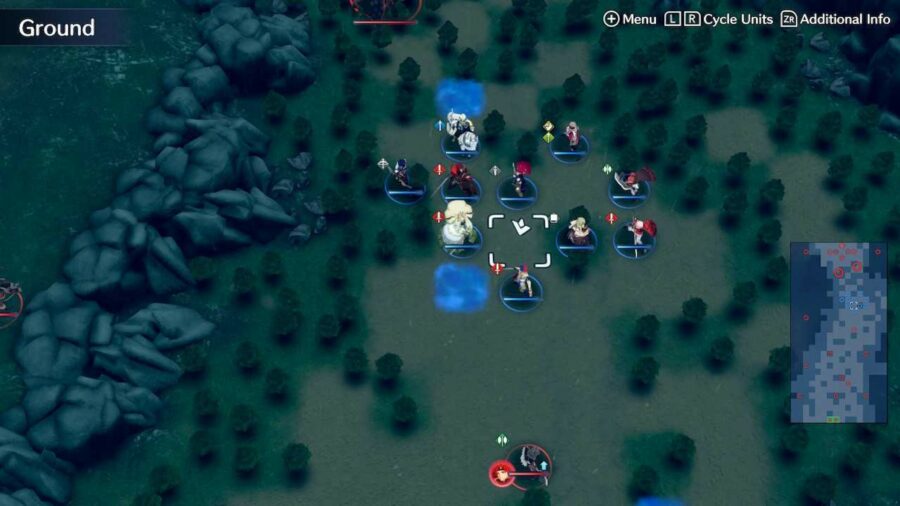
The starting position for Chapter 11: Retreat in Fire Emblem Engage.

To start, this chapter is highly tied to the previous one, as this is an escape from the Cathedral after a low point for you and your team. The recommended level of units to run is around level 11. However, due to the situation that arose in Chapter 10, you start the fight with no Emblem Rings (unless you have the DLC ones) and no ability to rewind time.

Where all of the goals in previous chapters was to defeat the main antagonists, this is the first true escape mission. Starting near the top of the map, the goal is to make it all the way to the bottom with Alear (or whatever you named your protagonist). When you get on that green-highlighted square, it doesn’t matter where the rest of your team is, the escape is considered complete.

As for what units to run, going with Archers is key, especially with the enemies coming from both left and right. Asides from that, running strong but fast units to get to the end is a good strategy.

Speaking of the end, it’s quite a distance away, with enemies coming from all directions and holding the spaces of your potential escape. Plus, the daughter of the Fell Dragon will be able to Break weapons from your team if you stay too close to the top of the map.

Ivy Joins to Save the Day

While the escape seems to be dire, partway through your escape, Princess Ivy of Elusia and her two retainers Kagetsu and Zelkov will join you. She also comes bearing gifts, specifically two Emblem Rings: Ring of the Lady of the Plains and the Ring of the Exalt Princess.

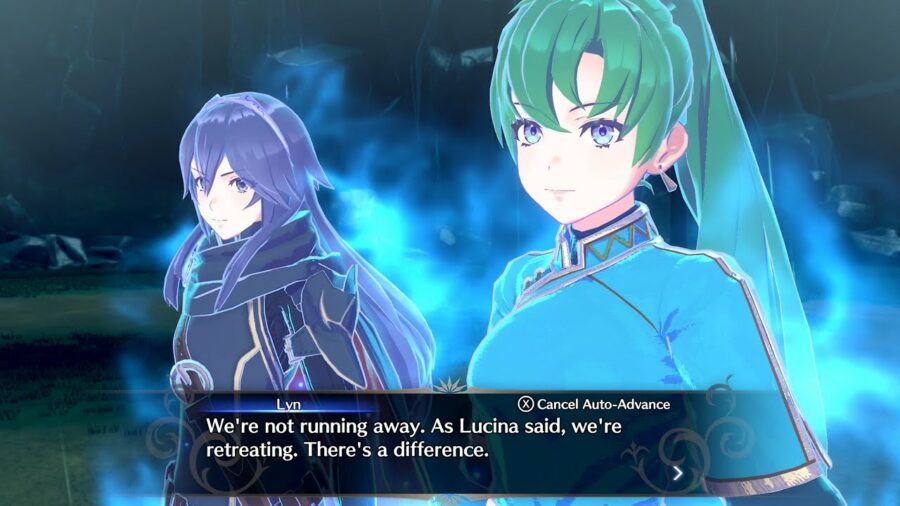
With that, you go from having no Emblem Rings to just two, with Lyn tied to Ivy and Lucina tied to Alear. It’s still a big downgrade from before, but it does help a lot as the escape gets tougher. 

How to beat Fire Emblem Engage Chapter 11, "Retreat."
Emblem Lucina and Lyn in Fire Emblem Engage.

As Ivy arrives, the Four Hounds join the fight, starting at the very top of the map. They are very strong, with multiple revives and your previous Emblem Rings. This brings us to the first tip, one that I didn’t do properly on my first try and had to restart to get right.

Keep Moving Down to Avoid Casualties

This is an escape mission and a very dangerous one thanks to the removal of your Emblem Rings. While there are plenty of enemies around, the ones below you (asides from the ones holding the escape squares) aren’t too dangerous. The ones above you are the ones you should avoid, so don’t try and take battles with enemies above you unless they engage. Even if that happens, try and hit them from range while you move down the board.

A smart way to make sure your team moves down as fast as possible is to change the position of your team before the escape begins. In that preparation mode, move your slowest units to the front alongside Alear, so they can cover more distance. Put your fastest units in the back, so they can catch up quickly and even detour slightly to cover left and right flanks. 

Also, when Ivy joins your team, that’s when the true danger begins. The Four Hounds will cover a lot more distance than you think, especially Zephia as a Flying enemy. Always keep an eye on the Four Hounds’ movement and when they can hit allies, as they have a good chance to one-shot a majority of them.

Fire Emblem Engage Chapter 11: Meet the Win Condition for a Swift Victory

Lastly, the win condition is simply to get Alear (you) on the escape square and to use the Escape action. So, while there are only two escape squares with two enemies on them, eliminating one with an ally and getting Alear (you) on it is viable.

It makes sense to want to clear it out and kill nearby enemies for experience, but that can also lead to the Four Hounds catching up sooner than expected. Just focus on escaping with Alear above all else, and you should be all right.

Looking for more help with Fire Emblem Engage after Chapter 11? Check out our guide on how to get more of the elusive Relay Tickets.

CoD Warzone 2 Server Status: How to Check If Warzone Is Down

Call of Duty: Warzone 2 is a hugely popular battle royale played by thousands of players. So, with a huge amount of players, it needs to be kept fresh and updated throughout its lifespan. And at any given point, the servers may be down or acting unstable. As such, you might be inclined to know what status the servers are in. With that in mind, here’s how to check the Call of Duty: Warzone 2.0 server status.

What is the Current Warzone 2 Server Status? How to Check it

At the time of writing, the Call of Duty Warzone 2.0 servers are not currently down. But, it could be down at any time due to some error or small updates the developers might push out. To check out whether the Call of Duty: Warzone 2 servers are down along with the MW2 servers, you can go to the official Activision Online Services page. There, choose Call of Duty: Warzone 2.0 from the drop-down,  and you’ll know whether the game’s servers are online or offline.

Additionally, it is crucial to note that if you can’t access Warzone, it might not be the servers’ problem, but the online services of the platform you might be playing on. So, you’ll have to check the online services of the platforms you’re playing on like the PlayStation Network, Xbox Live, or Battle.net. Checking these might prove useful as they might be down for maintenance or servicing.

You will also have to check the Twitter account related to Activision games support at @ATVIAssist to know if there will be any server outages. Generally, this account keeps players updated on whether game server outages will occur and how long will they take.

How to Fix Warzone 2 Server Connection

If you are still having Warzone 2.0 problems, even when the servers are online, then the problem might be your internet connection. One of the possible fixes is resetting your router. Then, run a connection test to see if everything is alright.

Another way to check is by using a wired connection. A wired connection will give less interference in running games, especially such a huge game like Warzone. So, it might solve the server problem.

Finally, sometimes you might just need to close and restart the game and the connection will automatically fix itself.  If they still persist after doing the above, you should contact Activision Support from the Online Services page detailing all the possible information about your connection and platform.

Call of Duty Warzone 2 Custom Perks Guide: How to Change

In Call of Duty Warzone 2, there are plenty of perks for you to choose from to gain an upper hand against your opponents. If you’ve ever played a Call of Duty title, chances are you’re familiar with what perks enable you to do in the game. We’ve got you covered with what perks do, how you can select them, and the limitations of their custom perks in Warzone 2‘s current state.

What Are Perks?

The easiest way to explain perks is that they are abilities you can select to assist yourself throughout each game. There are downsides to each, however, so you’ll need to select which ones you’d like carefully. One of the more popular perks, Ghost, hides your location on the minimap so you won’t be spotted by a UAV, for example. It is important to note that these perks only apply once you get your loadout from a loadout drop.

Your enemies have the same choice of perks as you do, so you’ll need to keep this in mind when playing. In Warzone, perks operate a little bit differently than the traditional way they do in multiplayer. You will select a Perk Package, which is a grouping of four perks. These will be applied to you each game and enable themselves as the match goes on.

How Do You Change Perks in Warzone 2?

How to change perks in Call of Duty Warzone 2.

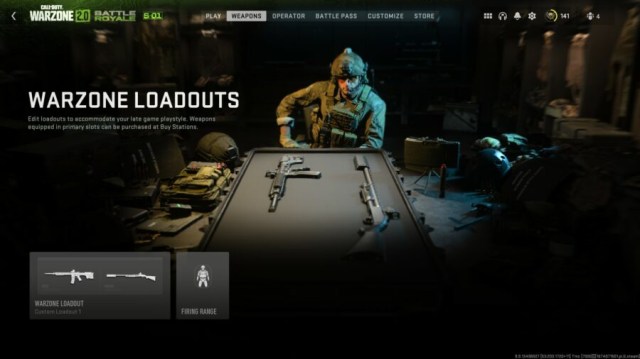
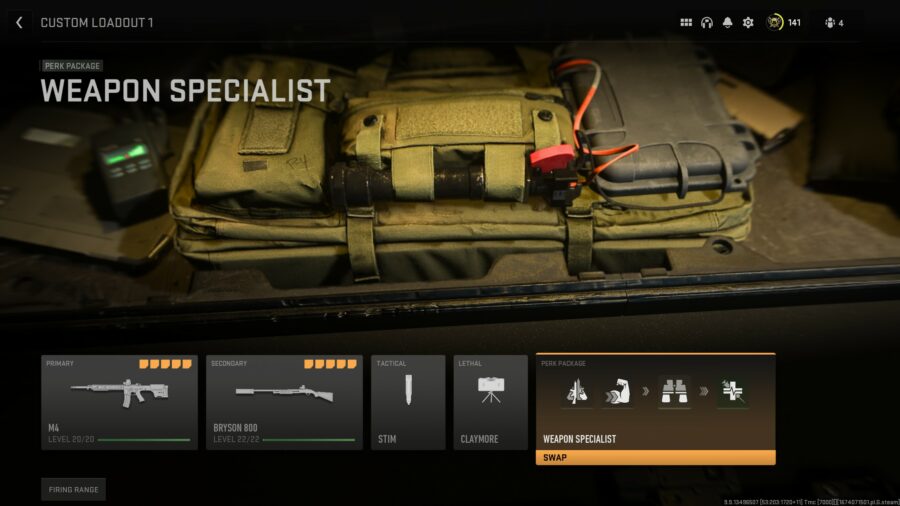
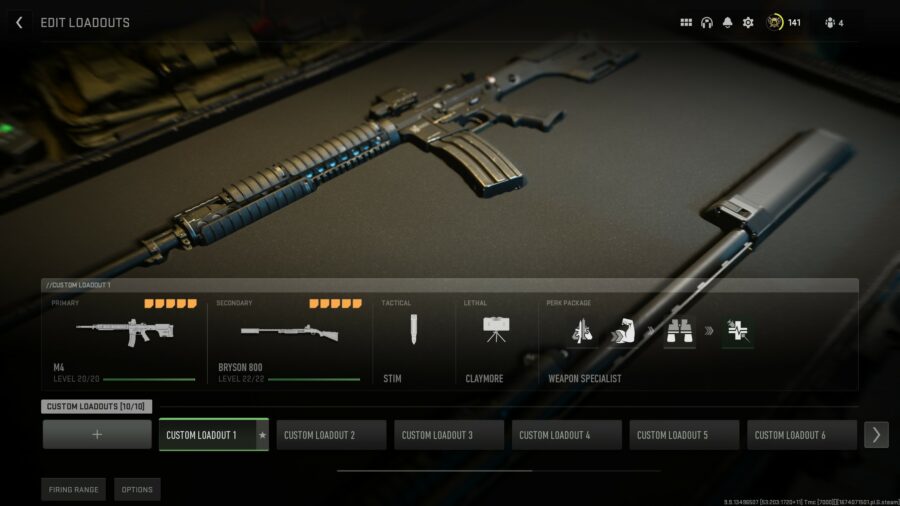
To change perks in Warzone, you’ll need to first navigate to your Weapons tab. Here, select Warzone Loadout and head into one of your custom loadouts. As you can see, you want to select the option on the very right, which is titled Perk Package. Selecting this will allow you to pick one of the available packages, all of which being listed below.

Commando – Scavenger, Strong Arm, Fast Hands, High Alert

Recon – Double Time, Tracker, Focus, Birdseye

Scout – Scavenger, Strong Arm, Focus, Ghost

Sentinel – Battle Hardened, Bomb Squad, Cold Blooded, Overclock

Specter – Double Time, Tracker, Spotter, Ghost

Vanguard – Double Time, Bomb Squad, Resupply, High Alert

Warden – Double Time, Strong Arm, Fast Hands, Overclock

Weapons Specialist – Overkill, Strong Arm, Spotter, Survivor

We’d recommend going with Weapons Specialist, as the Overkill perk enables you to have two different primary weapons in your loadout. This is a very big advantage, as utilizing two different primary weapons can mean a heavy amount of variation in firepower and range. Most other players have this perk as well, so keep this in mind when deciding which package to select.

Can You Make Custom Perk Packages in Warzone 2?

As of now, unfortunately you are not able to change the perk packages that are offered in Call of Duty Warzone 2. Activision does not currently allow you to mix and match perks to create your own custom perk package. It seems that this might have been implemented to keep a certain balance in Warzone 2, however, it does seem somewhat likely that Activision may enable custom Warzone Perk Packages in a future update. Season 2 is right around the corner, so we could see this feature make its way over sooner than you might think.

Genshin Impact: How to Earn Primogems Faster (2023)

Primogems are a crucial part of Genshin Impact, as they are used to buy all sorts of cool stuff, like new characters, weapons, and other in-game items. Being a premium currency, obtaining Primogems in the game isn’t an easy task unless you have a lot of real cash to spend. Luckily, we can show you some methods to boost your rate of earning Primogems faster in Genshin Impact. Here are some tried and proven strategies to help you out in this mysterious journey.

Genshin Impact: Daily Commissions Earn Primogems Quickly

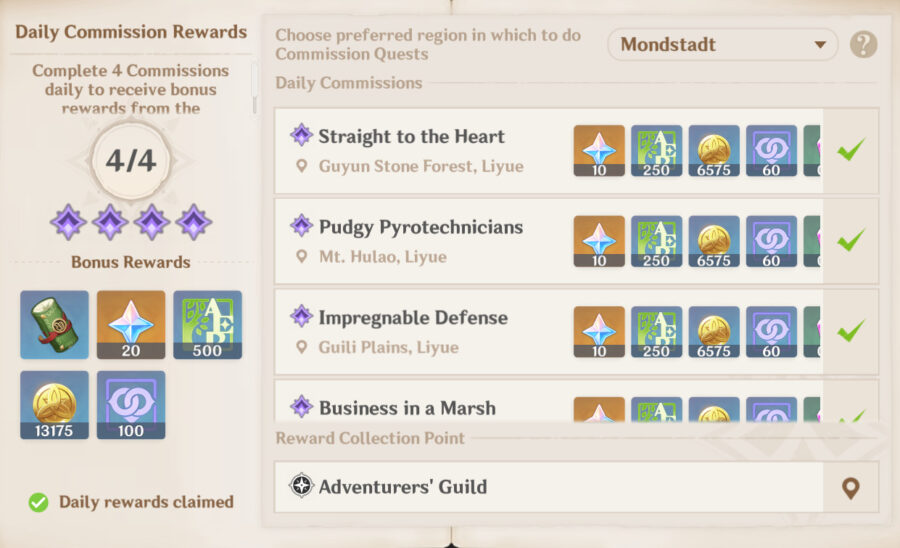
Daily Commissions are an excellent way for players to earn Primogems in Genshin Impact. As the name suggests, Daily Commissions are updated every day, and they include a variety of activities like defeating a certain number of monsters, collecting a specific item, or reaching a certain level in a specific location.

To find the daily objectives, go to the Commission tab in the Adventurer’s Handbook. The amount of Primogems earned from Daily Commissions can vary, but completing them is a great way to earn Primogems quickly.

Besides this, Daily Commissions rewards travelers with experience points, Adventurer’s Exp, and other valuable items. As a result, these can also help users boost their in-game progress and unlock new levels.

Unlocking Hidden Achievements

Unlock hidden achievements to earn Primogems faster in Genshin Impact.

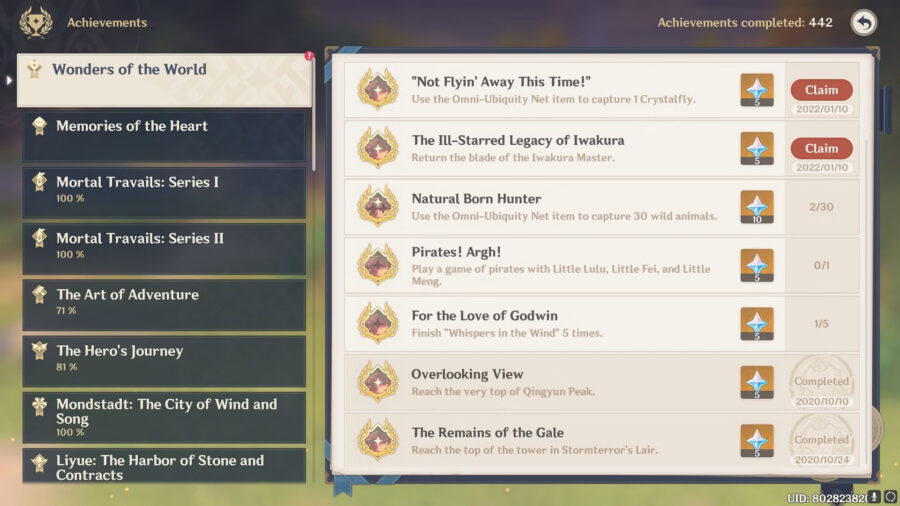
Another way to boost your Primogems farming rate is by completing hidden achievements in Genshin Impact. These are special in-game tasks that players can discover and complete to earn rewards such as Primogems, experience points, and other in-game items.

Hidden achievements are scattered throughout the game world and can be discovered by completing certain actions or interacting with specific objects. For instance, one hidden achievement may be triggered by finding a new area, while another may be triggered by defeating a specific boss.

 Although these achievements are not mandatory to make progress, but accomplishing them is an effective way to earn a heap of Primogems quickly.

Participate in Events to Earn Primogems Faster

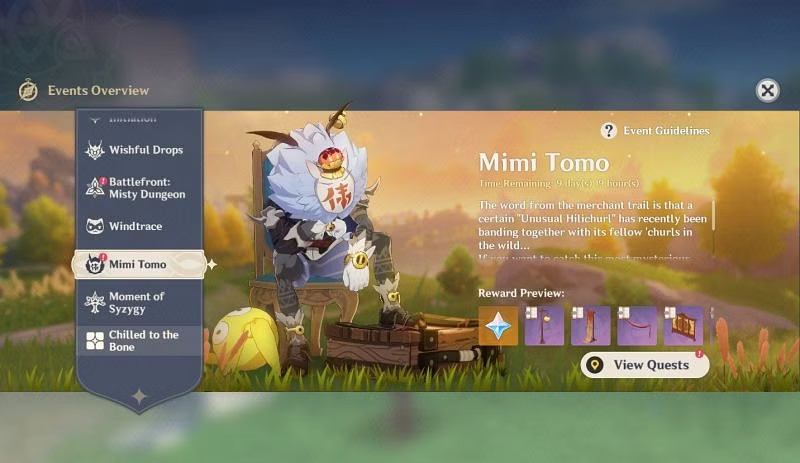
Similar to other video games, events in Genshin Impact are limited-time activities that reward players with Primogems and other items. HoYoverse frequently updates its event calendar with upcoming events, so players should keep an eye on the official blog to stay informed about what’s happening in the game.

On top of that, events require players to meet specific requirements, such as a certain Adventure Rank. Hence players should always check the eligibility criteria before attempting to participate. Once players have completed event quests and challenges, they can claim rewards from the event menu. These rewards also include the premium currency, Primogems.

Level Up Your Adventure Rank

Level up your adventure rank to earn Primogems faster in Genshin Impact.

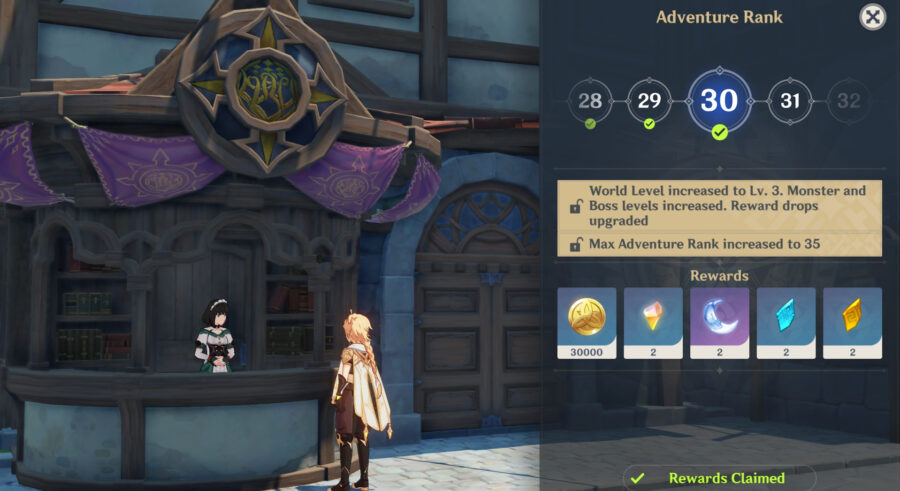
Genshin Impact gives you free Primogems when you level up in the game. Working through your Adventure Rank is a piece of cake if you are a regular player. However, if you’re new to the game and having a hard time when increasing your Adventure Rank, then here are a few suggestions.

One of the easiest ways to increase your Adventure Rank is by completing the various quests available in the game. These can be found under the quest menu and activated by accomplishing the corresponding objectives. 

Another way to increase your Adventure Rank is by exploring the different regions of Teyvat. As you discover new locations and defeat enemies, you’ll earn Adventure XP, which will help you level up. Finally, take out opponents in the wild, and you will get XP points. If you are able to defeat elite enemies and bosses, you will get more XP.

Redeem Codes to Earn Primogems Faster in Genshin Impact

Redeeming codes is an exciting way to get some bonus items and make your Genshin Impact journey even more fun. 

These codes are a unique combination of alpha-numeric letters that game developers often give out as a way to thank players for their support or to celebrate special events. Therefore, keep an eye out for redeem codes on the game’s social media pages, live streams, official website, or even in-game announcements.

Once you have any working code, you can go to the redeem code page and enter the code exactly as it is given, including any dashes or spaces. Then, check your in-game mail and claim the rewards from there. However, it’s worth noting that these codes are valid for a limited time and can only be used once, so it’s essential to redeem them as soon as possible. 

By following these tips, you should be able to earn plenty of Primogems quickly in Genshin Impact. Just remember to always stay on the lookout for new opportunities and be willing to try out new methods in order to succeed.

Breaking: Ninjas Have Kidnapped President Joe Biden With Remarkable Ease

WASHINGTON — The White House has confirmed that President Joe Biden was kidnapped by ninjas this morning, adding that it didn’t seem particularly difficult for them to do. 

“The president has been kidnapped by ninjas,” said White House Press Secretary Karine Jean-Pierre in an emergency briefing earlier today. “While we scramble to find a bipartisan group of dudes bad enough to take on this rescue mission, we can’t help but observe the alarming ease with which this group of street toughs were able to abscond with the leader of the free world. It’s concerning to say the least. Nevertheless, we will get Mr. Biden back just as soon as we make contact with him, at which point we are fairly confident we can convince him to come back with us.” 

Many argued that this was merely the latest in a series of glaring errors from the 46th president. 

“Geez, this guy can’t get anything right,” said Don Rodney, a local resident that’s been critical of the President. “The Afghanistan withdrawal, the fist bump with Mohammed bin Salman, the classified documents, and now this ninja blunder. It’s not great. How does the President get kidnapped right out in plain sight? I heard they didn’t even have to use force, they just asked him to come to the van and he sort of just moseyed over with them. Is that true?” 

Former Secret Service members weren’t surprised by today’s kidnapping. 

“Yeah, that’s Joe for you,” said a former security escort to the President who wished to remain anonymous. “When I used to work for him, he’d always point to strangers and ask me if he should go follow them around, and I’d say, ‘Absolutely not, President Biden,’ and he always seemed really confused. I knew it was only a matter of time before he fell into the wrong hands.” 

As of press time, bad dudes Hunter Biden and Dan Crenshaw had been beaten to death by ninjas during an attempt at retrieving President Joe Biden. 

Stay Updated on The Latest Punk News

Get the latest punk news delivered straight to your inbox

We'll store and process this information to provide you our products and services. You may opt out of this at any time.