
High on Life Guide: Should you Kill 5-Torg?

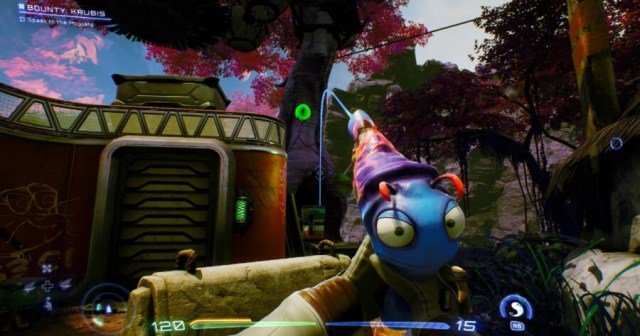
High on Life presents players with lots of interesting scenarios. You’re given an arsenal of talking weapons including a very homicidal knife, there are several movies that can be watched, and you can even buy a jar of alien sperm (Yes, that’s a real thing that happens in the game). One of the most interesting scenarios presented to players involves the alien criminal 5-Torg. High on Life gives you the option of killing her following a fight with her clone, 9-Torg. The question is, should you?

Where is 5-Torg in High on Life?

Getting to 5-Torg in High on Life will require you to fight 9-Torg. Your first mission in High on Life will require you to kill 9-Torg. After getting some equipment from Gene, you’ll head to the slums and find 9-Torg as well as Knifey the angry knife. Before you get to her, you’ll have to kill several alien henchmen. Eventually, you’ll reach 9-Torg and discover that she’s captured her sister, 5-Torg, and plans to kill her. This leads to a boss fight.

High on Life: Should you Kill 5-Torg?

After defeating her clone sister, 5-Torg reveals to you that every Torg is an evil clone and that she’ll probably just replace 9-Torg now that you’ve killed her. With this revealed, you can choose to either leave her alone or attack her. Attacking her will begin another boss fight. Killing 5-Torg will cause your weapon to congratulate you on beating a secret boss. The death of 5-Torg will not affect the story of High on Life. It doesn’t even give you an achievement. Letting her live won’t have any consequences either.

In the end, it doesn’t matter if you kill 5-Torg or not unless you want some extra dialog from High on Life. You won’t have to worry about regretting your decision to kill her or let her live. So stop thinking about her, and focus on all the other alien bad guys you’ll need to hunt down.


Google Result for Your Question Just a Webpage That Doesn’t Know the Answer Either

PLANO, Texas — Despite indications that the site was presenting itself as containing relevant information, sources say that a Google search result for local man George Horbin’s question returned a webpage which didn’t know the answer to his question either.

“In preparation to start Pokémon Scarlet, I was researching differences between the two versions to find out what starter I should pick in my save,” said Horbin. “With such a simple and answerable question, I never suspected it would be difficult to find a relevant search result, but the first link I clicked was just 5,000 words about the game’s plotline with my question repeated at the bottom and no clear answer.”

Horbin became surprised after discovering the same issue with many of the other articles returned on the first page of his search results.

“The second article went on at length about the history of Pokémon and how the designs have grown more stylized with each generation,” Horbin continued. “After another 5,000 words or so I finally reached the explanatory section of the article I was so desperate for, but to my surprise the final paragraph merely stated there was no confirmation yet about what each game’s version-exclusive Pokémon were. The writers stalled for 5,000 words and they didn’t even know! In fact, they asked readers to inform them in the comments section. The absolute nerve!”

An editor of one of the high-SEO websites issued a statement defending their tactics for deceptively engaging readers.

“It came to our attention that our readers have misunderstood the title of our recent article, ‘There Are Definitely Differences Between Pokémon Scarlet and Violet’, which is obviously implied to have a question mark at the end,” said Sam Johnson, Editor of findanswershere.com. “We apologize for the confusion resulting from this misunderstanding. In response, we’ve reprimanded the AI that writes all of our content. The bot’s machine learning model has since been adjusted to begin each article with a few paragraphs about how it feels like a worthless failure, which we think will lead to even further increased engagement from our readers.”

At press time, findanswershere.com had reportedly published its hundredth fake film trailer made from spliced-together MCU footage.

Woman Spends 20 Minutes Finding Perfect Video to Watch During Meal She Spent 6 Minutes Making

ST. LOUIS — Searching tirelessly for the perfect YouTube clip, local woman Carla Terrence spent over 20 minutes browsing for the video accompaniment to the meal she only spent six minutes making.

“Sure, the food was half-assed and crudely prepared and plated, but when looking for the video to eat is when I become a connoisseur,” Terrence explained. “I couldn’t give a shit what I put into my body, it’s about what video essay I watch while I do so. They’ll tell you the perfect video is just a fantasy, but if you search enough, you’ll find something with the exact length and engagement to sync up just right. I’d rather eat hastily-burned garbage with a good video than eat a filet mignon in cold silence like some peasant.”

“Besides,” she added. “I’d cook more interesting stuff if I had the time, but I’m just way too busy.”

Terrence’s roommate, Annie MacDonald, claimed that Terrence frequently takes far too long to select her dinnertime YouTube video.

“Sometimes I’ll come downstairs in the morning and she’s still there trying to pick what to eat with last night’s dinner, which is now cold and disgusting,” MacDonald said. “If she put this much work into cooking, I’d be dining in a five-star restaurant every night. Sometimes she even starts a video and after thirty seconds clicks away, determined to find something better. I try to tell her that she doesn’t need to have something playing just to finish a leftover sandwich, but she just scoffs and scrolls deeper into her subscriptions tab, tirelessly trolling for the flawless vlog or gaming commentary.”

At press time, sources close to Terrence reported that the situation had worsened after she began searching for a good video to watch while she searched for the perfect video to watch while enjoying her meal.

Wii Steering Wheel Attachment Makes It Through Another Round of Cabinet Reorganizing

TAMPA, Fla. — Local gamer Perch Goldman has announced that the steering wheel attachment for his Nintendo Wii has made it through another round of cleaning and will remain in his cabinet for the time being.

“It was a close one this year, but eventually it seemed worth it to keep it around a little while in case I want to boot up Mario Kart with some friends sometime,” said Goldman, shortly after the purge.

All of Goldman’s other Wii Remote attachments, such as the tennis attachment for Wii Sports and the rifle attachment for Buck Country: Extreme Hunting, were removed by 2014, as Goldman claimed they were not worth the space in the bin at the bottom of his cabinet full of equipment for his Wii.

“Honestly, the first time I used that stupid rifle attachment I knew it wasn’t worth keeping. And the Wii Sports things were fun when I was a kid, but I’m a man now and I understand that it’s not a real baseball bat, it’s just plastic,” Goldman explained. “But there’s something about that steering wheel that makes it worth keeping around.

Goldman’s steering wheel seemed relieved for the moment, yet understood just how close things had come this time.

“I thought this was it for me,” the steering wheel attachment told reporters, aggressively puffing a cigarette and wiping sweat from its plastic steering forehead. “He hasn’t used me in 3 years, and that was ironically. I thought I was a goner. Thought I was done for. Getting sent out to pasture,” he said, taking a long drag. “Who knows if I’m gonna pull it off again next year. Not me, that’s for goddamn sure. But we made it one more year. One more year…”

At press time, a cabinet-wide memorial service was being held for Goldman’s gaming accessories who were not lucky enough to avoid disposal this time, including his PS2 memory card and the manual to his otherwise lost copy of Super Mario Strikers for GameCube.

Finance Bro Launches Hostile Takeover of Conversation

NEW YORK — Local finance bro Derrick Bland today initiated a hostile takeover of the casual conversation he overheard at a friend’s birthday dinner, according to interrupted sources. 

“We were talking about our kids’ baseball teams and suddenly this guy with an undercut leans over to our table, points to his watch, and goes on this whole rant about real estate arbitrage and how he’s going to rent out his parent’s extra bedroom to buy a bitcoin miner or whatever,” said one acquaintance, who further denied liking Bland in the first place. “He didn’t apologize or ask us anything about ourselves, but he did ask if we’d read Rich Dad Poor Dad, which I guess must be some kind of self help book for nerds.”

Experts were not particularly stunned by the conversational takeover, given Bland’s history of aggressive moves in the social marketplace.

“In previous social environments, Derrick has shown time and time again that he is not afraid to take risks,” said Mark Harmon, a longtime business associate and financial columnist. “Remember, this is the guy who took over an entire subway train in Q1 2020 to talk loudly on his cellphone about the repair bill for his broken rowing machine. He’s a hotshot, and in the attention marketplace, he’ll fight for a larger and larger share until he has total control of the board.”

Bland, for his part, sees the takeover as the first of many planned for the greater tri-state area.

“I’m looking to expand my operations beyond New York City,” he said, in response to a question no one asked. “The grind never sleeps, so I’m prepared to aggressively move into discussions that have absolutely nothing to do with me if that’s what it takes to make my personal brand known. I’ve been developing proprietary business technology that will allow me to interrupt strangers’ phone conversations with my thoughts on municipal bond markets and/or intermittent fasting. Who knows what the future will hold? I mean, I do. I know everything.”

As of press time, Bland was ignoring repeated attempts by other people to say something about their interests for once.

CoD Modern Warfare 2 Raid Guide: How to Start Raids

Call of Duty Modern Warfare 2 has released its first ever Raid, Atomgrad EP. 01. Players who are eager to jump right in will need to slow down a bit as starting up a Raid is not so straightforward. Here is how to start a Raid in COD Modern Warfare 2.

How to Start a Raid in Call of Duty Modern Warfare 2

How to unlock the Atomgrad raid in Call of Duty MW2.

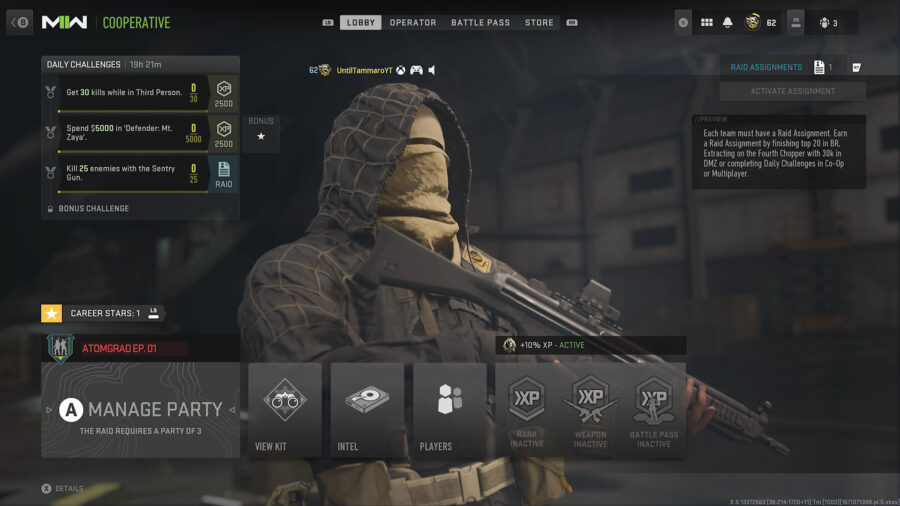
There are two requirements to complete before starting a Raid. First, you need to be playing in a party of yourself and two friends. There is no matchmaking for Call of Duty Raids and you can’t play with less than three players.

The second requirement is a bit more complicated. The party leader needs to have an available Raid Assignment. These work as keys allowing you to access the mode. Once activated, a Raid Assignment will remain active on your account for a week, so players will need to constantly stock up on Raid Assignments if they want to continue replaying the Raid.

How to Unlock a Raid Assignment in CoD Modern Warfare 2

As of the launch of the first ever Raid, CoD Modern Warfare 2 lists three specific ways players can unlock Raid Assignments, the items used to start raids:

  • In Warzone 2.0, place within the top 20 in any game mode.
  • In DMZ, use the final extract helicopter and exfil with at least $30,000 in Cash.
  • In Multiplayer/Co-Op, complete the specific Raid Assignment Daily Challenge (two available per day).

You can hoard as many Raid Assignments as you want! Just remember that each one will only last a week at a time.

How To Unlock the Veteran Difficulty Raid in CoD MW2

How to play the Atomgrad raid on veteran difficulty.

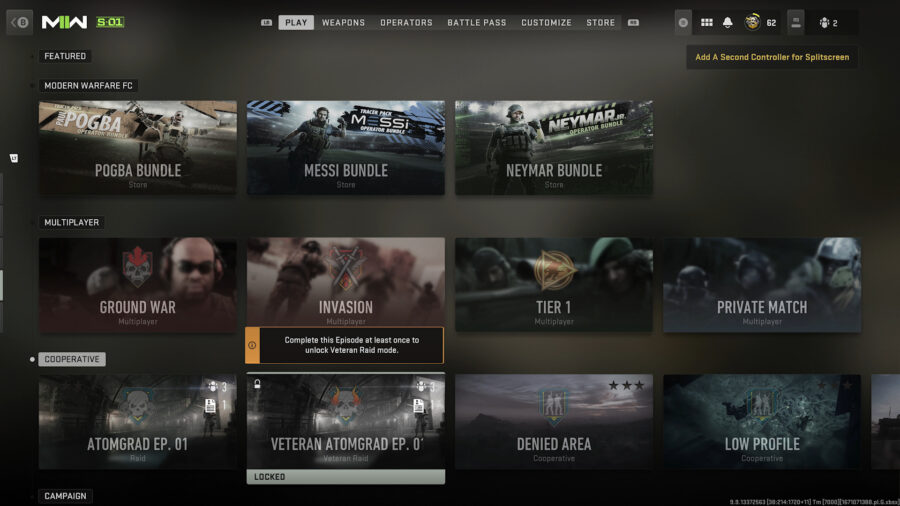
The Raid comes in two difficulties: Standard and Veteran. The Standard Raid is available to all players at launch; however, the Veteran difficulty Raid is locked. To unlock the Veteran Atomgrad EP. 01 Raid, players will need to complete the Standard difficulty version first, as the Veteran unlock is a reward for completing the Raid.

Skyrim Cosplayer Also Has Awkward Dialogue

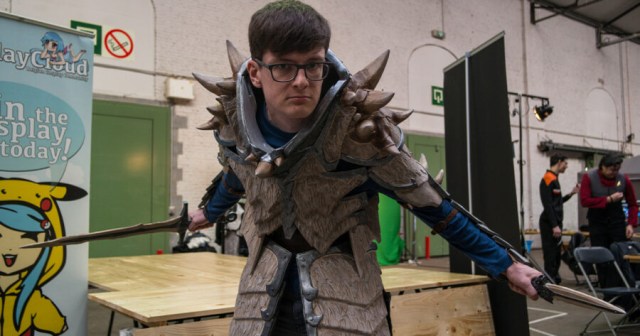
SAN DIEGO — An The Elder Scrolls V: Skyrim cosplayer on the convention floor achieved a new level of realism with their costume by also having awkward dialogue, according to confused attendants.

“Greetings, hello there,” began cosplayer Eric Roberts in a stilted monotone. “Allow me to offer you a photo with me, or provide any directions around the convention center. Have you eaten today? The food court has bountiful chicken strips and crinkle-cut french fries. Feel free to visit if you have the time. Are you dressed up as Wario from Super Mario Brothers? That is most amusing. I will tell my friends of your overalls and silly hat for many moons. Where are you going? Would you like me to repeat all that?”

People walking the convention floor were undecided whether or not Roberts’ stiff conversations were an aspect of his cosplay or just who he is as a person.

“I can’t tell if this is part of his costume or if he just doesn’t have many friends,” said comic con attendee Shirley White. “He just kind of stands there with his arms by his side waiting for people to come up and talk to him, then he mechanically turns around and starts babbling, not letting anyone get a word in. That’s either next level Skyrim immersion or crippling social awkwardness. If he runs out of talking points, he just starts repeating the exact same things he’s talked to you about, and then tries to slowly walk away when you’re done talking to him.”

At press time, convention attendees became additionally concerned when Roberts was unphased by a dead body on the convention floor, just stepping over it and continuing to go about his day.

Photo by Silverflame Pictures.

The Dark Side of Accessibility: Will The Xbox Adaptive Controller Let Perverts Play Fortnite With Their Dicks?

Hello, gamers. We all love accessibility in video games. Allowing video games to be played and enjoyed by all is essential, so when gaming companies take strides to ensure everyone can partake in gaming is always a great sight to see. But often, progress comes at a cost. With the new Xbox Adaptive controller, the question must be asked: will perverts be able to play Fortnite with the dicks?

Gamers, we’re as curious as you are. It’s genuinely heartwarming to think of someone with a disability using the adaptive controller to take in a medium that was previously difficult, or even impossible, but what if, stay with us here, some filthy degenerate uses this inclusive controller with their phallus? And if this unholy hypothetical is possible, can they be stopped? 

Sure, it’s not the most effective nor efficient way of playing video games, but it’s about the principle. Now gamers everywhere must ponder if the person that just headshot them in Tilted Towers did so by clumsily swiping their penis on the controller. Maybe the worst part is not knowing. The question of whether or not your in-game killer has been mercilessly gunning down other players with their flaccid member is a dark Pandora’s box that now must be unfortunately opened.

Gamers, we humbly ask you to keep this secret. Do not tell anybody of this dark, shady underbelly to accessibility in video games, let the rest of the world live in sweet, blissful ignorance. As always, we shall bear this troublesome knowledge together, and work tirelessly in the shadows to stop these sick perverts at all costs.

The most important thing is to not be tempted over to the enemy side. Though you may see the adaptive controller and consider its possibilities, you must resist its siren’s call and keep your jeans zipped and buttoned while gaming. If not for us, for your fellow gamers everywhere. God bless you.

Overwatch 2: How to Complete the Caught a Cold Challenge

Overwatch 2‘s Winter Wonderland 2022 has kicked off and runs from December 13th, 2022 until January 4th, 2023. It brings with it returning winter-themed game modes, plenty of new cosmetics, as well as new challenges to complete. Caught A Cold is one of the challenges introduced in Overwatch 2‘s Winter Wonderland and requires you to catch 6 snowballs in Snowball Deathmatch. Here is how to complete the challenge (and catch a snowball).

Overwatch 2 – How to Complete the Caught a Cold Challenge

You’ll need to catch 6 snowballs in Snowball Deathmatch to complete the Caught a Cold challenge in Overwatch 2.  Luckily, this is a cumulative count and doesn’t have to be completed in a single match of Snowball Deathmatch. In this mode, players compete in an 8-player free-for-all style deathmatch with the winner being whoever achieves 15 eliminations first. All players will play as Mei with a modified version of her snowball gun. She can carry 3 snowballs at a time and can reload at the snow piles around the map.

Everyone in this mode is low health, so one hit with a snowball will net an elimination. Additionally, all players will have a “Catch” ability, which can be used to catch enemy snowballs, adding them to the players’ ammo count. This ability takes the place of your usual melee attack and is activated by pressing the melee button.

How to Catch a Snowball in Overwatch 2

As for how to catch a snowball in Overwatch 2, simply time your melee so that you activate “Catch” just before getting hit with an enemy snowball. The timing will take some practice to get used to and partially depends on your opponents. Skilled players will try to fake you out by making it look like they are about to shoot you, attempting to bait out your Catch so they can get a free kill.

However, if done correctly, you will Catch the enemy snowball. This will add it to your ammo count, save you from being eliminated, and, perhaps more importantly, gain progress toward this challenge. Keep practicing this catch, and you’ll be a pro in no time!

High on Life: How to Make the Guns Talk Less

High on Life is out now, and as the latest title from Justin Roiland’s development studio Squanch Games, you might have an idea of the sort of humor to expect. There’s plenty of quippy banter and the occasional toilet humor. What’s new to High on Life is that your weapons – the talking Gatlians – are getting in on the japes. Since the game features a silent protagonist, they’re necessary to convey story information, but they can easily wear out their welcome in an otherwise beautiful game.

This is especially true of Kenny, who speaks in the trademark Justin Roiland voice. If you’re already not a fan of Roiland’s other projects like Rick and Morty or Trover Saves the Universe, this voice may get old fast. Luckily, the developers foresaw this issue and included the option to reduce or eliminate their chatter altogether! Here’s how to make the guns talk less in High on Life.

How to Reduce Gun & Enemy Chatter in High on Life

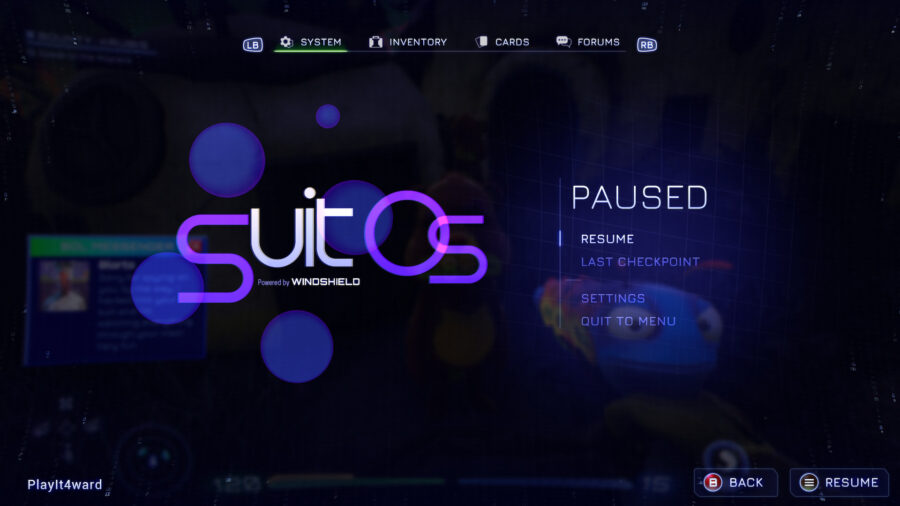
If you’d like to make your guns (or even enemies) talk less, just pause the game! For a more long-term solution, head over to the settings option in the pause menu. This menu is available from the moment you start a new game in the pseudo-intro of Buck Thunder II: Xenoslaughter, but you won’t actually have the opportunity to hear your gun talking until a little further into the game.

From there, you’ll want to move down to the audio section, and there will be an option for Gun Chatter! Scroll down to it and you can change the chatter from Frequent to Occasional or even None. This makes it so Kenny and his fellow Gatlians will only speak for story purposes, so you won’t be missing anything really important.

Additionally, each weapon is voiced by a different actor, so while you may not want to hear Justin Roiland or Tim Robinson rattling off quips in a firefight, maybe Betsy Sodaro or JB Smoove can convince you to turn up the chatter. Either way, if it seems too quiet you can change it whenever you like. In the meantime, enjoy silently exploring the beautiful alien worlds in High on Life!

Stay Updated on The Latest Punk News

Get the latest punk news delivered straight to your inbox

We'll store and process this information to provide you our products and services. You may opt out of this at any time.