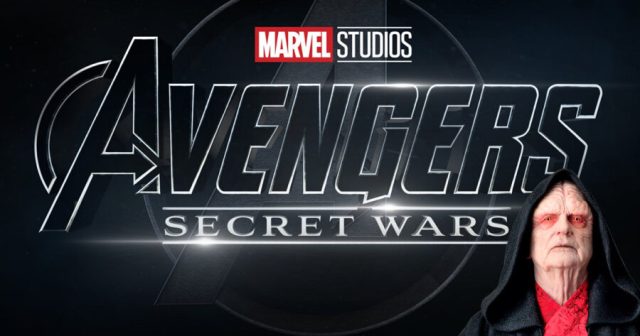
“It Worked Before”: Jonathan Majors To Be Replaced in MCU by Emperor Palpatine

LOS ANGELES — A recent Variety article revealed Marvel’s plan to replace the archvillain Kang, played by alleged domestic abuser Jonathan Majors, with Emperor Palpatine from the Star Wars films, sources confirm. 

“We took a lot of cues from our contemporary Disney franchise, Star Wars, and realized we could do whatever we wanted, including throwing out unresolved plotlines just to give the people what we assume that they want,” said Kevin Feige, president of Marvel Studios. “What the people want is less of this Kang guy and superhero crap, and more of Ian McDiarmid hamming it the fuck up on the big screen. So that will become the focus of our upcoming Phase Five!”

While interest in big superhero movies has been waning over the past few years, Feige is sure that clumsily hamfisting the Star Wars franchise into the MCU will surely lessen the franchise fatigue audiences are feeling.

“Look, this worked before when we did it with The Rise of Skywalker, and everyone loved it,” said Kathleen Kennedy, president of Lucasfilm. “So when Kevin Feige came to me and asked for how to solve his current problem with Kang, I had the perfect solution. The way I figure, we can do this another three or four times before people start catching on that it doesn’t make any sense. I’m trying to get Palpatine into the next season of The Bear as we speak.”

While Emperor Palpatine was what leadership at the MCU ultimately chose to replace Kang with, others on the shortlist included Thanos, Jeff Bridges’ character that died in the first Iron Man movie, Jesse Eisenberg’s Lex Luthor, and that one bird from Iron Man 2.

“Honestly, I’m just happy to have another opportunity to play a character that’s just a pure evil little dude,” said Ian McDiarmid, the actor portraying Emperor Palpatine in the next seven MCU movies. “No spoilers, but in the next Avengers film I’m finally thwarted by electrocuting myself yet again.”

UPDATE: After the originally publication of this article, Feige held a press conference announcing that they were also going to start adding Power Rangers to the MCU in an effort to ‘get whatever flavor of nerd we can interested in this shit again.’
100 Thieves Now Down to 80 Thieves

LOS ANGELES — Earlier this week, esports juggernaut 100 Thieves announced that they will be laying off roughly 20% of their workforce, bringing the brand down to only 80 Thieves.

The founder and CEO of 80 Thieves, formerly 100 Thieves, Matthew “Nadeshot” Haag, iterated to employees in an internal memo that letting employees go was a tough decision.

“Choosing the 20 thieves to let go of was no easy task,” said Nadeshot. “When you get a group of people this talented, it’s hard to let any of them go. But, when you start spinning off your mildly successful esports venture into a bunch of other things, it turns out that it burns even more money than a regular esports team. Especially when you’re using the same roster of 100 people for all of that.”

A laid off member of the company, Sam Sytsma, expressed relief for being done with the organization.

“Honestly, thank god,” Sytsma said. “I signed on to play VALORANT, but because Nadeshot insisted there was only gonna be 100 of us, I had to work on all the other shit too. One day I was a professional gamer, the next I was selling energy drinks or helping code a video game.”

“I’ve wanted to leave for a while, but the logo guy worked really hard on that 100 Thieves design.” Sam continued. “Making him make an all-new one for ’99 Thieves’ seemed cruel. I guess they just had this one ready ahead of time.”

Another former member of the company, John Jones-Popp, seemed angry at the baggage the company name will give him.

“Come on, man. I’m trapped in esports for life now,” John lamented. “You think any normal company is gonna hire a guy who spent two years at a place called ‘100 Thieves?’ Oh well. Guess it’s time to go to another place and wait for their esports growth bubble to pop too.”

At press time, Nadeshot was considering changing the organization to “Around 60 or so Thieves” in the coming months.

Cities Skylines 2 Rotation Guide: How to Rotate Buildings & Objects

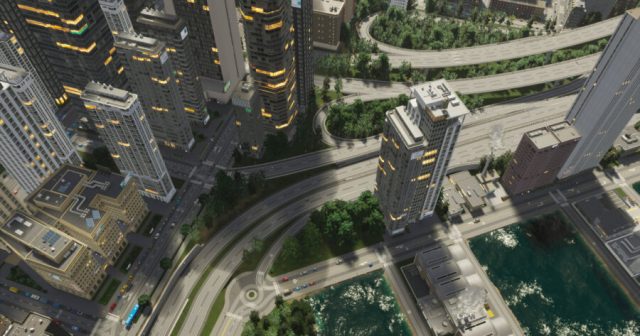
Trying to figure out how rotation works in Cities Skylines 2? Cities Skylines 2 features tons of different options when it comes to building your dream city. But does that really even matter if you can’t make your city look the best it possibly can? Undoubtedly, while building your city, something you place will come out just not looking right. Whether it is a small object or the tallest skyscraper, luckily you can rotate objects and buildings to the perfect angle. Here is how to rotate buildings and objects in Cities Skylines 2.

How to Rotate Buildings & Objects in Cities Skylines 2

Every object and building in your city can be adjusted, customized, and rotated in Cities Skylines 2. When you click on a placed object or building the game will present a bunch of options in a taskbar at the bottom of the screen, but you don’t even need to interact with the taskbar when making positional adjustments. After selecting the object or building, simply click the right mouse button and whatever you selected will rotate 25 degrees.

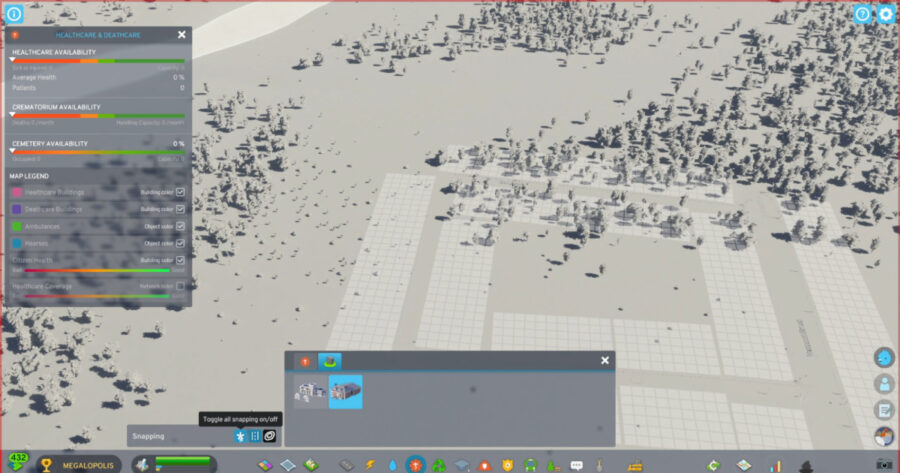
If you need to be more precise to get that perfect look, you’ll need to select the object or building and hold the right mouse button. While holding the right mouse button, move your cursor and whatever you selected will rotate with your movement. But, perhaps you aren’t getting that granular movement you were expecting? That might be caused by the toggle snap feature being turned on. This option will automatically snap the object or building into the “correct” position if you are rotating adjacent to a road. You can turn the toggle snap feature off using the taskbar menu. This will allow you to make the tiniest adjustments possible to every object and building in your city.

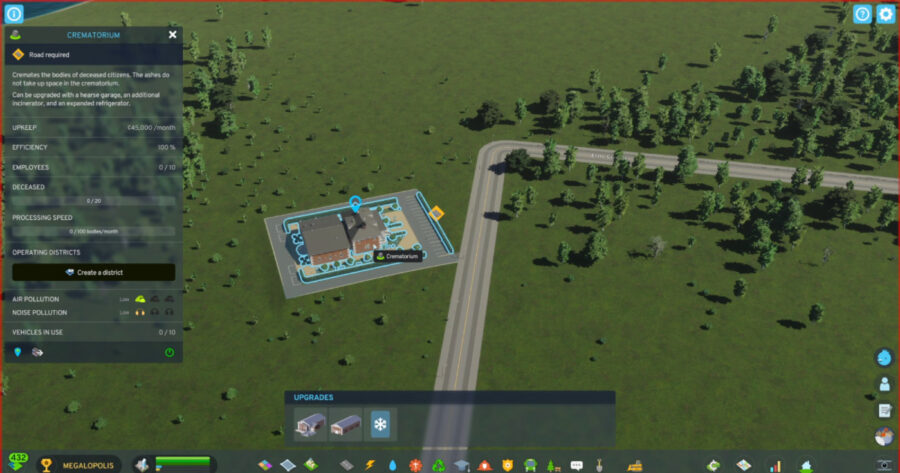
Keep in mind that buildings still need to connect to roads, so depending on your angle you may receive a warning that a road is required. Simply build a connecting road and the Cities Skylines 2 rotation job is done! To continue building your idyllic city, check out our guide on how to change road direction!

Cities Skylines 2: How to Change Road Directions in CS2

Cities Skylines 2 features tons of different options when it comes to building your dream city. A vital part of your city planning is the construction of roads. Creating roads in a carefully planned manner is important for maintaining the smooth eb and flow of traffic throughout your city. One-way roads are a great way to fine tune the flow of traffic and even completely mitigate traffic jams altogether; however, the process of changing the direction traffic moves down a one-way road has changed in the sequel. Here is how to change road directions in Cities Skylines 2.

How to Change Road Directions in Cities Skylines 2

How to change road directions in Cities Skylines 2.

It is important to note that when creating a one-way road, the direction that traffic will flow down it is initially decided by the direction of the streets it starts from and ends at. In the original Cities Skylines, one-way roads could be flipped to travel in the opposite direction they were initially created at by clicking the replacement tool twice; however, this process has been slightly changed in the sequel.

To change a one-way road’s direction in Cities Skylines 2, open the roads tab, select the replacement tool and the one-way road type you want to use, then click and hold on the road in your city. While holding the road, move your cursor in the direction that you want traffic to move. 

You can tell which direction traffic will move by looking at the arrows on the stretch of road. As you move your cursor, you can watch the arrows change direction to confirm you have positioned the road the way you want it. If you missed a section of road, or the direction of the road doesn’t connect properly to its start and/or end points, a pop up will warn of the mistake.

That’s all you need to change road directions in Cities Skylines 2! Check out our guide on how to rezone or remove zones to improve your city further!

Cities Skylines 2 Rezone Guide: How to Remove Zones in CS2

Cities Skylines 2 features tons of different options when it comes to building your dream city. Whether you are building a bustling town or a sprawling metropolis, it is important to familiarize yourself with the tools at your disposal. One such tool that is vital even before your city welcomes its first inhabitant is the ability to zone areas. Though this tool is easy to use, we all make mistakes sometimes, and the game doesn’t really explain how to fix incorrectly zoned areas. Here is how to rezone areas in Cities Skylines 2.

There are two basic ways to rezone areas in Cities Skylines 2 and both are pretty useful in different situations:

How to Remove a Zone in Cities Skylines 2

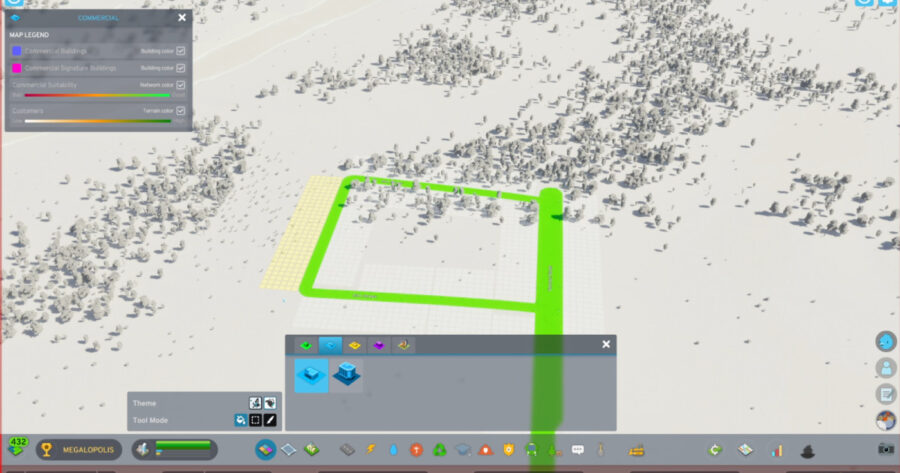
The first is to simply remove the zone. Any zone can be removed at any time by first opening the zones tab. Choose a tool mode and press or hold (depending on the tool you choose) the right mouse button while moving your cursor over the area(s) you want to remove. Removing a zone will automatically bulldoze any buildings that were left behind after a little while. This is useful if you mistakenly zoned an area you didn’t mean to, want to completely recreate an area of your city, or just want to create some open spaces for *aesthetics*.

How to Rezone in Cities Skylines 2

How to rezone in Cities Skylines 2.

The second way is to actually rezone the area by replacing the current zone with a different one. Just as any zone can be removed, any zone can also be rezoned. To do so, again open the zones tab, choose a tool mode and a zone type then just place the new zone on top of the old one. This will begin removing the old zone buildings and eventually the new zone buildings will take their place. Some condemned buildings might be left behind blocking progress, so you’ll need to bulldoze them. This is useful if you mistakenly zoned the area for one type and meant to zone for another type, or if you are changing your city’s layout and already know what you want/need to zone in the area.

That’s all the rezone info you need for Cities Skylines 2! While you’re improving the city, though, check out our guide on how to rotate buildings & objects!

What Are They Saying? Reactions to the Recent Wave of Layoffs in the Gaming Industry

This year has unfortunately seen wave after wave of layoffs in the video game industry, despite soaring sales and more players then ever. We’ve asked representatives from all corners of the gaming world to weigh in on the continued job displacement prevalent in the industry that grosses nearly $50 billion a year. 

Earl Arroyo, Retail Manager

“It’s really too bad games like Fortnite weren’t successful enough for the guys at Epic to make payroll. They should have sent some people home early during the slow afternoons.”

Carl Ellis, Entrepreneur

“I used to be in the video game industry, but it proved too volatile, and that’s why I manage a cock-fighting ring now.”

Mitch McConnell, United States Senate Minority Leader 

“I heard Sony waited until the end of the month to lay off Bungie workers so they wouldn’t have to give any more benefit coverage than was absolutely necessary, and I just think that’s fantastic.”

Bill Wise, Unity Executive

“These last few layoff announcements have been great for us, a video game company that did something stupid and terrible last month. People can’t keep up!”

Jada Pinkett Smith, actress

“Let me tell you about the time me and Will Smith got into an argument at Six Flags.”

Milo Blackburn, Fortnite Legend

“Quit wayying off the tawented people that make my video games!”

Matthew Walsh, Bartender

“Wow, what a great year for gaming it’s been. I haven’t read anything online about the industry or what’s going on, but the games have been good, yeah?”

Lewis Moyer, Electrician

“I just hope all of those hardworking CEO’s can get by after they’ve reduced their salaries accordingly.”

Peter Stuart, Programmer (recently laid off)

“I just spent nine months making a flag blow in the wind convincingly for a game that got canceled. Please give me a moment to think.” 

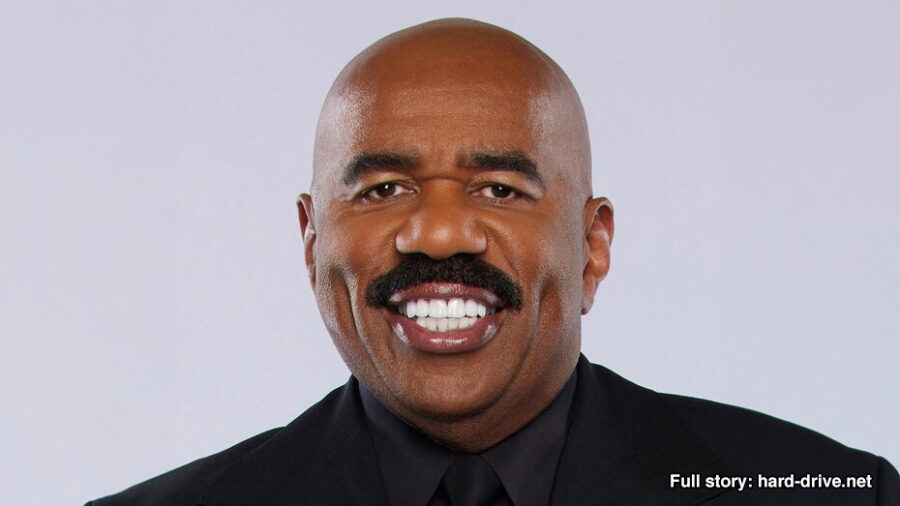
Steve Harvey, Comedian & Game Show Host

“Now how the hell you gonna ask me about some damn video game jobs?”

Aaron Bowman, Student

“I don’t know anything about video games, but did you know the FBI assassinated Martin Luther King? Look it up!”

Jeremiah Waters, Financial Analyst

“Man it’s really too bad everyone stopped buying video games these last few years, huh? Maybe the industry will turn things back around like it did in the ‘80s. Fingers crossed!”

John Riccitiello, former Unity CEO

“I kinda thought I’d be immune from this whole thing. Now that I got fired, I mean, stepped down, I realized that these layoffs really stink!”

Jackson Reese, Copywriter

“Oh my god, I’m so behind. I’m still reading all about last year’s cold and unexpected layoffs in the gaming industry!”

Geoff Keighley, Game Awards host 

“I don’t want to spoil any specifics, but the ‘Best Layoffs’ category is going to be very competitive at this year’s Game Awards” 

Billy Mitchell, one-time Donkey Kong record holder 

“I could’ve fired more people even faster.”

Ludwig, YouTube Streamer

“Not really sure what you’re talking about but I’ve been playing this game where you combine little fruits into bigger fruits. Pretty cool!”

Report: It Okay To Watch Horror Movies in November Too

NEW YORK — It was reported at the beginning of the month that despite Halloween being over, it is completely fine for people to watch scary movies in November and beyond.

“We know that a lot of you like to watch scary movies in October, leading right up to Halloween,” said Dave Richmond, a member of the Associated Press. “But it is completely normal and even healthy to continue watching them into the month of November, and up through the rest of the year, honestly.”

Response to the news was divisive.

“I love horror movies, but they just hit different during spooky season and that’s a fact,” read a response on twitter from JackTheRipper420. “Like, I could watch a bunch of my favorite flicks after Halloween, but then when would I have time to marathon all of the best Thanksgiving movies? And no, I do not watch Christmas movies until December, either.”

Industry professionals shared unique insight into the situation.

“What? Of course you can watch my movies whenever you want,” said director John Carpenter. “You wanna watch Halloween during Easter? I don’t give a fuck. Why would I give a fuck? What an odd question to ask of me.”

At press time, it was reported that horror lovers have an unlimited supply of content year-round if they just turn on the news.

‘WarioWare: Move It!’ Includes Full HD Remake of Old Nose Picking Game

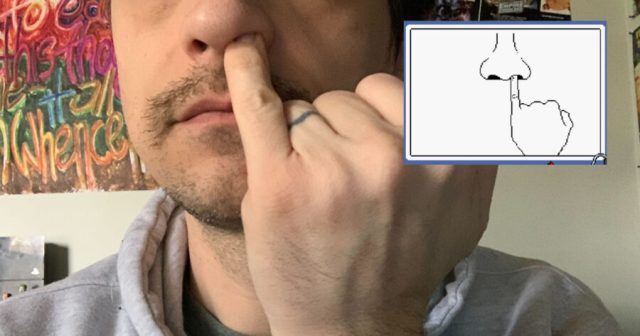
REDMOND, Wash. — In addition to several other upgrades and quality of life improvements, the new WarioWare game reportedly features a fully HD, shockingly lifelike version of that one nose picking game from the old game, sources have confirmed.

“Wow, this is the best looking thing I’ve ever seen on the Switch,” said game reviewer Kelly Gentry. “I’m not really sure the photorealism goes with the whimsical cartoonish nature of the game and franchise, but on the other hand, it’s such an impressive technical flex, I definitely understand why they’d want to include it.”

Critics and players alike were impressed with the vividness of the new nose picking minigame’s visuals.

“They didn’t have to go so hard on this two second minigame, but they sure the hell did,” said local gamer Leo Holden. “People that are saying it’s weird and pointless just don’t get it, either. Of course it’s weird and pointless, that’s the vibe of the whole game! But also, cleverly, the visuals are so awe-inspiring that my jaw was on the floor and I wasn’t able to line the finger up with the nostril in time and I actually lost the game. It’s not so easy anymore!”

Nintendo released a video earlier today explaining how they achieved this technical showcase on their aging Switch hardware. 

“It’s because it’s only for a couple of seconds, you see,” said Nintendo of America President Doug Bowser. “My understanding is that we could never do a full game with these dope-ass graphics, but the couple of seconds required for that little minigame means that we can fully render the face, the hand, the art on the walls all in breathtaking 4K. Ray-tracing. HDR. It does all that shit.” 

As of press time, WarioWare: Move It! had garnered mostly positive reviews, most of which cited the unnecessarily realistic nose-picking remake as the game’s one major flaw. 

Oh No! Capcom Announces Plans to Unmake ‘Resident Evil 4’

OSAKA Having successfully re-released and remade Resident Evil 4, Capcom disappointed longtime fans of the franchise today by announcing their plans to unmake the survival horror classic.

“Wait, what?” asked local gamer Dana Vincent, after watching a livestream promoted by Capcom as one that would unveil the future of the Resident Evil franchise. “I thought they might announce a remake of 5, or a new spinoff game or something. Certainly didn’t think they’d talk all about how they were going to delete all of the original files and ask everyone to send them in their copies. That won’t work, right?”

Despite the alleged implausibility of the plan, Capcom remained firm.

“As of January 1, 2024, Resident Evil 4 will no longer exist. We’re unmaking it,” said Capcom President Haruhiro Tsujimoto. “We had a good run putting this bad boy out on every system we could for the last 20 or so years, and now I think it’s time we reach the inevitable conclusion and take it out back and shoot it in the head.”

When asked if there were any plans for the series to come back in a new Resident Evil 4: Back to Life Special Edition, Tsujimoto said he liked that idea and scribbled something down on a piece of paper. Our interview was cut short immediately afterwards. For now, players are scrambling to finish the game that is set to expire at the end of the year.

“Shit, man,” said another local gamer that was mystified by the announcement. “Why’d they just release DLC if they were just gonna unmake it at the end of the year? None of these companies make any sense.”

As of press time, Naughty Dog has volunteered to remake Resident Evil 4 next year if nobody is gonna be doing anything with it.

Sega Confirms $800M ‘Super Game’ Budget Includes Yuji Naka Bail Fund

TOKYO — After announcing that they are working on a “Super Game” set to be released by March 2026, Sega confirmed that a large portion of the expected $800 million budget will go towards developer Yuji Naka’s bail fund.

“Our upcoming ‘Super Game’ aims to surpass all existing triple-A titles on the market,” explained Sega president Haruki Satomi. “And a large portion of that funding will go towards springing Yuji Naka out of prison and bringing him back to work at Sega. After that, we hope to create a solid 7/10 Sonic game at best. Please look forward to it.”

Fans weren’t quite sure what to make of the news.

“That is a shit ton of money,” read a reply from internet user SonicToilet41. “But hey, insider trading is no joke. Here’s hoping Yuji gets his freedom, returns to work at Sega, and we get an extremely mid Sonic game out of it.”

Satomi elaborated further on the proposal.

“If we spent the entire 800 million on development, the game would be too powerful and too expensive to run on any existing hardware,” said Satomi. “But still, technically it is a very impressive budget, isn’t it? Yes, very impressive.”

At press time, developers were hopeful that the remainder of the $800 million will allow them to finally figure out how to make Sonic go through a 3D loop without clipping into the ground.