Call of Duty MW2 24/7 Shipment: When Is 24/7 Shipment Live?

Call of Duty Modern Warfare 2 updates the playlist of game modes available in multiplayer weekly. The core game modes always stay; however, the playlist rotation always shuffles around fan favorite modes, like Shipment 24/7. Here is when Call of Duty MW2 Shipment 24/7 playlist will be available again.

Is Shipment 24/7 Live in CoD Modern Warfare 2?

What happened to Shipment in Call of Duty MW2?

Shipment 24/7 is now live! You can play this, as well as Shoothouse 24/7 & Third Person Moshpit, until February 15 with the start of Season 2. Enjoy these limited-time modes while you can!

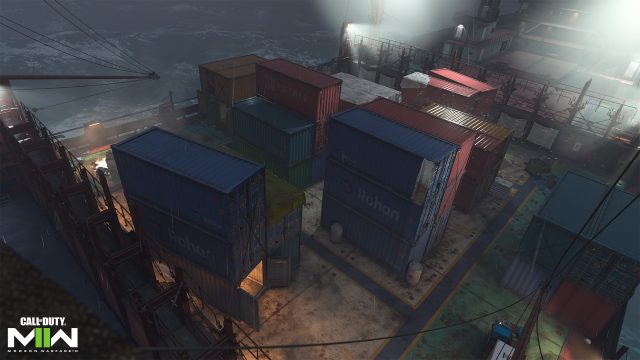
Shipment 24/7 is a fan favorite game mode that usually features Team Deathmatch, Kill Confirmed, and Domination only on the map Shipment. The mode is loved not only for the fact that Shipment is a nostalgic map for many, being introduced in 2007’s Call of Duty 4, but also because the small map leads to lots of kills and quick XP gains.

It is important to note that even when Shipment 24/7 is out of the playlist rotation, the map still exists in CoD Modern Warfare 2. Players can still access the map in custom matches and it is included in the map pool for quick play game modes.

When Will Shipment 24/7 Be Live in Call of Duty MW2?

While no official date has been set, the multiplayer playlist is reset weekly on Wednesdays. So, technically, Shipment 24/7 could return in the near future, or it could be on hiatus for a while due to the recent Shipmas event that featured Shipment 24/7 throughout most of December 2022. Realistically, and based on the fan fervor around the mode being taken out of the rotation, it is likely we will see the return of Shipment 24/7 sooner rather than later. This article will be updated when its return does happen!

Everyone Weirded Out By How Enthusiastic Guy Is About ‘Shantae’ Series

LYNBROOK, N.Y. — Local gamer Evan Gramby continues to give everyone weird vibes with his repeated insistence that the Shantae video game series is among gaming’s best, weirded out sources have confirmed. 

“I’m not saying they’re bad games,” said Mike Jenkins, a friend of Gramby’s. “They seem like fine and cute little platformers, but I just don’t see why he had to keep bringing it up when we were all waiting for the ball to drop the other night. He was saying all the lights and stuff reminded him of the Game Boy Color game’s palette or something. It was a real stretch, even by Evan-talking-about-Shantae standards.” 

Shantae developers warned that while they stood behind their work on the series, fans should really cool it with their outspoken love for the game, lest people get the wrong idea. 

“We didn’t set out to make a horny game, but well, it’s a female with an exposed midriff, so the [horny] gamers found us,” said Matt Bozon a co-creator of the Shantae franchise. “Now of course I’m not saying Shantae’s fanbase is made up exclusively of people that have the hots for her. But you really need to be ready for people to think that if you choose to bring up this series of all things in the year 2023.” 

Several peers confessed to generally enjoying Gramby’s presence in the times he’s not going on about the Shantae games.

“Evan’s a great guy, really fun to be around,” said Mary Hawthorne, a coworker of Gramby’s. “Except for every couple of hours when he brings up that video game I’ve still never heard anyone else talk about and spends the next few minutes showing me YouTube videos or sketching pictures of the main character on whatever scrap paper he can find around him. He gets a boner for her, right? This is all a boner thing?” 

As of press time, Gramby had controversially posited that Shantae should be the star of the next Mario game. 

Puzzle Game Ending Probably Stupid Anyway

SANTA FE, N.M. — Local gamer Liam Greene reportedly gave up on the hot new puzzle game Ennui after rationalizing that the ending of the game was probably going to be stupid anyway.

“Whatever, I don’t even care. I’m completely disconnected from the story, which has nothing to do with the fact that I get stuck for 45 minutes between every cutscene,” Greene said. “I could finish the puzzle I’m currently on, and I definitely know the solution to it, I just don’t want to see the next plot development. It’s best if I just give up now, while I’m doing so well, before the dumb ending of the game disappoints me.”

Greene’s roommate and co-op partner in the game, Lyle Roth-Meyers, claimed that puzzle games are often a let down.

“I hate it when a puzzle game is really good and engaging, and then the tutorial levels end and suddenly it sucks and it’s terrible,” Roth-Meyers said. “The endings of all these difficult story-driven puzzle games are not even worth the effort, I imagine, so I don’t want to give the developers the sick satisfaction of trying to solve the puzzles. If I ever do make it to a puzzle game’s ending, either on my own merits or with the tiny hints of a detailed step-by-step walkthrough, it’s a good game that you need to play.”

The lead developer of Ennui commented on the reason behind the game’s difficulty.

“Look, coding and writing are hard,” developer Ryan Bosley said. “At the moment, the game currently has no ending, but we’re confident that we’ll script and implement one by the time anyone gets there. The endgame puzzles are real motherfuckers, so we’ve got a bit of time. A couple of them require players to do things in the real world. That’s right. It’s one of those games.”

At press time, Greene and Roth-Meyers took another crack at the difficult puzzle, culminating in the pair both mutually agreeing that their PS5 just looked aesthetically better smashed to pieces.

“I Know Exactly What’s Going On,” Claims Giant Fucking Liar Playing Pinball

CORNWALL, Canada A great big liar named Chuck Dederich was recently spotted at local arcade Seven’s Pinballorama claiming to understand everything that was happening during a game of RoboCop VS Terminator 2: In Space, sources have confirmed. 

“Look, let me break it down to your level, champ. See this little silver ball? Think of it as the titular Robotic Cop,” said Dederich, lying through his gritted teeth as he stared into the overwhelming neon chaos taking place below the glass. “You send him out of the launcher, and try to hit those things over there, they’re the triple bonus score. If you hit ‘em three times, you go into turbo mode, but if you roll over that other thing six times, that opens up a new thing and you gotta hit it 4 times divided by the amount of times you hit the other thing like to the left but not like, the far left. Hey, you know that song Pinball Wizard? That’s kinda like me, lowkey. Like that shit really resonates with me. They play it pretty much every time I’m here, it’s like it’s for me almost.”

Onlookers objected to Dederich’s account of things. 

“I don’t think any of that stuff is happening at all,” Seven Graylands, owner and operator of the arcade. “Look, I own the place. Hell, I’ve built half the machines. Lemme tell you — you take the ball, you hit the paddles, and sometimes a compressed voice clip from a licensed franchise comes outta the thing. It begins and ends there. As far as I know, anyway. I don’t really play them anymore. A few years back, I somehow fucked up and had like 4 balls going at once, scariest shit I’ve ever seen. Never fully recovered.”

Developers confirmed that there’s no larger comprehension of the games’ objectives and goals to be had. 

“Oh no, we just made it say silly shit once in a while so it sounds more like a video game, same as any other pinball table,” said John Starling, a designer of RoboCop VS Terminator 2: In Space. “‘Hit the ramp, light up the thing,’ it’s all just nonsense. Whack that blasted ball with the paddle, that’s really all you can do. Anyone who says they have a deeper understanding is a liar.” 

At press time, it was revealed that Dederich had unknowingly been attempting to play the game on attract mode the entire time. When questioned, he responded “Y’know, it’s jazz; sometimes it’s more about the balls you don’t hit. Whatever, I don’t expect you to understand.”

Genshin Impact Battle Pass Guide: How to Level Up Faster

Genshin Impact can sometimes get a little overwhelming with the amount of things to do and grind for, including a battle pass. When managing the time, the battle pass often ends up being sidelined. But all you need is ten minutes of playing with proper planning each day to level up as fast as possible. 

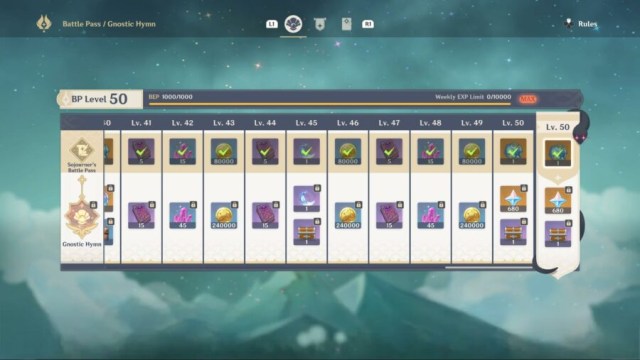
To complete the battle pass in Genshin Impact, you need to complete challenges that grant XP. Once you’ve earned 1000 XP, you level up. Currently, there are 50 levels. The maximum amount of XP you can claim each week is also restricted.  Here are some tips to level up the battle pass faster.

Level Up Genshin Battle Pass Faster: Get “Daily Missions” Done Quickly
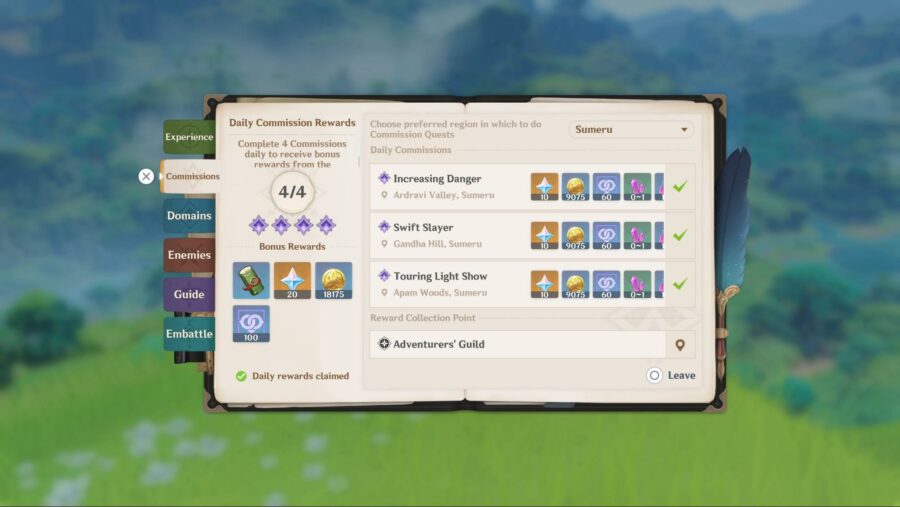
Use daily challenges to level up the Genshin Impact battle pass faster.

Challenges in the battle pass are refreshed daily, weekly, and some remain across a season (or events). As you’ve already guessed, Daily Missions are those challenges that reset each day. These are your most consistent source of XP, and you shouldn’t miss them. 

You can complete them passively. The four challenges that are refreshed daily are:   

  • Log in daily
  • Complete 4 daily commissions 
  • Mine 10 items 
  • Use a total of 150 resin 

For the first two, you probably do them every day already. Daily Commissions also reward primos and you cannot miss out on those. 

As for the 10 items to mine, you can mine them even without mining. Just send someone on a daily expedition for ores and it’ll count towards the challenge. An expedition can be sent by talking to Katheryne at the Adventurers Guild.

You won’t be able to claim them on the same day, but for the next day and the subsequent ones, you’ll keep completing this challenge without lifting a finger. That is, as long as you send someone the day before.  

If you don’t want to waste a spot of your limited expeditions and want to farm them separately, the best location is the Spiral Abyss island. Fast travel there and you’ll find enough ores to complete the challenge. Your stay at Abyss will likely last longer as some weekly challenges can be done faster here. 

Lastly, for the resin challenge, you can create condensed resins (condensing 40 resins into one) at the alchemy table. This will save you domain runs as well.

Easy Methods for Genshin Impact Weekly Challenges
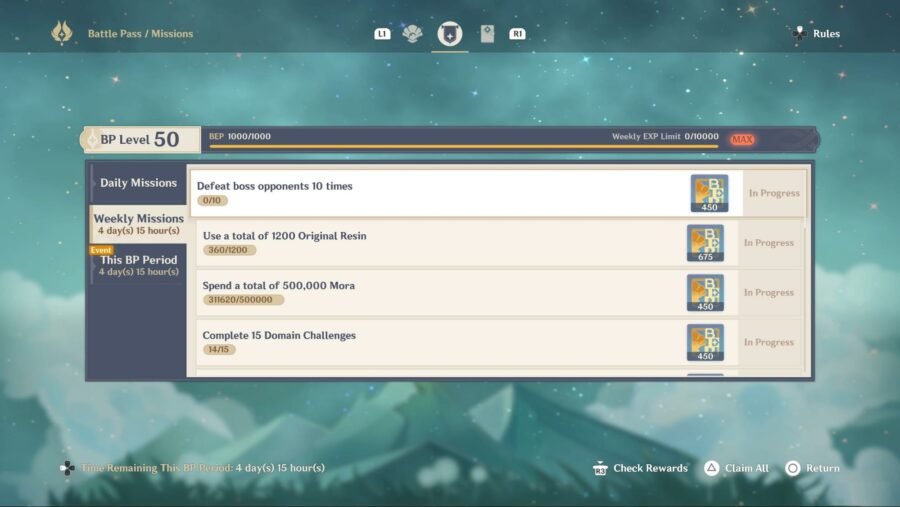
There are lots of weekly challenges, and some of them look daunting to complete. But, there are simple ways to do each of them. 

Defeat boss opponents 10 times

Instead of hunting for them throughout the open world and worrying about bursts and switching parties, just head to Spiral Abyss floor 8. The third chamber has two bosses on different halves, Cryo Regisvine and Pyro Regisvine.

Bring a team suited for Cryo Regisvine. Make sure to preserve the elemental burst for the third chamber. Once you beat Cryo, instead of defeating Pyro Regisvine, retry and continue to beat Cryo for all the times you need.

This method works best if you’re all level 90. Enemies on floor 8 are 70 levels, you should be able to one-two shot them with 90 level characters.

Complete 15 Domain Challenges 

The benefit of doing what we said in the previous challenge is the run also counts for this one. You can clear any Abyss floor, and it’ll also count as completing a domain.

Alternatively, you can head into any domain, select the lowest level, and retry the same without claiming rewards.

Complete Trounce Domain Challenges Three Times

Trounce Domain Challenges are tougher bosses that reset weekly. Stromterror, Wolf of the North, Childe, Azhdaha, La Signora, Raiden Shogun, and Scaramouche.

Among them, Stromterror is the easiest to beat, as the rest have multiple phases and are a bit tankier. Simply head to the Confront Stormterror domain located far northwest of Mondstadt. Play the domain at the lowest level. 

Complete Bounties and Request

For this challenge, to complete it quickly, do bounties in the Inazuma or Sumeru regions. They’re short and can be done rapidly, as opposed to Mondstadt and Liyue.

Of course, if time is not a restriction, do them for regions where you lack reputation level.

Cook and Forge Items 

Similar to everything, you can cook any food that requires the least material. Low-rarity food requires fewer materials, and if you play a fair bit your inventory should be flooded with these materials pretty quickly.

For forging items challenge, you don’t have to forge them, just claim them that day. To make it faster, after you completed a forge and claimed, forge some more and leave them unclaimed. Next week, claim it and repeat. Forge lower level ores to save resources. 

Spent 500,000 Mora 

This one is done passively. Wasting that much Mora just for the battle pass XP isn’t the most prudent choice. Leveling and raising characters, upgrading artifacts, and buying resources normally should be enough spending. 

Other weekly challenges are mostly straightforward. “Purchase 2 items from the Teapot Traveling Salesman” from another player’s teapot can be done on weekends, but you’ll need a friend first. We are afraid we do not have a guide on that. Trust us, we want that guide as much as you do.

Whenever you visit Teapot, you can also collect realm currency and complete another challenge. 

How to Complete This BP Period Challenges Quickly

All the Genshin Impact battle pass challenges here are fairly simple. However, the XP you gain from these challenges does not count towards your weekly XP limit. Because of this, you can save them for the last  boost after you’ve exhausted your weekly limit. They also give you the most XP. 

The challenges here will be based on events, making 50 wishes, and gaining 12 stars on Abyss. Completing the events is no brainer. For wishes and stars, it depends on whether you’re interested in the current banner and your account level.
Genshin Impact Clearance Guide: How to Increase Clearance

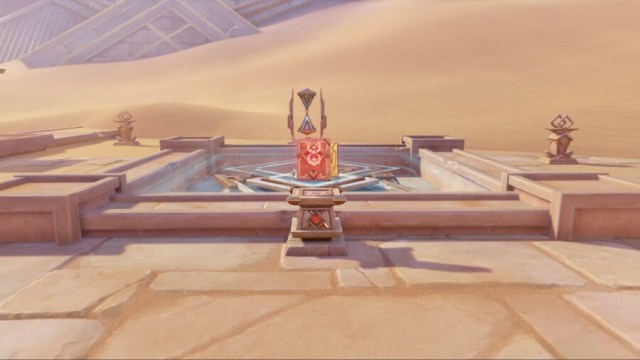
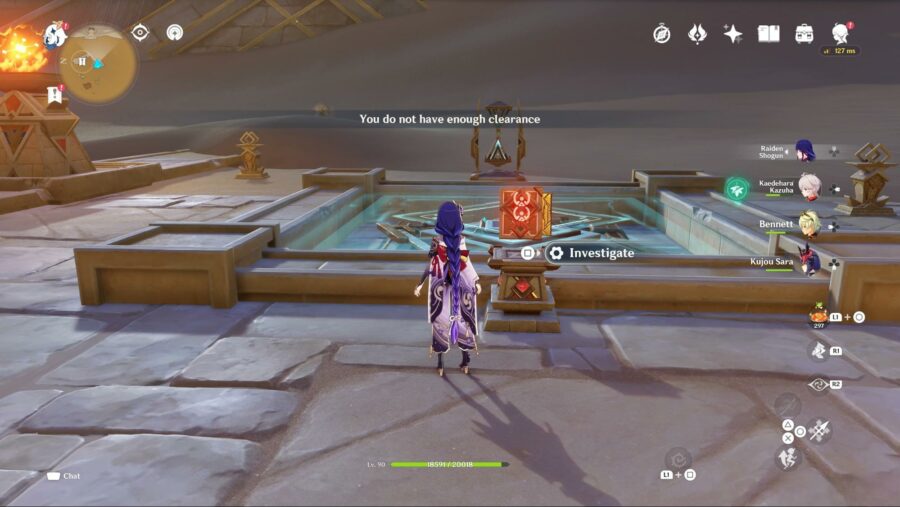
In Genshin Impact, towards the west of Sumeru, beyond the soaring Wall of Samiel, lies a desert that hides imposing mausoleums beneath the sweltering sand dunes. Much of it is, as usual, hidden behind world quests. So is the access to a particular mechanism with a message that reads “You do not have enough clearance” when you interact with it without any clearance level in Genshin Impact

The mechanism is scattered throughout the desert and is heavily featured underneath the pyramids. Solving the clearance problem is fairly simple, as you just need to complete certain quests. 

Genshin Impact – What is Clearance?

Each region in Genshin Impact has a major world quest. Consider the Aranara quests from the main Sumeru region for example; completing them will give a new gadget named Vintage Lyre and unlocks multiple areas like Old Vanarana. You won’t be able to 100% complete any part of the map without finishing these quests. 

For the desert area, the major world quest is “Golden Slumber,” which is followed by subsequent quests, and completing them grants you clearance. There are multiple levels of clearance with some mechanisms requiring higher levels. 

Here are all the quests that you need to complete and where to find them.   

How to Fix “You Do Not Have Enough Clearance” Message – Genshin Impact

How to fix "you do not have enough clearance" message in Genshin Impact.The questline you’re after is called Golden Slumber and there are two ways to initiate it.

Either talk to Sumeru’s Katheryne (Adventure Guild receptionist that hands out commission) after you’ve completed the final act of Archon Quest. This will add Golden Slumber directly to your quest log. 

Or, fast travel to the Statue of The Seven near the Aaru Village and follow the road heading towards the village. You’ll eventually cross a wooden bridge, then talk to a person named Bonifaz who will be standing at the end of it. A quest marker will float above him in case you’re struggling to spot him. 

After you talk to Bonifaz, the first part (or subquest) of Golden Slumber titled, Lost in the Sands, will commence. The rest of the quest that follows is guided and simple. 

Once you complete the first quest, in the end, someone named Tirzad will hand you a Scarlet Sand Slate. Everything about your clearance level can be viewed on the slate, even tracking quests to further boost your level. The slate serves a similar purpose as Aranyaka did for the Aranara questline.  

Open your inventory’s “Quest” tab to bring forth Scarlet Sand Slate and track your progress.

The basic level clearance is done after the completion of Golden Slumber. To upgrade further, wait for a day in real life to pass and teleport to the Statue of The Seven near Aaru Village. A new quest, Dual Evidence, will automatically start. 

After this, everything should be pretty self-explanatory. It is recommended that you follow all related quests and complete everything mentioned in the Scarlet Sand Slate to unlock every explorable area of the desert. 

Namely, several parts from the Scarlet Sand Slate should be completed after Dual Evidence to raise the clearance to the highest possible level: 

  • The Place of Rebirth Trial 
  • Place of Breath Trial 
  • Place of Swallowing

That’s everything you’ll need to know about clearance levels in Genshin Impact. You can check guides from other games as well at Minus World, including a beginner’s guide about the game Goose Goose Duck, since it seems like everybody and their mother is talking about this game.

Objectively Identifying The Hottest Pokémon

Pokémon Smash Or Pass is an epidemic that has swept our once great Internet in the past few months, Markiplier, iDubbz, KSI and many others all debating which fictional animals they would or would not have relations with in front of our impressionable youth.

Well, I for one care about the children of the next generation and don’t wish to see them swept up in such debauchery, so I’m going to end this silly debate early. How, you may ask? Well, it’s simple. I’m going to tell you – objectively, who the hottest Pokémon really is.

Or I’m not really Detective Investigator Lyle Fudj, the Video Game Detective.

Final Fantasy XIV User Interface: How to Change the FFXIV UI

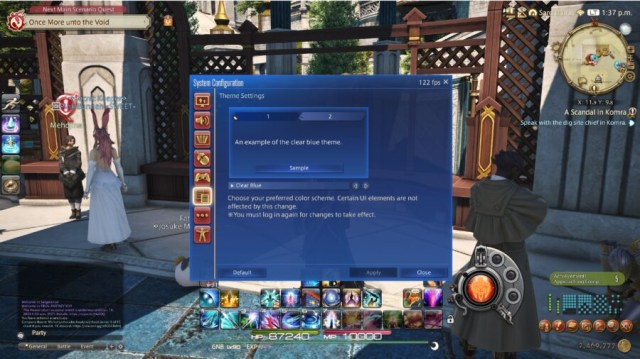
With the release of Final Fantasy XIV Patch 6.3, there has been a brand new UI theme added to the game! This UI theme is modeled after the ones found in Final Fantasy 7 Remake, Stranger of Paradise: Final Fantasy Origin, and Crisis Core: Final Fantasy 7 Reunion. Here’s how to change the Final Fantasy XIV user interface to this new theme, or any new theme.

Final Fantasy XIV: How to Change the UI in FF14

In addition to the Clear Blue theme, there are multiple other options to choose from. We’ll walk through just how exactly you can change your FFXIV UI Theme to whatever you’d like!

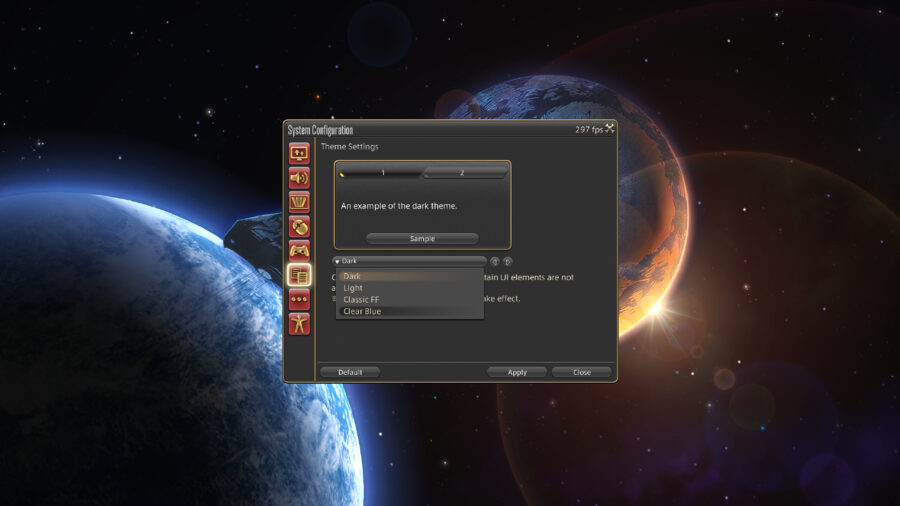
  • Select System.
  • In the System menu, select System Configuration. This is the sixth option in the list, right under Character Configuration.
  • In this menu, you will see a select group of icons on the left hand side. You will want to click the one that looks like two pages of text, which is third from the bottom. This button will take you to the Theme Settings.
  • At this menu, you will need to select the drop-down menu and select the UI Theme you’d like.
  • After selecting the option you’d like, you will select Apply. In order for these changes to take place, you will need to completely log out and log back in. A simple restart of the game should be effective.

As for what the Clear Blue theme changes, there are quite a bit of differences. The most obvious difference from the other themes is the blue menus reflecting the ones found in the recent Final Fantasy games. The boxes throughout the game are now rectangular without rounded corners, with standard white text replacing all text. Additionally, all command descriptions also have brand new fonts and colored backgrounds. This is a very nice theme that is something worth looking into if you’ve been rocking the Dark theme for a good long while.

If you’re not quite feeling the Clear Blue theme, there are other Final Fantasy XIV user interface options to choose from as well! First, there is a Light theme that turns all of your menus a tan color, with text turning brown. For those looking for neutral-colored menus, the Light theme will do the trick! Additionally, the Dark theme is incredibly popular for most users. Just like the Light theme, the Dark theme is a very neutral theme, while this time the primary color being a dark gray.

The last UI theme available is Classic, which looks just like the UI of the older Final Fantasy games. The icons become pixelated, which is a nice touch to customize your game to your liking. You can’t go wrong with any of these themes but do make sure to choose the one that you like the most. This change is reflected in all menus throughout the game regardless of what area you are in, so do keep that in mind!

Overwatch 2 Error: How to Fix ‘Applying Update’ Stuck Error

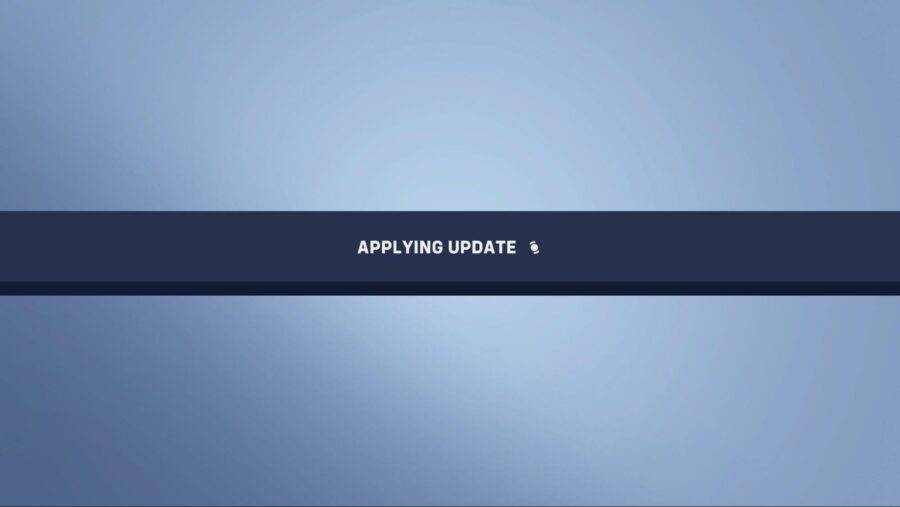
With Overwatch 2’s second season already underway along with the current Battle for Olympus event, continual content updates are always going to have major effects on a live-service game. The chances of bugs emerging from the cyber woodwork and the maintenance or downtime required to fix these bugs are often very high. Unfortunately, it seems a bug has reared its head for those looking to install the latest Overwatch 2 updates today, with players getting stuck on the ‘Applying Update’ screen while the game simply buffers for longer than it should.

Blizzard has been quiet over on its social media, leaving players in the dark and quite frustrated without an answer on what’s going on. Here’s how to fix the Applying Update error if you’re stuck experiencing the same.

Overwatch 2 Error Fix: Stuck on “Applying Update”

How to fix Overwatch 2 Applying Update error.

Here are the steps required that can help fix being stuck on the ‘Applying Update’ screen error:

  1. Restart Overwatch 2 or your console.
  2. Ensure Overwatch 2 has been updated fully. 
  3. Delete and Re-install the game.
  4. Contact Blizzard’s Support Team

It’s important to note that some players often get stuck on the Applying Update screen when Blizzard is in the middle of some maintenance or an update to the game, so it’s best to keep this in mind first before jumping into re-installing your game or speaking to Blizzard Support, patience always being a virtue. While it is frustrating to wait for Blizzard to resume service in these situations, it’s always in the interest of improving the game experience overall.

Stuck waiting for the pesky update to apply? Then why not check out Overwatch 2’s Lunar New Year Start and End Dates to get yourself ready for the upcoming event!

COD Mobile Season 1 (2023): Release Date, Time & Battle Pass

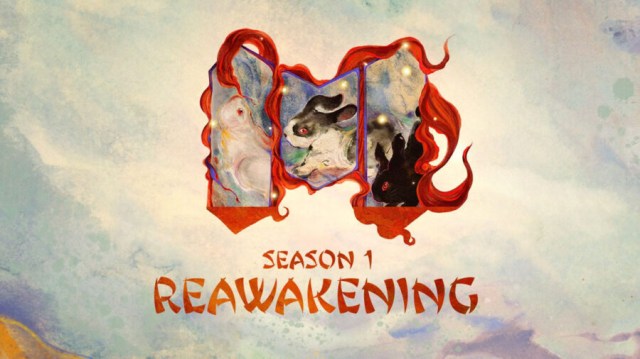
Activision is gearing up for the first Call of Duty: Mobile seasonal update of 2023, which is going to be packed with a plethora of fresh content, including new weapons, operators, maps, and of course, a brand-new battle pass. As of writing, COD Mobile developers have released a teaser for Season 1 (2023), announcing the update’s release date and new features. If you want to learn more about COD Mobile‘s “Reawakening” update, here’s everything you need to know.

When Does COD Mobile Season 1 (2023) Come Out? – Release Date & Time

COD Mobile Season 1 (2023) will officially launch on January 18 at 4 PM PT/ 7 PM ET/ 6 PM CT.

In case you’re wondering what’s the time as per your time zone, then here are the release timings for all regions:

January 18, 2023

  • 5:00 pm PDT
  • 8:00 pm EST

January 19, 2023

  • 1:00 am BST
  • 2:00 am CET
  • 4:00 am AST
  • 5:30 am IST
  • 8:00 am BJT
  • 9:00 am JST

As is tradition, the servers will not be taken offline for any maintenance. However, it’s worth noting that the COD Mobile “Reawakening” update will be deployed a few days before, so you can preload the update files and enjoy the new content right away.

COD Mobile Season 1 (2023) “Reawakening” Patch Notes

If you want to take a detailed look at everything inside the Season 1 (2023) update, then we’ve got you covered. Here’s all of the new content coming:

  • New Map: Nuketown Temple
  • New Weapon: Dingo LMG
  • New Scorestreak: Wheelson
  • New Perk: Unit Support Perk
  • New Equipment: Stim Shot
  • New Operator Skins: Cassius – Fate’s Champion, Baker – Breaker, Rampage – Venomous, Bathysphere – Hog Heaven
  • New Weapon Blueprints: MX9 – Golden Stripes, HS2126 – Pig Dynasty, LK24 – Amethyst Serpent, Type 25 – Rooster’s Dawn, Dingo – Monkey King’s Legacy

How Much Does COD Mobile Season 1 (2023) Battle Pass Cost?

The CoD Mobile Season 1 update battle pass detailed.

As is tradition, COD Mobile Season 1 (2023) battle pass will have two different variants containing a total of 50 tiers. The base version of the upcoming battle pass can be purchased for 560 CP (approx. $6), through which players can unlock all the premium rewards. On the other hand, the premium version of the battle pass will cost around 1280 CP (approx. $12).

The Reawakening update is speculated to take up around 700MB. Make sure that your smartphone has enough free storage space for a swift installation when Season 1 releases on January 18.

Stay Updated on The Latest Punk News

Get the latest punk news delivered straight to your inbox

We'll store and process this information to provide you our products and services. You may opt out of this at any time.