
Finance Bro Launches Hostile Takeover of Conversation

NEW YORK — Local finance bro Derrick Bland today initiated a hostile takeover of the casual conversation he overheard at a friend’s birthday dinner, according to interrupted sources. 

“We were talking about our kids’ baseball teams and suddenly this guy with an undercut leans over to our table, points to his watch, and goes on this whole rant about real estate arbitrage and how he’s going to rent out his parent’s extra bedroom to buy a bitcoin miner or whatever,” said one acquaintance, who further denied liking Bland in the first place. “He didn’t apologize or ask us anything about ourselves, but he did ask if we’d read Rich Dad Poor Dad, which I guess must be some kind of self help book for nerds.”

Experts were not particularly stunned by the conversational takeover, given Bland’s history of aggressive moves in the social marketplace.

“In previous social environments, Derrick has shown time and time again that he is not afraid to take risks,” said Mark Harmon, a longtime business associate and financial columnist. “Remember, this is the guy who took over an entire subway train in Q1 2020 to talk loudly on his cellphone about the repair bill for his broken rowing machine. He’s a hotshot, and in the attention marketplace, he’ll fight for a larger and larger share until he has total control of the board.”

Bland, for his part, sees the takeover as the first of many planned for the greater tri-state area.

“I’m looking to expand my operations beyond New York City,” he said, in response to a question no one asked. “The grind never sleeps, so I’m prepared to aggressively move into discussions that have absolutely nothing to do with me if that’s what it takes to make my personal brand known. I’ve been developing proprietary business technology that will allow me to interrupt strangers’ phone conversations with my thoughts on municipal bond markets and/or intermittent fasting. Who knows what the future will hold? I mean, I do. I know everything.”

As of press time, Bland was ignoring repeated attempts by other people to say something about their interests for once.
CoD Modern Warfare 2 Raid Guide: How to Start Raids

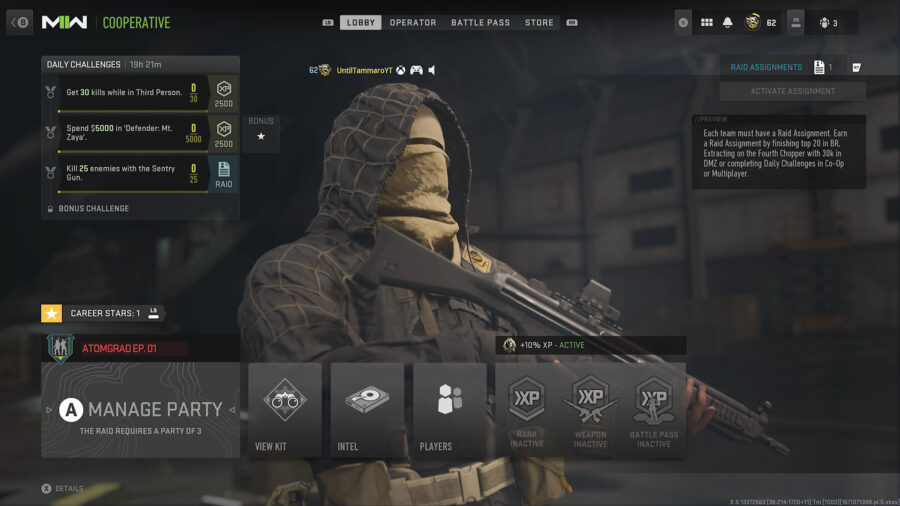
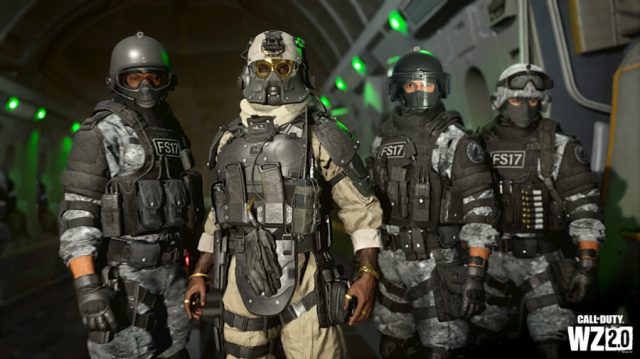
Call of Duty Modern Warfare 2 has released its first ever Raid, Atomgrad EP. 01. Players who are eager to jump right in will need to slow down a bit as starting up a Raid is not so straightforward. Here is how to start a Raid in COD Modern Warfare 2.

How to Start a Raid in Call of Duty Modern Warfare 2

How to unlock the Atomgrad raid in Call of Duty MW2.

There are two requirements to complete before starting a Raid. First, you need to be playing in a party of yourself and two friends. There is no matchmaking for Call of Duty Raids and you can’t play with less than three players.

The second requirement is a bit more complicated. The party leader needs to have an available Raid Assignment. These work as keys allowing you to access the mode. Once activated, a Raid Assignment will remain active on your account for a week, so players will need to constantly stock up on Raid Assignments if they want to continue replaying the Raid.

How to Unlock a Raid Assignment in CoD Modern Warfare 2

As of the launch of the first ever Raid, CoD Modern Warfare 2 lists three specific ways players can unlock Raid Assignments, the items used to start raids:

  • In Warzone 2.0, place within the top 20 in any game mode.
  • In DMZ, use the final extract helicopter and exfil with at least $30,000 in Cash.
  • In Multiplayer/Co-Op, complete the specific Raid Assignment Daily Challenge (two available per day).

You can hoard as many Raid Assignments as you want! Just remember that each one will only last a week at a time.

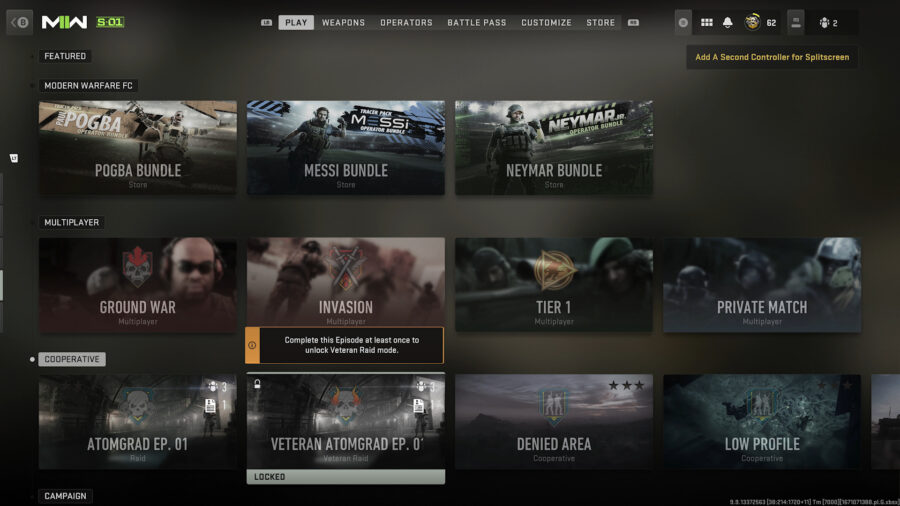
How To Unlock the Veteran Difficulty Raid in CoD MW2

How to play the Atomgrad raid on veteran difficulty.

The Raid comes in two difficulties: Standard and Veteran. The Standard Raid is available to all players at launch; however, the Veteran difficulty Raid is locked. To unlock the Veteran Atomgrad EP. 01 Raid, players will need to complete the Standard difficulty version first, as the Veteran unlock is a reward for completing the Raid.

Skyrim Cosplayer Also Has Awkward Dialogue

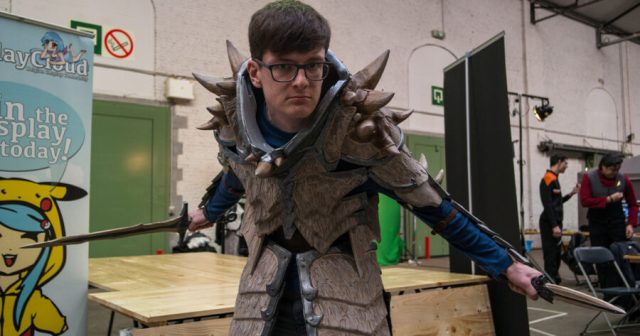
SAN DIEGO — An The Elder Scrolls V: Skyrim cosplayer on the convention floor achieved a new level of realism with their costume by also having awkward dialogue, according to confused attendants.

“Greetings, hello there,” began cosplayer Eric Roberts in a stilted monotone. “Allow me to offer you a photo with me, or provide any directions around the convention center. Have you eaten today? The food court has bountiful chicken strips and crinkle-cut french fries. Feel free to visit if you have the time. Are you dressed up as Wario from Super Mario Brothers? That is most amusing. I will tell my friends of your overalls and silly hat for many moons. Where are you going? Would you like me to repeat all that?”

People walking the convention floor were undecided whether or not Roberts’ stiff conversations were an aspect of his cosplay or just who he is as a person.

“I can’t tell if this is part of his costume or if he just doesn’t have many friends,” said comic con attendee Shirley White. “He just kind of stands there with his arms by his side waiting for people to come up and talk to him, then he mechanically turns around and starts babbling, not letting anyone get a word in. That’s either next level Skyrim immersion or crippling social awkwardness. If he runs out of talking points, he just starts repeating the exact same things he’s talked to you about, and then tries to slowly walk away when you’re done talking to him.”

At press time, convention attendees became additionally concerned when Roberts was unphased by a dead body on the convention floor, just stepping over it and continuing to go about his day.

Photo by Silverflame Pictures.

The Dark Side of Accessibility: Will The Xbox Adaptive Controller Let Perverts Play Fortnite With Their Dicks?

Hello, gamers. We all love accessibility in video games. Allowing video games to be played and enjoyed by all is essential, so when gaming companies take strides to ensure everyone can partake in gaming is always a great sight to see. But often, progress comes at a cost. With the new Xbox Adaptive controller, the question must be asked: will perverts be able to play Fortnite with the dicks?

Gamers, we’re as curious as you are. It’s genuinely heartwarming to think of someone with a disability using the adaptive controller to take in a medium that was previously difficult, or even impossible, but what if, stay with us here, some filthy degenerate uses this inclusive controller with their phallus? And if this unholy hypothetical is possible, can they be stopped? 

Sure, it’s not the most effective nor efficient way of playing video games, but it’s about the principle. Now gamers everywhere must ponder if the person that just headshot them in Tilted Towers did so by clumsily swiping their penis on the controller. Maybe the worst part is not knowing. The question of whether or not your in-game killer has been mercilessly gunning down other players with their flaccid member is a dark Pandora’s box that now must be unfortunately opened.

Gamers, we humbly ask you to keep this secret. Do not tell anybody of this dark, shady underbelly to accessibility in video games, let the rest of the world live in sweet, blissful ignorance. As always, we shall bear this troublesome knowledge together, and work tirelessly in the shadows to stop these sick perverts at all costs.

The most important thing is to not be tempted over to the enemy side. Though you may see the adaptive controller and consider its possibilities, you must resist its siren’s call and keep your jeans zipped and buttoned while gaming. If not for us, for your fellow gamers everywhere. God bless you.

Overwatch 2: How to Complete the Caught a Cold Challenge

Overwatch 2‘s Winter Wonderland 2022 has kicked off and runs from December 13th, 2022 until January 4th, 2023. It brings with it returning winter-themed game modes, plenty of new cosmetics, as well as new challenges to complete. Caught A Cold is one of the challenges introduced in Overwatch 2‘s Winter Wonderland and requires you to catch 6 snowballs in Snowball Deathmatch. Here is how to complete the challenge (and catch a snowball).

Overwatch 2 – How to Complete the Caught a Cold Challenge

You’ll need to catch 6 snowballs in Snowball Deathmatch to complete the Caught a Cold challenge in Overwatch 2.  Luckily, this is a cumulative count and doesn’t have to be completed in a single match of Snowball Deathmatch. In this mode, players compete in an 8-player free-for-all style deathmatch with the winner being whoever achieves 15 eliminations first. All players will play as Mei with a modified version of her snowball gun. She can carry 3 snowballs at a time and can reload at the snow piles around the map.

Everyone in this mode is low health, so one hit with a snowball will net an elimination. Additionally, all players will have a “Catch” ability, which can be used to catch enemy snowballs, adding them to the players’ ammo count. This ability takes the place of your usual melee attack and is activated by pressing the melee button.

How to Catch a Snowball in Overwatch 2

As for how to catch a snowball in Overwatch 2, simply time your melee so that you activate “Catch” just before getting hit with an enemy snowball. The timing will take some practice to get used to and partially depends on your opponents. Skilled players will try to fake you out by making it look like they are about to shoot you, attempting to bait out your Catch so they can get a free kill.

However, if done correctly, you will Catch the enemy snowball. This will add it to your ammo count, save you from being eliminated, and, perhaps more importantly, gain progress toward this challenge. Keep practicing this catch, and you’ll be a pro in no time!

High on Life: How to Make the Guns Talk Less

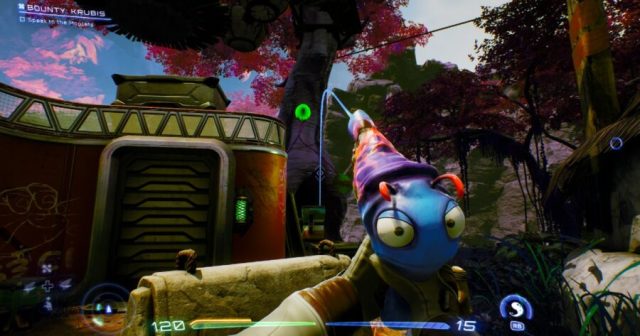
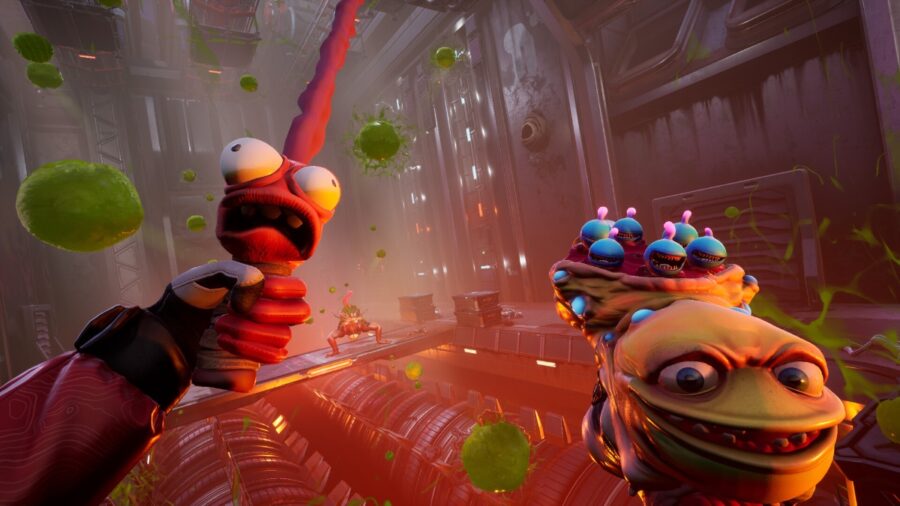
High on Life is out now, and as the latest title from Justin Roiland’s development studio Squanch Games, you might have an idea of the sort of humor to expect. There’s plenty of quippy banter and the occasional toilet humor. What’s new to High on Life is that your weapons – the talking Gatlians – are getting in on the japes. Since the game features a silent protagonist, they’re necessary to convey story information, but they can easily wear out their welcome in an otherwise beautiful game.

This is especially true of Kenny, who speaks in the trademark Justin Roiland voice. If you’re already not a fan of Roiland’s other projects like Rick and Morty or Trover Saves the Universe, this voice may get old fast. Luckily, the developers foresaw this issue and included the option to reduce or eliminate their chatter altogether! Here’s how to make the guns talk less in High on Life.

How to Reduce Gun & Enemy Chatter in High on Life

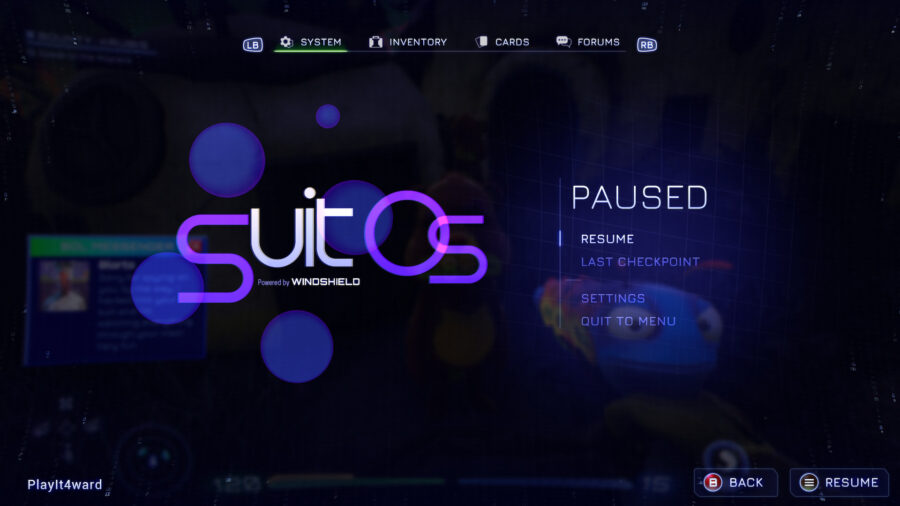
If you’d like to make your guns (or even enemies) talk less, just pause the game! For a more long-term solution, head over to the settings option in the pause menu. This menu is available from the moment you start a new game in the pseudo-intro of Buck Thunder II: Xenoslaughter, but you won’t actually have the opportunity to hear your gun talking until a little further into the game.

From there, you’ll want to move down to the audio section, and there will be an option for Gun Chatter! Scroll down to it and you can change the chatter from Frequent to Occasional or even None. This makes it so Kenny and his fellow Gatlians will only speak for story purposes, so you won’t be missing anything really important.

Additionally, each weapon is voiced by a different actor, so while you may not want to hear Justin Roiland or Tim Robinson rattling off quips in a firefight, maybe Betsy Sodaro or JB Smoove can convince you to turn up the chatter. Either way, if it seems too quiet you can change it whenever you like. In the meantime, enjoy silently exploring the beautiful alien worlds in High on Life!

Divine Knockout (DKO): Complete Crossplay/Cross Platform Guide

Divine Knockout is the latest from Hi-Rez Studios, the publisher behind titles like SMITE and PaladinsDKO is the studio’s take on the platform fighter genre, bringing it to 3D with a focus on 3v3 combat. This means the game is best with friends. Luckily, with the Divine Knockout crossplay system, you can play with your friends, regardless of platform.

Is Divine Knockout (DKO) Crossplay?

Like most modern cross-platform games, DKO relies on its company’s own online system to set players up with an account on their own system. Crossplay will be automatically enabled.

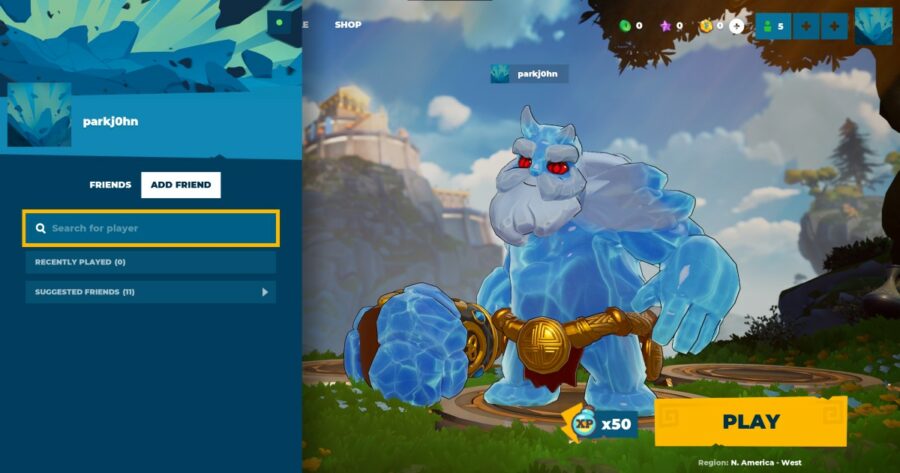
To play with friends is a bit more involved, though. In the top right corner of your screen, click on the person-looking icon on the top right of your screen. On controller, you’ll press your controller’s menu button to access this menu. Then, enter your friend’s name. By default, the game will use your platform of choice’s username. If you’re unsure, you can look at the username above the character’s head on the main menu. After that, you should see your friend on the in-game friends list, and be able to utilize Divine Knockout crossplay!

Does Divine Knockout Have Cross Progression?

You can enable cross-progression across PC, PlayStation, & Xbox in Divine Knockout. Using this, you can keep your progress if you play on different platforms. This is also the way to claim the game’s Twitch drops.

To link your accounts for Divine Knockout, you’ll need to use the official website. On this website, you can link your game accounts on Steam, Epic Games, Xbox, & PlayStation. You can also link these accounts with your Twitch or Amazon account to claim drops from watching DKO live streams.

One thing to keep in mind is that purchases of the game’s Founder’s Edition won’t transfer to other platforms. For example, if you claim the DKO Founder’s Edition for free in December’s PlayStation Plus, you will still need to purchase Divine Knockout on other platforms to play.

That’s everything you need to know about Divine Knockout crossplay! Enjoy playing as the gods in this new & innovative genre mashup.

Elon Musk Adds Edit Button to Twitter Employee Contracts

SAN FRANCISCO — Shortly after stopping all rent payments on Twitter’s office space, Elon Musk has reportedly greenlit a new “Edit” button which will allow the CEO to change legal agreements with employees after they’ve been made.

“The edit button is a brilliant new idea that our naturally hirsute CEO, Elon Musk – who isn’t me – thought of one day all by himself in his giant genius brain, like he did with electric cars and tunnels,” said an anonymous high-level executive at Twitter. “By allowing Mr. Musk to fix any inconvenient parts of his employment contracts, the new edit button will help ensure the viability of such costly things as benefits, work-from-home arrangements, and whether or not employees are allowed to write mean things about me in public. I mean, things about Mr. Musk.”

Sonja Clark, a senior engineer with over a decade of experience at Twitter, was the first employee to experience firsthand the effects of the editing feature.

“Shortly after the edit button was made operational, I was fired via email because I refused to commute five hours to the office, as my contract suddenly required. So I left. I guess they changed their minds pretty quickly, because Elon called me thirty seconds later and demanded I fly to California to ‘figure all the wires out’ in his office,” said Clark, scrolling through the lengthy edit history of her employment contract. “He said he’d undo the changes, but that I needed to ‘level up my hardcoreness [sic]’ to stay at the company. After consulting a lawyer, I advised Elon that he needed to eat my entire ass. You can guess how that went over. I’m currently looking for positions with other employers, though I do hold out hope that Elon will in fact do the right thing in the end and eat my entire ass.”

Twitter users and tech market watchers were generally divided over the announcement, though the site’s algorithms appeared to favor posts which praised it.

“Based Elon has finally made comedy legal again! Buy EL0N C1ONz now:” replied user Crypt0Eagle420 under a news story about the edit button, then shared a link to a cryptocurrency phishing scam.

At press time, Elon Musk had delayed the edit button until he could find someone who knew how to use it.

Pokemon Scarlet & Violet: Where to Find the Amulet Coin

Pokemon Scarlet & Violet has a few items that will be very helpful for grinding, including the Amulet Coin. The Amulet Coin is an item that will allow you to earn more money from trainer battles. This way, when you’re shopping for other important items, you can start to spend with reckless abandon, knowing that your Amulet Coin will help you make back your money quickly.

Unlike other games, though, this helpful item isn’t found directly in the overworld. In Pokemon Scarlet & Violet, you’ll have to do a bit more digging to find the Amulet Coin.

Amulet Coin Location – Pokemon Scarlet & Violet

Where to get the Amulet Coin in Pokemon Scarlet & Violet.

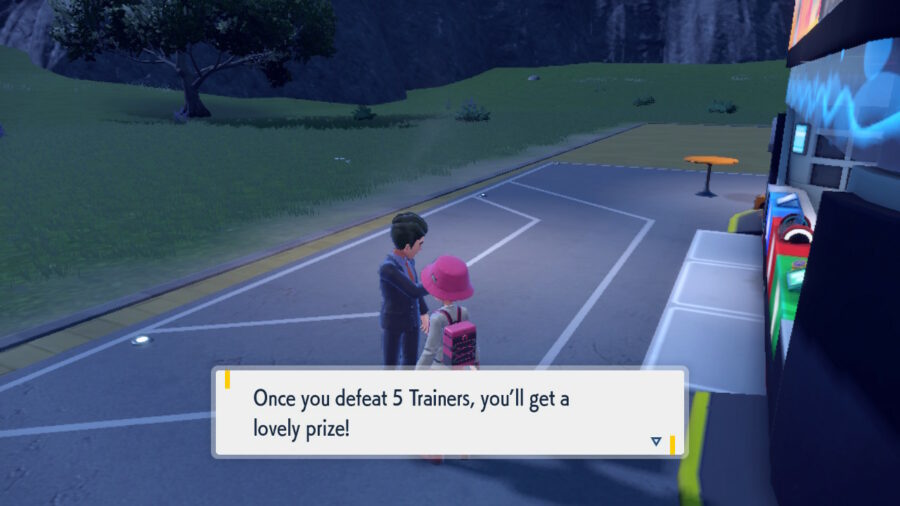
As mentioned previously, the Amulet Coin can’t be found directly in the overworld. To find the Amulet Coin, you’ll need to talk to one of the Pokemon League representatives. Specifically, you’ll want to head to the Medali (East) Pokemon Center. The Pokemon League representative will tell you that you need to beat five trainers in Area Three of the West Province. This will be the area to the east of the Pokemon Center. Use this opportunity to explore this area to find new Pokemon while you find trainers to beat!

Once you’ve beaten five trainers, return to the Pokemon League representative to claim your prize. He’ll give you the Amulet Coin as a prize for showing your battle prowess. Now, it’s time to equip your newfound booster.

How to Use the Amulet Coin in Pokemon Scarlet & Violet

To use this item, navigate over to the “Other Items” tab in your bag. By default, it’ll be sorted near other held items. Then, give it to one of your Pokemon. Make sure it’s a Pokemon that you’re actively using! The Amulet Coin boost to prize money is only in effect if the Pokemon holding the Amulet Coin enters the battle.

Use this new helpful item to make the most out of your trainer battles in the Paldea region! Whether you’re just starting your journey or entering your hundredth hour, this item is sure to be incredibly useful. Looking to breed powerful Pokemon for the endgame? Find out where to get the Destiny Knot in Pokemon Scarlet & Violet as well!

High on Life Jetpack Guide: Where to Get the Jetpack

High on Life puts you into the shoes a of high school graduate who becomes the Earth’s one chance at survival, using gear like talking guns & even a jetpack to fight aliens. During this quest to save the Earth, you’ll encounter many odd characters and talking weapons as you become a bounty hunter in space. One of the best pieces of equipment to find in the game is the jetpack. In this guide, you’ll learn how to get your hands on the useful item.

Where is the Jetpack in High on Life?

Where & how to get the Jetpack in High on Life.

The Jetpack can be obtained by visiting the pawn shop. You just need enough money to buy it. The process of finding the jetpack in High on Life starts with defeating two bounty targets, Douglas and Kubris. Completing these bounties will trigger dialogue from Gene telling you to get a jetpack. You’ll then want to head to the pawn shop and purchase the jetpack reservation ticket. That’s right, you buy a reservation ticket as opposed to outright buying it and equipping it.

After buying the reservation ticket, you’re going to want to head back to your room at home and sleep after talking to Gene about the status of your jetpack. After this sleep, you’ll eventually wake up on the roof equipped with your newly purchased jetpack. Take it out for a test ride & see how it works! However, you’ll want to be a bit careful of a known glitch.

High on Life: The Jetpack Glitch & How to Avoid it

One thing that players should be aware of is a known game-breaking bug involving the jetpack in High on Life. Once a player gets the jetpack, it’s possible for them to get stuck in their room if they fall off the roof while initially using the jetpack. This glitch traps players in their room and prevents them from getting back to the roof. To avoid the glitch, it’s best that you don’t fall of the roof of the house while using the jetpack.